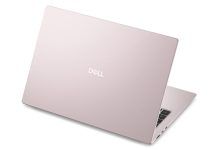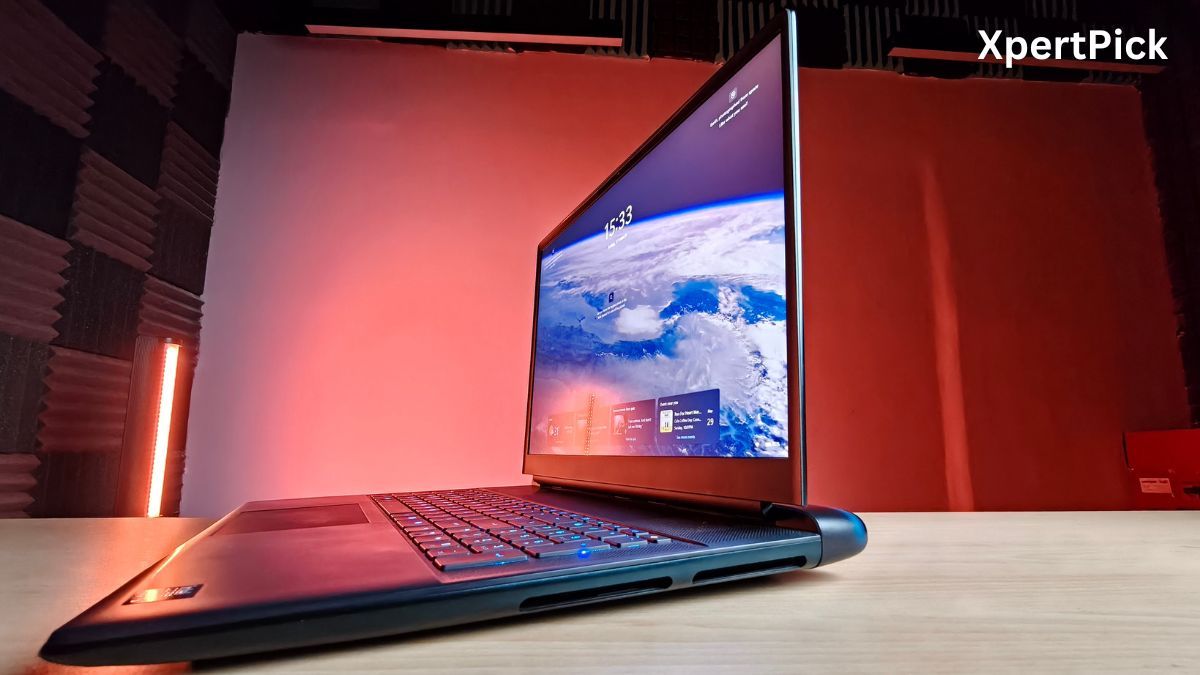
The Dell Alienware 18 Area-51 is the latest in the series of big, humongous 18-inch gaming laptops that function more like a desktop replacement and less like a portable computing device. And because of its size, stature, and price, the Dell Alienware Area-51 can deliver some outstanding performance.
So before jumping into the actual meat and potatoes, I think it’s best to answer who this 18-inch laptop makes sense for in the first place. For people who want workstation-grade performance but also want some semblance of portability, no matter how limited it is, I think an 18-inch laptop makes sense for them. For instance, a film crew on set that needs a really powerful machine that is also portable.
And for your average laptop user including even the casual gamer, I don’t think that an 18-inch laptop is something that’d suit your workflow or even your lifestyle.
With that out of the way, here’s how the Dell Alienware 18 Area-51 performs.
Dell Alienware 18 Area-51 Specifications
- CPU: Intel Core Ultra 9 275HX (24-Core: 8 Performance, 16 Efficiency, up to 5.4 GHz, 36MB L3 Cache)
- GPU: NVIDIA GeForce RTX 5090 Laptop GPU (24GB GDDR7 VRAM, up to 175W Total Graphics Power)
- RAM: 64GB DDR5 running at 6400 MT/s (Dual-channel, user-replaceable slots)
- Storage: 2TB M.2 PCIe Gen 5 NVMe SSD (Features available slots for further expansion)
- Display: 18-inch WQXGA (2560 x 1600) IPS panel, 300Hz refresh rate, 3ms response time, 500 nits brightness, 100% DCI-P3 color gamut, and NVIDIA G-SYNC support
- Cooling: Cryo-Tech cooling system featuring dual fans, enlarged heat pipes/vapor chamber, and liquid metal thermal interface
- Keyboard: CherryMX ultra-low-profile mechanical keyboard with per-key AlienFX RGB lighting
- Battery & Power: 96 Whr 6-cell battery powered by a heavy-duty 360W power adapter
- Wireless: Wi-Fi 7 (Tri-Band) and Bluetooth 5.4
- Ports: 2x USB-C (Thunderbolt 5), 3x USB-A 3.2 Gen 1, 1x HDMI 2.1, 1x RJ-45 5GbE Ethernet port, 1x full-size SD card reader, and a 3.5mm headset jack
- Weight & Dimensions: 9.57 lbs (4.34 kg) and 0.95 inches thick
Built Like a Tank, Designed to Last
The Dell Alienware 18 Area-51 weighs 4.12 kg, and to manage that weight, the laptop uses a mixture of materials. The top lid and the base of the laptop, for example, are made up of anodised aluminium, while the internal frame of the laptop is made out of magnesium alloy. Now, both of these materials do an excellent job of providing rigidity and structural strength to the 18-inch gaming laptop.
It is pretty difficult to avoid chassis or body flex, especially when the footprint is so big. To put it into perspective, I daily drive a Dell Alienware m5 R7, which I bought two years ago, and despite being a relatively smaller laptop, it still has some flex, especially when I am lifting the laptop when it’s open from one end.
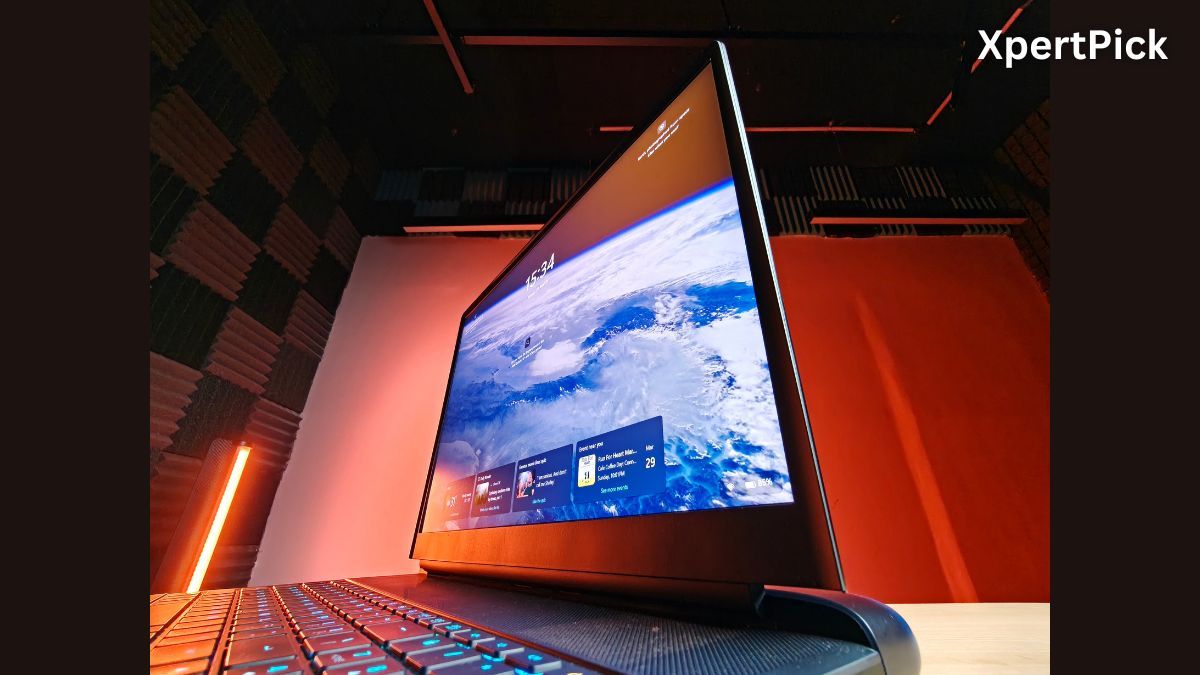
The deck area is made out of a soft-finish polycarbonate, which I think is best, considering the laptop surface temperature should remain under control, and a metal surface would just become quite hot to touch.
The display hinge is smooth and easy to lift. There is a dedicated lid recess on the laptop, but the way the top lid closes creates a crevice-like structure, which makes it easy to grab and open the lid, even with a single hand. Despite housing a big 18-inch display, whenever you try to open the lid and set it at any particular angle, it settles very quickly without any residual movement.
The screen also has pretty good heft to it, and you will feel it every time you lift it open. In my opinion, it shows that the laptop is very well built and, more importantly, built to last.
Excellent Mechanical Keyboard, Underwhelming Touchpad
In this department, I have both good and not-so-good news. While the keyboard of the laptop is very good, as it features Cherry MX ultra-low profile mechanical switches, these offer a decent 1.8 mm key travel, which is also coupled with a very bouncy kickback.
The keys also make a moderate amount of noise. It is still not as much as a typical mechanical keyboard, but the slight “clink” sound does become noticeable when you’re typing really fast. Additionally, you get a full-size keyboard complete with a numpad and RGB backlight.
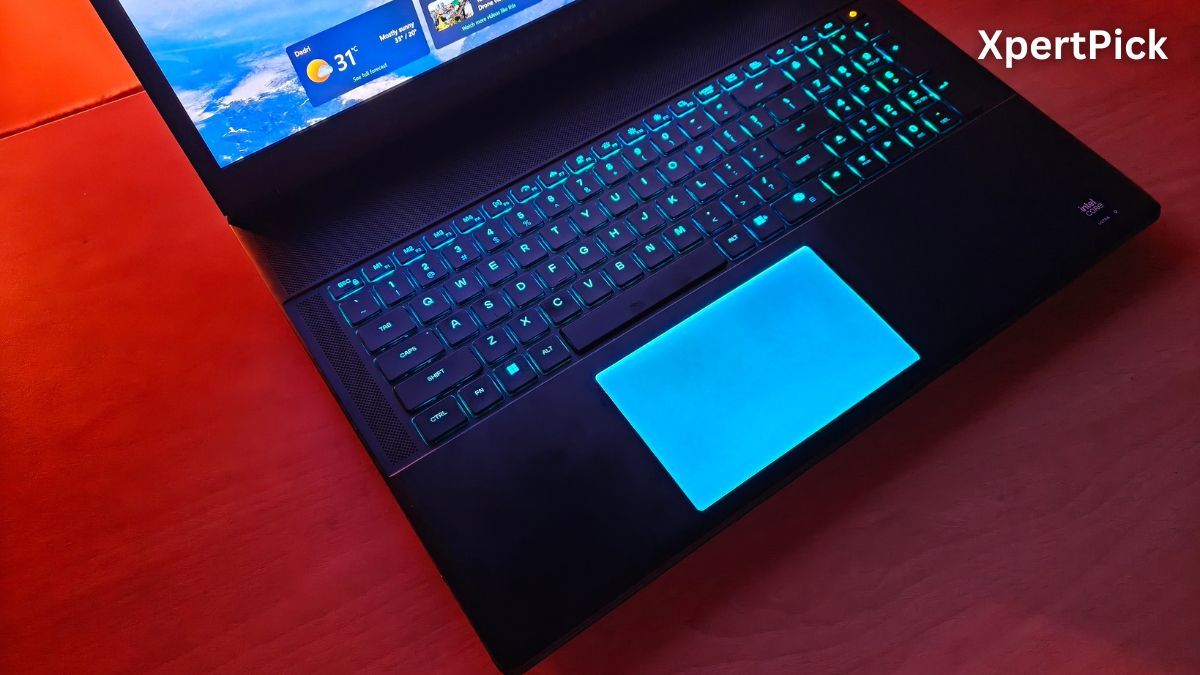
However, the touchpad is rather disappointing, especially at this price range, because it is still not a haptic feedback unit. Instead, it is a simple mechanical/washboard-type touchpad that presses down when you click on it.
Considering the price of the laptop is upwards of Rs 5 lakh, I think a haptic touchpad should have been standard, especially when it is going to become common in many upcoming laptops launching in 2026.
Future-Proof Connectivity with Minor Trade-Offs
For your RTX 5090 model, the laptop offers a highly future proof selection of ports. Having Thunderbolt 5 and 5Gbps Ethernet puts you ahead of almost all competitors and even most high-end desktop.
Thunderbolt 5 is the star of your configuration. It doubles the bandwidth of Thunderbolt 4, allowing you to run dual 8K monitors at 60Hz or even a 540Hz gaming display through a single port.
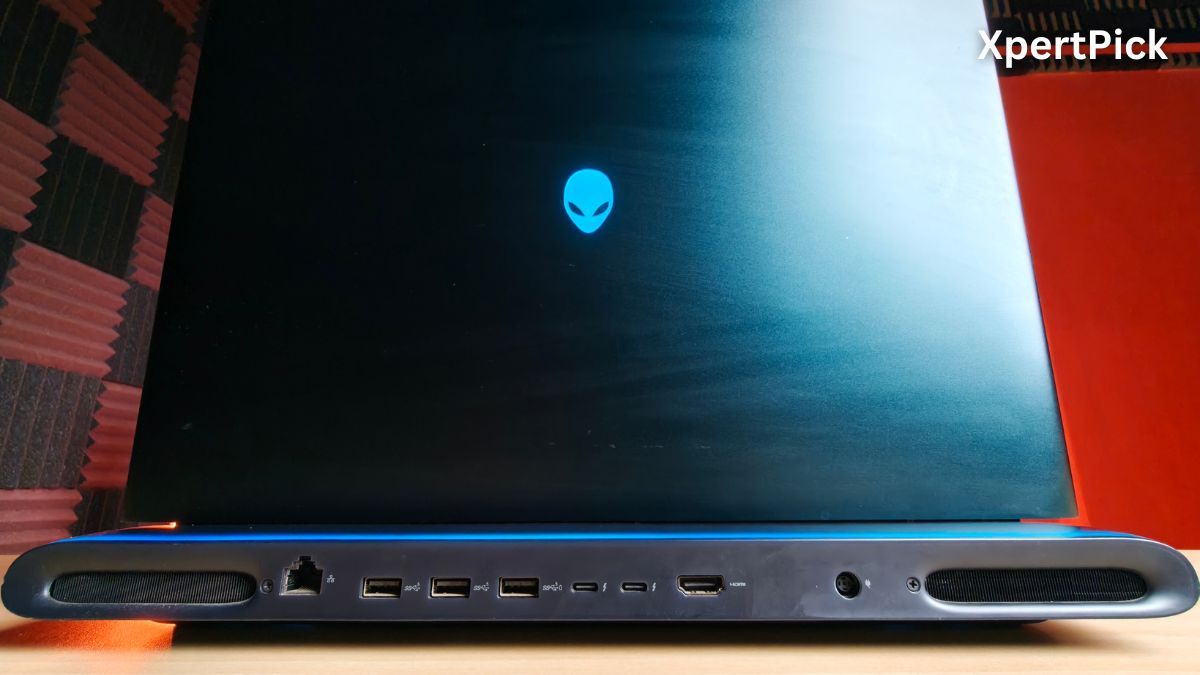
While most gaming laptops still use 2.5Gbps Ethernet, yours has a 5Gbps Killer E5000 port. This is ideal if you have a high-speed fiber connection or a NAS (Network Attached Storage) for moving massive game files.
The laptop also gets a full size SD Card Slot, which is rare in 2026 and essential if you do professional video or photo work.
The laptop also has three USB-A ports that are only 3.2 Gen 1 (5Gbps) instead of 3.2 Gen 2 (10 Gbps). While fine for a mouse or keyboard, they will be slow for modern external SSDs compared to the Thunderbolt ports.
Most ports are on the rear. This looks clean on a desk, but it can be annoying if you frequently swap peripherals while on the go.
For a desktop replacement, these ports are unbeatable. You can connect an entire workstation, including three 4K monitors, high-speed storage, and ultra-fast wired internet, using just the rear ports.
Solid Display, But Falls Short of a Flagship Panel
The display on your Alienware 18 Area-51 Gaming Laptop is an 18-inch WQXGA panel that utilises a 16:10 aspect ratio. With a native resolution of 2560 x 1600 pixels (QHD+) and a refresh rate of 144 Hz, it strikes a decent balance between sharpness and high frame rates, especially when paired with your RTX 5090.
However, at this point, at least a 3K OLED or Mini LED display would have made more sense, because the current IPS panel doesn’t look premium enough. Viewing angles suffer the most because of this panel, as it is best suited to mid-range laptops or those slightly above that segment.
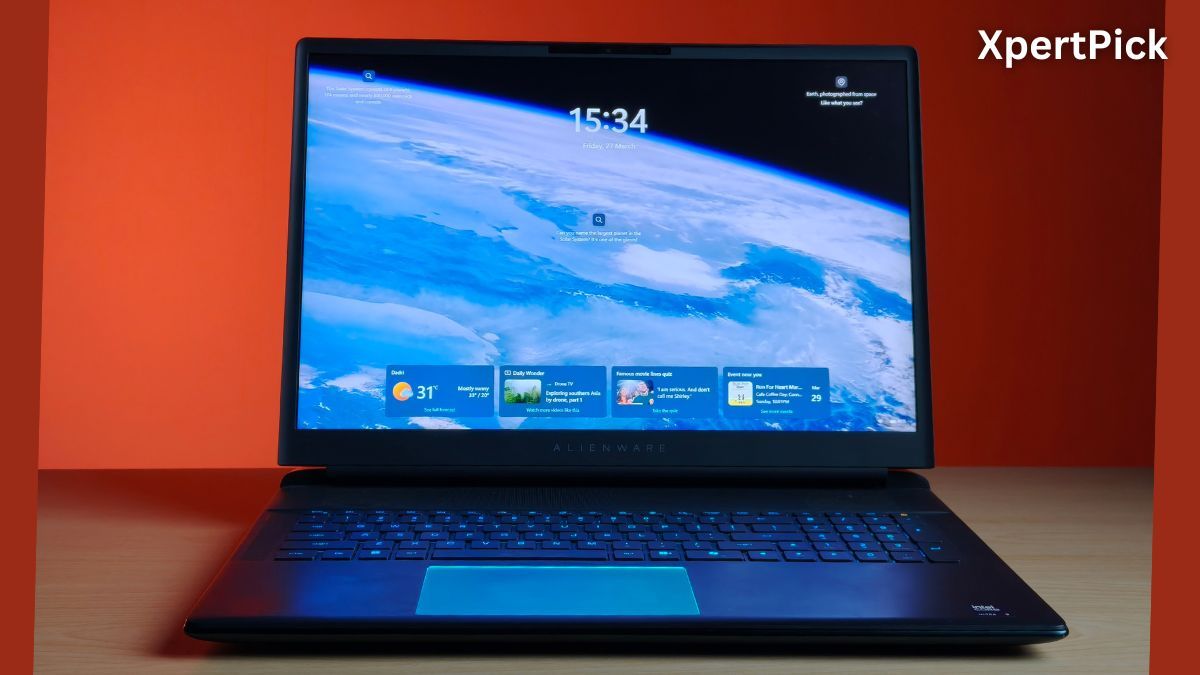
The screen is also decently bright, reaching a peak brightness of 500 nits. It is exceptionally colour accurate though thanks to 100% DCI-P3 coverage and a Delta-E of less than 2. Furthermore, it includes NVIDIA G-SYNC and Advanced Optimus to ensure a tear-free experience while intelligently managing power between your integrated and discrete graphics.
In short, I’d rate the display of the Alienware 18 Area-51 as decent. It gets the job done without any complaints, but at its current price point, it doesn’t justify the cost.
Desktop-Class Power with Noticeable Thermal Trade-Offs
One area where the Dell Alienware 18 Area-51 trumps over almost every other gaming laptop is in terms of gaming performance. With a combination of Intel Core Ultra 9 275HX, Nvidia GeForce RTX 5090, 64 GB DDR5 6400 Mhz RAM, it shreds through benchmarks gloriously.
| Benchmark | Test Type | Alienware 18 Area-51 (Core Ultra 9 275HX) | Asus TUF A14 (Ryzen AI Max+ 392) |
|---|---|---|---|
| 3DMark Wild Life Extreme | Overall Score | 48,555 | 20,711 |
| Cinebench R23 | Single-Core | 2,153 | 1,987 |
| Cinebench R23 | Multi-Core | 35,357 | 27,776 |
In 3DMark Wild Life Extreme, it scored 48,555. Meanwhile, the recently tested Asus TUF A14 Gaming, powered by the latest AMD Strix Halo chip, scored 20,711. Likewise, in Cinebench R23, the Intel Core Ultra 9 chip powering the laptop scored 2,153 and 35,357 in the single- and multi-core tests, respectively, while the AMD Ryzen AI Max+ 392 scored 1,987 in single-core and 27,776 in multi-core tests.
The CPU chip runs a bit hot, though. At a peak CPU package temperature of 95 degrees Celsius, the Core Ultra 9 275HX is obviously struggling a bit to maintain peak performance, even in the big 18-inch chassis. But because there’s enough performance headroom, any performance throttling ultimately amounts to very little.
However, modern AMD APUs, like the AMD Ryzen AI Max+ 392 I mentioned, run very efficiently compared to this. It only managed to reach 55 degrees Celsius during peak CPU stress tests.
So thermals are one area where the 275HX runs a bit hot. In my experience, it is more of an issue with the chip rather than the laptop, because I have seen similar temperatures when I tested the HP Omen Max 16 a few years ago.
Even in terms of efficiency, the 275HX, by itself, can consume upto 150 W during stress tests and 50 W during normal streaming, browsing and office related tasks.
| Game | Settings | Average FPS |
|---|---|---|
| Cyberpunk 2077 | 1200p, High | 175 FPS |
| Borderlands 3 | 1200p, High | 184 FPS |
| Shadow of the Tomb Raider | 1200p, High | 235 FPS |
| Metro Exodus | 1200p, High | 196 FPS |
In terms of gaming, the laptop absolutely nails its performance. At 1200p high settings, for instance, in Cyberpunk 2077, it scored an average of 175 FPS. Meanwhile, it scored 184 FPS in Borderlands 3, 235 FPS in Shadow of the Tomb Raider, and 196 FPS in Metro Exodus.
Big Battery, Surprisingly Short Runtime
As I mentioned, the Dell Alienware 18 Area-51 comes with a 96Wh battery, which objectively is a pretty big battery. For instance, 99Wh is the flight limit for a laptop battery unit.
However, despite such a big battery pack, the Alienware 18 Area-51 only managed a battery life of around 75 minutes, which is about 1 hour and 15 minutes. This is the battery life it achieved when the laptop was in its default preset on battery power at maximum brightness.
The workload during this battery test included running office-related apps, video calls, browsing, streaming, and other daily productivity tasks.
Verdict: Extreme Performance, Minor Premium Misses
The Dell Alienware 18 Area-51 stands in a league of its own, quite literally. It costs upwards of Rs 5 lakh, and although it delivers on its promise of near desktop-level performance in a mobile chassis, it still misses out on some quality-of-life upgrades.
For example, a better panel like an OLED or mini-LED would have made content consumption on the big 18-inch display a delight. Similarly, a haptic touchpad is a miss that could have easily made this machine even more capable.
Still, in its core areas, the Dell Alienware 18 Area-51 does a great job of delivering an ultra-high-performance laptop that will most likely not leave you wanting more, today and even a few years down the line.
Its well-built and rigid 18-inch chassis, mechanical Cherry switch keyboard, a healthy selection of I/O including class-leading Thunderbolt 5 ports, and flagship CPU and GPU from Intel and Nvidia make the Alienware 18 Area-51 a gaming laptop with a lot of performance and very few compromises.