ASUS AIO V470 Review: Clean Design, Smart Features, but Performance Feels Limited

In 2026, all-in-one (AIO) desktops continue to remain a great solution for businesses and households that want a computing device that’s easy to set up, saves space, and gets the work done. In that same spirit, I too have been using the Asus AIO V470VAB-KWC3003WS, which is a mouthful of a name and quite difficult to remember.

Regardless, as I mentioned, the machine is an all-in-one desktop that boasts some new, cutting-edge features like Wi-Fi 7, Dolby Atmos audio, and more. So, is it worth the Rs 71,990 price tag? Well, here’s my answer.

Build Quality & Design: Slimmer Profile, Cleaner Bezels and a Practical Build

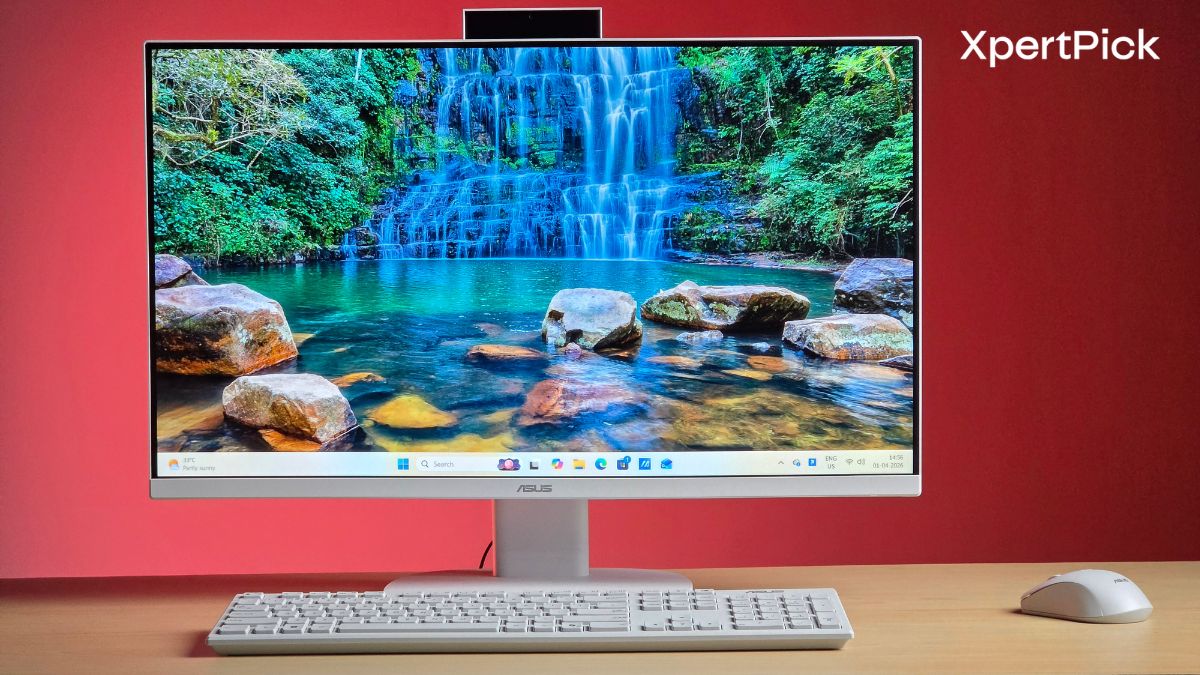
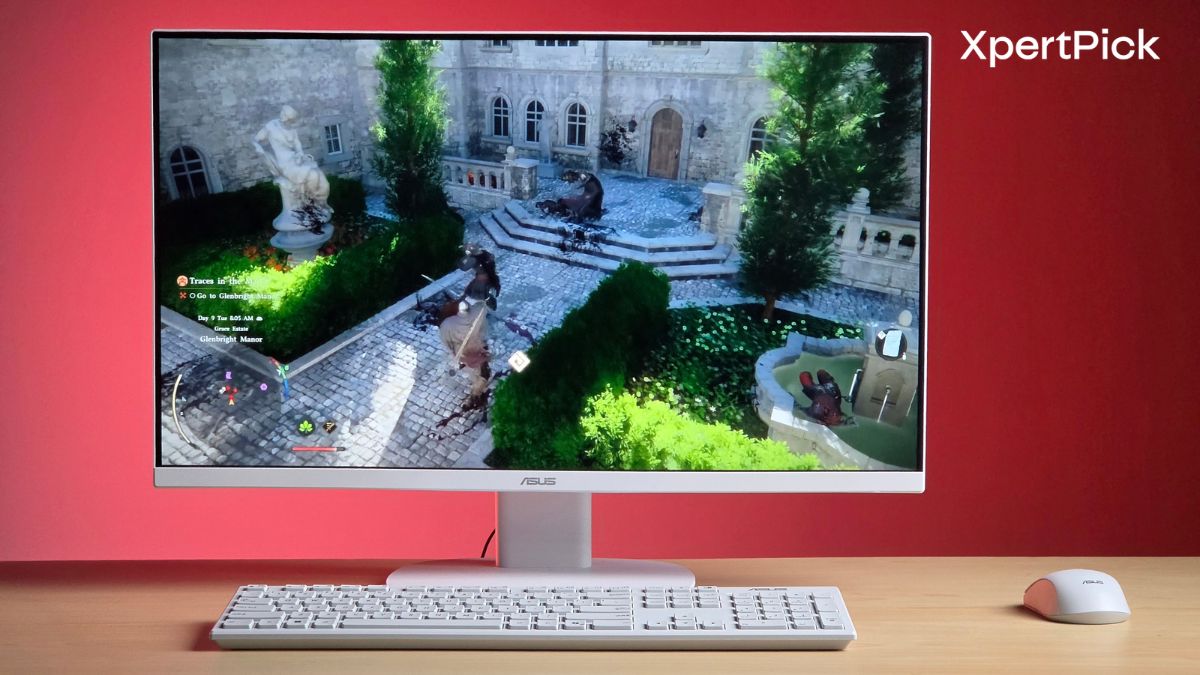
This is where the Asus AIO V470VAB makes its first impression, and honestly, it’s a clean one. Asus has clearly focused on refining the physical footprint of the machine, and it shows the moment you place it on a desk. The chassis feels well put together, with no obvious flex or weak points, and the overall construction leans more towards functional minimalism than anything flashy.

Compared to older Asus AIOs, the V470 is noticeably slimmer. Asus claims a 25% reduction in thickness, bringing the profile down to around 36.5 mm. In real-world use, that translates to a machine that doesn’t feel bulky from the side, especially when placed against a wall or in tighter workspaces. It sits neatly without drawing unnecessary attention to itself.

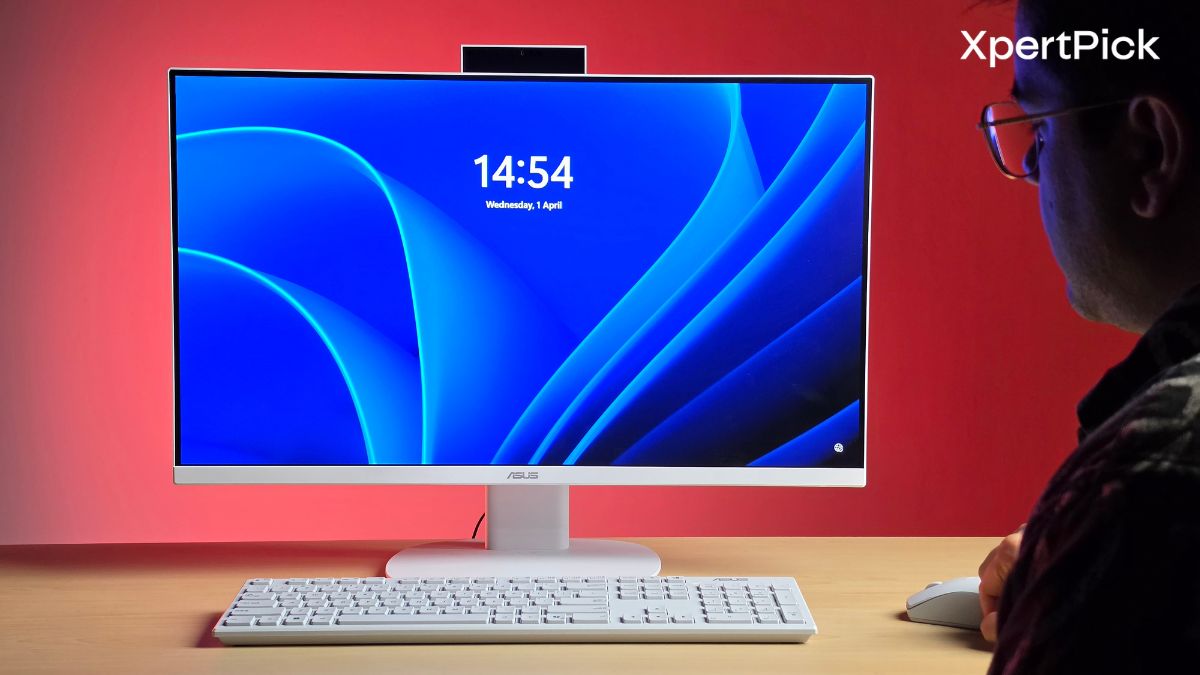
The bezels have also been tightened up, particularly along the bottom chin. At roughly 15.6 mm, it’s visibly slimmer than previous iterations, which helps the display look more modern and less dated. The three-sided narrow bezels up top further add to that cleaner look, making the screen feel more immersive than you’d typically expect at this price point.

The stand is simple and does its job well. It holds the display firmly in place with minimal wobble, even when you’re adjusting the angle. There’s nothing overly premium about it, but it feels stable and reliable, which matters more for a desktop that’s going to stay in one place most of the time.
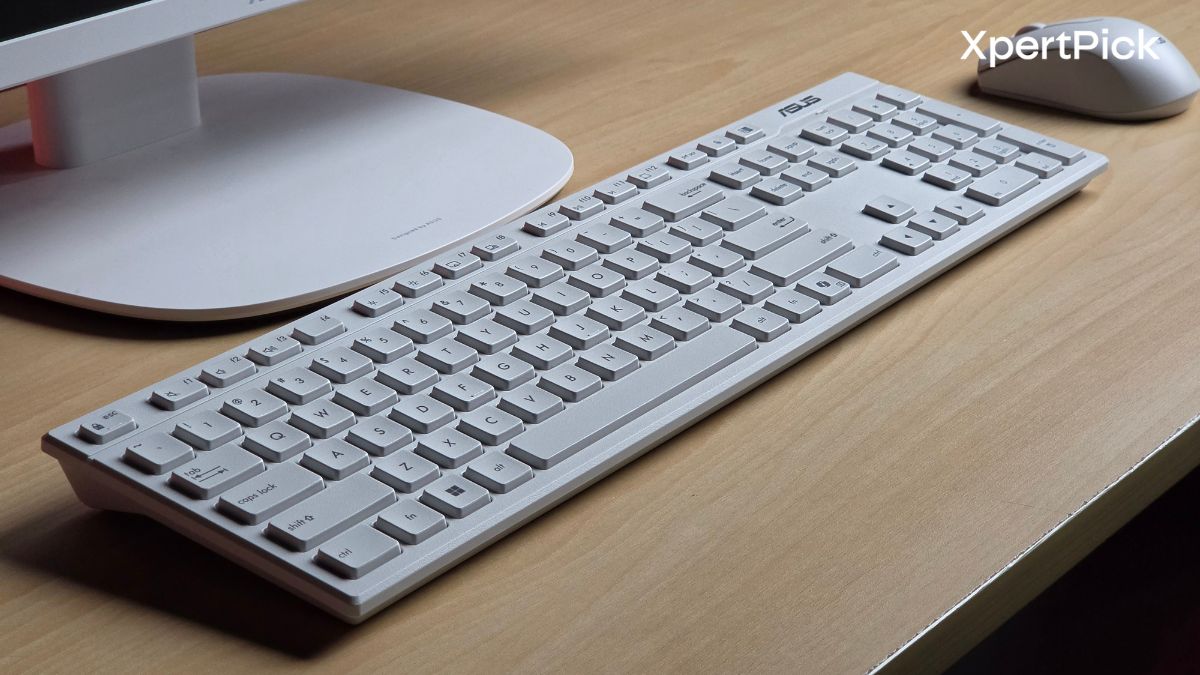
The AIO PC comes with a single USB dongle that functions as a Bluetooth receiver for both the included mouse and keyboard. The mouse uses a single AA battery, while the keyboard uses two AAA batteries, all of which are included in the box. In my two weeks or so of using the device, the included batteries have continued to power both devices without any issues.
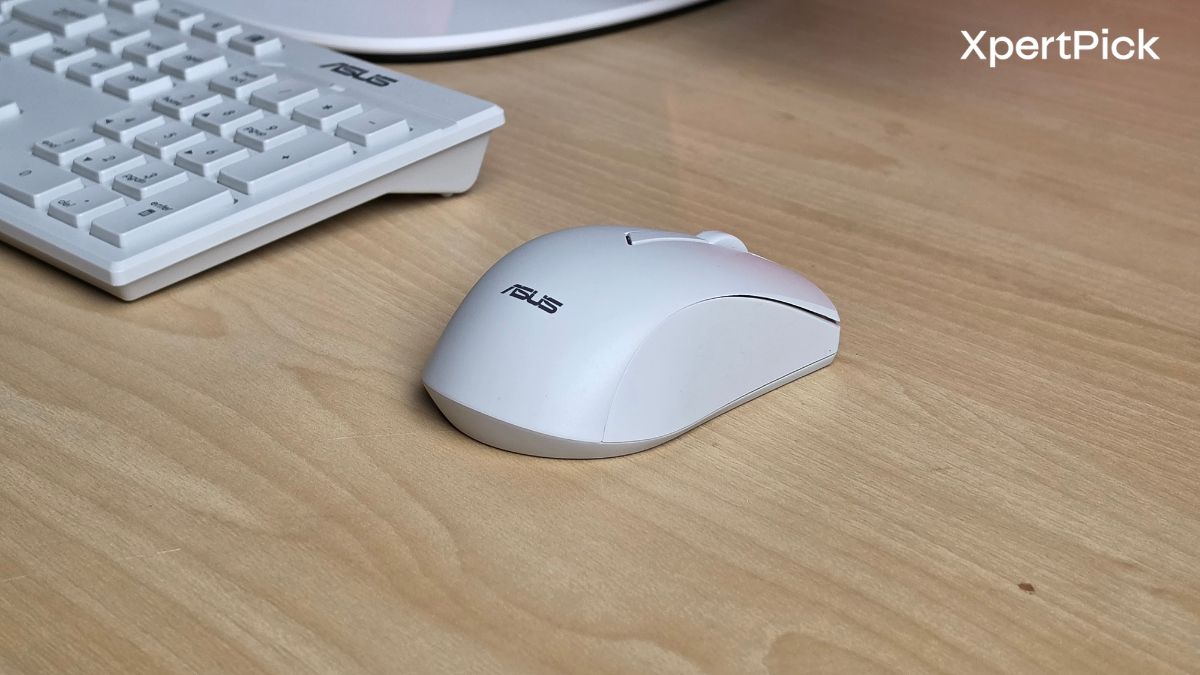
As for the typing experience, it is typical of a membrane keyboard. If you have used any non-mechanical office keyboard recently, the ASUS keyboard will feel familiar. One thing I did not like is that the keyboard does not have dedicated indicator lights for Caps Lock or Num Lock. Considering that users ranging from kids to older people will be using this keyboard, this feels like a crucial omission.

Overall, the design here isn’t trying to impress with bold choices. Instead, it focuses on getting the basics right including a slimmer profile, tighter bezels, and a clean aesthetic that fits equally well in a home setup or an office environment.

Connectivity and Ports: Well-Placed Ports with HDMI-In Adding Real Flexibility
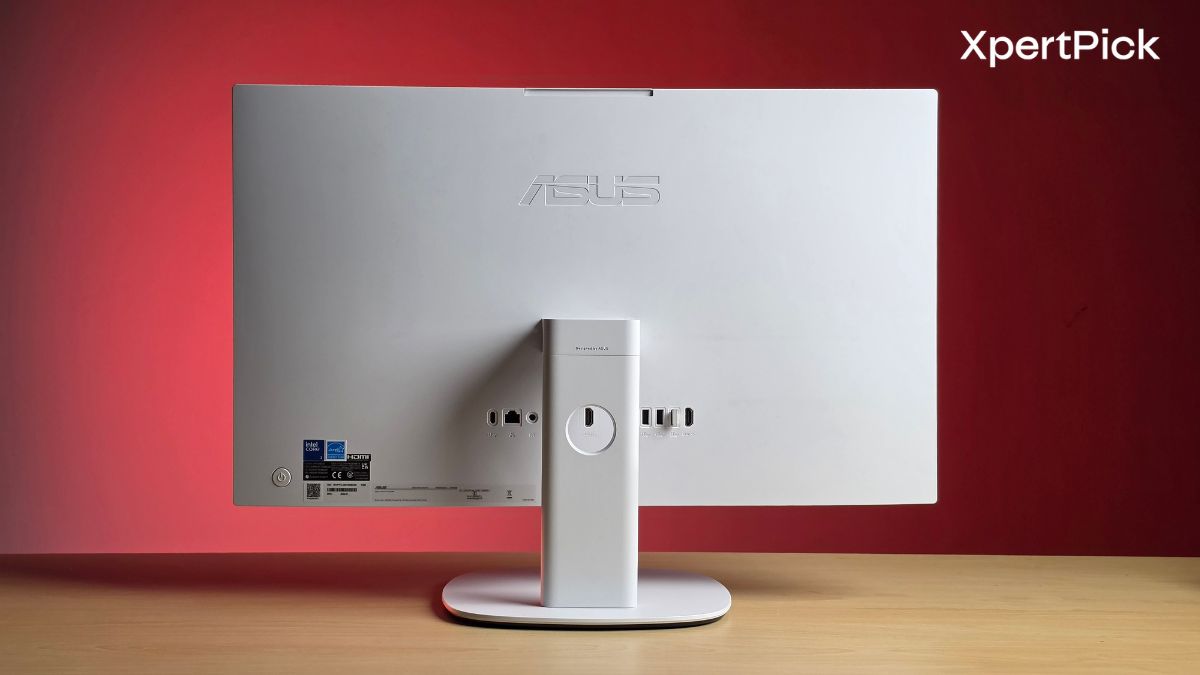
This is one area where the V470 feels well thought out. You get a solid mix of rear and side ports, making it practical for both permanent setups and daily use.

At the back, there’s a USB 3.2 Gen 1 Type-C port, three USB 3.2 Gen 1 Type-A ports, a LAN port, DC-in, and both HDMI-in and HDMI-out. The HDMI-in is particularly useful, letting you use the AIO as a display for a laptop, console, or other devices, which adds long-term flexibility. HDMI-out, meanwhile, helps if you want to extend your workspace to a second monitor.

On the side, Asus has added a USB 2.0 Type-A port and a headphone/microphone combo jack for quick access, along with a Kensington lock slot for basic security.

You also get Wi-Fi 7, which makes the system more future-ready for faster networks.

The selection covers everyday needs well, with HDMI-in being the standout feature that adds real usability beyond just a typical desktop setup.

Display and Audio Quality: A Smooth, Colour-Accurate Display Paired with Loud but Limited Audio

Starting with the display, Asus is offering a panel with a 100Hz refresh rate, 300 nits of brightness, and 100% sRGB colour gamut coverage. This gives the 27-inch display an edge. It looks vibrant, has good viewing angles, and is decently bright for indoor usage. The IPS panel also has a matte coating, which further makes it highly suitable for indoor use thanks to its anti-reflective properties.

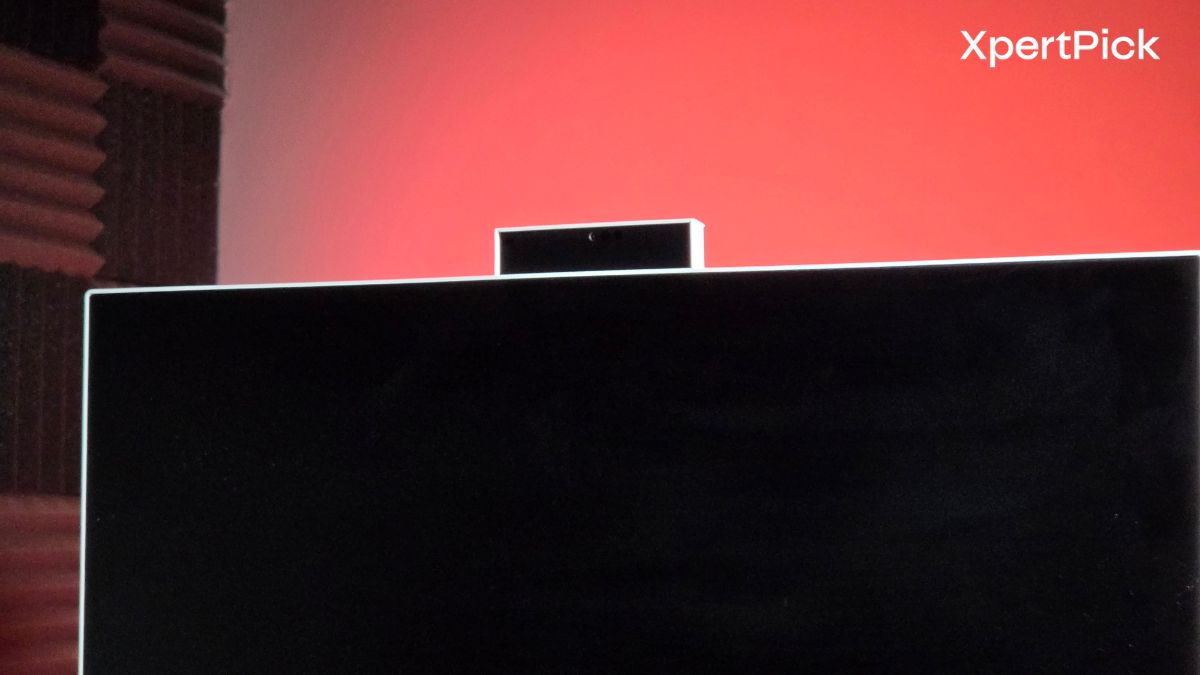
Asus also used to offer a pop-up style webcam with a spring mechanism, where pressing the top of the webcam would make it pop up from inside the display. It seems that Asus has now abandoned that mechanism in favour of a manual pull-up handle, which brings up the webcam.

The 100% sRGB coverage should help the screen deliver more vivid and realistic-looking colours, while the 300-nit brightness figure is decent enough for indoor use. The 100Hz refresh rate is also a welcome addition, making motion look smoother while scrolling through webpages, navigating the interface, or even watching fast-moving content.

Asus has also highlighted its Splendid technology and a dedicated Vivid mode, both aimed at making colours appear richer and more visually striking. In reality, the difference is only slight compared to the default colour profile.

On the audio side, Asus claims the V470 comes with a powerful stereo speaker system designed to deliver higher volume and fuller sound than what you would usually expect from an all-in-one.

On top of that, Dolby Atmos support is included, which should help create a wider and more immersive soundstage rather than a flat left-and-right stereo effect. You also get AI noise-cancelling technology, which should come in handy during video calls and online meetings.

While the speakers can get loud, they lack clarity at higher volumes. The same goes for the bass. At higher volumes, it sounds a bit muffled, and audio separation also takes a hit.

Performance: Entry-Level Performance That Struggles Under Load

Performance is one area where the Asus AIO takes a hit. In terms of the processor, it includes a fairly entry-level chip, the Intel Core 3 100U, which is based on the Raptor Lake-U Refresh series and features just two performance cores and four efficiency cores. In Geekbench 6, it scored 2,258 and 6,142 in the single- and multi-core tests, respectively.

Processor Architecture Geekbench 6 Single-Core Geekbench 6 Multi-Core
Intel Core 3 100U Raptor Lake-U Refresh 2,258 6,142
Intel Core i5-12500H Alder Lake 2,261 9,898
Intel Core i5-13420H Raptor Lake 2,294 8,157

In single-core performance, it is quite similar to the Intel Core i5-12500H and Core i5-13420H, which score 2,261 and 2,294, respectively. However, in terms of multi-core performance, the 12500H and 13420H outperform the Core 3 100U, scoring 9,898 and 8,157, respectively, while the Core 3 100U manages only 6,142.

What this means is that you’re getting a processor that will work well if you’re not using it for multitasking. However, it will struggle a bit if you open one too many Chrome tabs. In my experience, the AIO PC mainly lagged when switching from one browser to another with multiple tabs open. Also, I think this lag could partly be a RAM issue, as the desktop only comes with 8GB of memory, which is not enough in 2026.

Another issue here, I think, is thermal stability. In 3DMark Wild Life, the system only managed to score 87.6% stability during the stress test, which is quite low. Even thin and light gaming laptops with powerful processors that generate a lot of heat, like the Asus TUF Gaming A14, can achieve around 97% stability in the same test.

Verdict: A Clean, Space-Saving AIO Held Back by Its Performance

The Asus AIO faces tough competition. Currently, the Asus AIO PC is selling for Rs 71,990 on the Asus website, while on Amazon it costs Rs 78,120. At that price, it offers a desktop PC that is, without a doubt, ergonomic, easy to set up, and has great build quality and design, but its average performance leaves something to be desired.

My suggestion would be to upgrade the RAM to 16GB if you plan on purchasing this, for a smoother computing experience.

Other options in this price range include the Lenovo IdeaCentre AIO, which offers an Intel Core i5-13420H processor, 24GB RAM, and a 512GB SSD. However, it comes with a smaller 24-inch display.

You can also get an Apple Mac Mini M4 for Rs 59,990 and pair it with a 27-inch Full HD monitor, along with a mechanical keyboard and a Logitech G304 mouse. However, this setup won’t be as space-saving compared to an AIO desktop setup.

No posts to display