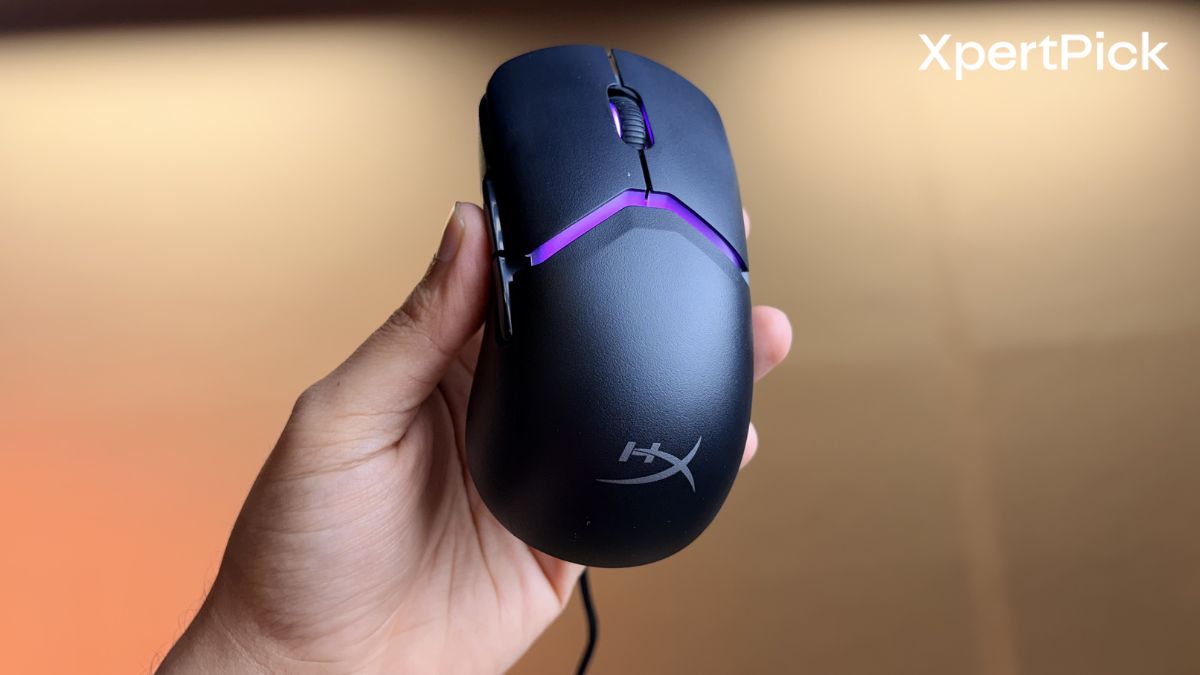
The HyperX Pulsefire Saga is a highly ambitious gaming mouse that successfully marries top-tier esports performance with an unprecedented level of physical customisation. By offering magnetic, tool-free modularity and an open-source approach to 3D-printed parts, HyperX has created a mouse that adapts to you, rather than forcing you to adapt to it.
Here is a deep dive into what you need to know before buying.
Design and Build Quality: Modular and Lightweight Construction
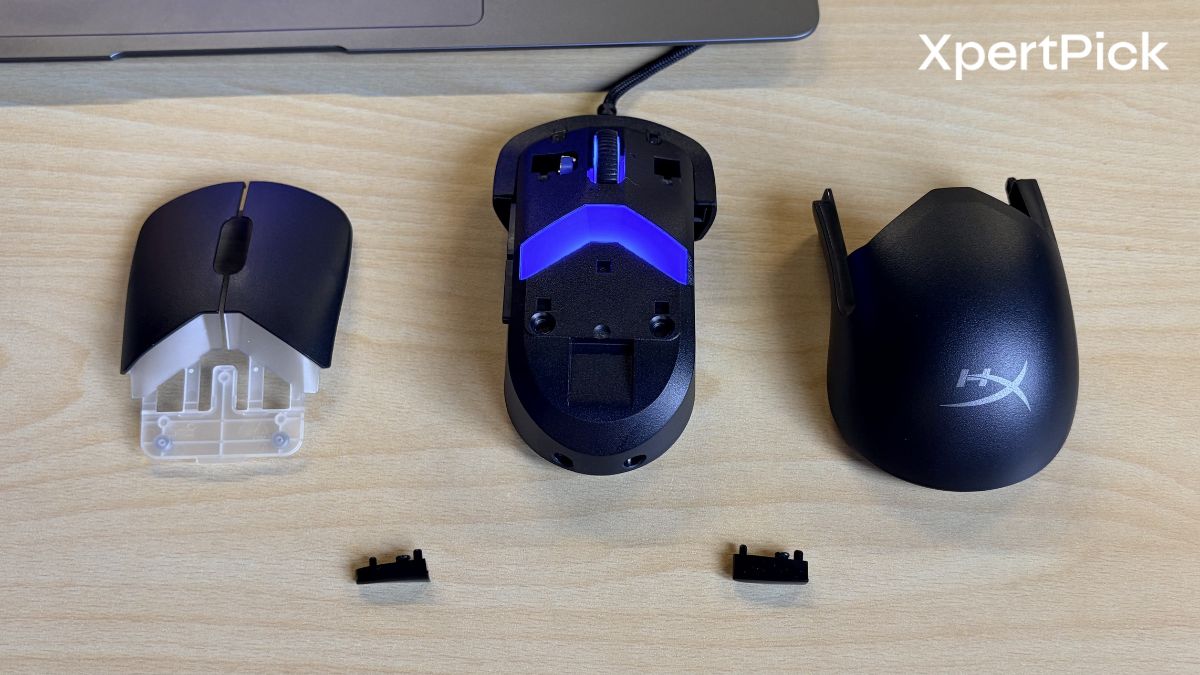
The biggest selling point of the Pulsefire Saga is its modular shell. Finding the perfect mouse shape is usually a game of trial and error, but HyperX bypasses this by giving you the parts to build it yourself.
The mouse uses magnetic components, allowing you to swap out shells, main buttons (smooth vs. ergonomic), and side buttons on the fly. In total, the stock box gives you up to 16 different shape combinations.
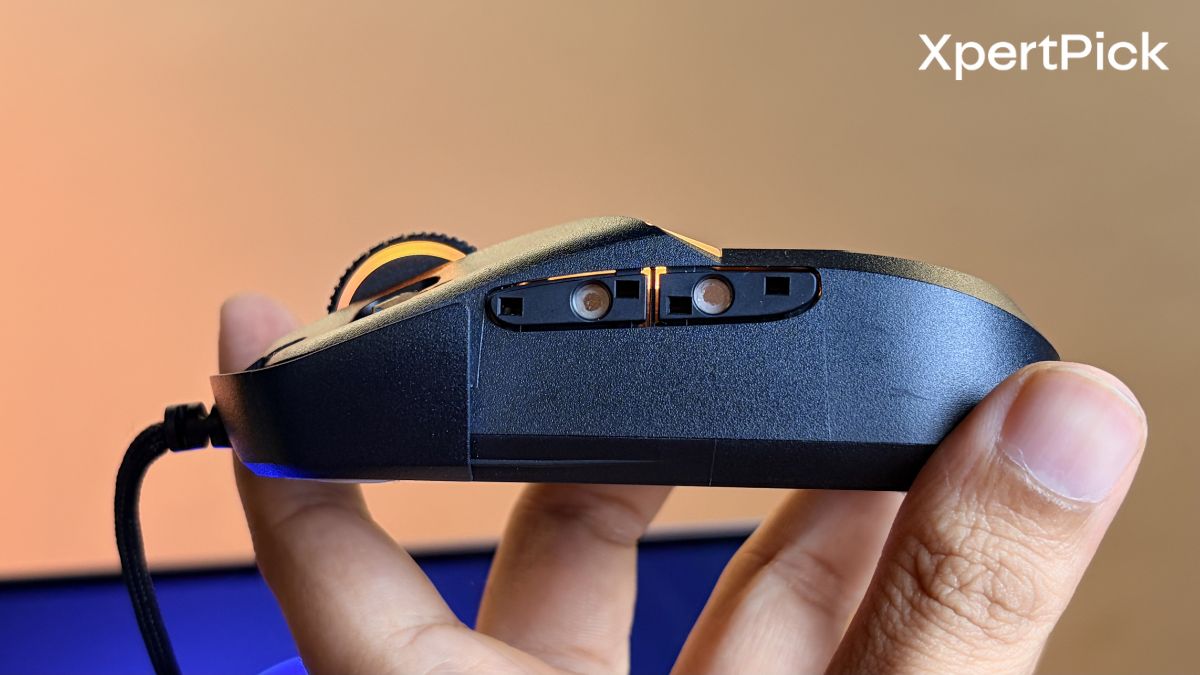
This is a massive win for the DIY community. HyperX provides official 3D models on websites like Printables, meaning if you own a 3D printer, you can infinitely customise the shape, size, and texture of your mouse components.
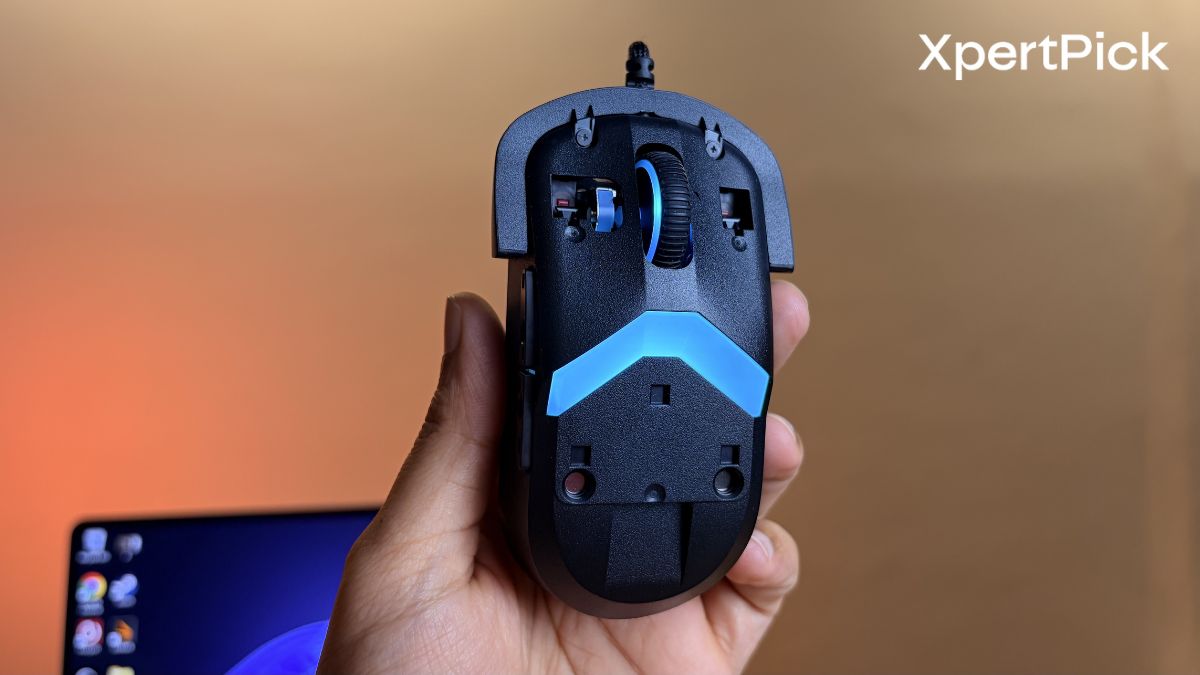
Despite the modular magnets and interchangeable plastics, the mouse weighs exactly 69 grams in its stock configuration. This places it firmly in the “ultra-lightweight” category, making it excellent for low-sensitivity FPS gamers who need to make broad, sweeping arm movements.
Performance and Features: Sensor, Switches, and Polling Rate
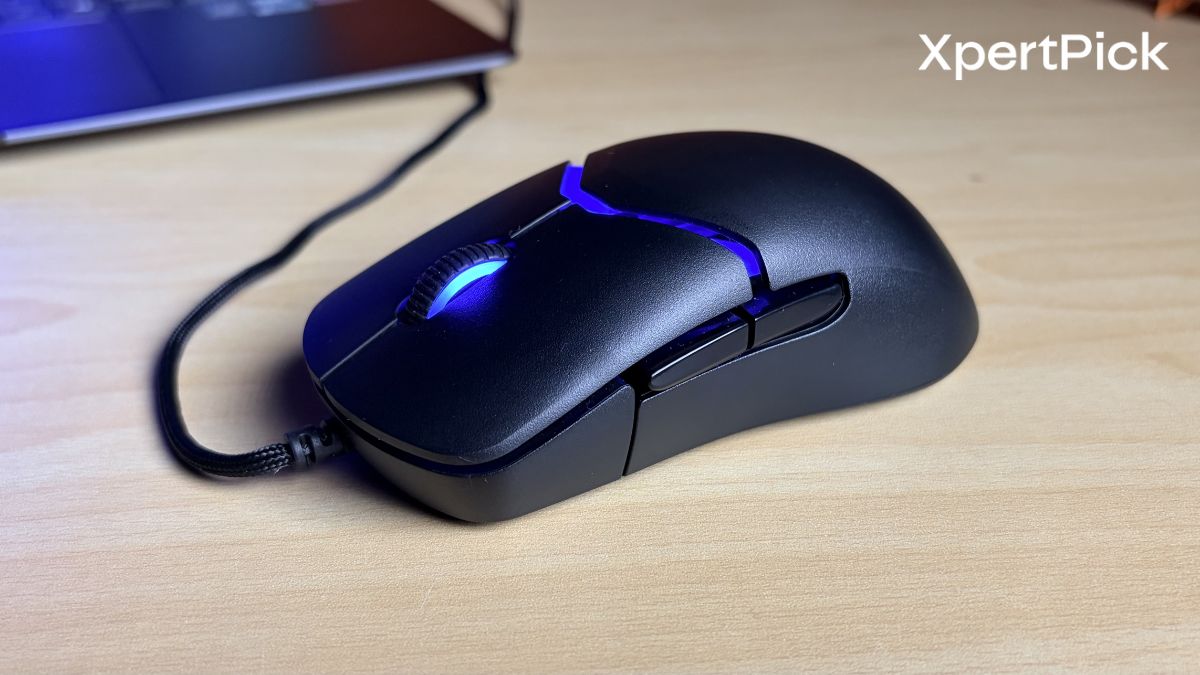
Underneath the customisable exterior, the Pulsefire Saga is packing flagship-level tech designed for competitive play.
Out of the box, standard mice report their position to your PC 1,000 times a second (1KHz). The Saga pushes this to 8,000 times a second. If you have a high-refresh-rate monitor (240Hz+), this will translate to incredibly smooth cursor feeling and minimised input lag.
Traditional mechanical switches are prone to “double-clicking” as they wear out. By using light-triggered optical switches, HyperX eliminates debounce delay, thus making sure rapid-fire clicks are registered instantly and accurately.
With a max DPI of 26,000, 650 IPS (Inches Per Second), and 50G acceleration, the sensor will never spin out or lose track of your movement, no matter how fast you flick your wrist.
Connectivity and Software: Wired Setup, Accessories, and Customisation
The mouse features the HyperFlex 2 USB cable. It is a paracord-style wrap meant to minimise drag. The specifications explicitly state the cable is not detachable, which is a slight downside for travel and longevity, though the flexible paracord should keep it out of your way during gameplay.
HyperX is generous here. Alongside the mouse, you get grip tape, spare PTFE skates, two button covers, two shells, two pairs of side buttons, and the manual.
It uses the HyperX NGENUITY software to control the per-LED RGB, set DPI steps, remap the 6 programmable buttons, and toggle the 8K polling rate. It also supports NVIDIA Reflex for latency testing.
Verdict
If you are someone who constantly debates between claw, palm, or fingertip grips, or if you just love customising your tech, the HyperX Pulsefire Saga is an easy recommendation. It delivers elite, zero-compromise hardware while letting you physically tune the ergonomics until it fits your hand perfectly.
Pros:
-
Incredible Modularity: 16 shape configurations right out of the box.
-
Community-Driven: Open-source 3D printable files for ultimate personalisation.
-
Elite Specs: 8K polling, optical switches, and a flawless 26K sensor.
-
Lightweight: Achieving 69g on a modular mouse is an impressive feat of engineering.
Cons:
- Wired Only: If you are looking for a wireless setup, this specific model won’t fit the bill.
-
Software Limitations: NGENUITY is required to unlock the 8K polling and RGB, and these custom settings do not transfer to a new device, though it does have 1 onboard memory profile for basic settings.