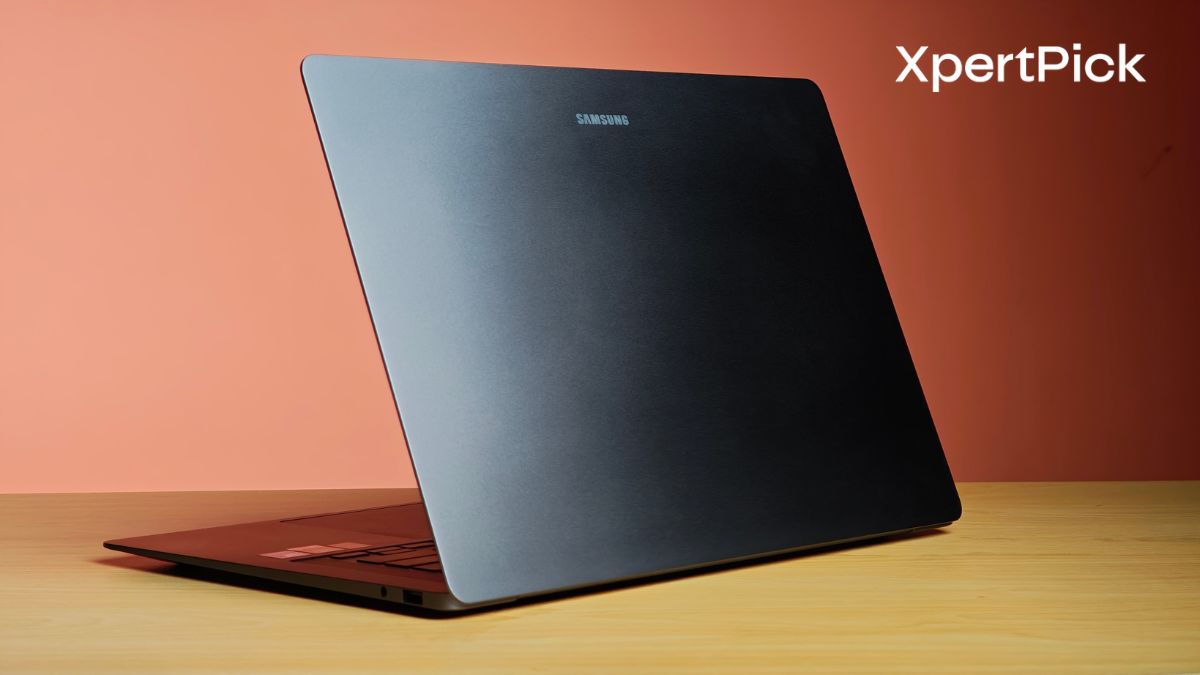
The Samsung Galaxy Book6 Pro improves upon its predecessor in several ways. The number of upgrades it brings to the table holds the potential to make this one of the best Windows laptops for 2026.
To give you the specifics, I tested the 16-inch Samsung Galaxy Book6 Pro, whose first impressions you can read here. It is powered by the Intel Core Ultra X7 358H processor, a new chip that is part of Intel’s latest Panther Lake series. It succeeds the older Lunar Lake lineup and builds upon a formula that has worked well for Intel so far, delivering strong single-core performance, solid iGPU performance, and high efficiency.
This time, the chip also brings better multi-core performance, improved graphics output, and a slight increase in power consumption. I have reviewed a more powerful version of this chip in another flagship laptop as well, which you can check out here.
So how does the Samsung Galaxy Book6 Pro fares with so many new changes? Here’s my answer.
Samsung Galaxy Book6 Pro 16-inch Specifications
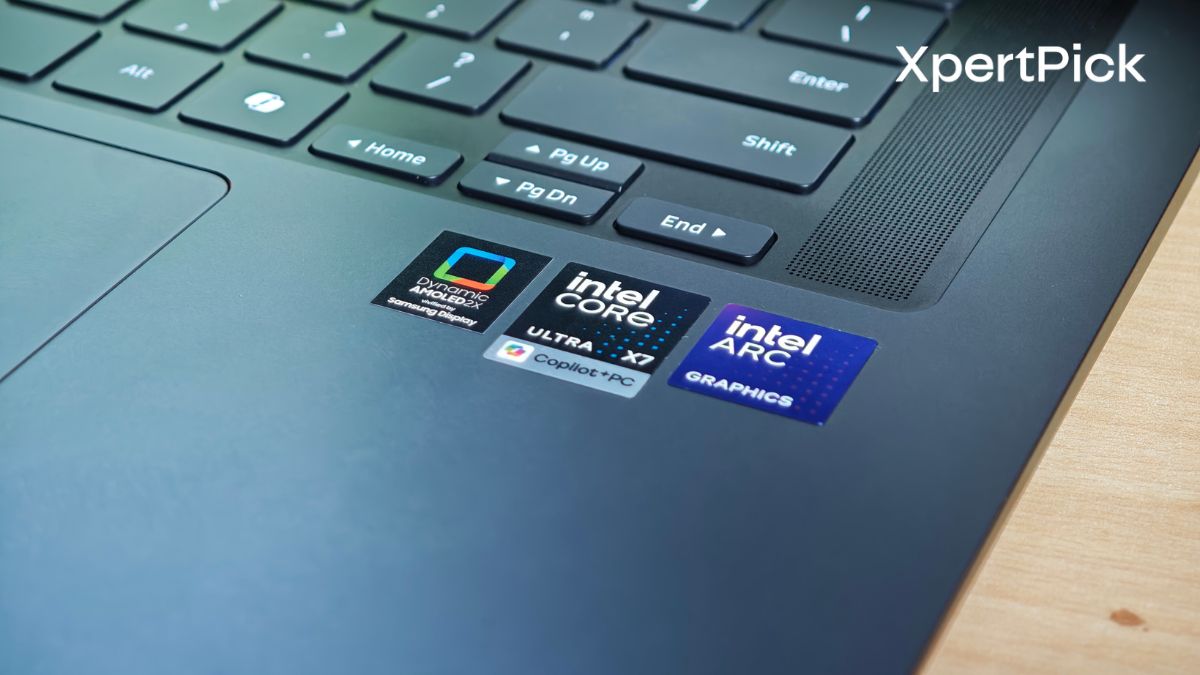
- Processor: Intel Core Ultra X7 358H (16 cores, up to 4.8 GHz) with 50 TOPS NPU
- Graphics: Integrated Intel Arc B390 Graphics
- Display: 16.0-inch Dynamic AMOLED 2X Touchscreen (2880 x 1800, 120Hz)
- Memory: 32 GB LPDDR5X RAM
- Storage: 1 TB NVMe SSD with an additional expansion slot
- Battery: 78.07 Wh capacity with 65W Type-C fast charging
- Dimensions: 11.9 mm thickness and weighs 1.59 kg (3.51 lbs)
- Connectivity: Wi-Fi 7 and Bluetooth 5.4 support
- Ports: 2x Thunderbolt 4, 1x USB 3.2 Type-A, 1x HDMI 2.1, 3.5mm audio jack
- Audio: Quad Speaker system tuned with Dolby Atmos
- Camera: 2.0 MP (1080p FHD) webcam with dual-array microphones
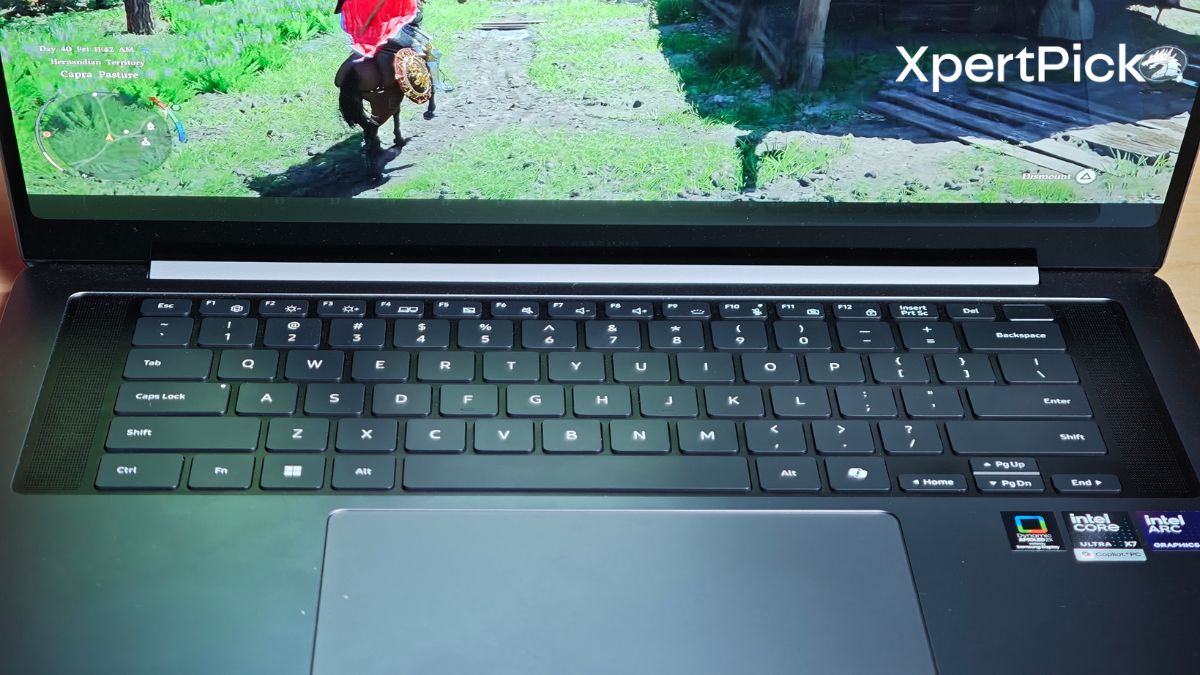
The immediate thing that brought a smile to my face was how light the Samsung Galaxy Book6 Pro is. For an all-aluminium 16-inch chassis that also houses dual fans, it weighs just 1.59 kg, which is in line with the Asus Zenbook S16, which weighs around 1.50 kg. Even though it fits in more components like a Haptic touch pad.
That lightweight build becomes even more apparent when you compare it to the 16-inch MacBook Pro, which weighs 2.14 kg. In hand, the Galaxy Book6 Pro feels noticeably easier to carry and manage for a machine of this size.
What’s impressive is that this reduction in weight hasn’t come at the cost of rigidity. The flex is very well controlled, and the display hinge holds its position confidently with almost zero residual movement when you set it at a specific angle. Considering how light the lid is for a 16-inch panel, this level of stability stands out.
In my first impressions piece of the Galaxy Book6 Pro, I mentioned that the keyboard has a separate blacked-out section on the laptop’s deck and sits adjacent to two speaker grilles. This change has centred the keyboard compared to the Galaxy Book5 Pro, drastically improving comfort and posture.
To keep the device steady on desk while you work, the laptop also gets four elevated rubberised feet, which do a great job of keeping the device lifted and stable during use. As for the outflow air vents, the laptop neatly hides them behind the bottom edge of the display.
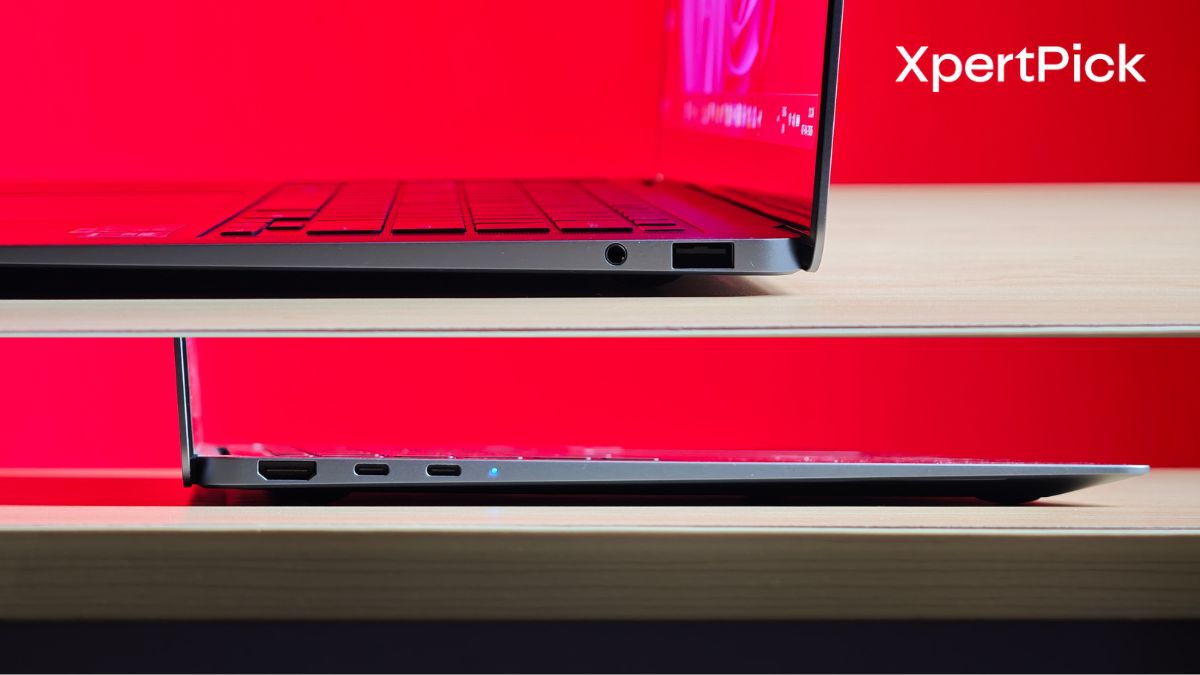
The inclusion of a full-size USB Type-A port and an HDMI 2.1 port is a major advantage for an ultra-thin laptop. This means you can plug in most standard flash drives, wireless mice, and external monitors right out of the box without needing to carry a separate hub.
Additionally, the two Thunderbolt 4 ports provide top-tier connectivity for extremely fast data transfers, multi-monitor docking stations, and charging. The most notable drawback, and a common critique among reviewers, is the lack of an SD or microSD card reader.
If you frequently transfer photos or videos from a camera, you will be forced to use an external dongle. Overall, it offers a very practical and versatile layout that handles both modern and legacy devices well, as long as you do not rely heavily on SD cards.
Keyboard and Touchpad: Excellent Typing with a Polished Haptic Touchpad
On paper, the Samsung Galaxy Book6 Pro’s keyboard may not leave you impressed. It has fairly shallow key travel at just 1.2 mm. However, while typing, the spring action feels quite pronounced. Every key press has a satisfying kick, resulting in a comfortable typing experience.
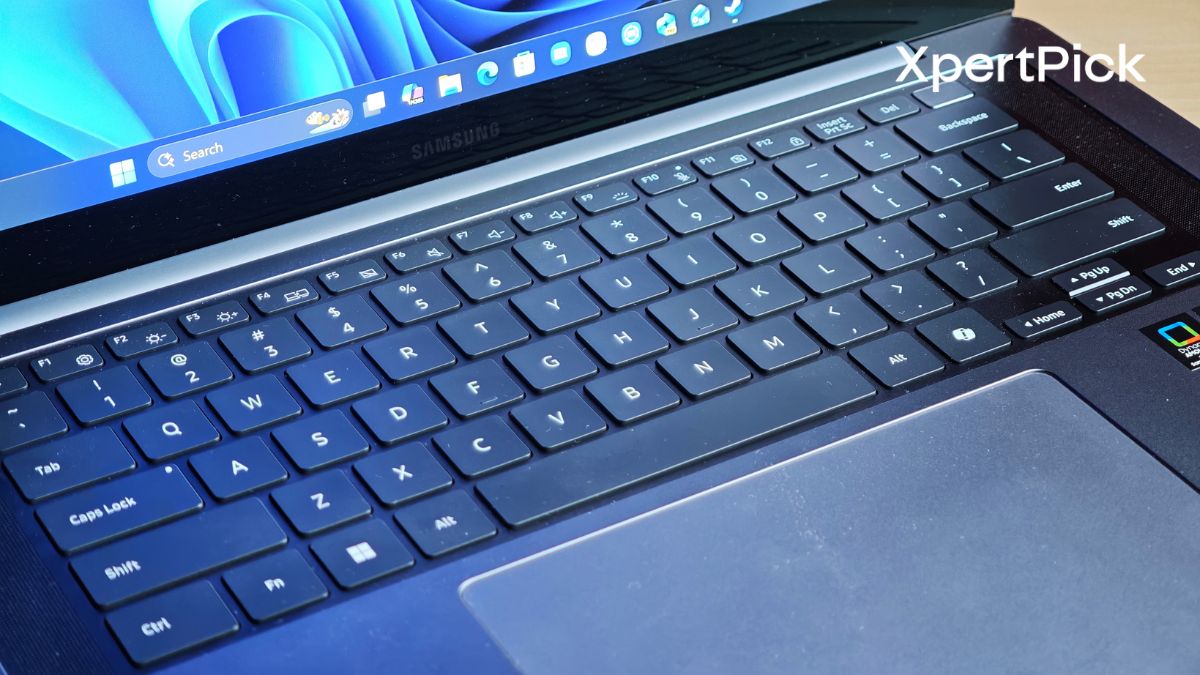
As for the haptic touchpad, it is now standard across the range, which was long overdue. It also works really well. You can click anywhere on the touchpad, and it registers input consistently.
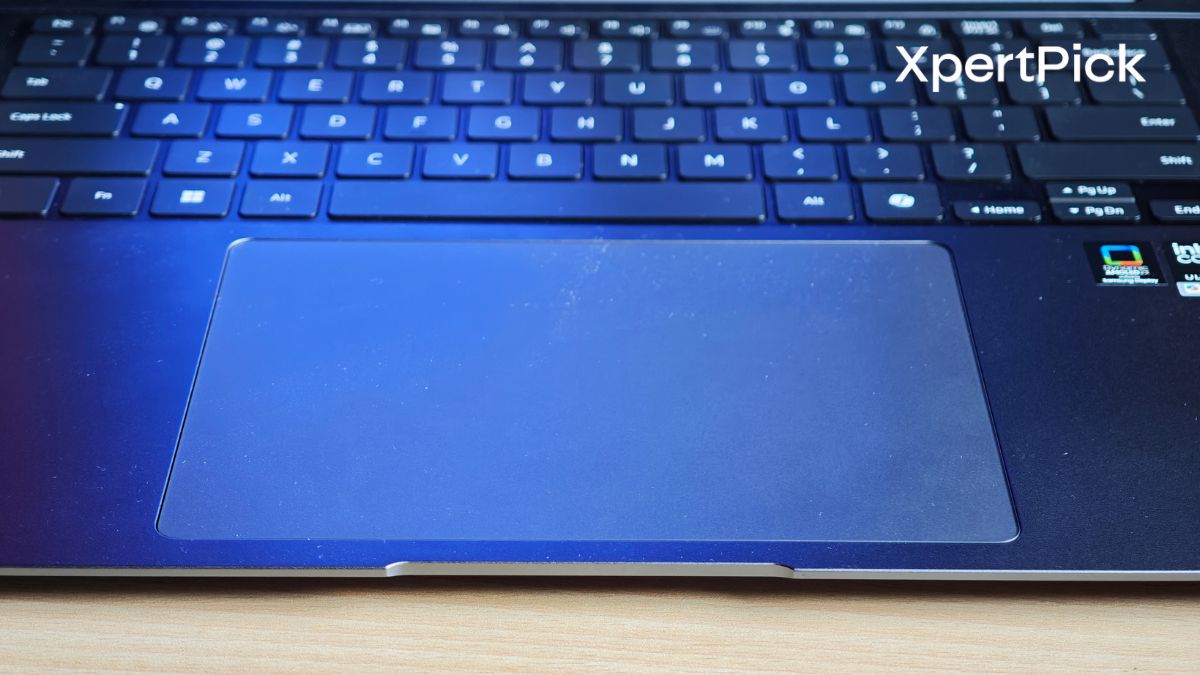
My only feedback here is that, in Windows settings, the touchpad’s default click intensity is set to “2,” which may feel a bit strong for some users. At “1,” the feedback becomes quite shallow, so a middle setting would help users fine-tune the experience better.
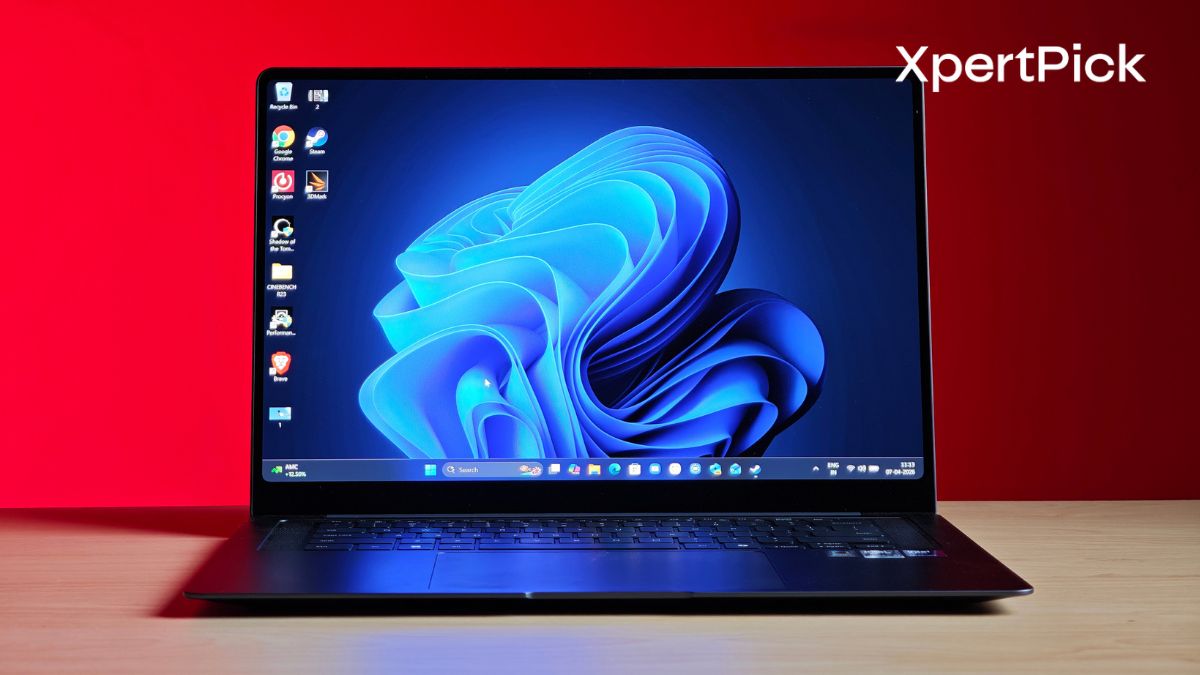
The 16-inch 3K (2880 x 1800) Dynamic AMOLED 2X panel, which is also touch enabled, is easily one of the best screens on a Windows machine right now, but it does have one specific quirk.
It is a dream for content consumption and light editing. It covers 100% of the DCI-P3 and sRGB colour spectrum with a highly impressive Delta-E score of around 0.5. The colours are incredibly rich and vibrant, but Samsung has managed to tune it so it avoids that blown-out, oversaturated look common to some older OLED panels.
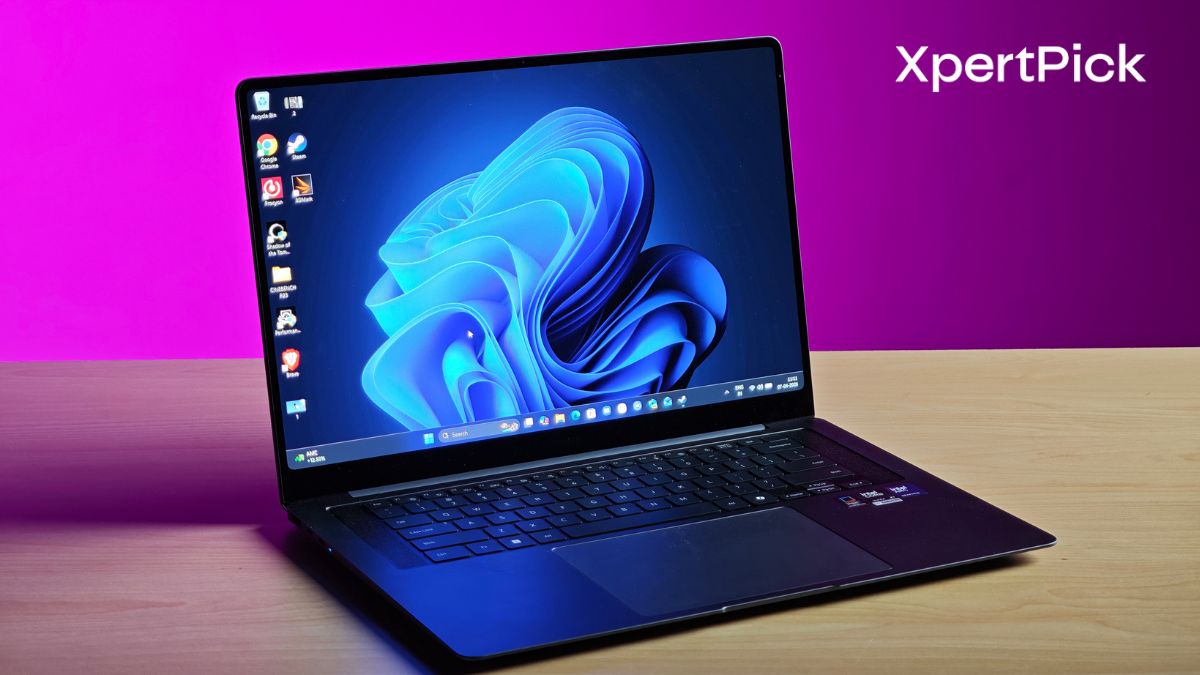
It gets noticeably brighter this generation. It easily clears 500 nits in standard SDR usage and peaks well around 1,143 nits for HDR content. Samsung applied an anti-reflective Corning Gorilla Glass with DXC coating that cuts front-surface reflection by up to 75%. It handles office overhead lighting brilliantly, though you might still experience a bit of wash-out under harsh, direct outdoor sunlight.
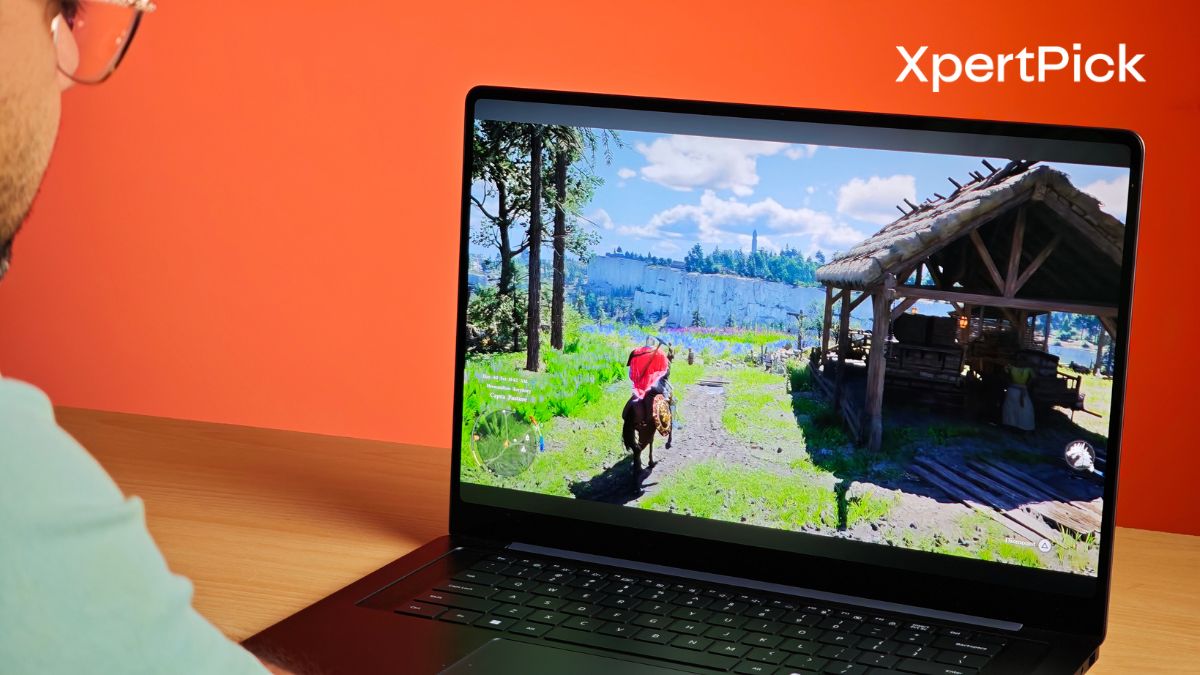
The adaptive refresh rate scales from 120Hz all the way down to 30Hz. The switching is imperceptible, while aggressively locking down to 30Hz during static video playback to preserve battery life.
The panel relies on PWM (Pulse-Width Modulation) dimming at 240Hz across all brightness levels. For the vast majority of users, this is completely unnoticeable, but it is an important metric to highlight for anyone highly sensitive to screen flicker.
Audio: Quad-Speaker Setup with Strong, Balanced Output
Because Samsung ditched the number pad to centre the keyboard on the 16-inch model this year, they freed up deck space for a vastly improved audio layout.
The new quad-speaker system utilises up-firing tweeters and side-firing woofers. The result is a much fuller, room-filling sound with surprisingly distinct instrument separation compared to the Book5 Pro.
Vocals on video calls, podcasts, and movies cut through incredibly well, avoiding the “muffled” quality that thin-and-light laptops often suffer from.
It packs a solid punch for its size, but if you push the volume to the absolute maximum on extremely bass-heavy or dense dance tracks, you might catch a slight bit of distortion. It’s a minor physics trade-off for a chassis that is only 11.9mm thick.
Performance: Strong Performance with Efficient Power Management
In terms of performance, the Samsung Galaxy Book6 Pro featuring the Intel Core Ultra X7 358H. It is a 16-core chip comprising of 4 performance cores, 8 efficiency cores and 4 low power efficiency cores, along with 16 threads.
And I am happy to say that the Intel chip is a fairly versatile unit. Meaning, it easily releases power in short bursts and and also slows it down after a while to maintain fan noise and temperature.
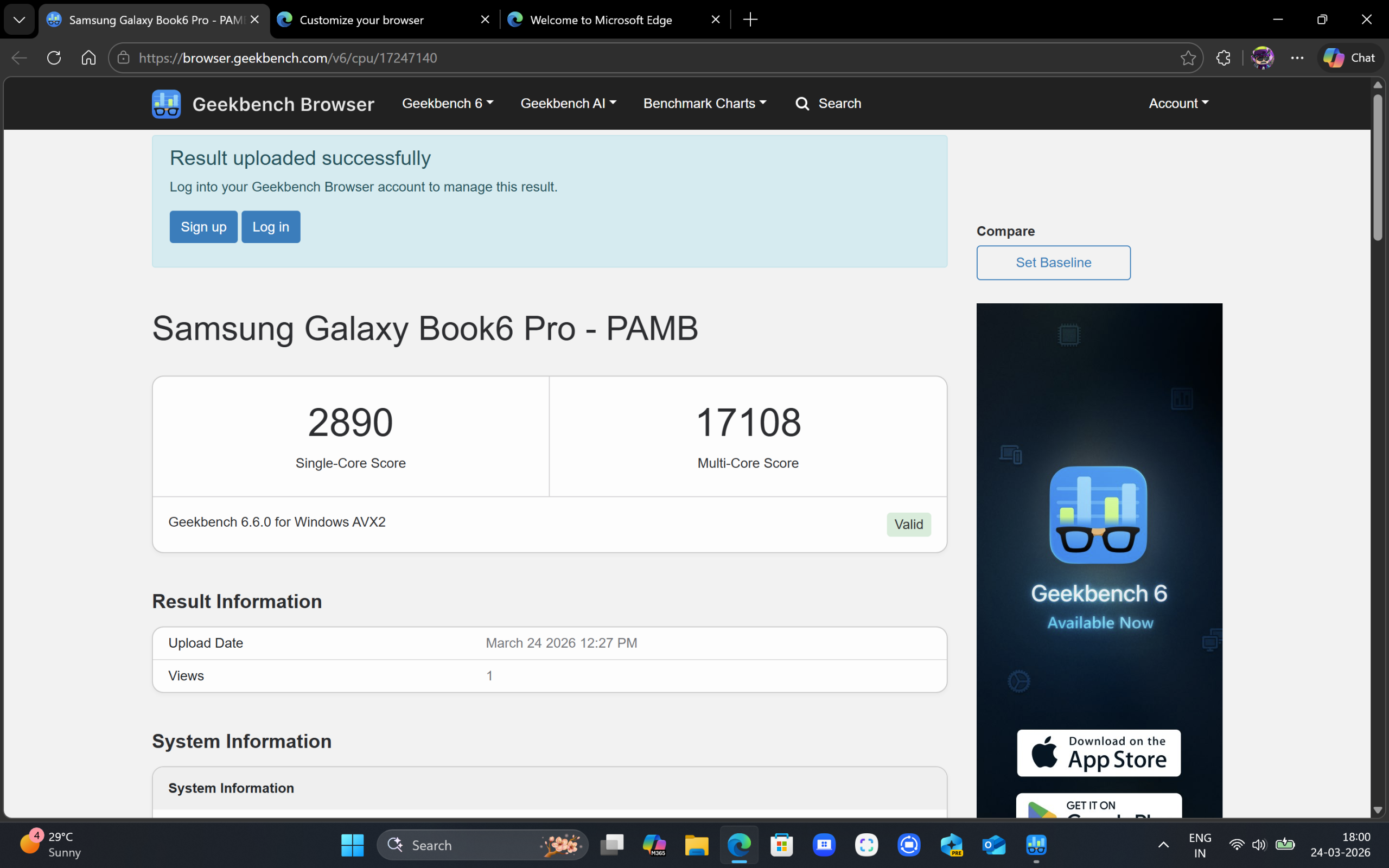
In benchmarks like Geekbench 6, it performs fairly well, scoring 2,890 in single-core and 17,108 in multi-core tests. It easily beats the AMD Ryzen AI 9 HX 365 I tested recently, which scored around 2,795 and 11,895 in single- and multi-core tests. What’s more interesting is that the Intel Core Ultra X7 358H comes within spitting distance of the Intel Core Ultra X9 388H, with the latter scoring 2,970 and 17,330 in single and multi-core tests.
| Processor | Geekbench 6 Single-Core | Geekbench 6 Multi-Core |
|---|---|---|
| Intel Core Ultra X7 358H | 2,890 | 17,108 |
| AMD Ryzen AI 9 HX 365 | 2,795 | 11,895 |
| Intel Core Ultra X9 388H | 2,970 | 17,330 |
If we compare generation-on-generation performance with older Intel chips, a clear pattern emerges. The last-gen Intel Core Ultra 7 258V scored 2,730 and 10,786 in single- and multi-core tests, while the Intel Core Ultra 9 288V scored 2,839 and 11,010 in multi-core tests.
| Processor | Geekbench 6 Single-Core | Geekbench 6 Multi-Core |
|---|---|---|
| Intel Core Ultra X7 358H | 2,890 | 17,108 |
| Intel Core Ultra 7 258V | 2,730 | 10,786 |
| Intel Core Ultra 9 288V | 2,839 | 11,010 |
So essentially, this generation’s Intel Core Ultra X7 358H is giving as good single core performance as last generation’s Core Ultra 9 288V, while massively improving multiplayer performance.
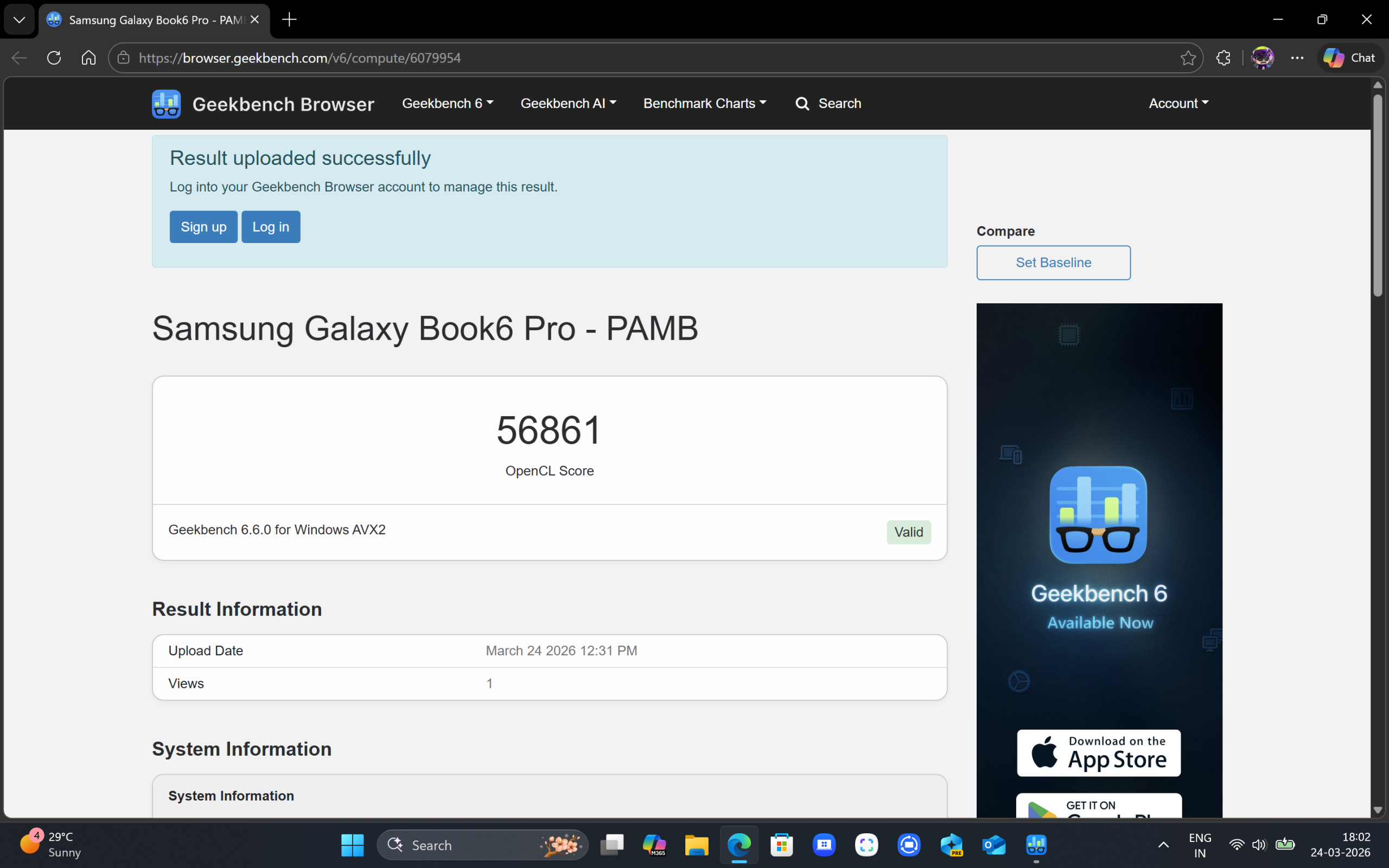
In terms of GPU performance as well, the Intel Core Ultra X7 358H beats the AMD Ryzen AI 9 365 by a huge margin, scoring 56,861 versus 32,078. All thanks to the new beefier Intel Arc B390 GPU.
| Processor | GPU | GPU Benchmark Score |
|---|---|---|
| Intel Core Ultra X7 358H | Intel Arc B390 | 56,861 |
| AMD Ryzen AI 9 365 | AMD Radeon 880M | 32,078 |
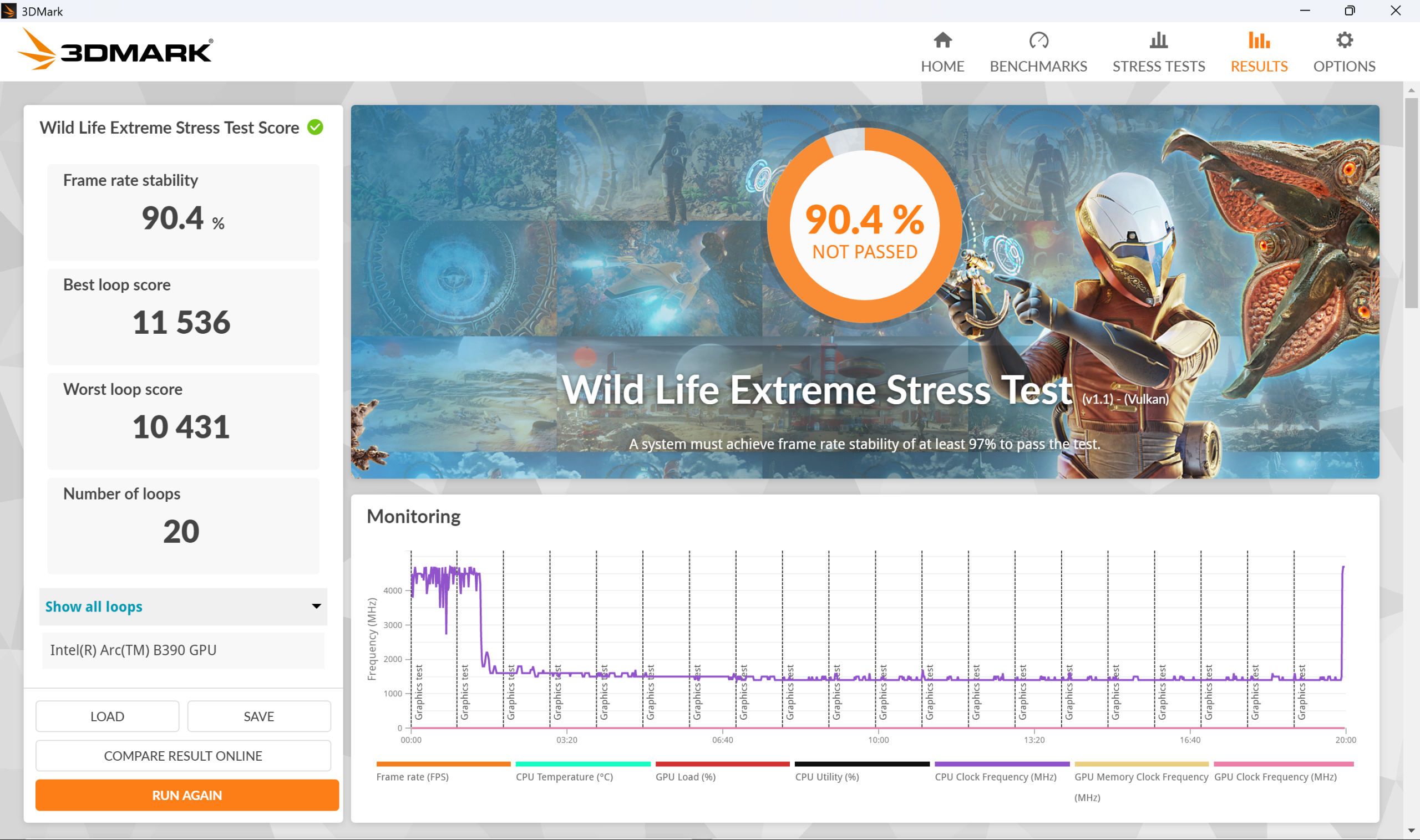
This difference is also reflected in GPU benchmarks like 3DMark Wild Life, where the 358H scored 11,536, while the AMD Ryzen AI 9 365 managed only 6,244, which is nearly half the performance.
| Processor | GPU | 3DMark Wild Life Score | 3DMark Wild Life Extreme Stability |
|---|---|---|---|
| Intel Core Ultra X7 358H | Intel Arc B390 | 11,536 | 90.4% |
| AMD Ryzen AI 9 365 | AMD Radeon 880M | 6,244 | 97% |
However, one area where things shift slightly is thermal stability. The Core Ultra X7, being so powerful, tends to throttle more during stress and real-world tests. For instance, it scored a relatively lower frame stability of 90.4% in the 3DMark Wild Life Extreme stress test, while the AMD Ryzen AI 9 365 achieved 97% in the same test.
That said, I think the chip could easily reach 97% stability, which is required to pass this test comfortably, by ramping up the dual fans inside the laptop. It feels like Samsung has chosen to strike a balance between fan noise and outright performance, resulting in a high-performance chip that throttles slightly.
Truth be told, this approach makes sense. The Intel Core Ultra X7 is meant for a productivity-focused laptop, and for that use case, the level of thermal stability on offer is more than adequate. Samsung has also confirmed that it will be launching its Galaxy Book6 Ultra laptops in India very soon, so more aggressive cooling is best reserved for that lineup, in my opinion.
And as we have already seen in the raw performance difference, the Core Ultra X7 has more than enough headroom to deliver a quieter laptop cooling experience.
As a side note, I have seen similarly aggressive cooling on a comparable APU from AMD, the AMD Ryzen AI Max+ 392, which easily managed to pass the 3DMark Wild Life Extreme stress test while delivering 50% more power output. You can read that laptop’s review here.
| Processor | Usage Scenario | Power Consumption |
|---|---|---|
| Intel Core Ultra X7 358H | Idle | 0.8 W |
| Stable Workload | 35 W | |
| Burst Performance | 55 W |
Coming back to the Galaxy Book6 Pro. In terms of pure efficiency, when idle, the laptop manages to score as astonishingly low figure of just 0.8 W, which is an insane feat to pull of. For a stable workload, the chip will consume around 35 W and in short intervals it will consume 55 W while delivering burst performance.
Samsung has also tuned its new high brightness display to be perform synergetically with the versatile chip as well. Whenever you’re not scrolling or not actively using the laptop and the display is either just idle or displaying static content like an image, the laptop’s refresh rate many times drops to as low as 30Hz. And as soon as you start using the display, it goes back up to 120 Hz.
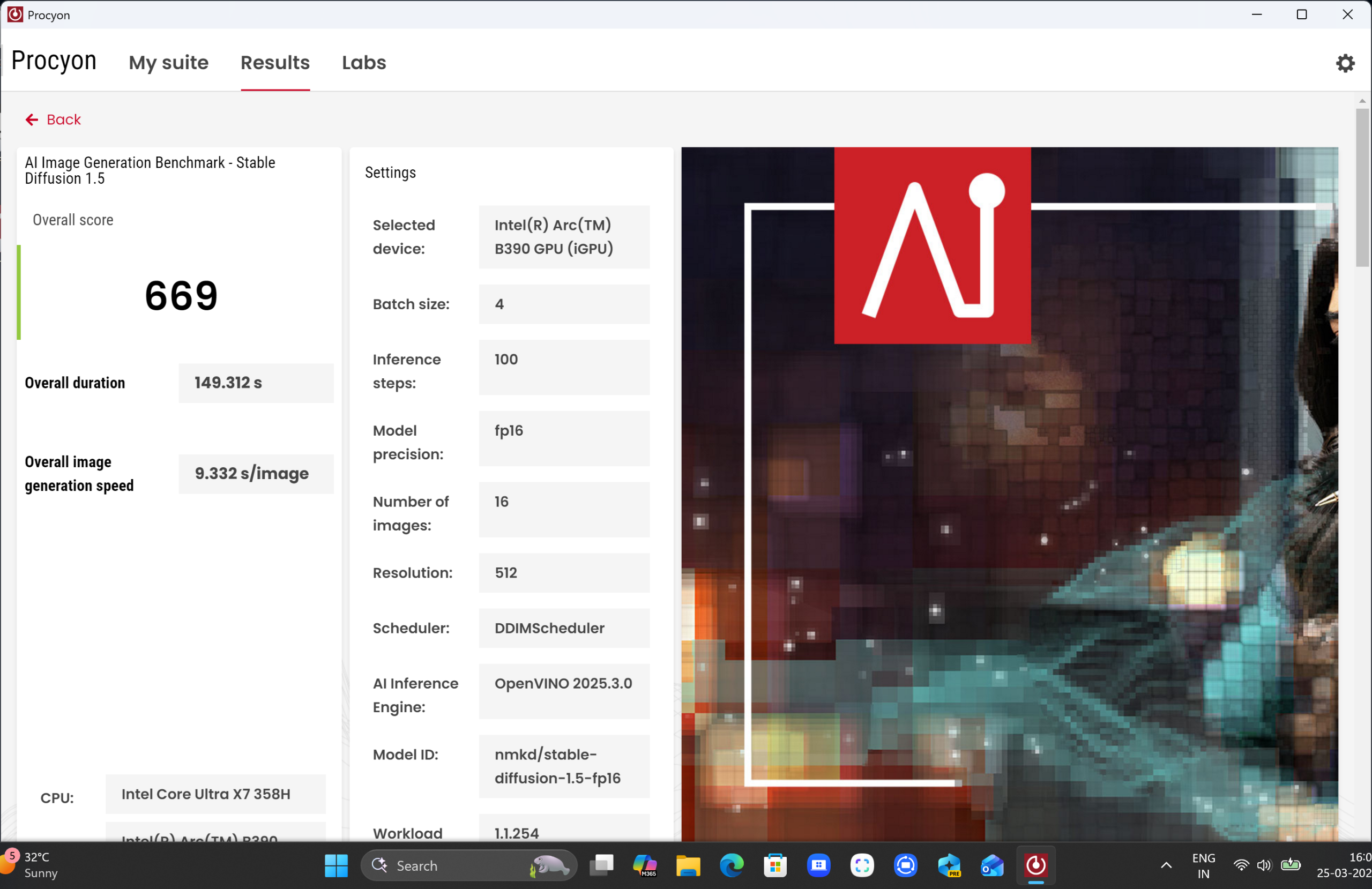
When it comes to AI image generation, Intel takes the lead by a good margin, scoring 669 in the AI image generation benchmark, while the Asus Zenbook S16 scores just 182 points.
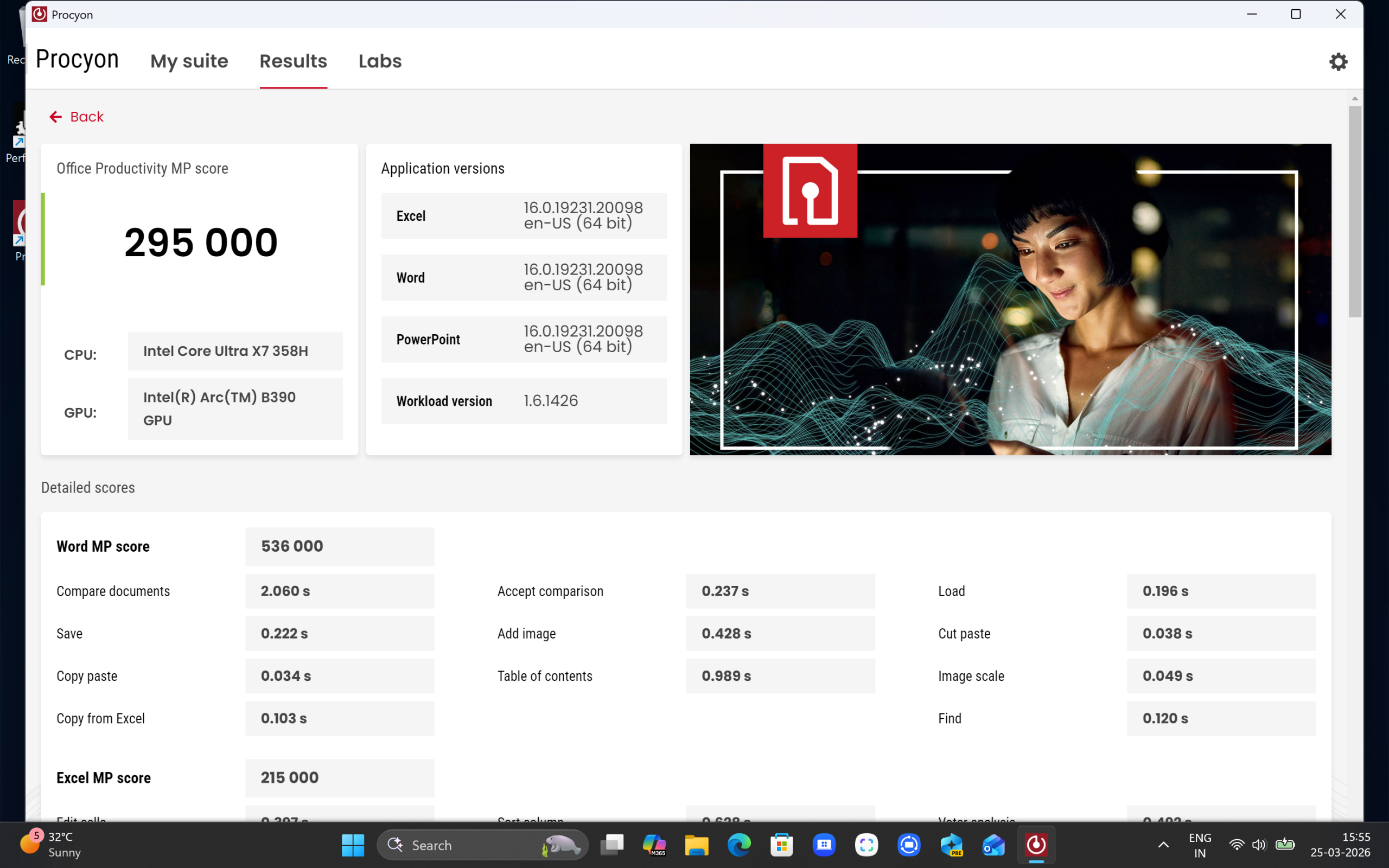
Similarly, in the UL Procyon Office Productivity multi-platform test, Intel leads with a score of 295,000, while the Ryzen AI 9 365 scores 267,000.
In terms of temperatures, under continuous load, the CPU package temperature hovers around 85°C, and after short bursts of performance, it can rise as high as 96°C.
| Device | Resolution & Settings | Shadow of the Tomb Raider | Cyberpunk 2077 | Borderlands 3 |
|---|---|---|---|---|
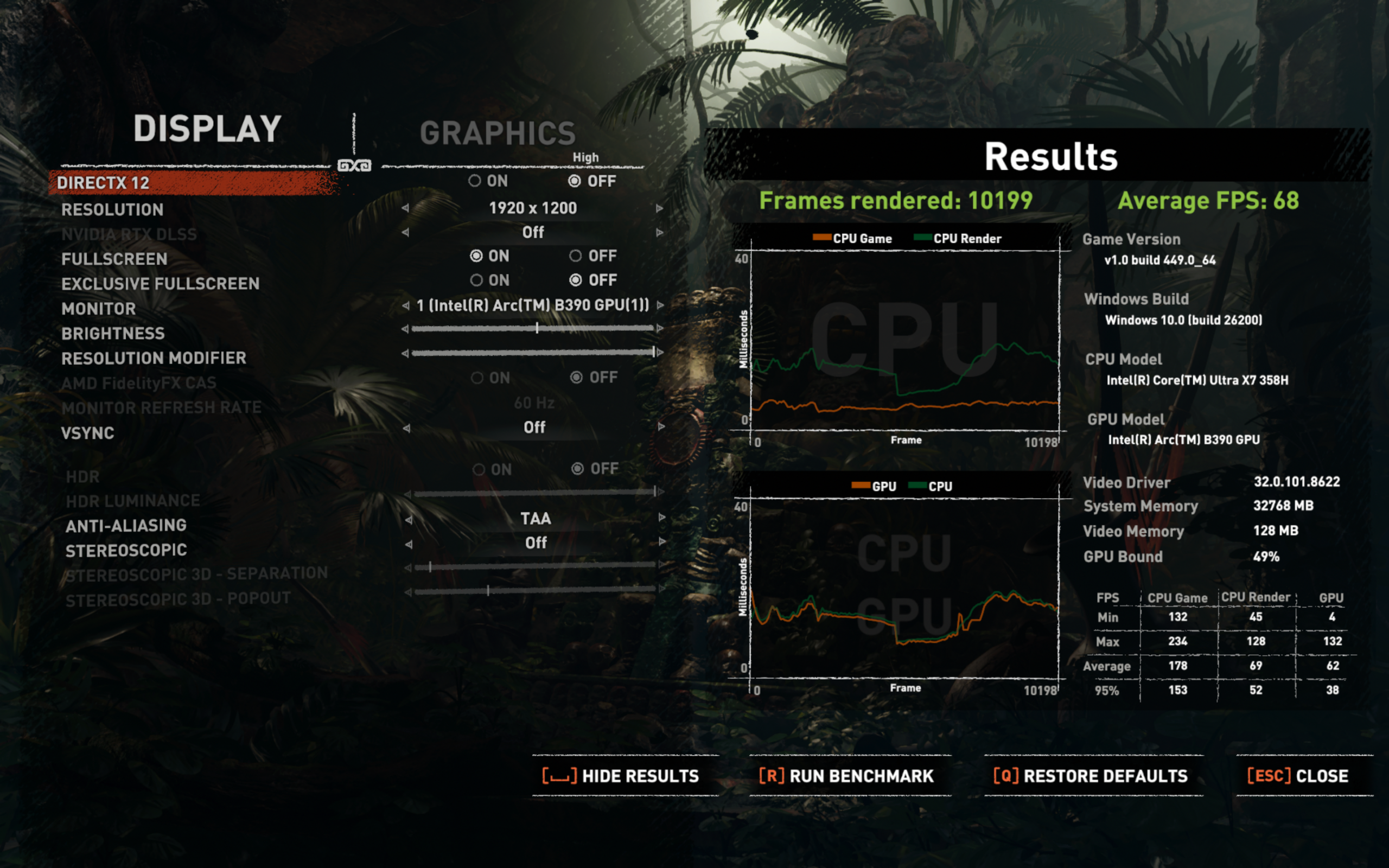
| Samsung Galaxy Book6 Pro | 1200p, High | 68 FPS | 72 FPS | 54 FPS |
Lastly, in terms of gaming performance, the Samsung Galaxy Book6 Pro delivers really solid numbers. At 1200p high settings, it achieved 68 FPS in Shadow of the Tomb Raider, 72 FPS in Cyberpunk 2077, and 54 FPS in Borderlands 3.
The dip in the last game could also be due to a driver issue, as Borderlands 3 was launched in 2019 and some older titles do face issues with Arc drivers.
Battery Life: Impressive Efficiency for the Battery Size
In the Procyon Office Productivity battery life test, which runs a variety of office apps and tasks, the Samsung Galaxy Book6 Pro managed 7 hours and 49 minutes of runtime, slightly more than the Asus Zenbook S16, which scored 7 hours and 45 minutes.
| Device | Battery Life (Procyon Office Productivity Test) |
|---|---|
| Samsung Galaxy Book6 Pro | 7 hours 49 minutes |
| Asus Zenbook S16 | 7 hours 45 minutes |
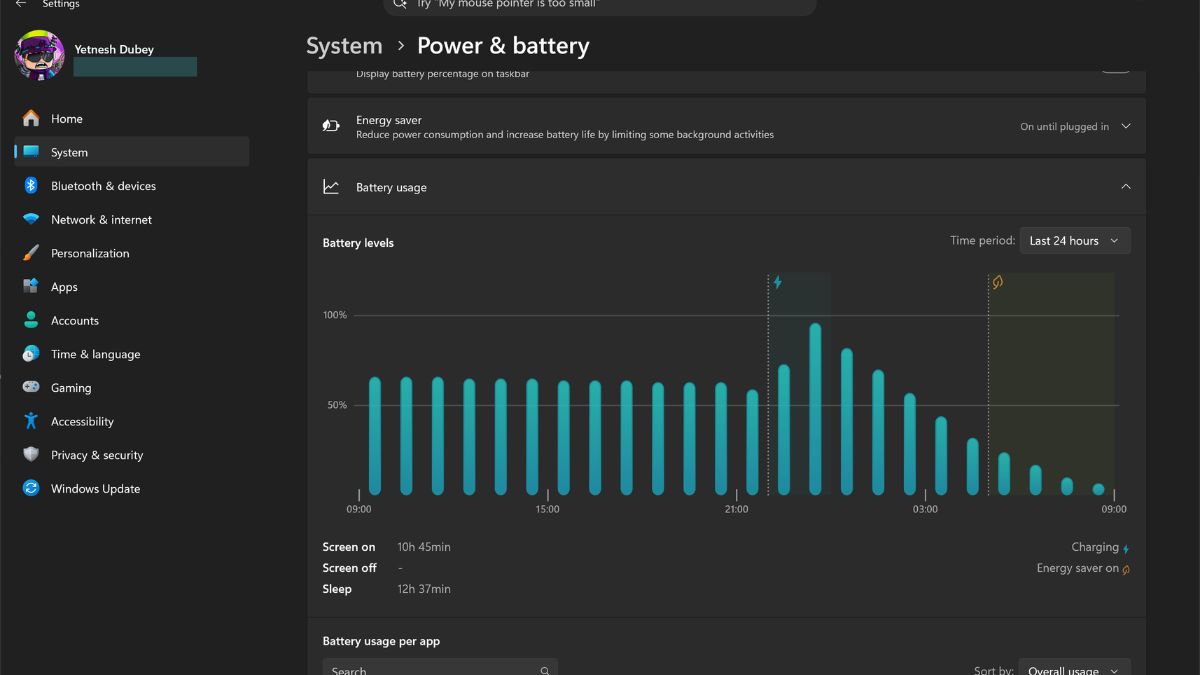
In regular use, the Samsung Galaxy Book6 Pro delivered a continuous screen-on time of 10 hours and 45 minutes, which is very impressive, considering it has a slightly smaller 78 Wh battery compared to the Zenbook S16’s 83 Wh unit.
This means Samsung is delivering better battery life despite a smaller battery and a brighter display.
Verdict: A Solid Laptop, Pending Final Pricing
The Samsung Galaxy Book6 Pro 16-inch gets a lot right. It is light in a way that genuinely surprises you for its size, the AMOLED display is easily among the best you can get on a Windows machine right now, and the new Intel Core Ultra X7 chip brings a level of performance and efficiency that feels well-tuned for real-world use. Add to that a refined keyboard layout, a properly implemented haptic touchpad, and noticeably improved speakers, and this starts to feel like one of the most well-rounded thin-and-light laptops in its category.
But here’s where things get a bit tricky. Pricing will ultimately define how easy it is to recommend. The 14-inch variant with similar specifications already sits at around ₹2.14 lakh, which means the 16-inch model will likely go even higher.
So for now, the Galaxy Book6 Pro 16-inch shapes up to be an excellent productivity laptop with very few real compromises. Whether it becomes an easy recommendation or a more niche pick will depend entirely on where Samsung lands with the final pricing.
At the time of writing, the Samsung Galaxy Book6 Pro is not available on the company’s official store or at other third-party outlets. Once the exact pricing of the unit is confirmed, I will update the final verdict accordingly.