Intel may finally be finding its footing again. With the launch of its latest Panther Lake processors, the company seems to be moving out of deep waters and back into its element, delivering a chip that could help push it back into serious competition while highlighting the progress Team Blue has been making in its Arc graphics division.
For the uninitiated, Intel’s Panther Lake lineup represents its next-generation mobile processor family under the Core Ultra Series 3 branding, designed primarily for laptops.
Built on Intel’s 18A manufacturing process, the Panther Lake lineup is divided into three key segments:
- X-Series Chips: Flagship processors built for gaming, content creation, and other demanding workloads, delivering the highest CPU and Xe3 integrated graphics performance.
- Core Ultra 9 / 7 / 5 Mainstream Chips: Well-balanced processors designed for premium everyday laptops, offering a strong mix of performance, efficiency, and multitasking capability.
- Low-Power Variants: Efficiency-focused processors tailored for thin-and-light laptops, prioritising longer battery life and improved portability.
Today, we are taking a deep look at the X-Series chips, specifically the Intel Core Ultra X9 388H. It is the current flagship chip, featuring the new top-of-the-line Intel Arc B390 GPU. The processor packs a total of 16 cores and 16 threads.
At the same time, we will also briefly take a look at the laptop itself. Briefly, because this is a China-specific unit, so the exact specifications with which this laptop will arrive in India is still unclear. However, we will examine the build quality, overall thermal and heat management, and other important non-interchangeable features that are likely to remain consistent across regions.
ASUS ZenBook Duo 14 Specifications
- Model: ASUS ZenBook Duo 14 (UX8407A, MR sample)
- Color: Moher Gray
- Display: 14.0-inch (35.6 cm) folded WQXGA+ touchscreen
- Processor: Intel Core Ultra X9 388H
- RAM: 32GB LPDDR5X (on-board)
- Storage: 1TB PCIe Gen 4 SSD
- Wireless: Wi-Fi 7 (11BE), Bluetooth
- Ports: USB 3.2, 2× Thunderbolt
- Operating System: Windows 11 Home
- Keyboard: US layout
- Battery: 4-cell, 99Wh
The Asus ZenBook Duo: Design, Build Quality, Connectivity and Ports
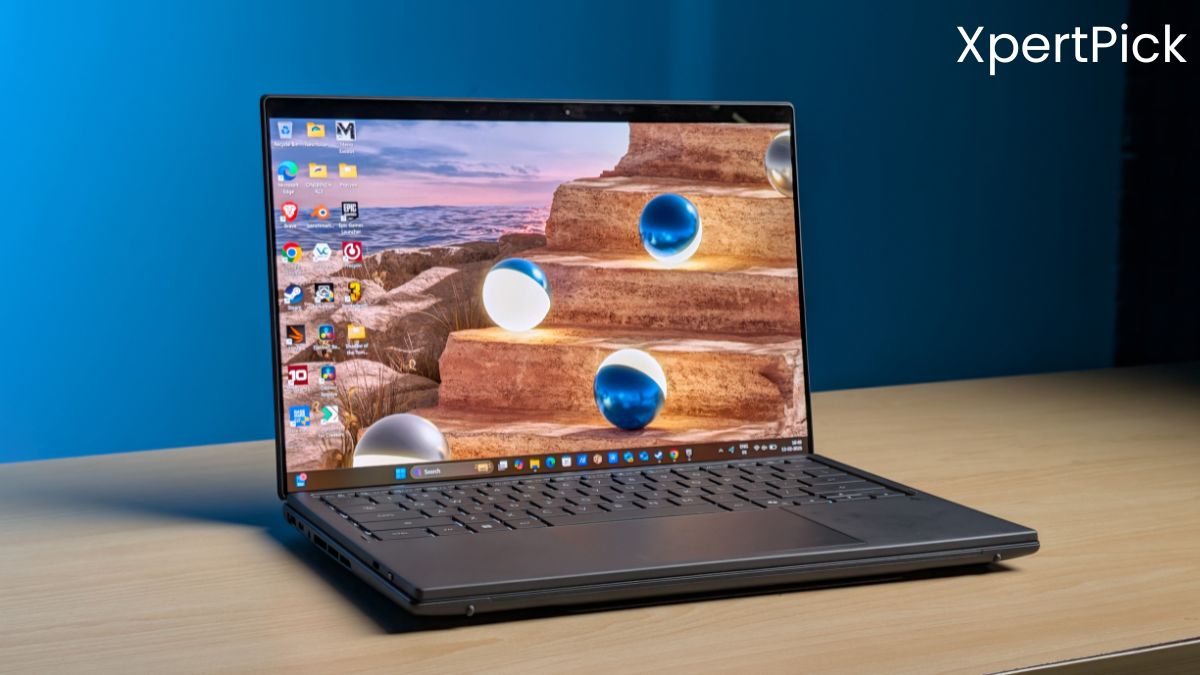
The 2026 ZenBook Duo introduces one of the biggest generational upgrades in the series. The most noticeable improvement is the redesigned dual-screen setup, which now features an anti-reflective coating, significantly improving visibility. ASUS has also reduced the gap between the two displays by roughly 70%, creating a far more seamless dual-screen experience. The panels are now brighter, with HDR brightness doubled, and the refresh rate has increased from 120Hz to 144Hz, improving both responsiveness and smoothness.
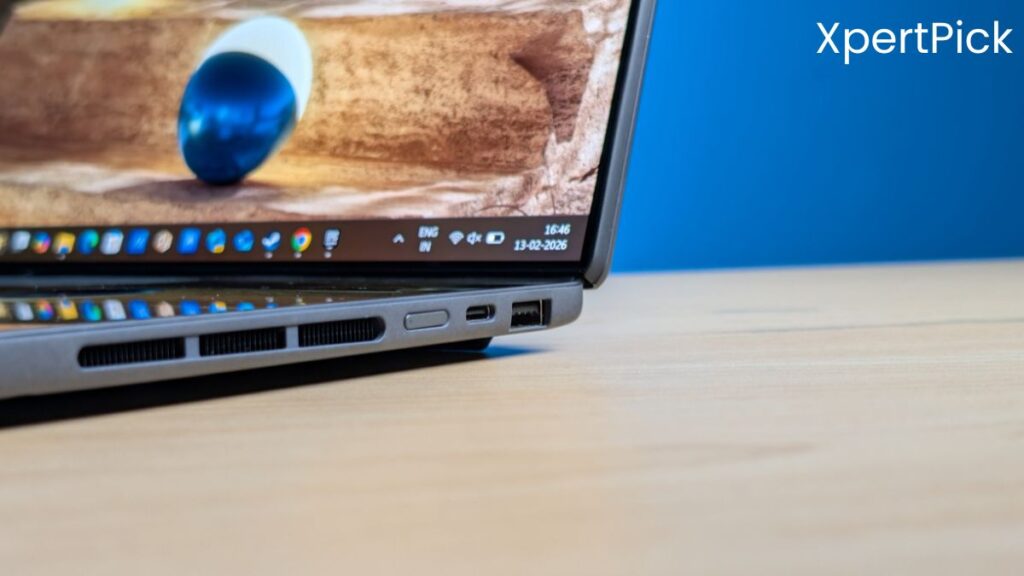
It seems like Asus has redesigned the hinge, making the laptop sturdier, and it has noticeably less screen wobble. The overall footprint also seems a bit smaller, but since Asus India hasn’t officially launched the laptop in India yet, it is difficult to confirm whether we’ll get the same experience. The speakers also seem upgraded, addressing a major weakness of previous generations.
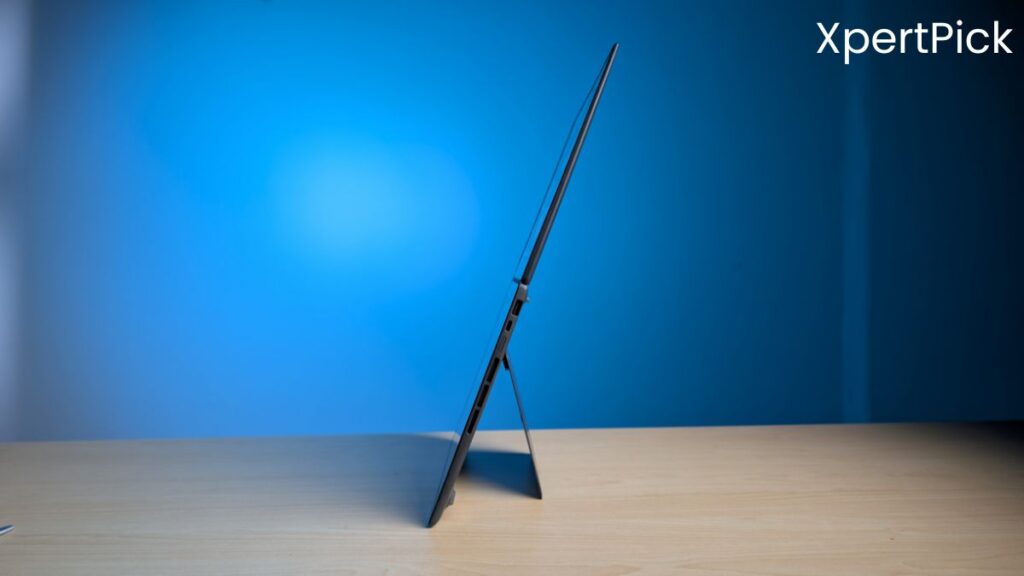
Internally, the laptop now features Intel’s latest Core Ultra Series 3 (Panther Lake) processors, a new cooling system and a larger battery, which has increased from 75 Wh in the previous generation to 99 Wh in the new model.
ASUS has improved the detachable keyboard with the ZenBook Duo, and it is one of the more practical implementations in this category. The keyboard connects and wirelessly charges through pogo pins when attached to the lower display, but it also supports Bluetooth connectivity for remote use. Users can also charge or connect the keyboard through USB-C for a wired connection if needed.
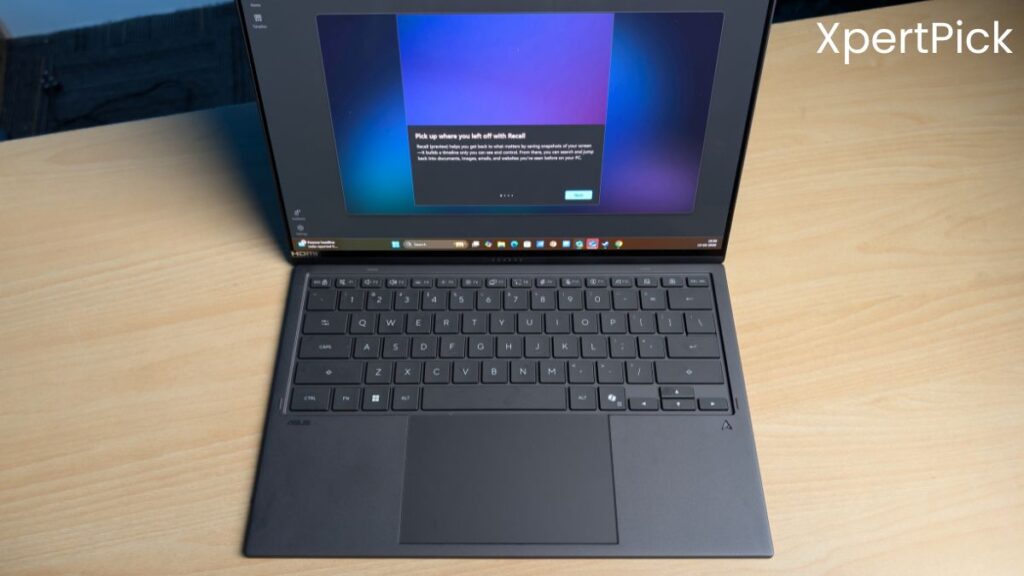
In terms of typing experience, the keyboard is full-sized, backlit, and offers 1.7 mm key travel, which feels comparable to other premium ASUS laptops.
The ZenBook Duo offers a practical and fairly versatile port selection for a thin-and-light dual-screen laptop. On the right side, ASUS includes a USB4 port along with a full-sized USB 3.2 Type-A port, which remains useful for legacy accessories. The power button is also positioned on this side.
On the left, the laptop houses another USB4 port, a 3.5mm audio jack, and a full-sized HDMI port. Both USB4 ports support up to 40Gbps bandwidth, enabling fast data transfers, display output, and external GPU support.
Intel Core Ultra X9 388H Chip Design
The Intel Core Ultra X9 388H is designed as a high-performance yet efficiency-focused mobile processor, built using Intel’s Panther Lake-H architecture and manufactured on an advanced 3 nm-class process, which is Intel 18A equivalent. The chip follows a modern heterogeneous design approach consisting of multiple tiles, meaning it combines different types of cores and specialised engines instead of relying only on traditional CPU cores.
Intel first experimented with heterogeneous core design with Lakefield in 2020, but it became a mainstream part of Intel’s processor strategy starting with Alder Lake in 2021. This approach evolved into the ‘multi-engine’ hybrid architecture introduced with Meteor Lake and continues to be refined in modern platforms like Panther Lake.
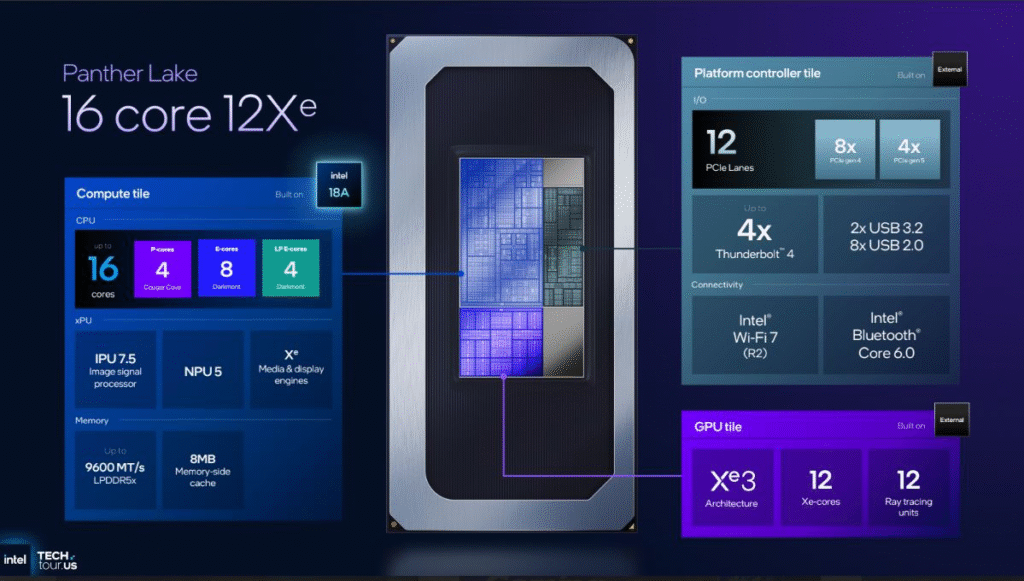
The main compute tile houses the processor’s core features, including 16 CPU cores (4 performance, 8 efficiency, and 4 low-power efficiency cores), 16 threads, and 18 MB of L3 cache. The chip supports up to 96 GB of LPDDR5X memory running at up to 9600 MT/s in a dual-channel configuration and includes PCIe Gen 5 support for faster communication with storage devices, external GPUs, and other high-speed components.
The chip’s second tile houses one of its biggest highlights: the integrated Intel Arc B390 GPU. Featuring 12 Xe3 cores, it is the most powerful iGPU in the Panther Lake lineup, delivering 96 compute units, 1,536 ALUs, hardware ray tracing support, and clock speeds of up to 2.5 GHz. The graphics tile is tightly integrated with the SoC, allowing faster data exchange between the CPU and GPU.
Lastly, the third tile consists of the platform controller tile, which manages the chip’s connectivity and input-output operations. It integrates PCIe lanes, Thunderbolt 4 support, Wi-Fi 7, Bluetooth connectivity, and overall system I/O and communication management.
Usability, Form Factor and Dual-Screen Workflow
The ZenBook Duo continues to stand out because ASUS seems to have refined the dual-screen experience, both from a usability and engineering standpoint. The detachable keyboard allows users to seamlessly switch between traditional laptop mode and full dual-screen mode. When removed, the system instantly transitions into extended display mode, making multitasking significantly easier.
ASUS’ ScreenXpert software remains the backbone of this experience. Users can extend apps across both screens, flick windows between displays, or convert the lower panel into a customizable control deck featuring shortcuts, brightness sliders, audio controls, and even a virtual keyboard or touchpad. The lower screen can also adapt to specific applications, turning into a dedicated tool panel for apps like Word or Excel.
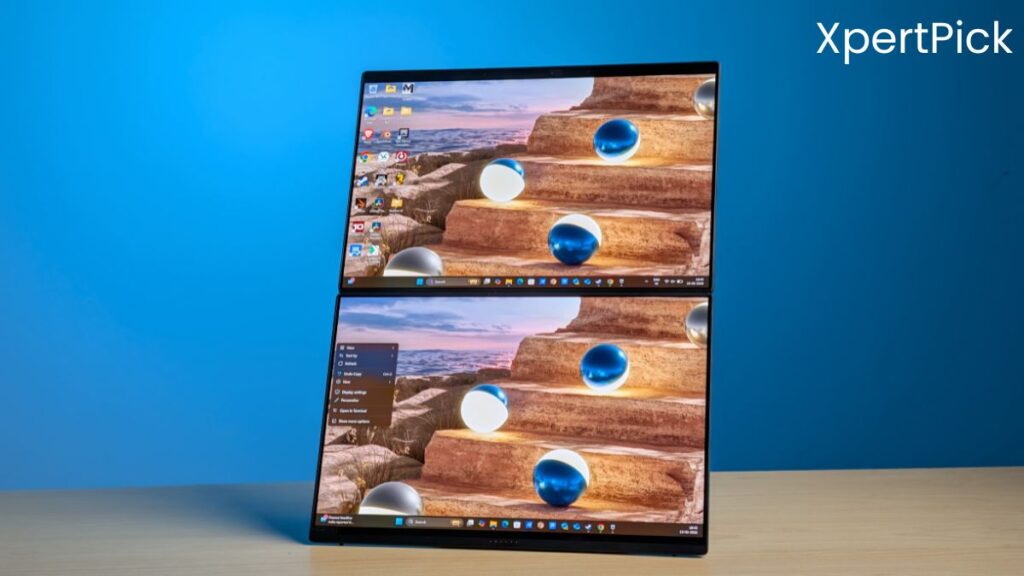
From a design perspective, the laptop now features a redesigned hinge that folds completely flat and significantly reduces the gap between displays. The new aluminium chassis and integrated kickstand improve durability while maintaining portability at roughly 1.65 kg. Importantly, despite the unconventional design, the Duo still feels like a conventional laptop when the keyboard is attached, offering a familiar typing and trackpad experience.
Multiple usage modes, including laptop mode, dual-screen mode, and desktop-style layout, make the ZenBook Duo a highly versatile productivity device.
Intel Core Ultra X9 388H Chip Benchmarks, Thermals, and Gaming Performance
Right off the bat, the most noticeable improvement with the Intel Core Ultra X9 388H is its single-core and multi-core performance, and more importantly, the massive generational leap in single-core output. In Cinebench R23, the Core Ultra X9 388H scores 2018 in the single-core test, which is a significant jump over last generation’s top-end Lunar Lake chip, the Core Ultra 9 258V, that scored around 1860.
| Geekbench 6 | Asus ZenBook Duo (Intel Core Ultra X9 388H) |
Asus ZenBook S16 (AMD Ryzen AI 9 HX 370) |
Lenovo Yoga Slim 7i Aura Edition (Intel Core Ultra 7 258V) |
HP Omen Max 16 (Intel Core Ultra 9 275HX) |
| Single Core | 2,018 | 2,012 | 1,860 | 2,170 |
| Multi Core | 20,083 | 20,065 | 10,101 | 34,000 |
It even comes remarkably close to last year’s high-performance flagship, the Core Ultra 9 275HX, which scores 2170, despite belonging to a higher-performance HX class. In the multi-core test, the 275HX leads with around 34,000 points due to its higher core count and more aggressive configuration, while the X9 388H posts approximately 20,083. For context, the Lunar Lake 258V manages about 10,101 in multi-core, making the 388H’s jump in threaded performance just as substantial.
But what’s most impressive is the power consumption, as in my 45-minute stress test, the chip’s total package power consistently stayed within the 45–53W range across various workloads, including stress testing, productivity tasks, and even gaming, while temperatures under sustained load hovered between 85–89 °C. The laptop has not been officially unveiled in India yet, but according to leaked press material, Asus guarantees a 45W TDP in its brochure, and in real-world usage, the laptop delivers almost exactly that level of power.
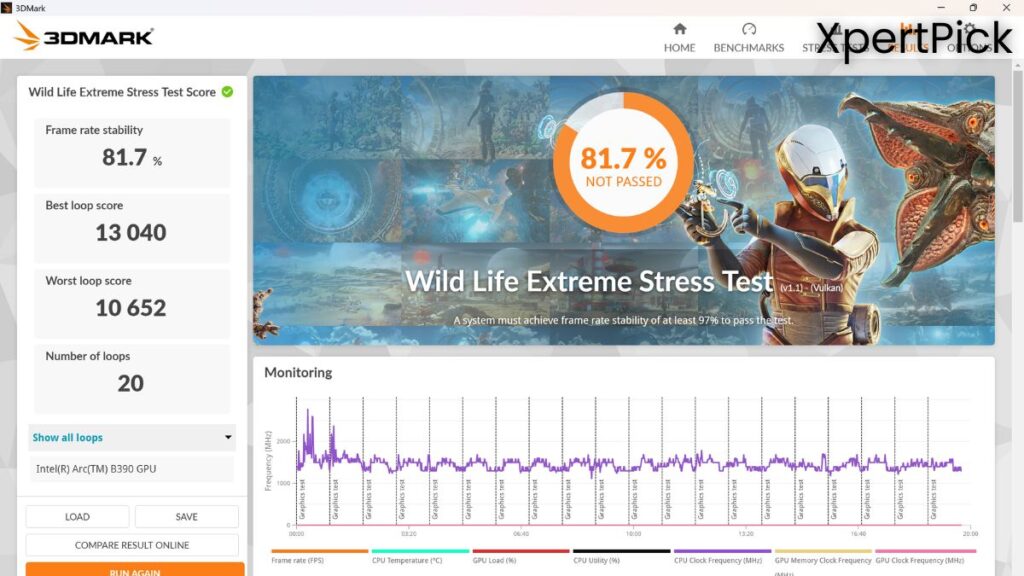
However, in the 3DMark Extreme Stress Test, the laptop unit did not pass, scoring only 81.7% frame rate stability. Its best loop score was 13,040, while the worst loop score dropped to 10,652.
The thermal load does seem a bit high. For reference, the Core Ultra 7 258V sits at around 77–79°C during the same test, with power consumption hovering around 35W. However, this difference could be due to multiple factors. The dual-screen laptop has a relatively slim profile, which could be one reason. The fan profile may also play a role. Additionally, the testing for the Core Ultra 7 258V was conducted in a thicker Lenovo Yoga Slim 7i chassis, which barely developed any noticeable hot spots even when pushed to its limits.
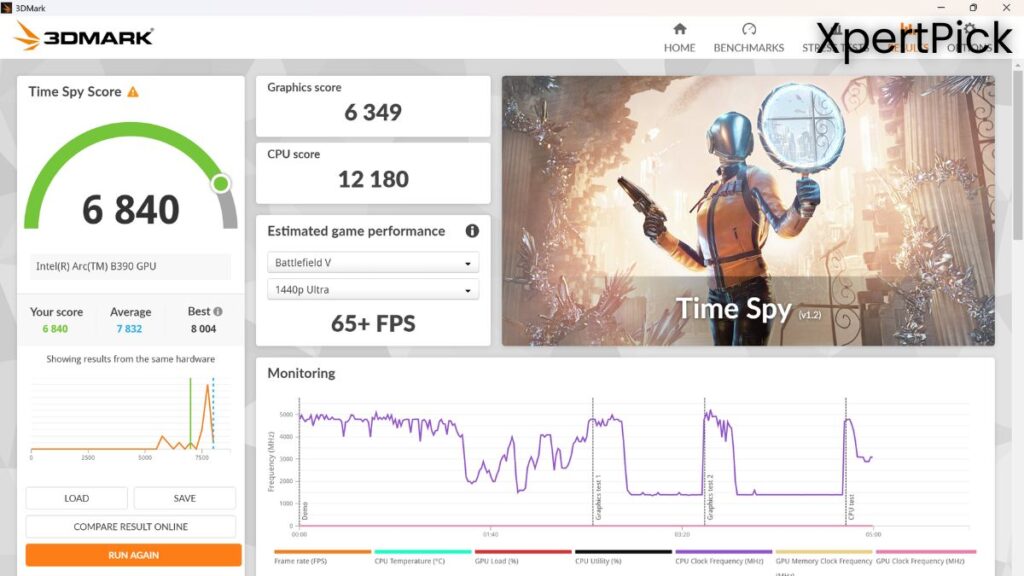
The Asus ZenBook Duo with Intel Core Ultra X9 388H scores 6,840 in 3DMark Time Spy. According to Notebookcheck’s benchmark database, RTX 4050 laptop GPUs typically score around 7,900–9,300, while RTX 4060 laptop GPUs generally achieve around 10,000–11,500 in the same test.
It means that the Core Ultra X9 388H’s iGPU is almost comparable to a lower-end dedicated Nvidia GeForce RTX 4050 GPU. However, the most important thing to remember here is that the typical power consumption of an RTX 4050 CPU+GPU laptop would be around 120–130 W. Meanwhile, the 388H delivers nearly similar performance while consuming roughly one-third of that power.
When comparing gaming performance with other similar chips in this form factor, namely the previous-generation Core Ultra 7 258V and the AMD Ryzen Z1 Extreme, Panther Lake naturally dominates. In Forza Horizon 5, the performance gap is quite noticeable. The Intel Core Ultra X9 388H delivers the highest frame rates, pushing beyond 110 FPS at high settings, making it the clear leader among the three. The AMD Ryzen Z1 Extreme follows with around 72 FPS, offering strong and very playable performance. The Core Ultra 7 258V trails behind, averaging roughly 55 FPS, which is still playable but noticeably lower than the other two.
In Cyberpunk 2077, the hierarchy remains similar but the gap narrows between the mid-tier chips. The Core Ultra X9 388H again leads comfortably, delivering over 80 FPS at high settings with upscaling. The Core Ultra 7 258V comes next with an average of around 54 FPS, slightly outperforming the Ryzen Z1 Extreme, which sits close behind at approximately 51 FPS. While the difference between the latter two is small, the X9 388H clearly offers the strongest overall performance in this title.
The Asus ZenBook Duo Display and Speakers
The ZenBook Duo’s dual OLED panels remain its biggest highlight. Both displays deliver excellent contrast, strong factory calibration, and wide colour gamut coverage, making them ideal for content creation. Brightness reaches around 498 nits in SDR and peaks at 1,000 nits with the brightness sensor enabled, although manual brightness caps at roughly 640 nits.
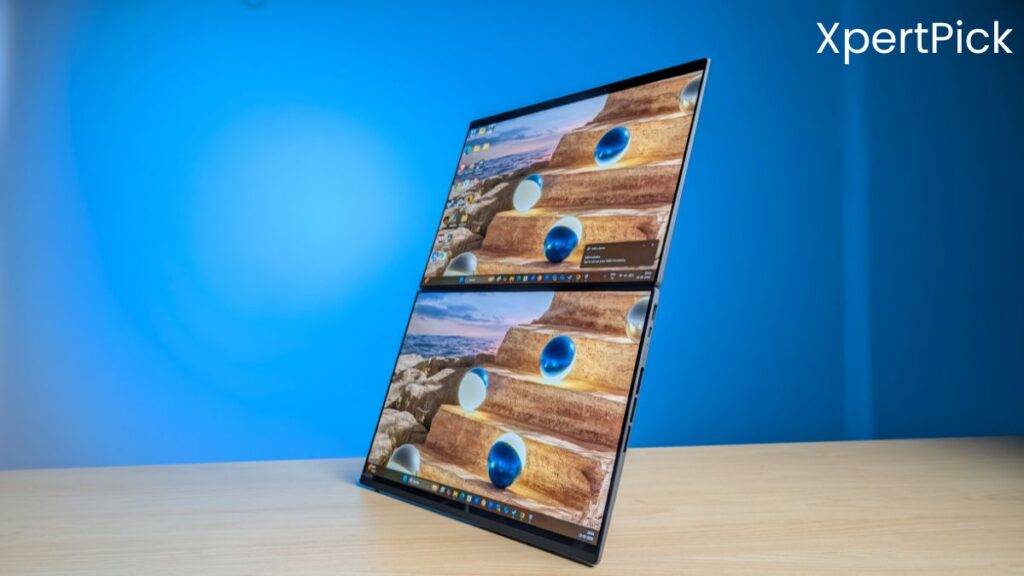
Also, it seems that ASUS has increased the number of speakers to a six-speaker system, featuring two tweeters and four woofers integrated into the hinge design. Compared to previous generations, the speakers deliver noticeably fuller, louder, and more immersive sound, making the laptop much better suited for media consumption and general entertainment.
Intel Core Ultra X9 388H and Asus ZenBook Duo Verdict
The verdict on the Intel Core Ultra 9 388H is simple: it offers more performance but also consumes more power. Moving from an average CPU power consumption of around 28 W in Lunar Lake to roughly 48 W, sometimes even exceeding 50 W in certain scenarios, represents nearly double the power consumption.
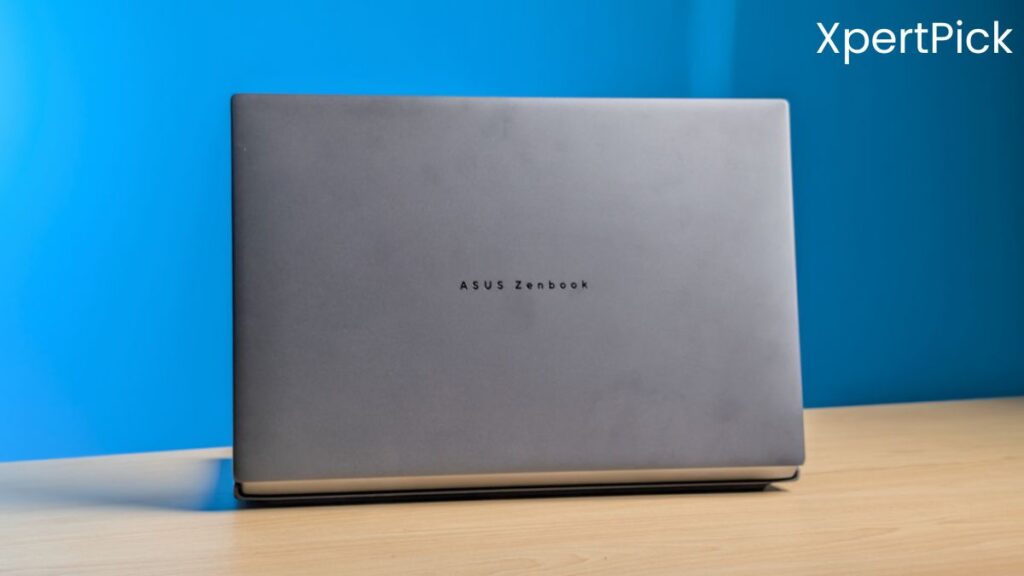
However, in many scenarios, including multi-core workloads and certain gaming titles like Forza Horizon 5, we are also seeing performance that is close to doubling in terms of FPS. Judging the exact thermal performance of the Intel Core Ultra X9 388H remains challenging, largely due to the unique dual-screen form factor of the ASUS ZenBook Duo.
Speaking of the ZenBook Duo, it continues to maintain its novelty as a dual-screen laptop. With several new improvements, the ZenBook Duo remains a one-of-a-kind device and faces virtually no direct competition in the market, at least for now.
Pros
- Massive generational CPU and iGPU performance improvement over previous Lunar Lake chips
- Arc B390 iGPU delivers near entry-level discrete GPU gaming and creative performance
- Modern architecture with PCIe Gen 5, high-speed LPDDR5X support, and advanced hybrid core design
Cons
- Significantly higher power consumption compared to the previous generation
- Runs hotter under sustained workloads, at least in the thin dual-screen form factor