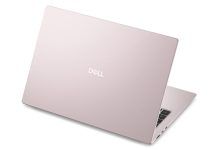
After almost a year, AMD’s Strix Halo platform has finally arrived in a more affordable and portable form with the 14-inch Asus TUF Gaming A14. Priced at ₹1,79,990 for the 32 GB RAM and 1 TB storage variant, the laptop uses the Ryzen AI Max+ 392, which drops to a 12-core CPU compared to the 16-core AI Max+ 395 but retains the same Radeon 8060S GPU and 50 TOPS NPU, while offering a clear upgrade over the older AI Max 390 by pairing the same core count with a significantly faster integrated GPU.
At a price of ₹1.79 lakh, the Asus TUF Gaming A14 offers the most affordable way to get your hands on an AMD Strix Halo–powered laptop. For context, the older AMD Ryzen AI Max+ 390, which was the only gaming-focused Strix Halo chip available in India last year and which I reviewed at the time, delivered performance close to that of a mid-tier Nvidia GeForce RTX 4060 discrete GPU but was limited to the Asus ROG Flow Z13 Windows gaming tablet, restricting its usefulness as a daily driver.
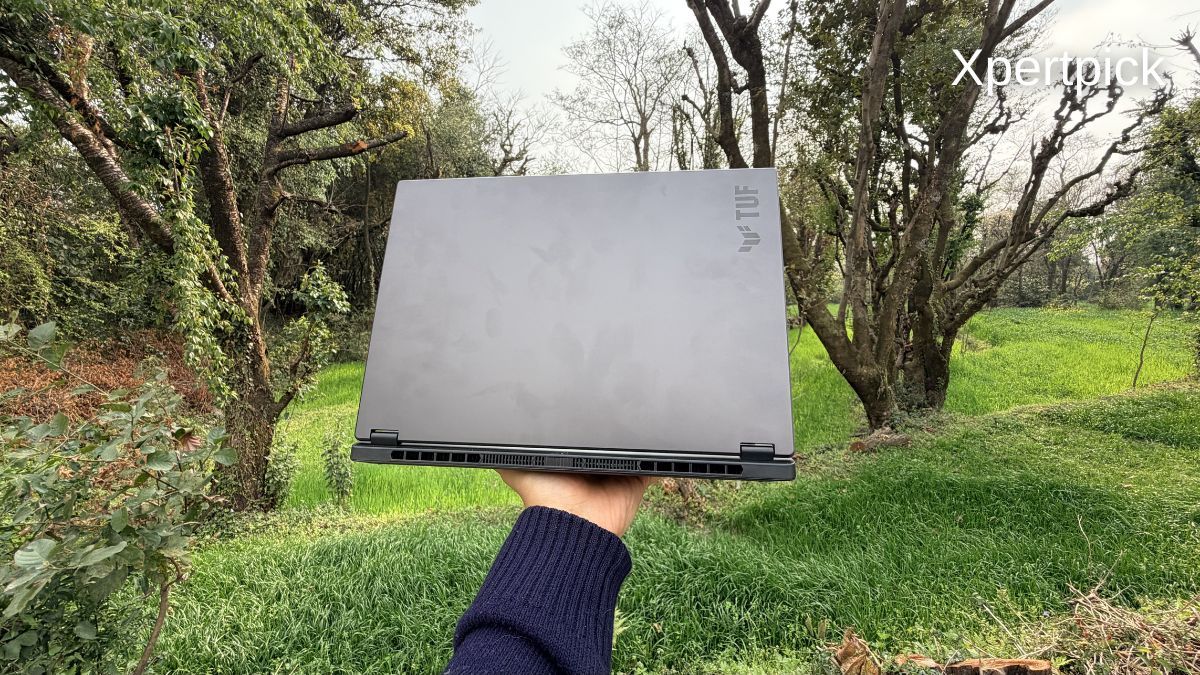
Now, a year later, and in line with what hardware leaker Moore’s Law Is Dead had predicted, AMD’s Strix Halo platform has finally arrived in a more affordable and versatile form factor. I have tested the laptop for over a week, and here’s how it performs.
Asus TUF Gaming A14 Review: Specifications
• Processor: AMD Ryzen AI Max+ 392 (12 Zen 5 cores)
• Graphics: Radeon 8060S integrated GPU
• Neural engine: 50 TOPS XDNA 2 NPU
• Memory: 32 GB LPDDR5X unified RAM
• Storage: 1 TB PCIe 4.0 SSD (expandable via a second M.2 2280 slot)
• Display: 14-inch 2.5K (2560 × 1600), 165 Hz refresh rate, 3 ms response time, 100% sRGB, AMD FreeSync Premium
• Battery: 73 Wh with fast charging and USB-C charging support
• I/O: USB4, microSD card reader, and other standard ports
• Build and durability: MIL-STD-810H certified, 1.48 kg weight, 1.69 cm thickness
• Software: Windows 11 Home, Microsoft Office Home 2024, Microsoft 365 Basic (1 year, 100 GB cloud storage)
Asus TUF Gaming A14 Review: Design, Build Quality, Keyboard and Connectivity
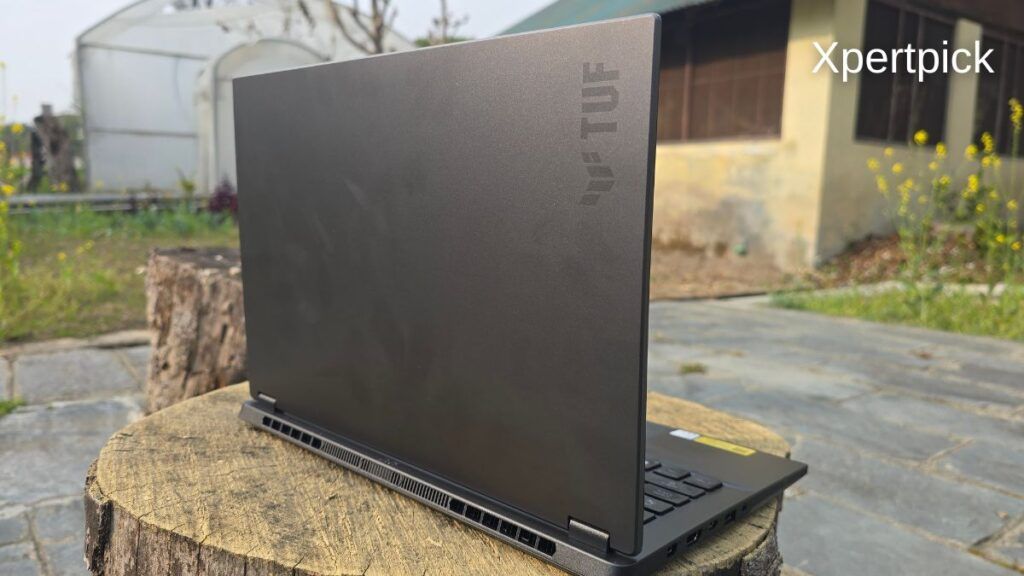
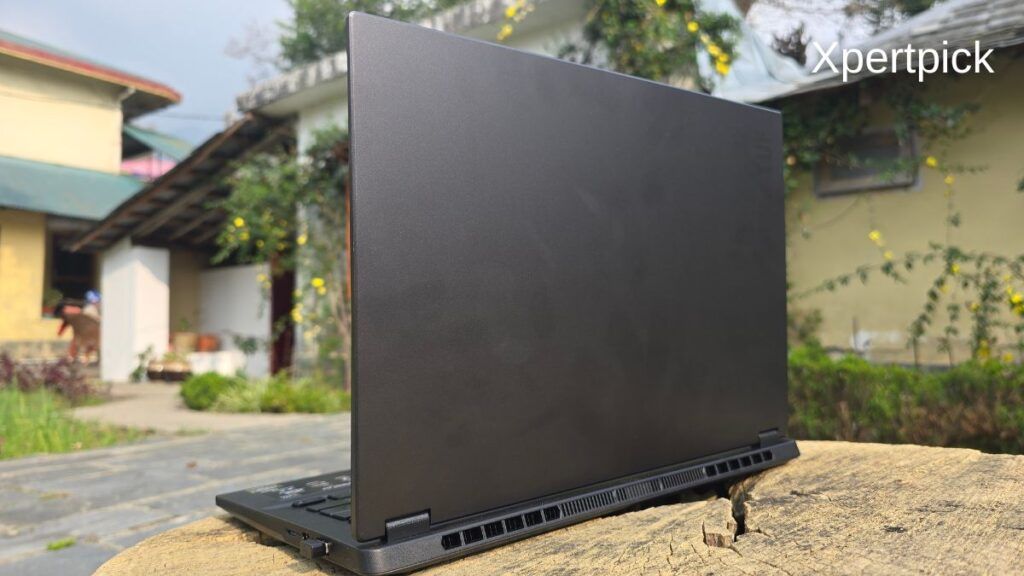
At 14 inches, the Asus TUF Gaming A14 weighs around 1.48 kg. It is a fairly light device that you can easily carry in your backpack and use wherever you choose. For instance, the 14-inch Apple MacBook Pro with the M5 chip weighs around 1.55 kg. Granted, the MacBook Pro has an all-aluminium body, including both the base and the display shell, while the TUF A14 uses a metal display shell paired with a polycarbonate base.
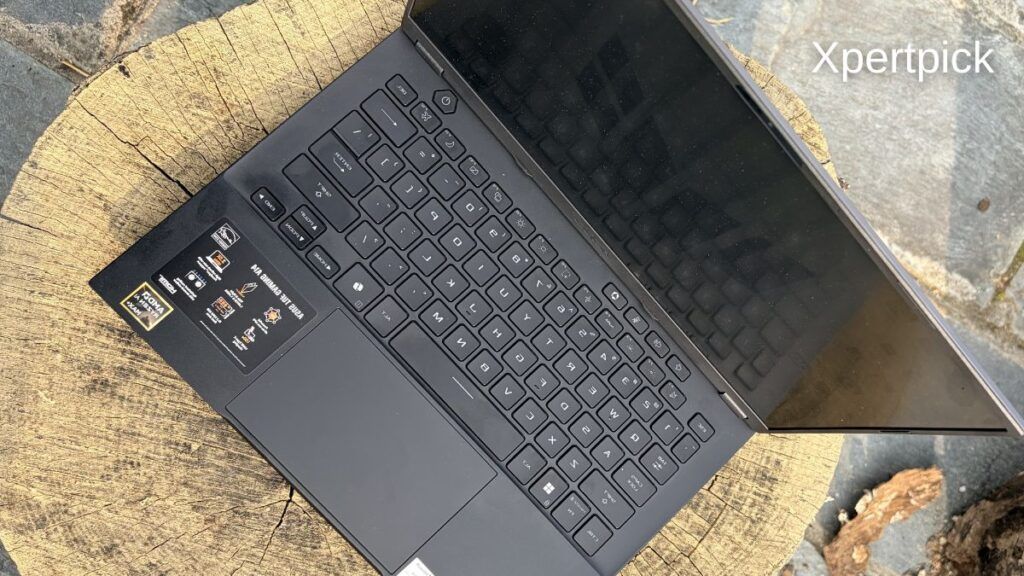
The laptop’s build quality is similar to that of other gaming laptops. The base is somewhat malleable and shows a bit of flex, but since the polycarbonate is not stretched across a larger 16- or 17-inch chassis, the flex is largely contained.
How strong the laptop’s display hinge feels depends on the angle. When opening the lid, the hinge initially feels very smooth, making the display easy to lift. At around a 90-degree angle, the hinge feels relatively tighter. Overall, the hinge works very well, and you can lift the lid with just one hand.
The keyboard also features dedicated buttons for volume up, volume down, mute, and an Armoury Crate shortcut. Though I also wish it had separate buttons for performance profile controls and brightness controls.
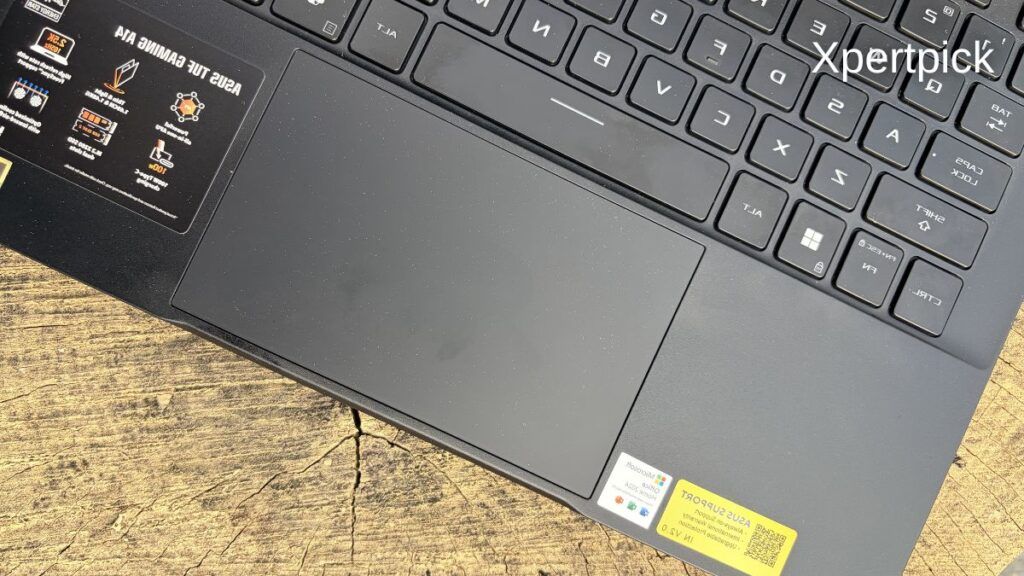
The laptop’s touchpad is mechanical. It is well installed, has no visible height imbalance between the left and right sides, and is quite large for a 14-inch chassis. However, I think the next major improvement all Windows laptops need is the inclusion of a haptic touchpad. Coming from a 13-inch MacBook Air, I think a haptic touchpad can really boost your productivity on any laptop.
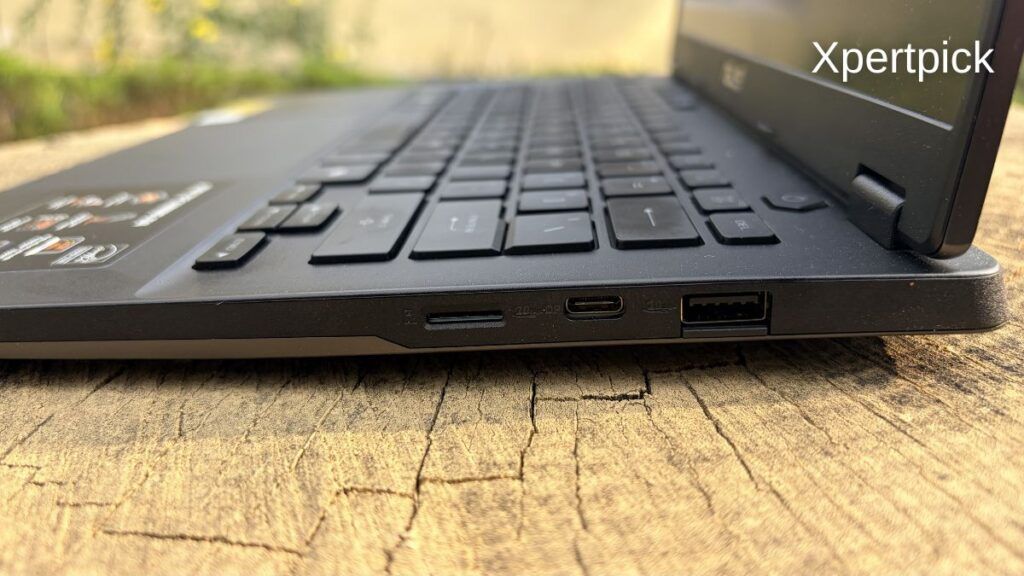
In terms of connectivity, the Asus TUF Gaming A14 offers a well-rounded selection of ports for a compact 14-inch laptop. It includes a USB4 Type-C port that supports charging and display output, three USB-A 3.2 Gen 1 ports for peripherals, an HDMI 2.1 port for external monitors, a microSD card reader for quick file transfers, and a 3.5 mm audio combo jack for headsets and headphones.
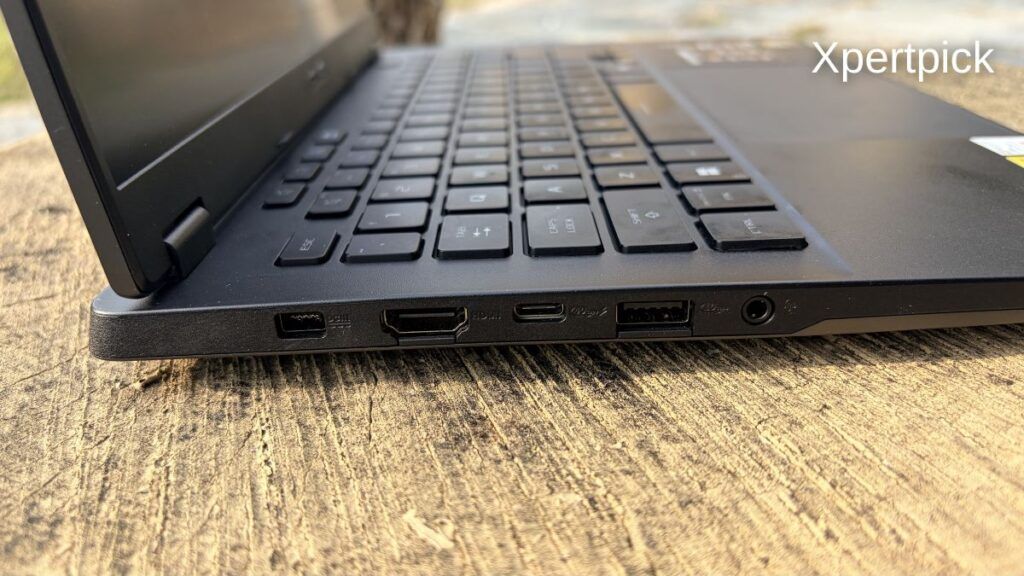
In terms of connectivity, the Asus TUF Gaming A14 features one USB-C port supporting USB4 (charging and display output), three USB-A ports (USB 3.2 Gen 1), one HDMI 2.1 port, a microSD card reader, and a 3.5 mm audio combo jack. Overall, I’d rate this port setup above as “Good.”
It has all the necessary ports, and via the USB4 port, you can even connect an external GPU. Just so you know, the GPU will still see some performance loss compared to using a Thunderbolt 5 port.
Asus TUF Gaming A14 Review: Display
The Asus TUF Gaming A14 uses a 14-inch 16:10 panel with a 2560 × 1600 resolution and a 165 Hz refresh rate, which has become the new baseline for modern compact gaming laptops. In everyday use, the panel is perfectly serviceable, delivering sharp text, smooth motion, and good viewing angles, but it does not aim to be a standout display in this price segment.
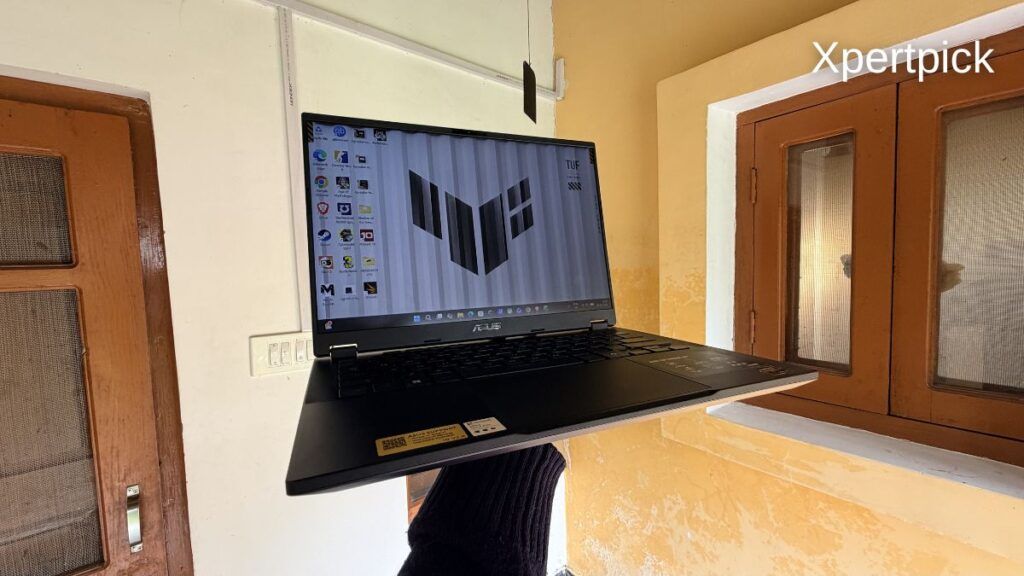
Colour coverage is limited to 100% sRGB, which is sufficient for gaming, web browsing, media consumption, and casual photo or video editing. Colour accuracy is good enough for non-critical creative work, but users working in wider colour spaces will quickly notice the limitations. Compared to higher-end alternatives like the Zephyrus G14, which offers an OLED panel with higher peak brightness, deeper blacks, and full DCI-P3 coverage, the A14’s display feels more functional than aspirational.
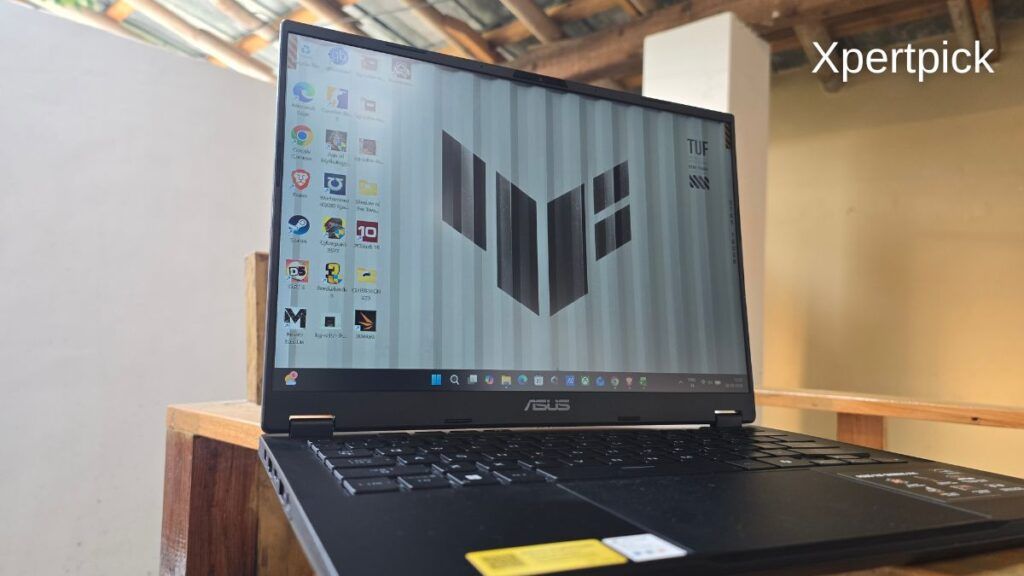
Brightness is another area where the panel shows its positioning. Indoors, the matte coating helps control reflections well, and visibility remains comfortable for long sessions. Outdoors, however, the panel struggles. With peak brightness hovering around 400 nits, usability drops sharply under direct sunlight, limiting outdoor use to basic tasks such as document editing rather than media consumption.
Overall, the TUF Gaming A14’s display is well-tuned for its intended audience. It prioritises refresh rate and practicality over visual flair, making it a solid match for gaming and general use, but creators or users who value high brightness and wide-gamut colour reproduction will need to look higher up in Asus’ lineup.
Asus TUF Gaming A14 Review: Audio Quality
The Asus TUF Gaming A14 features a dual down-firing speaker setup, and this is clearly an area where cost-cutting is evident. In everyday use, the speakers sound thin and lack both low-end presence and high-frequency clarity. Vocals remain intelligible, but music and games feel flat, with little sense of depth or punch.
Bass response is particularly weak. Low frequencies roll off very early, well before even reaching the low-mid range, which means there is no meaningful bass body to speak of. Increasing volume does not significantly improve this, and while the speakers sound marginally better at mid-volume levels, the overall character remains constrained and compressed. Treble extension is also limited, resulting in a narrow, boxed-in soundstage.
Compared to higher-tier Asus laptops such as the Zephyrus G14, the difference is immediately noticeable. The G14 delivers better bass extension, clearer highs, and a more balanced overall sound signature. Apple’s 14-inch MacBook Pro sits in a different league altogether, offering deeper bass extension, higher volume headroom, and a more dynamic, fuller presentation.
One small positive is that the TUF Gaming A14 does not rely heavily on aggressive dynamic range compression, meaning its tonal balance remains largely consistent across volume levels. Unfortunately, this consistency does little to mask the fundamental limitations of the speaker hardware itself.
In short, the speakers are adequate for basic video playback and system sounds, but they fall well short for music, gaming immersion, or serious media consumption. Using headphones or external speakers is strongly recommended.
Asus TUF Gaming A14 Review: Webcam Quality
The Asus TUF Gaming A14 comes with a 1080p webcam, and for a gaming-focused laptop, its performance is better than expected. In typical indoor lighting, the camera exposes faces correctly and maintains a stable image without aggressive overexposure or crushing shadows.
Even in more challenging conditions, such as strong backlighting or direct light sources in the frame, the webcam handles exposure reasonably well. Skin tones remain natural, and the camera prioritises facial detail rather than blowing out highlights, which is crucial for video calls and online meetings.
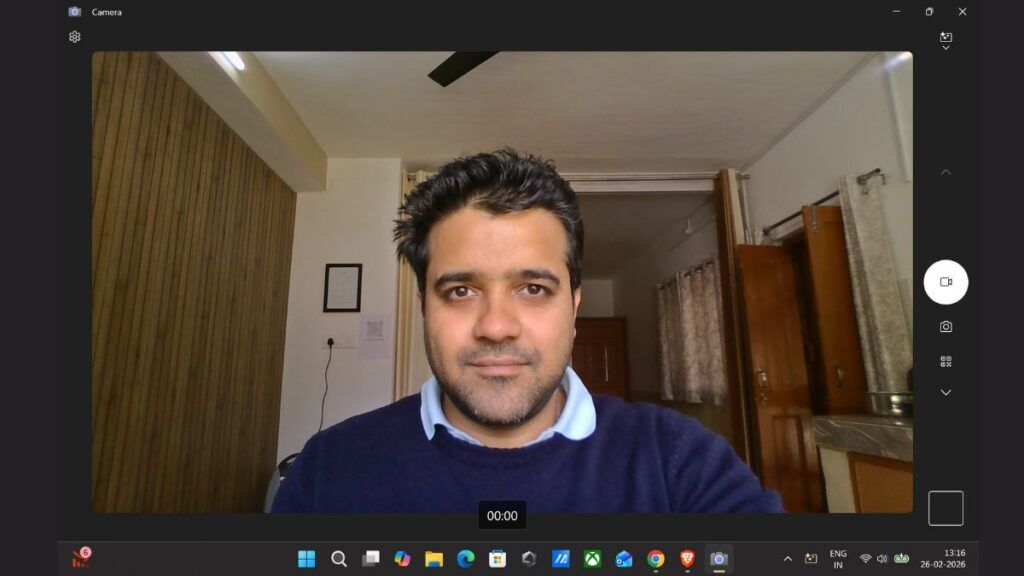
Image quality is not class-leading, and fine detail understandably falls short of what you would get from dedicated external cameras. However, noise levels are controlled, colours are consistent, and the overall output is more than adequate for regular video conferencing, remote work, and casual streaming.
In short, the TUF Gaming A14’s webcam does exactly what it needs to do. It is reliable, well-tuned for everyday use, and a step above the bare-minimum webcams still found on many gaming laptops.
Asus TUF Gaming A14 Review: Gaming, Performance, Thermals, And Battery Life
Starting with CPU performance, the AMD Ryzen AI Max+ 392 scores around 1,987 in the Cinebench R23 single-core test and 27,776 in the multi-core test. By comparison, the latest Intel Panther Lake chip we tested recently scored around 2,018 in single-core and 20,083 in multi-core.
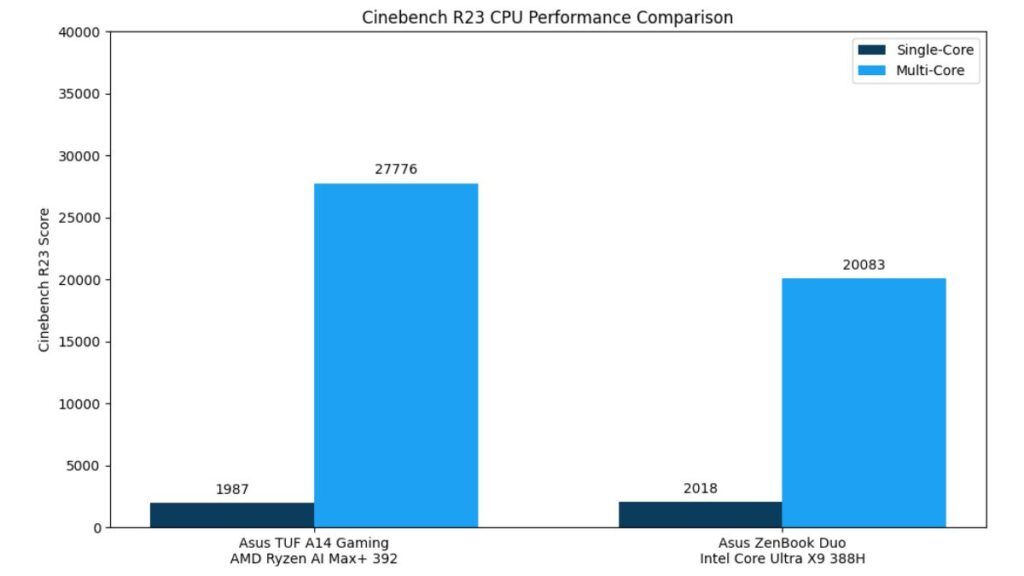
Single-core performance between the two chips is largely on par. However, the Intel chip achieves this while consuming significantly less power, at around 55 W, compared to an average package power of 85 W on the AMD chip.
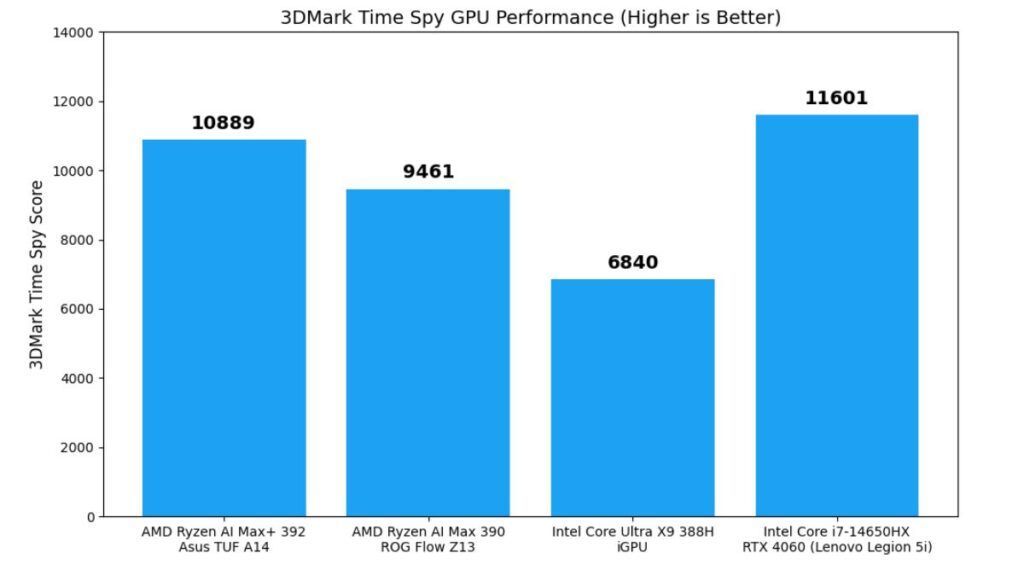
However, when it comes to GPU performance, AMD clearly leads, scoring 10,889 in 3DMark Time Spy, while the Intel GPU scored around 6,840. The AMD iGPU also comes close to the performance of an Nvidia GeForce RTX 4060 laptop GPU, which scores around 11,601 in the same test.
It is still a notable improvement, as last year’s AMD Ryzen AI Max 390 scored 9,461 in 3DMark Time Spy.
Similarly, in terms of ray tracing performance, the AMD Ryzen AI Max+ 392 scored 5,654 in the 3DMark Port Royal test, compared to 3,435 from the Intel Core Ultra X9 388H. The new AMD chip also outperforms last year’s model, which scored only 3,428. For reference, the Nvidia GeForce RTX 4060 laptop GPU typically scores around 6,210 in the same test.
However, one area where I saw massive improvements was overall thermals. The average CPU core temperature on the AMD Ryzen AI Max+ 392 hovered around 55°C. In comparison, last year’s AMD Ryzen AI Max 390 reached average temperatures of up to 80°C under load. One reason for this difference could be the form factor.
The Asus TUF Gaming A14 has a larger chassis and more powerful, albeit louder, fans, which likely help manage temperatures more effectively than a compact 13-inch tablet design that relies on a single slab with an attached display.
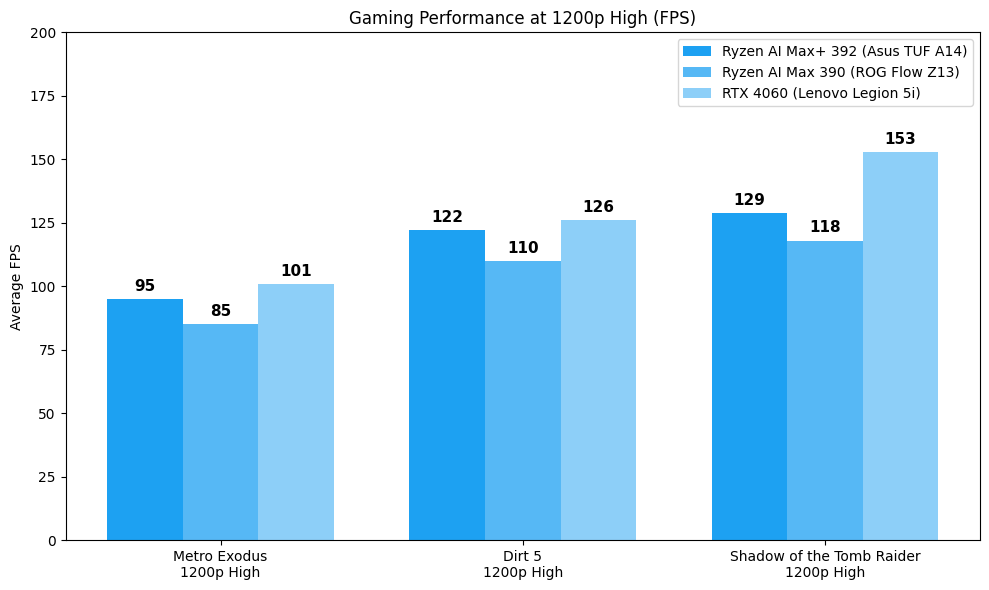
Across common High-preset titles, the Ryzen AI Max+ 392 makes a clear generational step up from the older Ryzen AI Max 390 while still trailing behind a discrete RTX 4060 GPU.
In Metro Exodus (1200p High), the TUF A14 powered by the Ryzen AI Max+ 392 averages around 95 FPS, compared with the AI Max 390’s result (approximately in the mid-80s range from the Flow Z13) and about 101 FPS on the Lenovo Legion 5i with the RTX 4060.
For Dirt 5 (1200p High), the 392 posts roughly 122 FPS, comfortably above the previous AI Max 390 figure and close to the 126 FPS logged by the Legion 5i’s RTX 4060.
In Shadow of the Tomb Raider (1200p High), the A14 with the 392 hits around 129 FPS, which is again a solid step over what was achieved with the AI Max 390, while the Legion 5i’s RTX 4060 stays ahead at around 153 FPS.
From this standpoint, the Ryzen AI Max+ 392’s iGPU performance consistently outpaces the older AI Max 390 at High settings and narrows the gap to mid-tier discrete GPUs.
One major advantage of the Max+ 392 and Max 390 is access to a shared memory pool, using which you can easily increase the VRAM allocation to 16 GB, something that is not possible on Nvidia GeForce RTX–powered laptops, or on any other system with a dedicated GPU, laptops or desktops included.
However, dedicated RTX 4060 laptop hardware still retains a noticeable advantage in heavier titles. The 392’s progress is especially notable given its integrated nature, and for players on High presets without discrete graphics, it offers very playable performance.
Lastly, in terms of battery life, the laptop lasts around 1 hour and 20 minutes in high-performance mode while gaming. If you are not gaming, it can easily deliver 5–6 hours of screen-on time at full brightness, with usage that includes document editing, video streaming, media playback, and frequent switching between multiple apps.
It is clearly better than most full-fledged gaming laptops with dedicated GPUs, at least in terms of power efficiency. This is largely because, in this laptop, the CPU and iGPU together draw a sustained maximum of around 85 W.
By comparison, a typical RTX 4060 laptop paired with a 14th-gen Intel Core i7 HX-series processor can easily draw around 150 W under load.
Asus TUF Gaming A14 Review: Verdict
So overall, the AMD Ryzen AI Max+ 392 is a clear and meaningful improvement over its previous generation, and for the first time, it arrives in a proper gaming laptop form factor that can actually extract more of its potential. In the Asus TUF Gaming A14, the larger chassis and more capable cooling system allow the chip to run at much lower average CPU temperatures, which directly translates into better sustained performance than last year’s Strix Halo implementations that were confined to tablet-style designs.
In terms of CPU performance, the AI Max+ 392 feels fully sorted, delivering strong single-core and multi-core numbers that can comfortably rival even some of Intel’s high-performance Core Ultra HX chips. On the GPU side, while it still falls slightly short of a dedicated Nvidia GeForce RTX 4060, the gap is narrower than ever for an integrated solution, especially in rasterised gaming workloads where it consistently delivers playable frame rates at High settings.
One major advantage, as mentioned, is the shared memory architecture, which allows Strix Halo chips to allocate significantly more VRAM than any dedicated laptop GPU currently available on the market. When you combine that with the TUF A14’s genuinely portable 14-inch form factor, respectable battery efficiency, and the ability to deliver near-discrete GPU-class performance without the power draw and thermal penalties of a full-fledged gaming laptop, the result is a system that strikes a rare balance between performance, efficiency, and mobility. In that sense, the Asus TUF Gaming A14 makes the strongest case yet for AMD’s Strix Halo platform as a viable alternative to entry-level discrete GPUs.
Pros
- Strong Ryzen AI Max+ 392 CPU performance that rivals high-end Intel Core Ultra HX chips in sustained workloads.
- Radeon 8060S iGPU delivers near RTX 4060–class rasterised gaming performance at High settings without discrete GPU power draw.
- Excellent thermals for a Strix Halo system, with far lower sustained CPU temperatures than previous AI Max implementations.
- Lightweight 14-inch chassis at 1.48 kg offers a rare balance of portability, gaming capability, and efficiency.
- A shared unified memory architecture enables more VRAM allocation, unmatched by dedicated laptop GPUs.
Cons
- Display is limited to 100% sRGB and ~400 nits brightness, which feels underwhelming at this price point.
- Speaker quality is poor, with poor bass response and a narrow soundstage, hurting gaming and media immersion.
- The integrated GPU still trails the RTX 4060 in heavier titles and ray tracing workloads.