Every year or so, a device lands on my table that is genuinely excellent and genuinely difficult to recommend at the same time. The MSI Claw 8 EX AI+ is this year’s example.
For context, handhelds have never really taken off in India the way they have in the West. We do not have a Steam Deck culture here. What we do have is a very large, very active gaming laptop market, and a well-established price band around Rs 1 to 1.5 lakh where most enthusiast purchases actually happen. So when MSI announced the Claw 8 EX AI+ at COMPUTEX 2026 and it turned out to be the first handheld in the world built on Intel’s Arc G3 Extreme processor, the obvious question for an Indian buyer was not “how does it compare to the ROG Xbox Ally X”.
Almost nobody here is cross-shopping those. The question was, and still is, “what could I have bought instead if I spent this money on a laptop?”
I have spent the past week and a half testing it against the same benchmark suite I run on every laptop that comes through XP Lab. And the short version is this: the hardware is remarkable, the ergonomics are the best I have used on any handheld, and the price makes almost no sense for the Indian market. Here is the long version.
MSI Claw 8 EX AI+ Specifications
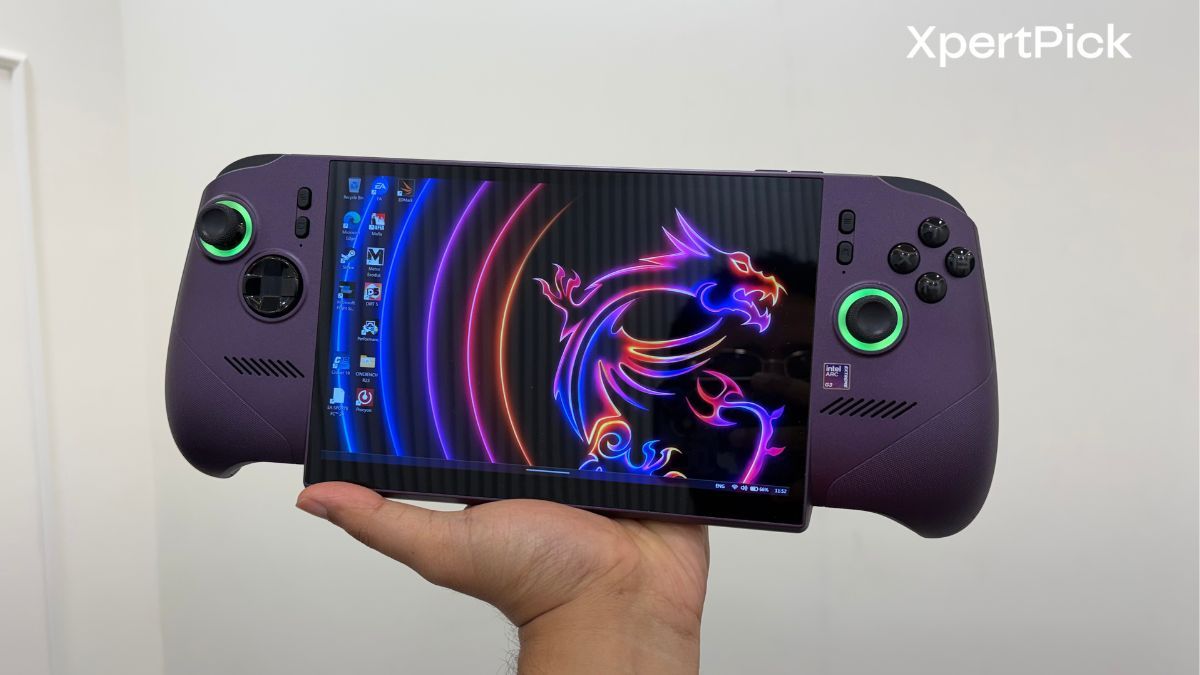
- Processor: Intel Arc G3 Extreme, Intel’s first SoC designed specifically for handheld gaming, based on the Panther Lake architecture
- Graphics: Intel Arc B390 integrated graphics
- Display: 8-inch FHD+ IPS touchscreen (1920 x 1200, variable refresh rate from 48Hz to 120Hz, 500 nits typical brightness, 100% sRGB)
- Memory: 32GB LPDDR5X-8533 on-package
- Storage: 1TB PCIe Gen4 NVMe SSD in a full-length M.2 2280 slot, user-replaceable, plus a microSD Express card reader
- Battery: 80Wh rated capacity
- Configurable TDP: 8W to 35W, with an additional Endurance mode
- Weight: 785g
- Controls: Hall Effect analogue sticks and triggers, D-pad, two rear macro keys, linear motor haptics
- Cooling: Cooler Boost HyperFlow with twin fans and dual heatpipes
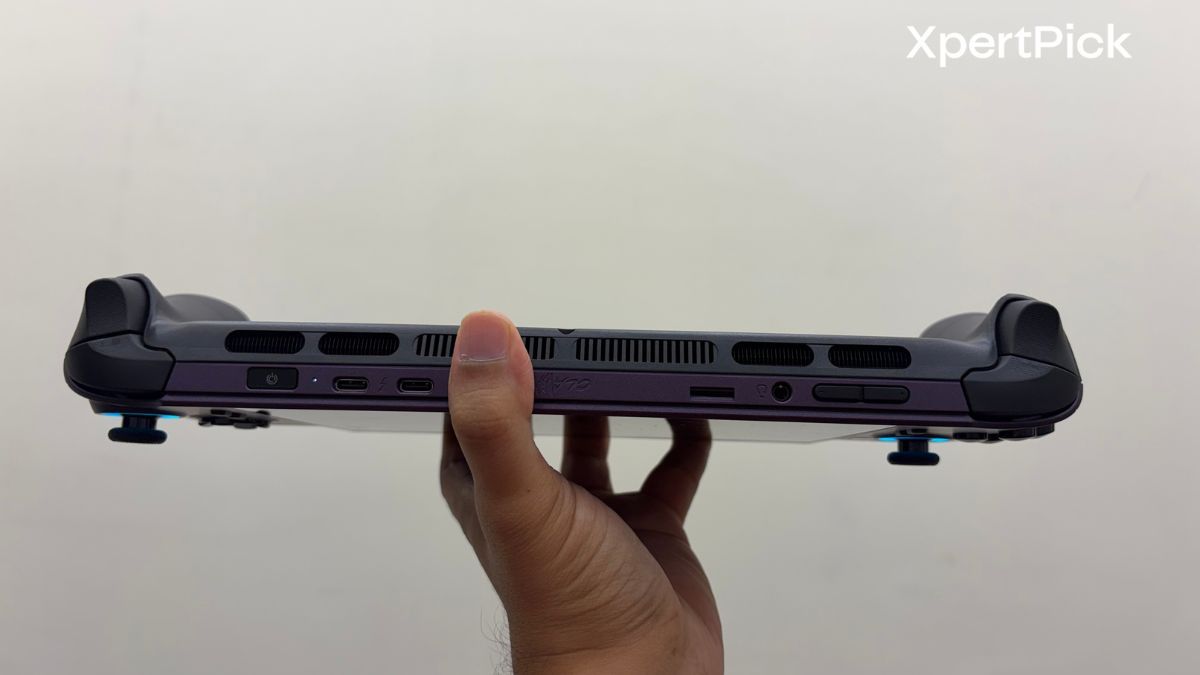
- Ports: 2x Thunderbolt 4, 1x microSD Express card slot, 1x 3.5mm combo audio jack, volume rockers, and a power button with an integrated fingerprint reader
- Connectivity: Intel Wi-Fi 7 (BE213) and Bluetooth 6
- Audio: Dual 2W speakers
- Operating System: Windows 11 Home with Xbox Full Screen Experience
- Price: $1,699 to $1,799 in the United States. No official India pricing at the time of writing.
MSI Claw 8 EX AI+ Design And Ergonomics: The Most Comfortable Handheld I Have Held, Chin And All
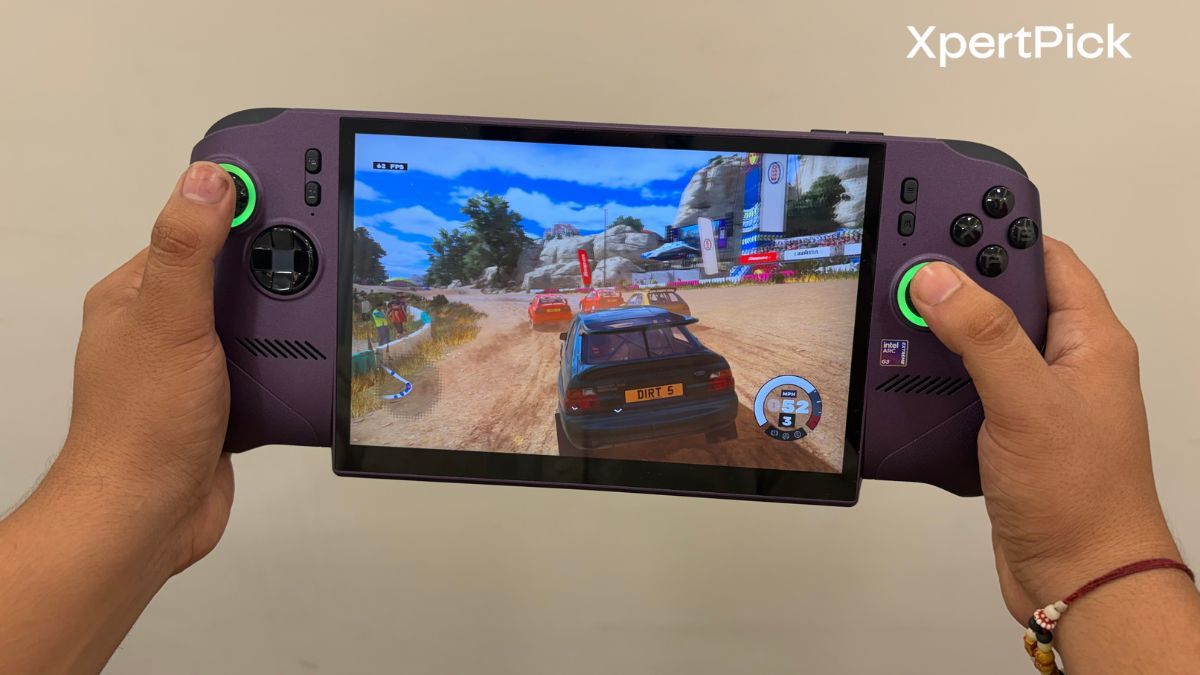
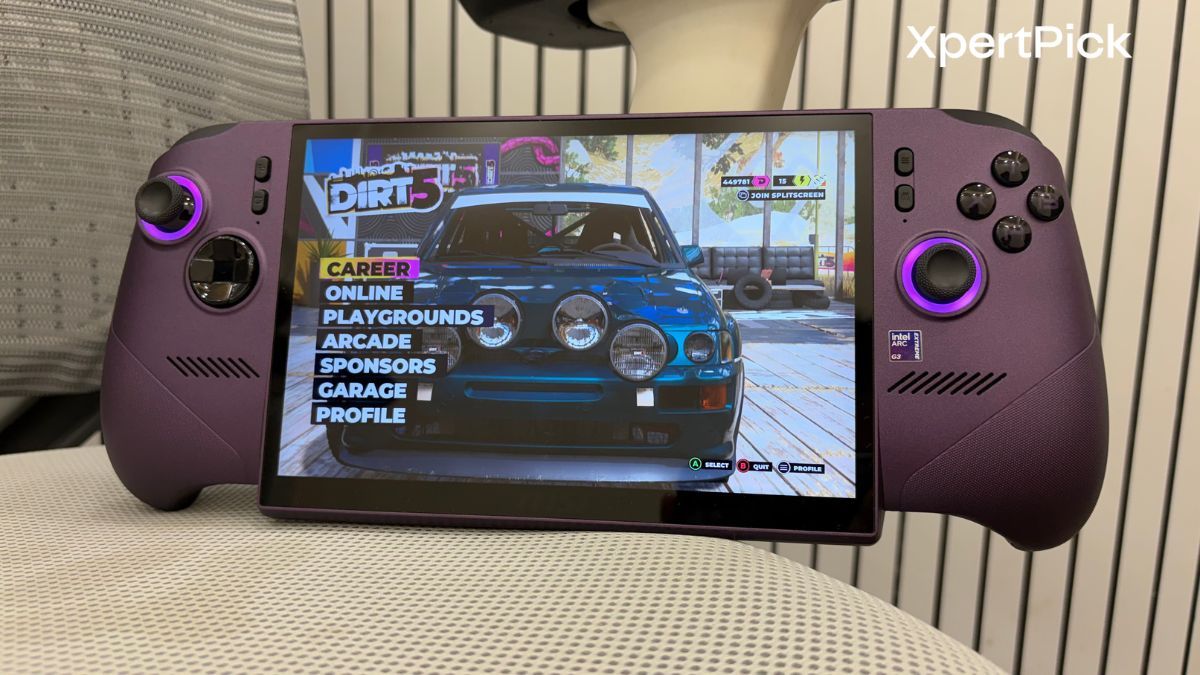
Let me start with the part MSI has unambiguously got right. The Claw 8 EX AI+ has been reshaped around a flared, sloped grip that borrows heavily from the shape of a proper console controller. Your palms sit into it rather than around it, and your wrists stay in a neutral position instead of cocking inwards the way they do on flatter, more tablet-like handhelds. There is a laser-etched texture across the grip surfaces that holds on to your hands without feeling abrasive. Every button falls under a finger without you having to stretch or reposition.
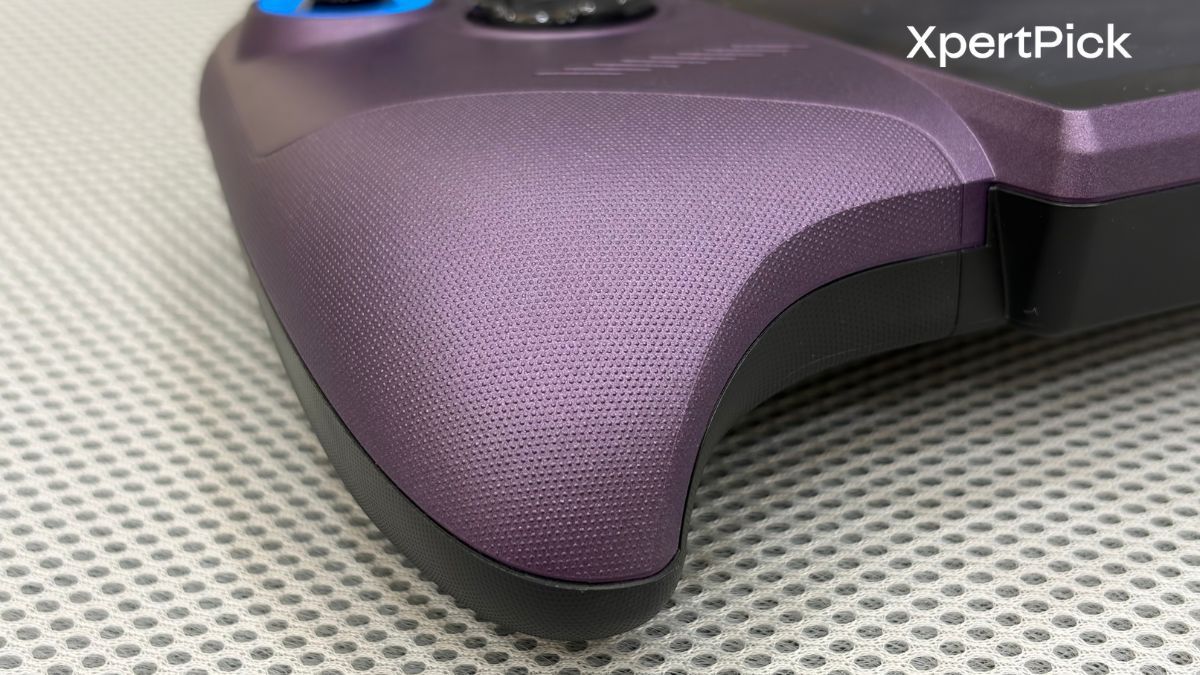
At 785g, this is not a light device. It is heavier than the ROG Xbox Ally X by around 70g, and heavier than most tablets you would happily hold for an hour. But MSI has distributed that weight so well across the width of the chassis that it does not register the way the number suggests it should. The Lenovo Legion Go 2, for comparison, weighs 854g and ships with a kickstand for a reason.
There is one design decision that people will argue about, and that is the chin. The bottom bezel below the display juts out slightly, giving the front of the device an oddly utilitarian look that does not match how premium the rest of it feels. It does not affect how you hold it or how you play. It just looks a bit unresolved, and at this price you notice things like that.
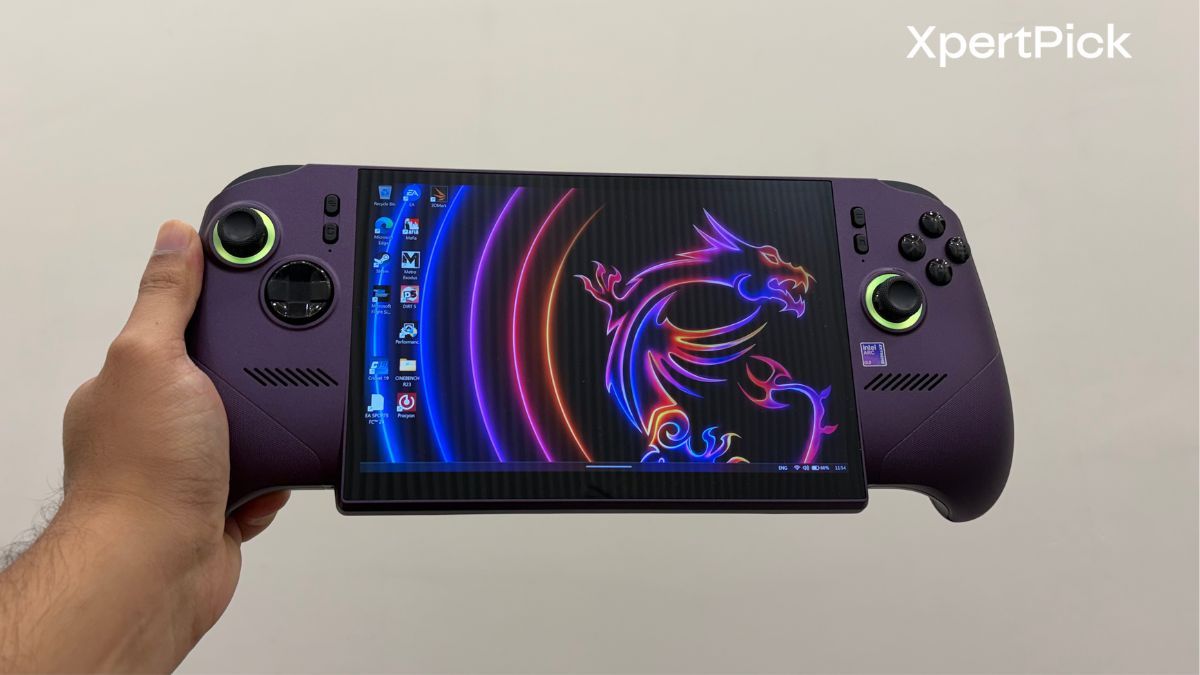
There are two other omissions worth knowing about on this handheld. There is no touchpad, unlike the Legion Go series, so all your Windows navigation happens through the touchscreen or through the joysticks in the Xbox overlay. And there are only two rear macro keys, where competing systems typically give you three or four. Neither is a dealbreaker. Both are the kind of thing you would expect a flagship to have covered.
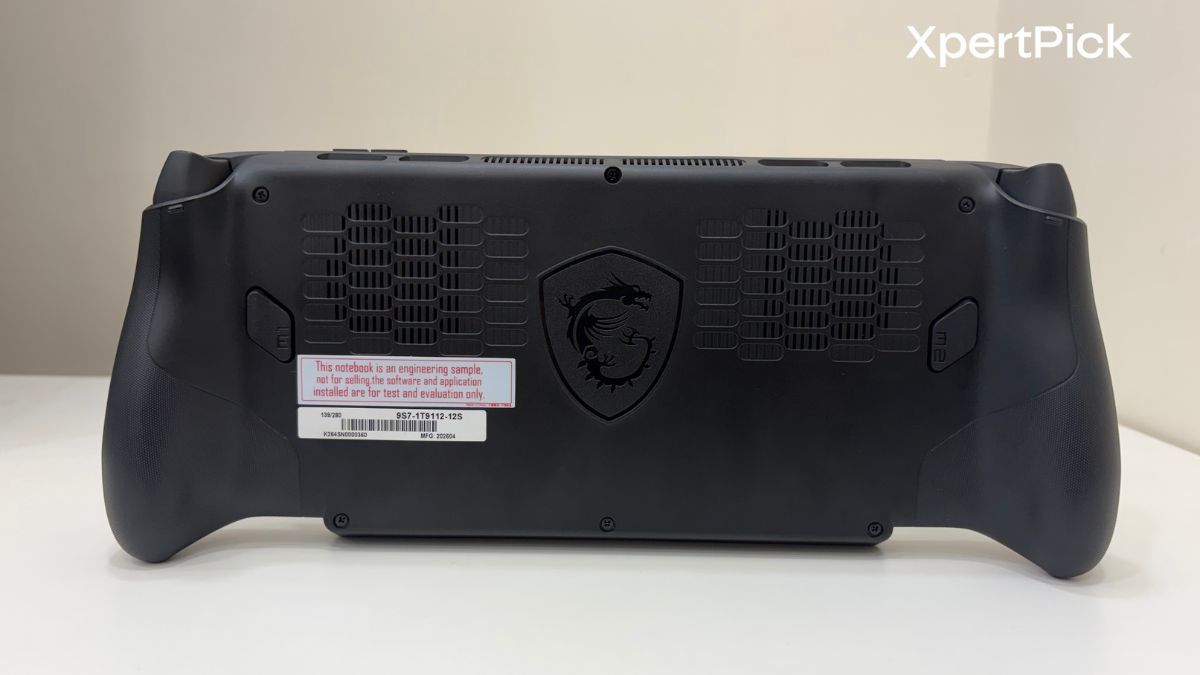
Getting inside is refreshingly simple, though. Six Phillips-head screws hold the back panel on, the SSD sits in a full-length 2280 slot between the two fans, and you can swap it yourself. Given what storage costs right now, that matters more than it usually would.
MSI Claw 8 EX AI+ Display And Speakers: An Excellent LCD That Is Still An LCD
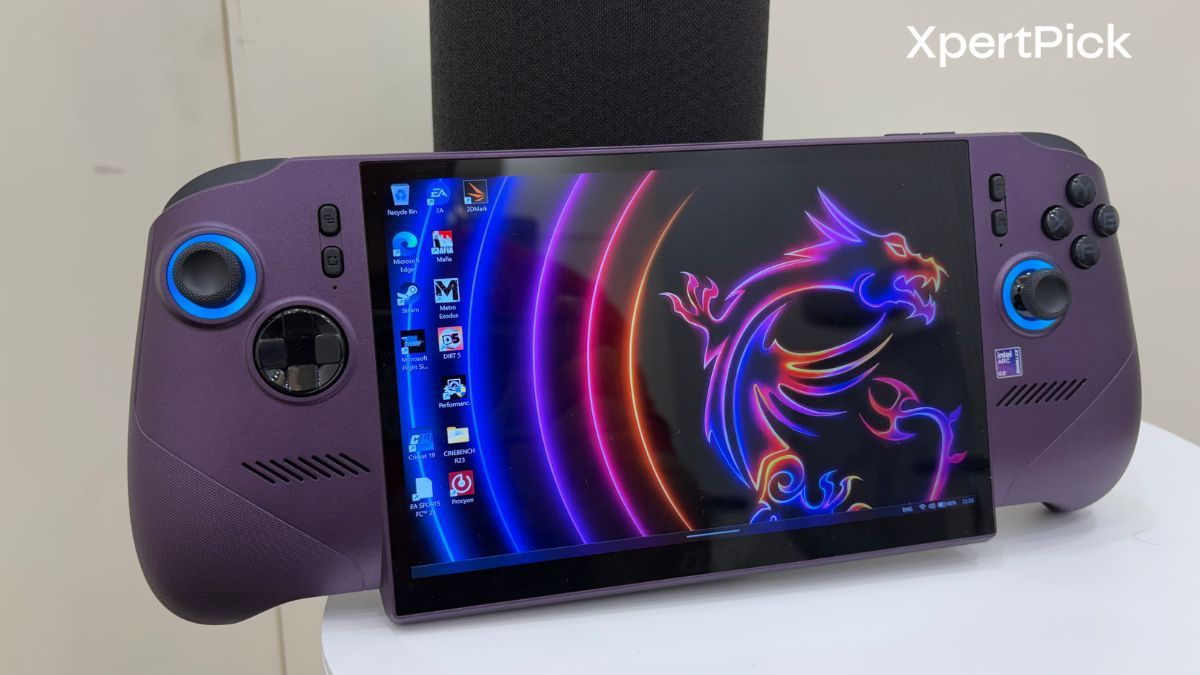
The 8-inch panel here is a 1920 x 1200 IPS display running variable refresh from 48Hz all the way to 120Hz, rated at 500 nits and covering 100% of sRGB.
In practice it is a very good screen. The VRR range is wide enough that it actually does useful work in the 40 to 60 FPS territory where most demanding games will land on this device, and 500 nits means you are not permanently running it at maximum brightness just to see what you are doing. For an 8-inch panel, that resolution also hits a sensible balance. It is sharp enough at arm’s length without demanding the pixel throughput a higher-resolution screen would.
What it is not, is OLED. And that is a genuinely awkward comparison to make when the Lenovo Legion Go 2, with 32GB of RAM, a 1TB SSD and an OLED display, sells for roughly $450 less. You are paying flagship-plus money for a very good LCD, and if you have spent any time with an OLED handheld, the black levels here will feel like a step backwards.
The speaker situation is more straightforward. There are two 2W drivers, and they are fine. Dialogue comes through clearly, and at moderate volume they do the job for casual play. In our XP Lab testing, peak loudness measured 54.5 dB, which is on the quieter end of everything I have tested this year and well below what a laptop like the Dell XPS 14 manages at 80 dB. Anything with a busy mix will get muddled. Like most handhelds, this is a headphones device, and you should plan accordingly.
MSI Claw 8 EX AI+ Software: Xbox Mode Is Genuinely Good, MSI Center M Is Still Catching Up
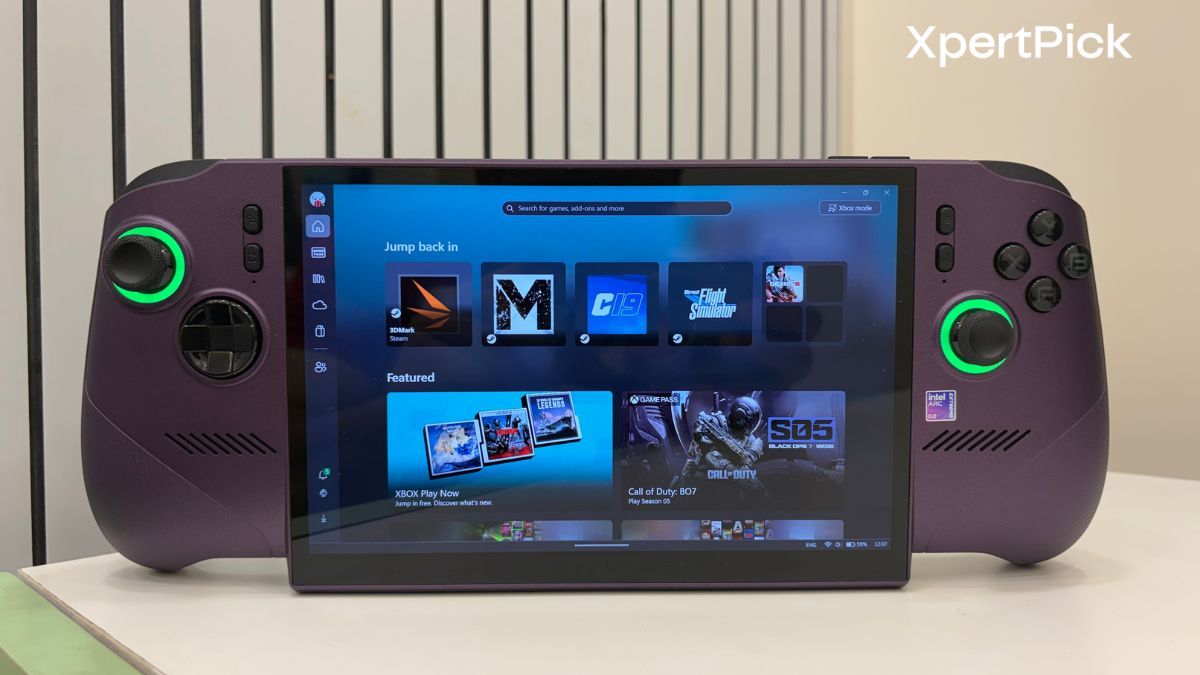
This is the area where Windows handhelds have historically fallen apart, and it is the area where the Claw 8 EX AI+ has improved the most.
The device ships with the Xbox Full Screen Experience, the console-style interface Microsoft introduced on the ROG Xbox Ally X. It boots you straight into a controller-driven UI that aggregates your library across Xbox Game Pass, Steam and the Epic Games Store into one place. Critically, it also skips a chunk of the background processes a standard Windows 11 desktop runs, which frees up memory and contributes directly to the performance figures further down this review.
You can choose whether Xbox Mode or MSI’s own Center M is your starting page. The biggest single improvement MSI has made is a quick settings menu built into the Xbox Game Bar, which puts the important controls one button press away. That includes manual power profiles, where you can adjust PL1 and PL2 values directly, change the screen refresh rate, and pull up fairly comprehensive real-time monitoring.
For most of a gaming session, this works well enough that you never need to touch the Windows desktop.
The problems start at the edges. MSI Center M still lags behind what ASUS has built with Armoury Crate, and you still need it for things Xbox Mode does not cover, such as adjusting lighting and updating drivers. I also sometimes brought up Center M accidentally mid-game, after which it does not always hand focus back to the game window cleanly. And if you buy your games on Steam rather than through the Microsoft ecosystem, you can end up juggling three launchers to reach a library that Xbox Mode was supposed to have unified in the first place.
Ultimately, this MSI handheld is so much better than the Windows handhelds of two years ago, but still not as seamless as a device at this price should be.
MSI Claw 8 EX AI+ Performance: Laptop-Class Silicon In A 785g Chassis
Here is where things get genuinely interesting, and where the Indian comparison starts to make sense.
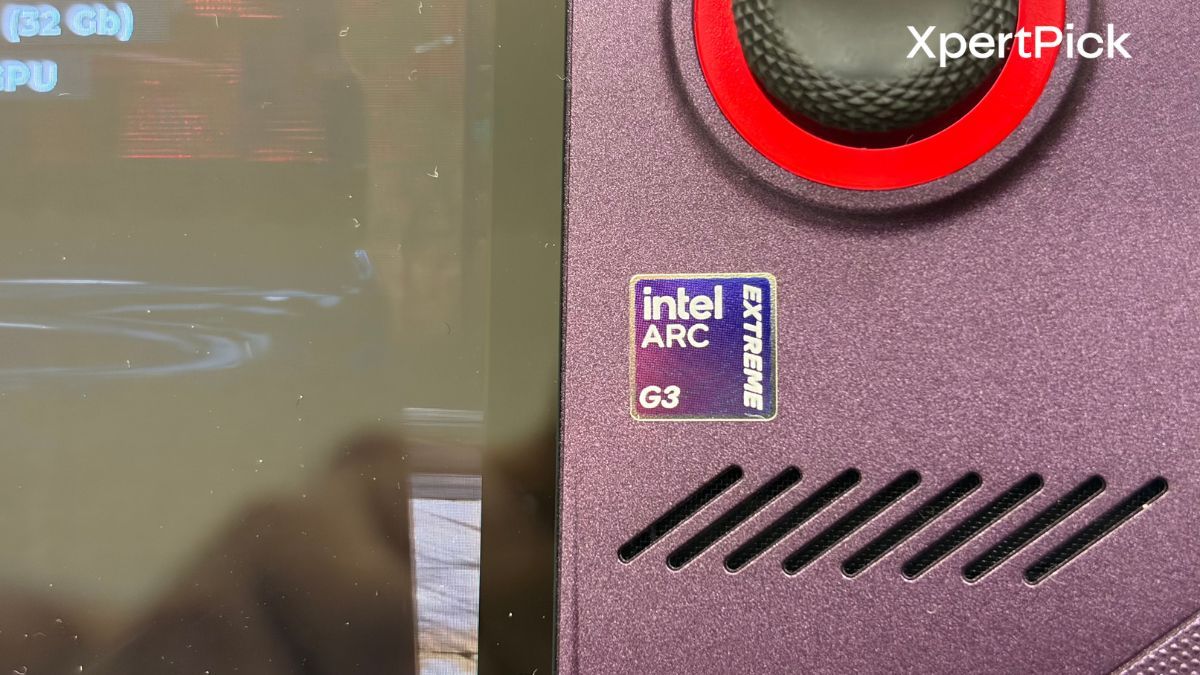
The Arc G3 Extreme is Intel’s first processor purpose-built for handhelds rather than adapted from a laptop part, and it is paired with Arc B390 integrated graphics. That B390 designation should sound familiar if you have read my recent laptop reviews, because it is the same integrated GPU I have tested in the Dell XPS 14 and the Samsung Galaxy Book6 Pro.
Which means we can do a direct comparison that is normally impossible between a handheld and a laptop.
| Device | Price | Geekbench 6 (GPU) | Geekbench 6 (Multi) | PassMark Overall |
|---|---|---|---|---|
| Dell XPS 14 | Rs 2,57,890 | 56,897 | 16,895 | 9,450.1 |
| Samsung Galaxy Book6 Pro | Rs 2,24,990 | 56,308 | 17,108 | 10,024 |
| MSI Claw 8 EX AI+ | Rs 1,70,000 | 53,234 | 13,721 | 9,400.9 |
The Claw’s Geekbench 6 GPU score of 53,234 lands within 6% of the Dell XPS 14, a Rs 2.58 lakh ultraportable. Its PassMark Overall score of 9,400.9 is within half a percent of that same laptop. On the CPU multi-core side it gives up more ground, scoring 13,721 against the XPS 14’s 16,895, which is exactly what you would expect from a chip running inside a handheld’s thermal and power envelope rather than a laptop chassis.
In XP Lab testing, peak CPU power draw topped out at 25W and the CPU peaked at 63°C under stress, the coolest figure of any device I have tested this year. Idle temperature sat at 40°C. MSI’s Cooler Boost HyperFlow setup, which uses twin fans made 0.5mm taller than the previous generation to push more air through a positive-pressure chamber, is doing real work here.
But raw silicon comparisons only take you so far. What matters is what happens when you actually play something.
| Game | MSI Claw 8 EX AI+ | Dell XPS 14 (Arc B390) | Samsung Galaxy Book6 Pro (Arc B390) | HyperX Omen 15 (RTX 5050) |
| Cyberpunk 2077 | 55 FPS | 59 FPS | 69 FPS | 99 FPS |
| Shadow of the Tomb Raider | 53 FPS | 69 FPS | 74 FPS | 125 FPS |
| Metro Exodus | 42 FPS | 51 FPS | 58 FPS | 108 FPS |
| Borderlands 3 | 40 FPS | 52 FPS | 57 FPS | 102 FPS |
Against the laptops running the same Arc B390 graphics, the Claw sits 7% to 30% behind depending on the title, which is a reasonable showing given the form factor. Against the HyperX Omen 15, a gaming laptop with a discrete NVIDIA GeForce RTX 5050 that retails for Rs 1,49,990, it is comprehensively beaten. The Omen 15 delivers roughly 1.8x the frame rate in Cyberpunk 2077 and well over 2x in Shadow of the Tomb Raider.
There is one more number that deserves attention, and it is the one that concerns me most.
| Device | 3DMark Highest Loop | 3DMark Lowest Loop | Frame Rate Stability |
| HyperX Omen 15 | 18,260 | 18,117 | 99.2% |
| Dell Alienware 18 Area 51 | 48,555 | 48,101 | 99.1% |
| Samsung Galaxy Book6 Pro | 11,536 | 10,431 | 90.4% |
| MSI Claw 8 EX AI+ | 9,080 | 6,879 | 75.8% |
Frame rate stability came in at 75.8%, with the 3DMark loop falling from 9,080 down to 6,879 across the run. That is a 24% decline under sustained load, and it is comfortably the weakest result in my testing database. The HyperX Omen 15 holds 99.2% through the same test.
To be fair, this is a handheld, and sustained-load throttling is the fundamental compromise of the category. The device is doing all of this at 25W with a chassis you can hold in both hands. But if you are picturing hour-long sessions in a demanding open-world title at a locked frame rate, that is not what this data supports. Short sessions and lighter titles are where it will feel best.
Where the Arc G3 Extreme genuinely does something new is at low power. International testing has shown it hitting playable frame rates at TDPs as low as 17W, comfortably outperforming AMD’s Ryzen Z2 Extreme in the ROG Xbox Ally X and the Legion Go 2 at identical settings. That efficiency is the real story of this chip, and it is what makes the battery situation workable.
MSI Claw 8 EX AI+ Battery: The 80Wh Pack Buys You Real Flexibility
An 80Wh battery is larger than what you get in plenty of ultraportable laptops, and in a device this size that translates into meaningful runtime.
| Power mode | TDP | Typical use case | Measured gaming runtime |
|---|---|---|---|
| Manual (maximum) | 35W | Demanding AAA at highest settings | 1 hour 36 minutes |
| AI Engine (default) | 25W | Most AAA titles | 2 hours 30 minutes |
| Endurance | 15W, frame rate capped | Lighter titles, travel, indie games | 3 hours to 3 hours 29 minutes |
The practical picture, based on the TDP range MSI exposes, breaks down roughly like this. Push the device to its higher power settings for demanding AAA titles and you are looking at two to four hours. Drop to a more moderate TDP and six hours becomes achievable. In Endurance mode with lighter games and reduced brightness, reviewers have reported runtimes stretching considerably further.
The reason this works is the efficiency point from the previous section. Because the Arc G3 Extreme delivers usable frame rates at low wattage, dialling the TDP down does not gut the experience the way it does on less efficient hardware. That flexibility is genuinely one of the device’s better arguments.
Verdict: A Brilliant Device With No Real Competition
I want to be careful here, because it would be easy to read the benchmark tables above and conclude the Claw 8 EX AI+ is bad hardware. It is not. It is the most capable handheld a mainstream manufacturer has ever shipped, the ergonomics are class-leading, and Intel has produced a genuinely impressive first attempt at a handheld-specific chip.
The problem is entirely about money, and about which market we are in.
The Claw 8 EX AI+ costs $1,799 on MSI’s own store and $1,699 at major retailers. Indian coverage has translated that to around Rs 1.7 lakh, and that figure is a straight currency conversion. Add GST and import duty and a realistic Indian street price sits closer to Rs 1.85 lakh to Rs 2.1 lakh, assuming MSI India brings it here at all. As of now there is no confirmed Indian launch, though MSI has sold Claw handhelds in India before, with the original launching at Rs 68,990 to Rs 89,990.
Even at the optimistic end of that range, the comparison is brutal. The HyperX Omen 15, which I reviewed recently, costs Rs 1,49,990 and delivers close to double the gaming performance with an RTX 5050, a sharper and brighter 2.5K 180Hz display, and 99.2% frame rate stability under sustained load. At around Rs 1.39 lakh you can get an Alienware Aurora 16 with an RTX 5060. A Lenovo LOQ with an RTX 5060 sits in similar territory.
None of those are portable in the way the Claw is. That is the entire point of the category, and if you genuinely want PC gaming on a train, on a flight, or on your sofa without a desk, no laptop will replace it. But that use case has to be worth a 25% to 40% price premium and roughly half the frame rate, and for the overwhelming majority of Indian gamers, it simply is not.
There is also the question of why this costs what it does, and it is worth understanding because it is not MSI being greedy. The global memory shortage driven by AI infrastructure demand has pushed LPDDR5X pricing up dramatically, and MSI’s own product marketing lead has publicly said the company exhausted its options on supplier relationships and bulk deals before landing on this price. This is a symptom of a broader problem, and it is going to affect a lot of hardware over the next year.
So here is my honest recommendation. If you are an Indian gamer with Rs 1.5 lakh to spend and you want the most gaming performance for it, buy a laptop. The HyperX Omen 15 or an RTX 5060 machine will serve you far better. If portability is genuinely non-negotiable for you, and you have the budget, then the Claw 8 EX AI+ is the best handheld you can buy and you will not be disappointed by the hardware.
But that is a much smaller group of people than MSI’s pricing seems to assume, and in India it is smaller still.
Pros
- Best-in-class ergonomics with a flared grip design and excellent weight distribution despite the 785g figure
- Intel Arc G3 Extreme is a genuine leap for handheld silicon, matching the integrated graphics of Rs 2.2 lakh-plus laptops
- Outstanding low-power efficiency, delivering playable frame rates at TDPs where rivals struggle
- Excellent thermal performance with a 63°C peak CPU temperature under stress
- Large 80Wh battery combined with a wide 8W to 35W TDP range gives real runtime flexibility
- Xbox Full Screen Experience with an integrated quick settings menu is a big step forward for Windows handhelds
- Two Thunderbolt 4 ports and a user-replaceable M.2 2280 SSD
Cons
- Pricing puts it well above gaming laptops that deliver nearly double the gaming performance
- LCD panel at a price point where a competitor offers OLED for significantly less
- MSI Center M still trails Armoury Crate, and the multi-launcher experience remains fragmented
- Wi-Fi background scanning causes streaming lag spikes until manually disabled
- Only two rear macro keys, no touchpad, and quiet 54.5 dB speakers
- No confirmed India availability, and import pricing would push it higher still