Brave’s entry into the tablet space doesn’t arrive quietly. The Brave Ark is the brand’s first attempt at an Android tablet, and from the outset, it feels deliberately oversized, overbuilt, and slightly unconventional. There’s a near-13-inch display, a Snapdragon 8-series-class processor, a battery capacity that immediately raises eyebrows, and even a stylus included in the box, all pointing toward a device that wants to be taken seriously as more than just a content screen.
Brave also talks up its PC Mode as a defining idea rather than a checklist feature, hinting at a tablet meant to do more than the usual Android routines. Priced firmly in the mid-premium segment, the Brave Ark sets expectations before you ever turn it on. Whether that confidence is fully earned only becomes clear once you start living with it.
Brave Ark Android Tablet Review: Design and Build Quality
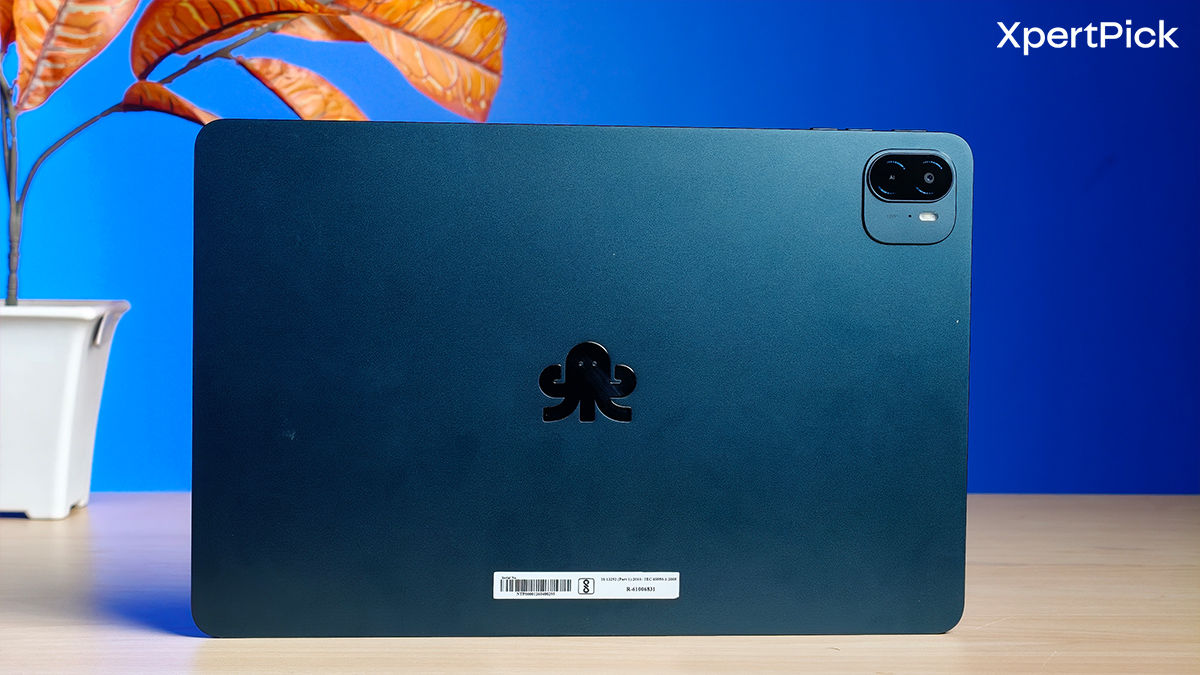
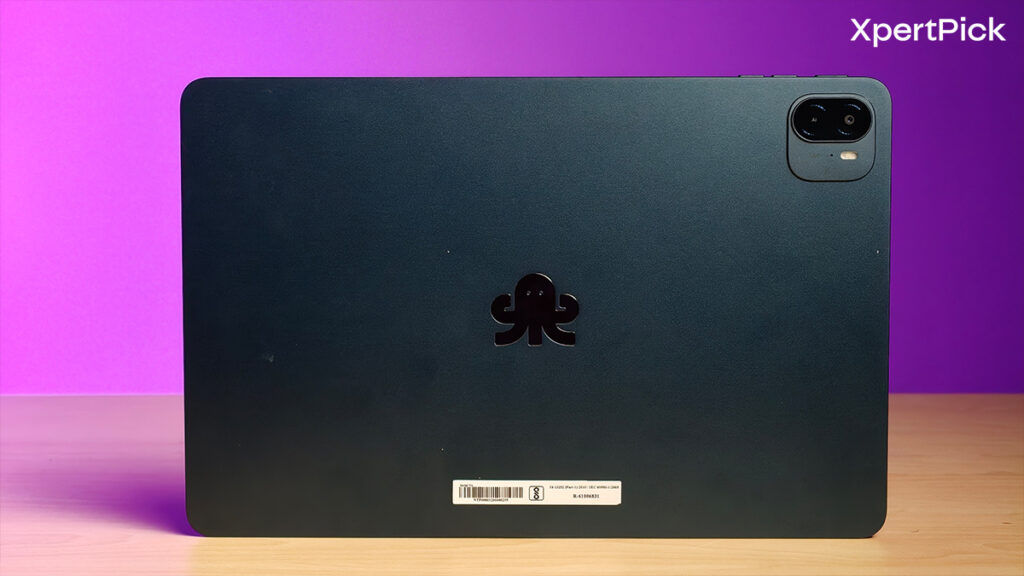
In the hand, the Brave Ark immediately leans into a utilitarian kind of confidence rather than visual drama. The tablet’s large metal chassis feels dense and deliberate, with softly rounded corners and a flat frame that underline just how much surface area you’re working with here. There’s no loud branding on the back, just a subtle octopus logo that mirrors the understated, almost industrial aesthetic Brave seems to be going for.
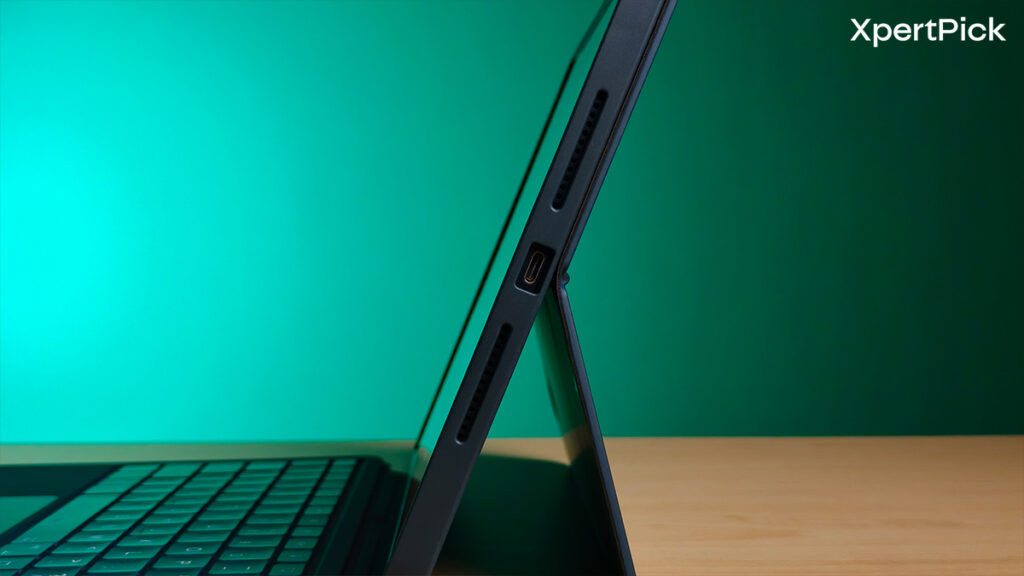
At nearly 13 inches, this is not a tablet that tries to disappear in your bag or your hands, and the weight makes that clear within minutes. Practical details, like the pre-applied tempered glass, pogo pins for the keyboard, and an SD card slot hidden along the side, suggest a device designed around extended desk use rather than casual couch scrolling.
Brave Ark Android Tablet Review: Display
The Brave Ark’s 12.95-inch IPS display sits in an interesting position when you compare it to something like the Xiaomi Pad 7. On paper, the Ark’s 2.8K resolution and 144Hz refresh rate sound competitive, especially in the ₹35,000 segment. But once you start using it alongside devices like the Xiaomi Pad 7, the differences become more layered.
With a pixel density of 264 PPI stretched across nearly 13 inches, text and UI elements look clean at normal viewing distances, yet they do not feel razor-sharp in the way some slightly smaller, denser panels can. The Xiaomi Pad 7, for instance, feels a touch crisper in fine text rendering and contrast perception, partly due to panel tuning and brightness behaviour.
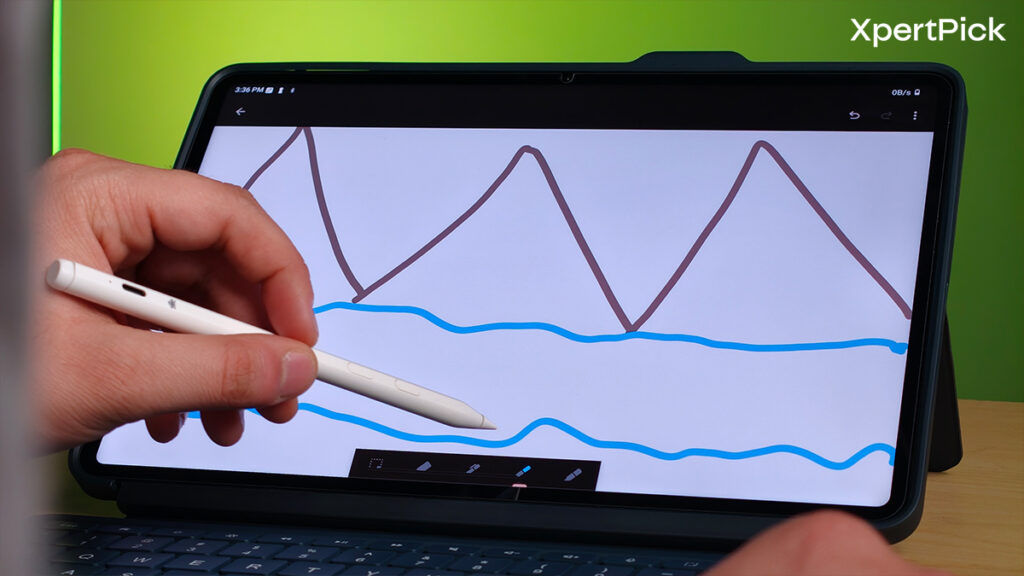
Brightness is another area where the gap becomes clearer. The Pad 7 pushes up to 800 nits and supports Dolby Vision and HDR playback with Widevine L1 certification. The Brave Ark, while Widevine L1 compliant for HD streaming, does not support HDR content. For indoor usage, it is bright enough for productivity and media, but under strong lighting conditions, it does not have the same headroom or punch.
The 144Hz refresh rate on the Brave Ark sounds like a headline feature, but in actual usage, it behaves closer to a well-implemented 120Hz experience. Scrolling feels smooth and consistent, yet it does not dramatically outclass tablets in the 120Hz category. The Xiaomi Pad 7’s 144Hz panel, by contrast, feels slightly more refined in animation consistency and system-wide fluidity.
Viewing angles on the Brave Ark are solid, as expected from IPS, and colour reproduction remains balanced without obvious oversaturation. It is a comfortable screen for long-form reading, split-screen multitasking, and note-taking. However, despite the strong specifications on paper, the overall display experience feels more functional than exceptional, especially when compared directly to competitors that focus heavily on panel tuning, brightness optimisation, and HDR support.
Brave Ark Android Tablet Review: Speakers
The Brave Ark’s eight-speaker setup with DTS tuning sounds impressive on paper, especially when you consider that competitors like the Xiaomi Pad 7 rely on a quad-speaker system. In actual use, the Ark delivers good stereo separation and enough loudness for a large tablet. Dialogue clarity while watching shows is solid, and the sound spreads well in landscape mode, which suits its nearly 13-inch form factor.
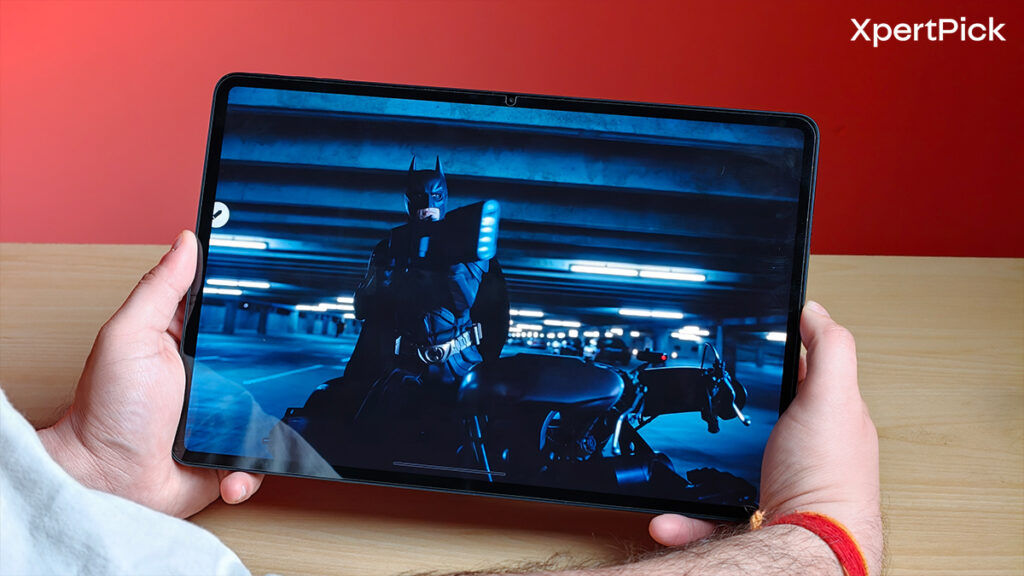
However, when placed alongside the Xiaomi Pad 7, the difference becomes more noticeable. The Pad 7’s quad speakers are not just loud; they maintain clarity even at higher volumes with very little distortion. The tuning feels slightly more refined, with better balance between mids and highs and a cleaner overall presentation. The Brave Ark, while capable, does not quite reach that same level of polish. At higher volumes, it remains usable, but the depth and richness are not as strong, and bass presence is understandably limited.
Brave Ark Android Tablet Review: Performance
The Brave Ark takes a noticeably different route from tablets like the Xiaomi Pad 7 when it comes to raw performance. While the Pad 7 runs on the Snapdragon 7+ Gen 3 and positions itself as a strong productivity and casual gaming device, the Brave Ark steps into a higher tier with a Snapdragon 8-series-class chipset.
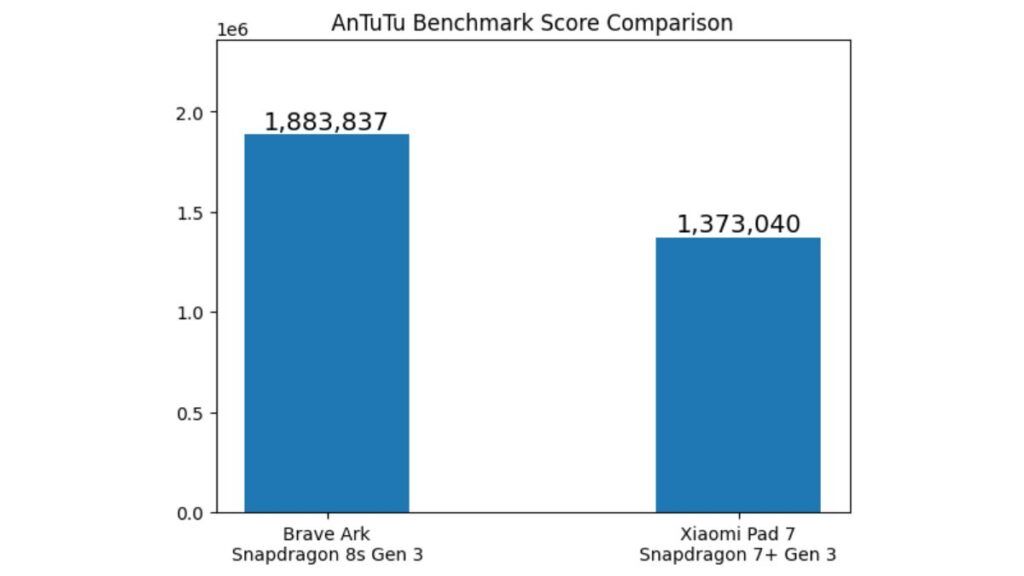
Based on benchmark scores alone, the Ark sits comfortably ahead, delivering 1,883,837 points in the AnTuTu benchmark, while the Xiaomi Pad 7 scored around 1,373,040 points.
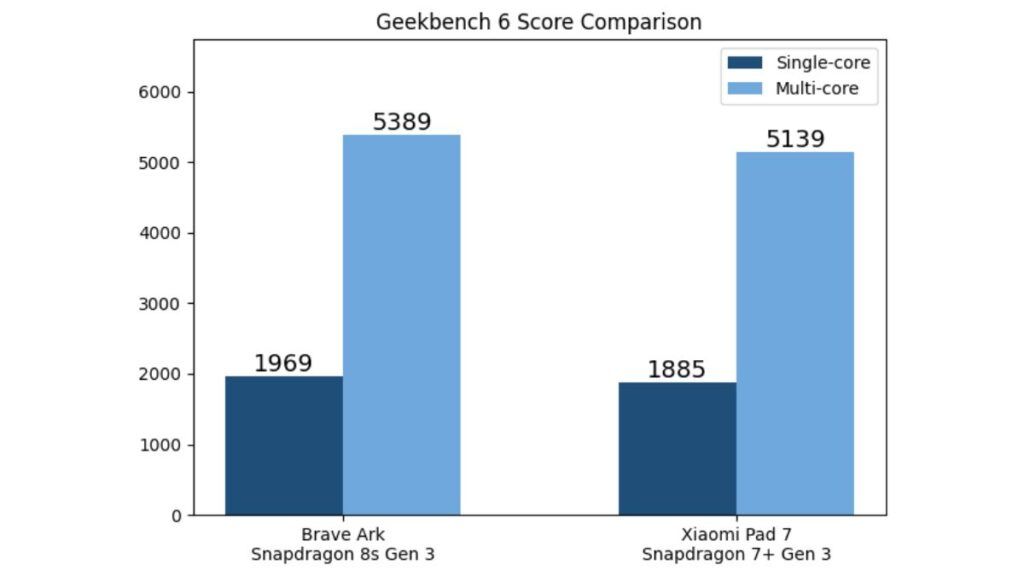
Similarly, in Geekbench 6, the Brave Ark scored 1,969 in the single-core test and 5,389 in the multi-core test. In comparison, the Xiaomi Pad 7 scored 1,885 in single-core and 5,139 in multi-core tests.
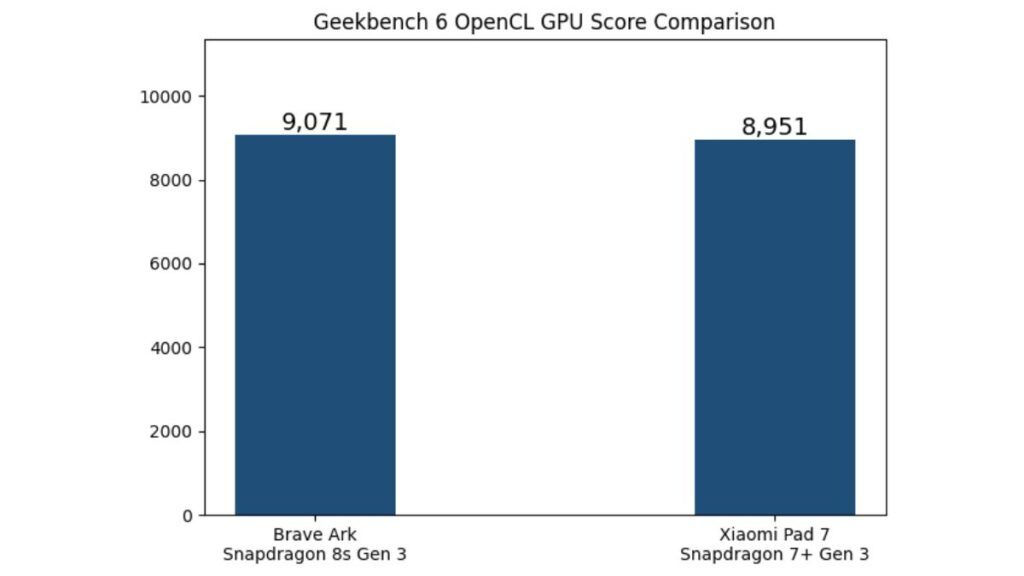
In terms of Geekbench 6 OpenCL GPU performance, the Xiaomi Pad 7 almost catches up with the Brave Ark tablet, scoring 8,951 compared to 9,071 by the Brave Ark.
In everyday usage, that translates to fast app launches, smooth multitasking, and a general sense of responsiveness whether you are juggling split-screen apps, editing documents, or running heavier productivity workloads. Large apps open quickly, and background app retention is stable.
Compared to the Xiaomi Pad 7, which is perfectly capable for e-learning, streaming, and moderate editing, the Brave Ark feels more future-facing in terms of sheer headroom.
The chipset is capable, but certain system-level behaviours, particularly in features like PC Mode, do not always feel as refined as the hardware would suggest.
So while the Brave Ark clearly outpaces the Xiaomi Pad 7 in synthetic performance and theoretical capability, the real-world experience depends not just on the processor, but on how effectively the software harnesses it.
Brave Ark Android Tablet Review: Battery Life
The Ark tablet comes with a 14,550 mAh battery, which takes almost 1 hour and 20 minutes to charge from 0 to 100 percent using the bundled 33W charger.
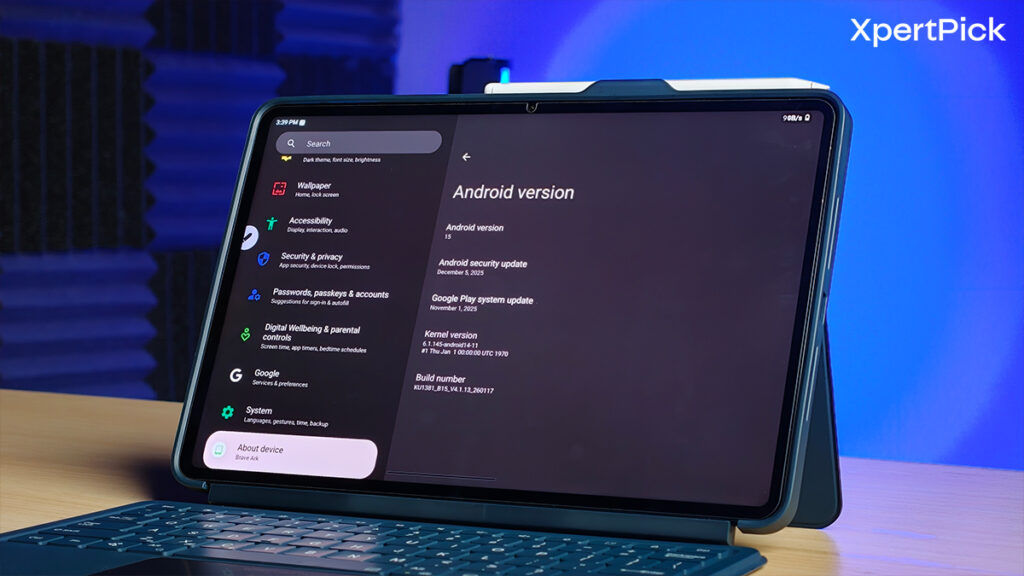
With intensive usage, you can expect between one and one and a half days of battery life. In almost every scenario, the tablet should comfortably last a full day on a single charge.
Meanwhile, in our test, the Xiaomi Pad 7 lasted similarly to the Brave Ark, slightly edging it out by a few minutes. This is likely due to its more efficient SoC, better background task management, and smaller overall form factor.
Brave Ark Android Tablet Review: PC mode tested
The Brave Ark tablet also offers a PC mode designed to provide a desktop-like experience, but the implementation still feels somewhat unpolished. While the interface allows you to work with multiple windows and interact with apps in a more traditional desktop layout, the experience can occasionally feel slightly jittery and not as smooth as expected.
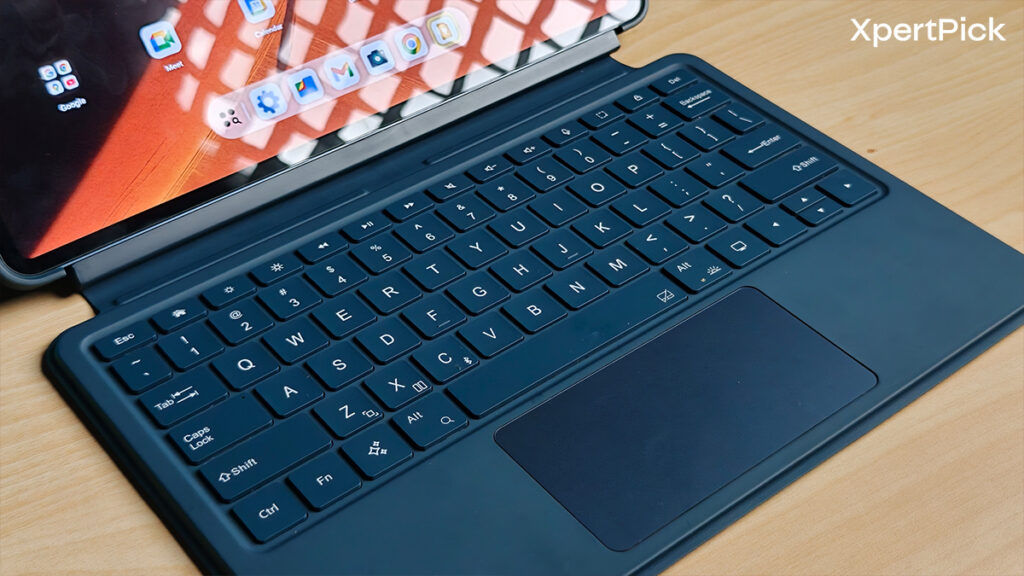
In comparison, the tablet feels noticeably more responsive when used in its standard tablet mode. Another limitation is the lack of a dedicated native note-taking application, something many competing tablets provide for students and productivity users. Instead, the system often redirects tasks through Microsoft or Google apps, which adds an extra step to the workflow.
As a result, while the PC mode is useful for basic multitasking, the overall software experience could benefit from further polish and clearer update support in the future.
Brave Ark Android Tablet Review: Verdict
For a first-generation tablet, the Brave Ark makes a confident entry. The large 12.95-inch display, Snapdragon 8s Gen 3 chipset, bundled stylus, and massive 14,550 mAh battery give it a strong hardware foundation. Performance is fast, multitasking feels smooth, and the battery comfortably lasts more than a day in most scenarios.
However, the tablet also shows a few early-generation rough edges. The display lacks HDR support and the brightness of some competitors, the speaker tuning is good but not exceptional, and the PC Mode still feels somewhat unpolished. While the hardware clearly has the headroom for productivity, the software experience does not always take full advantage of it.
In short, the Brave Ark stands out as a large-screen Android tablet with strong performance and excellent battery life, but it would benefit from further software refinement to fully deliver on its productivity ambitions.