Dell XPS 13 2026 Review: A Complete Premium MacBook Neo Rival Under Rs 1 Lakh

Good things come in small packages, and Dell has proved it right. The new Dell XPS 13 2026 is a refreshing and much-needed product that the laptop market has been desperately missing. Before I tell you anything about the laptop, though, I need to put the current component shortage situation, as of August 2026, into context.

Laptops with two- or three-generation-old processors and GPUs that were selling for around Rs 50,000 in 2025 are now touching Rs 80,000. At Rs 50,000 right now, you’re likely to get laptops equipped with dual-core processors, something that was common half a decade ago, along with older DDR4 memory, which was first introduced in 2014.

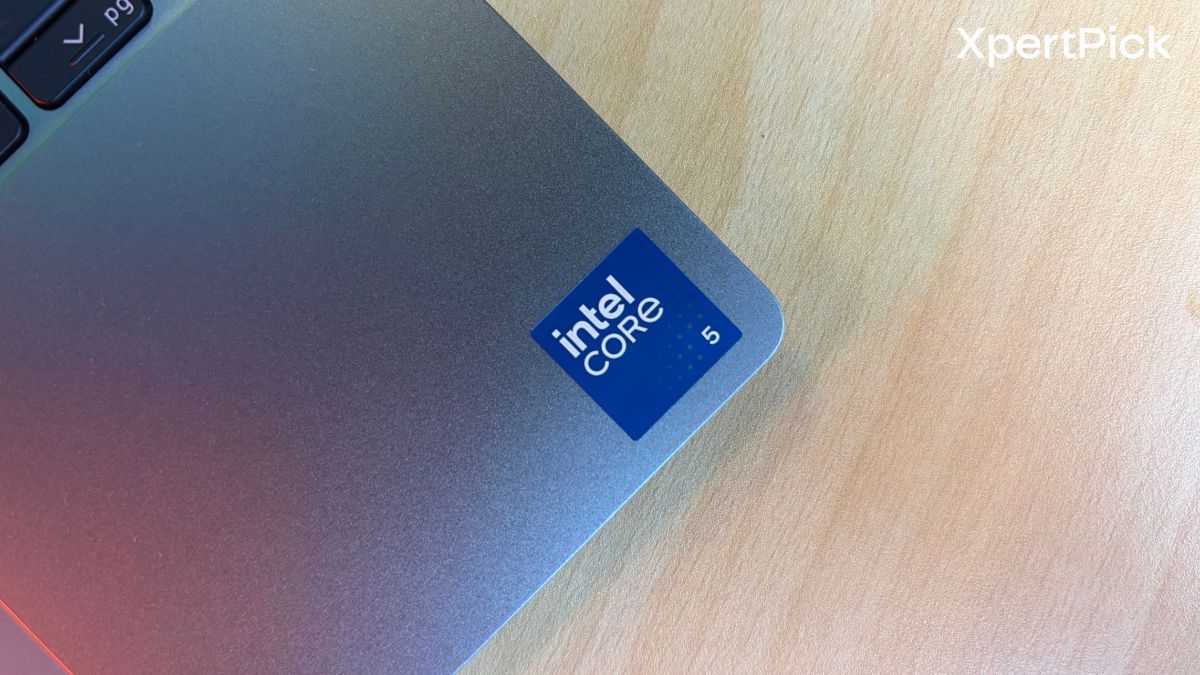
Now, with that context in mind, I am reviewing the Dell XPS 13 2026, which comes with an Intel Core 5 320 processor, 8GB of LPDDR5x RAM, and 512GB of expandable storage. The whole package retails for Rs 79,999, or Rs 73,990 with applicable discounts, which are most likely to be available for a limited time.

To put it short, I ran the laptop through its paces and tested whether 8GB of memory is enough to run daily productivity tasks in Windows 11 in 2026 or not. The result was not exactly what I was expecting, but some of my intuitions about the laptop’s limitations did turn out to be true. And here’s the long version.
Dell XPS 13 2026 Specifications

  • Processor: Intel Core 5-320 (6 cores, up to 4.6 GHz)
  • Graphics: Integrated Intel Graphics
  • Display: 13.4-inch 2.5K touchscreen (2560 × 1600, 30-120Hz, 500 nits)
  • Memory: 8 GB LPDDR5x RAM
  • Storage: 512 GB SSD
  • Battery: 3-cell lithium-ion battery with up to 10 hours of runtime
  • Dimensions: 13 mm thickness
  • Connectivity: Bluetooth 6.0 support
  • Ports: 2x USB Type-C with DisplayPort
  • Keyboard: Backlit keyboard
  • Weight: 1 Kg
  • Camera: HD webcam with built-in microphone
  • Operating System: Windows 11 Home with Microsoft Office Home & Student 2024 and 12-month Microsoft 365 subscription
  • Warranty: 1 year

Dell XPS 13 Design, Build Quality, Keyboard and I/O

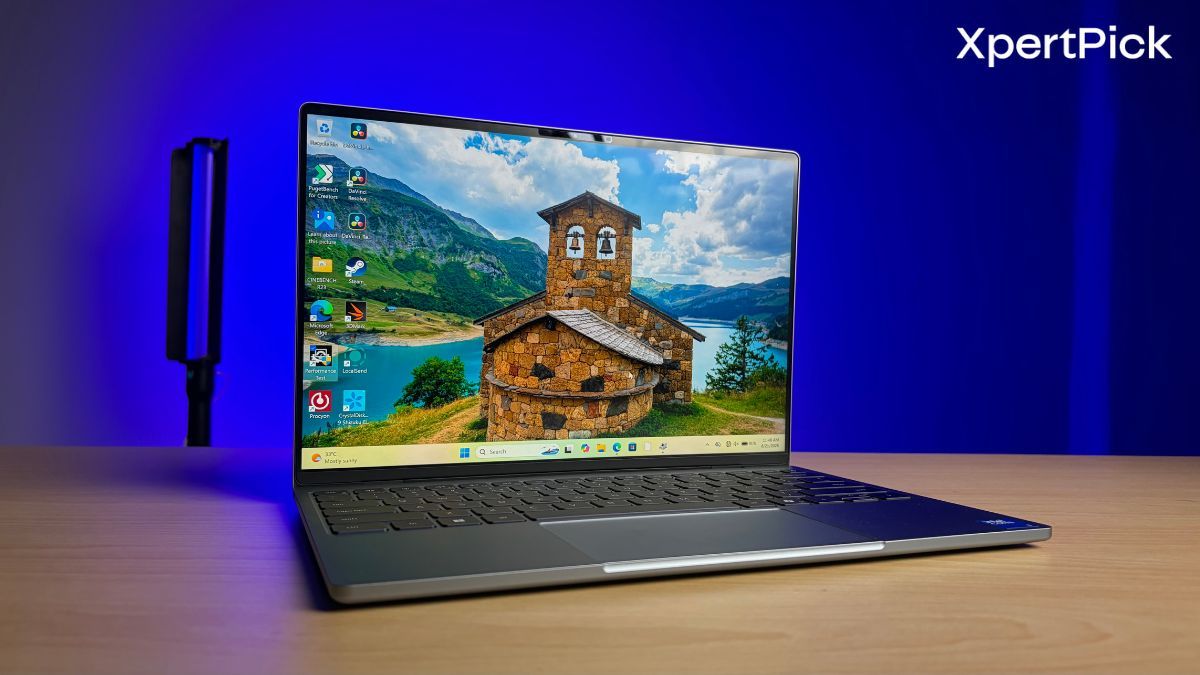
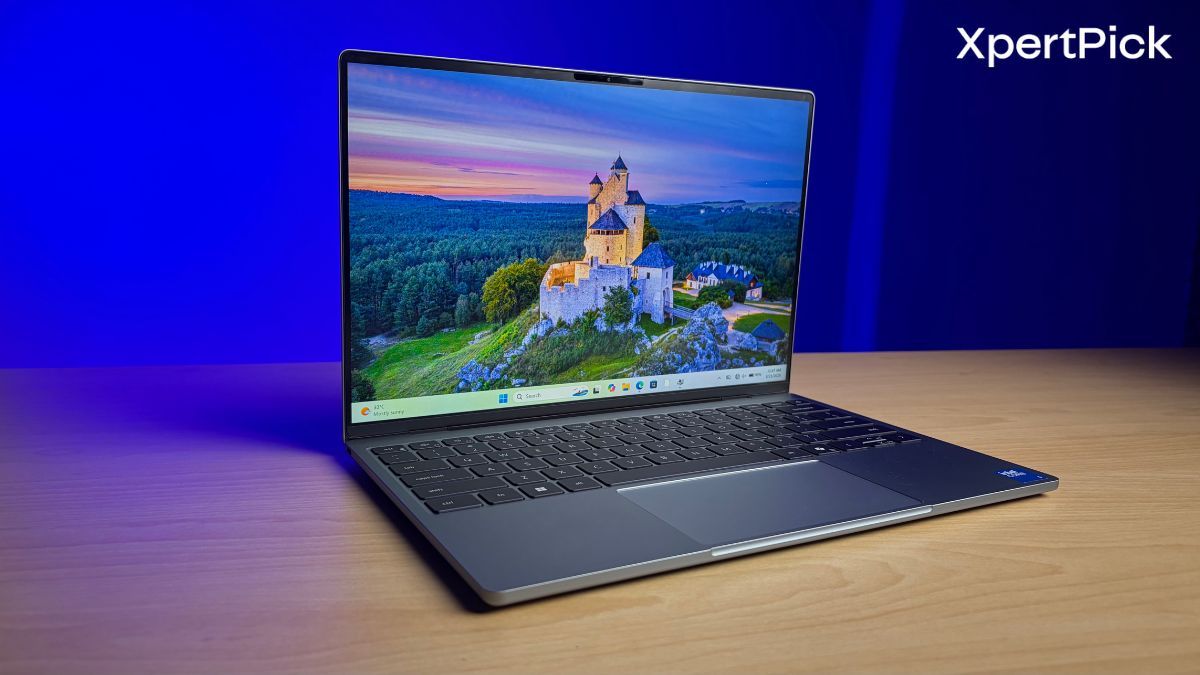
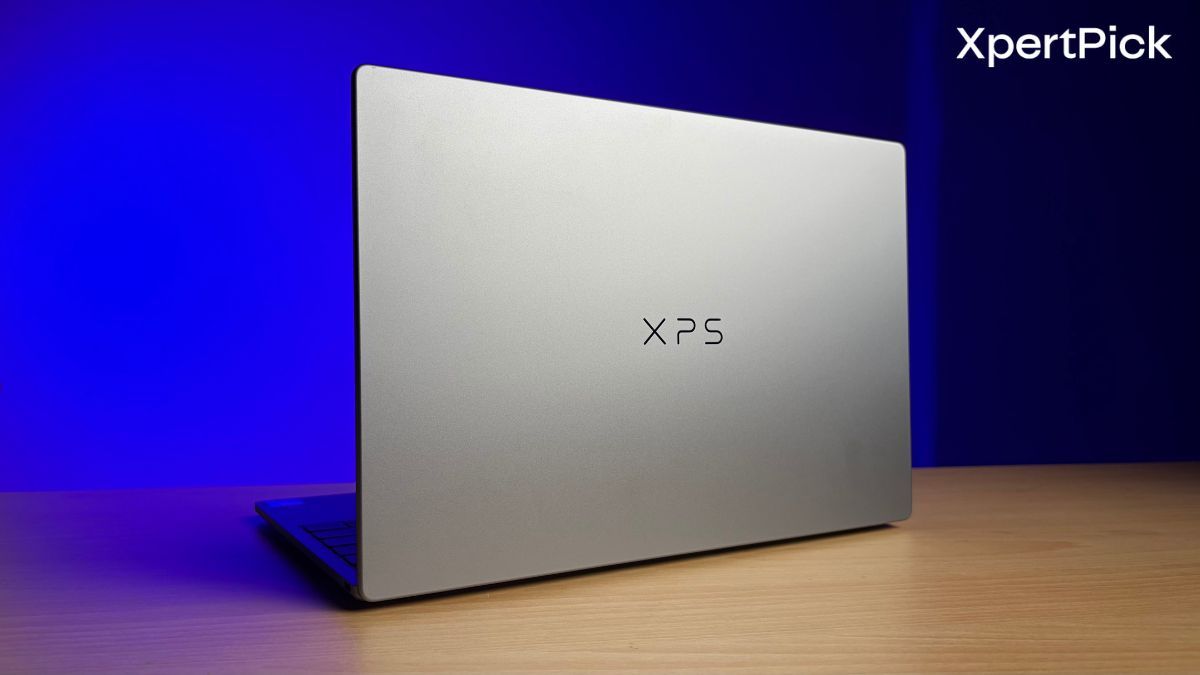
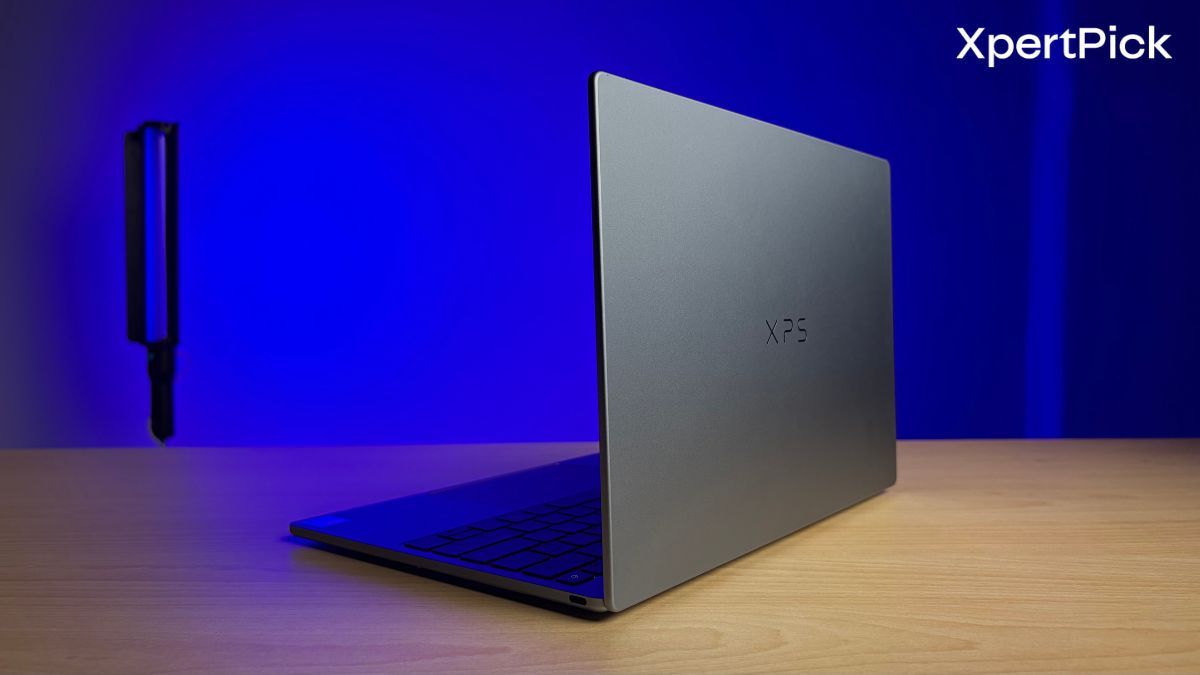
The Dell XPS 13’s design is all new. It is as simple as that. The brand has made, in the past, laptops by the same name i.e. Dell XPS 13, but the laptop we’re currently talking about is very diffferent from all those models.

To give you some real world examples, you can easily lift the laptop lid with a single finger, and the laptop stays in place. The slight flex in the display lid is also fairly contained, and the same is true for the keyboard deck.

First of all, it has a brand-new 13mm-thick aluminium chassis, and it feels very sturdy. The laptop weighs around 1 kg, so its build quality doesn’t come at the cost of additional weight. What’s even better is that, in terms of weight and dimensions, the Dell XPS 13 gives the MacBook Neo and the 13-inch MacBook Air some serious competition. Even though the MacBook Neo and MacBook Air are 12.7mm and 11.3mm thick, respectively, both are 270g heavier than the Dell XPS 13, weighing 1.27kg.

What’s even more impressive is that the Dell XPS 13 remains a lighter laptop despite having an active cooling system. Meanwhile, both the MacBook Neo and MacBook Air use passive cooling, which can cause them to throttle under sustained loads.

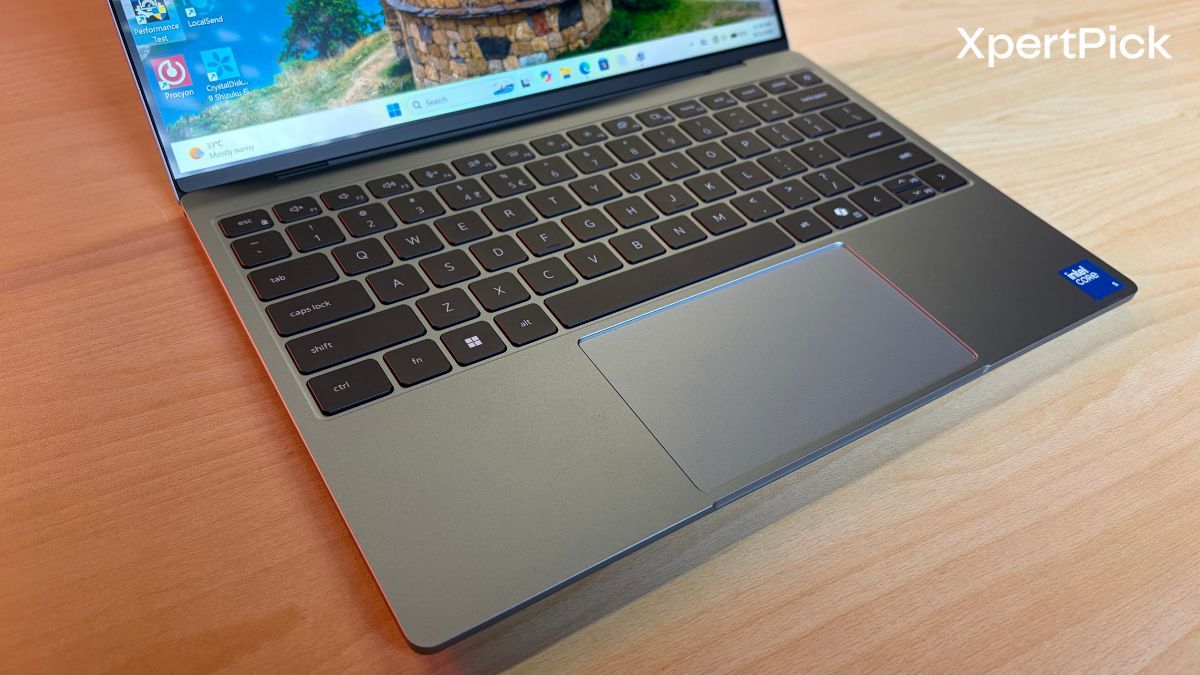
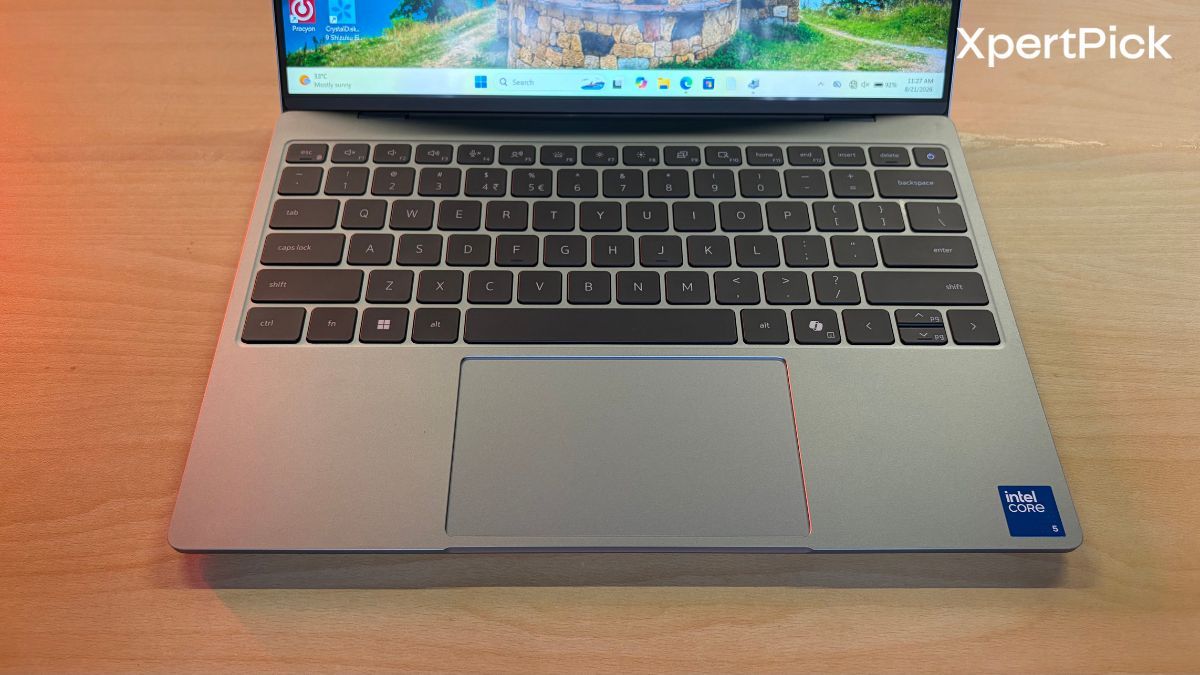
As for the keyboard, the Dell XPS 13 uses a traditional chiclet-style unit, which, at least in my opinion, is much better than the zero-lattice keyboard on the Dell XPS 14, which I also reviewed recently.

Mainly because, on the XPS 13, the keys aren’t placed too far apart. If they were, it would cause quite a bit of mistyping and slow down my typing speed. Some of the keys do feel a bit spongy, especially those on the last row, such as Ctrl, Fn, Alt and the space bar. However, this is something I barely noticed, and I have to admit I’m cherry-picking here, as it really was a total non-issue.

The touchpad is a traditional clickpad rather than a haptic-feedback unit, but it works well. I also much prefer this over the invisible touchpad on the Dell XPS 14, which felt weird to use, as I often struggled to find the left- and right-click areas.

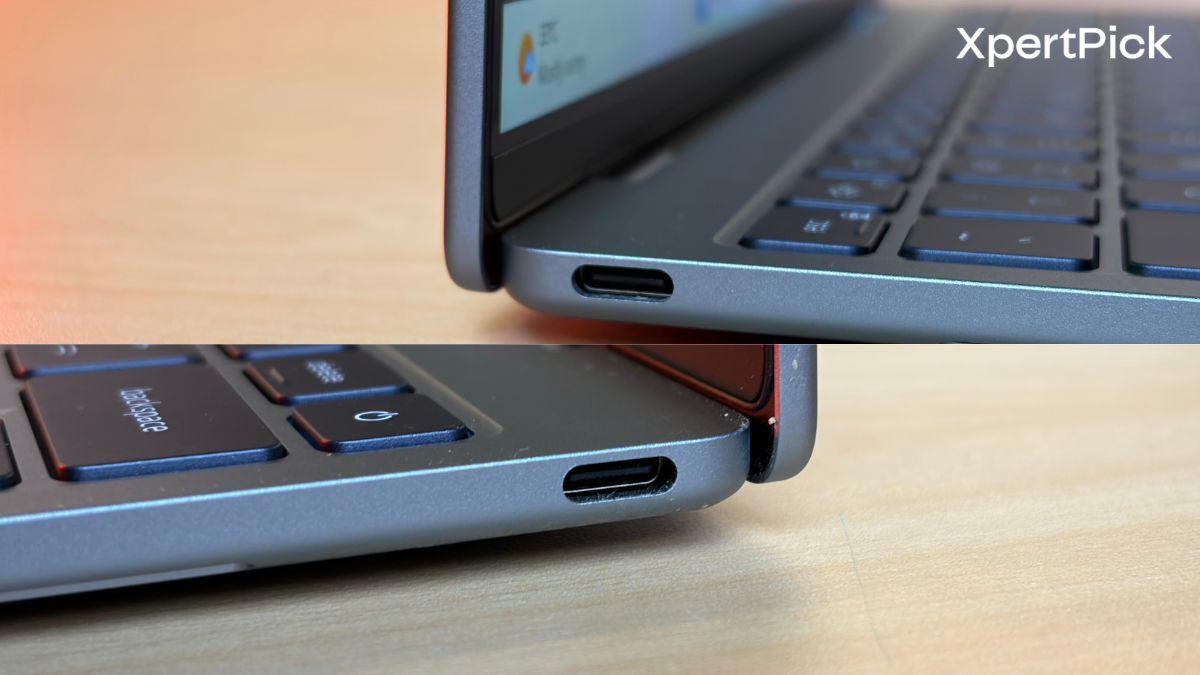
But the I/O section is where the Dell XPS 13 really drops the ball. It has just two USB Type-C ports, both supporting USB 3.2 Gen 2 speeds of up to 10 Gbps, DisplayPort 2.1 via Alt Mode and USB Power Delivery 3.1. In terms of display output, each port can support up to 4K (3840 × 2160) at 144Hz without compression, or 4K at 240Hz and 8K at 60Hz with DSC. It can also drive two external 4K displays simultaneously at 60Hz each.

However, the laptop has no 3.5mm audio jack, so audiophiles and anyone who prefers using wired earphones or headphones will be disappointed. I’d suggest getting a good USB dongle, preferably one with multiple ports, if you’re planning to buy this laptop.

Dell XPS 13 Display And Speakers

In terms of display, the Dell wins this, and not narrowly. It comes with a 500-nit display, 99.9% sRGB and 98% DCI-P3 coverage, with no PWM flicker. Frankly, it is one of the best displays you can get on a laptop of this size under Rs 1 lakh.

There are three things it offers that neither MacBook does: 120Hz, while both MacBooks are stuck at 60Hz since ProMotion is still exclusive to the Pro models, a matte anti-glare finish, and touch support. The 60Hz difference is the one you’ll notice within five minutes of scrolling.

Against the MacBook Neo specifically, it’s a rout. The Neo is limited to sRGB coverage, so anything involving photos, video or colour work is off the table. Against the M5 MacBook Air, it’s closer. The Air matches the Dell on brightness and pixel density, has slightly more vertical screen space and adds True Tone. But it is still limited to 60Hz and uses a glossy finish.

As for speaker performance, the Dell beats the Neo on raw output, with four drivers featuring dedicated woofers and tweeters compared to the Neo’s basic two-speaker stereo setup. The Neo is clearly the weakest of the three.

Against the M5 Air, both have four drivers, making it a genuine toss-up on paper. Apple usually executes better here, with tighter tuning and more convincing bass from a thin chassis, along with Spatial Audio, which the Dell doesn’t support. So I’d have to give the M5 MacBook Air the edge when it comes to speaker performance.

Dell XPS 13 Performance, Benchmarks And Thermals

Even Dell knows that an ultra-thin 13-inch chassis is meant to prioritise efficiency and performance per watt rather than ultra-high benchmark numbers, and thankfully, the laptop is designed with that in mind. First of all, it uses an Intel Wildcat Lake Core 5 320 CPU, a chip whose main highlight is its high efficiency. The CPU has six cores in total, of which two are performance cores and four are Low Power Efficient-cores.

In terms of memory, my review unit of the Dell XPS 13 came with 8GB of LPDDR5x RAM running at 7,467 MT/s. However, you can also get the laptop with 16GB of RAM. Since the memory is soldered and cannot be upgraded, going for the 16GB variant makes more sense.

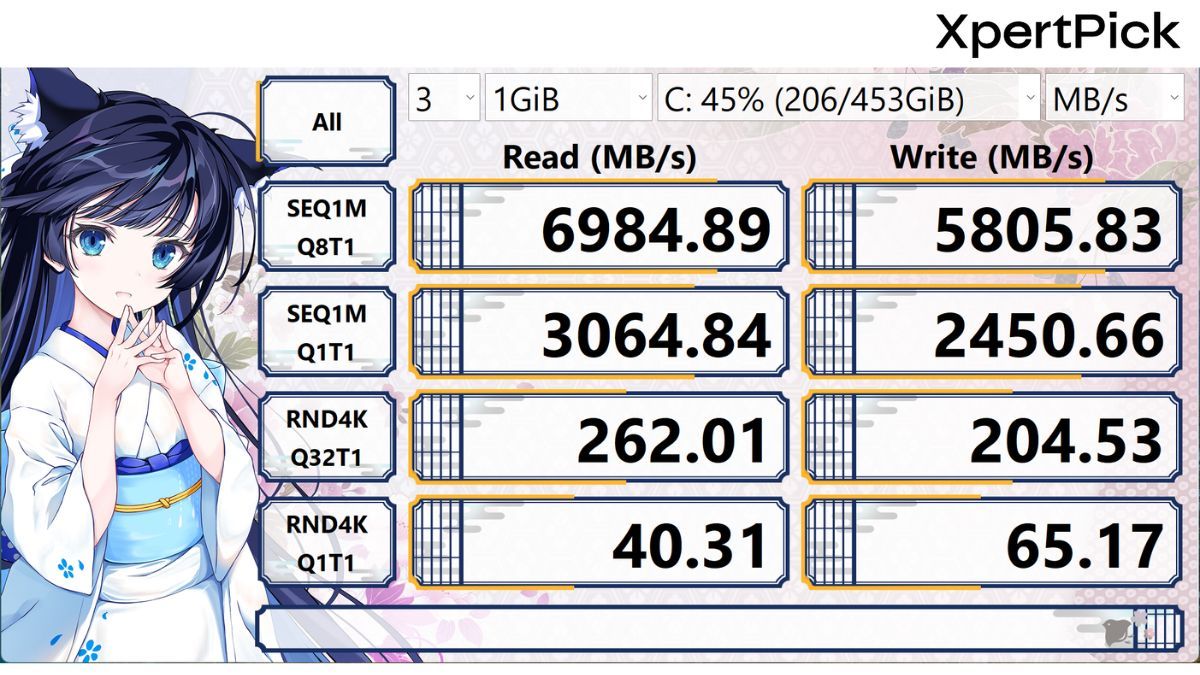
The PCIe Gen 4 SSD on board is a 512GB KIOXIA BG7 M.2 drive, and it delivers fairly good read and write speeds. In the CrystalDiskMark storage test, the SSD recorded sequential read and write speeds of around 6,984 MB/s and 5,805 MB/s, respectively.

In Geekbench 6, the laptop scored 2,609 and 8,089 in the single- and multi-core tests, respectively. For reference, its single-core performance is comparable to that of the Intel Core i7-14650HX, a previous-generation mid-range performance chip designed for gaming laptops. Meanwhile, its multi-core performance is similar to that of the Intel Core Ultra 5 125H, which is also a slightly older mid-range chip with a greater focus on efficiency and has more than twice as many cores, with 14 in total.

Laptop Model Processor (CPU) Geekbench 6 (Single-Core) Geekbench 6 (Multi-Core)
Dell XPS 13 Intel Core 5 320 2,609 8,089
HyperX Omen 15 Intel Core i7-14650HX 2,684 12,983
Acer Aspire 5 Intel Core Ultra 5 125H 2,267 8,262

In benchmarks like Cinebench R23, the Core 5 320 in Dell XPS 13 also tells a similar story by deliving strong single core performance and decent multicore performance. It primarily scores lower than the Core Ultra 5 125H in the Acer Aspire 5 because the latter has more physical cores.

Laptop Model Processor (CPU) Cinebench R23 (Single-Core) Cinebench R23 (Multi-Core)
Dell XPS 13 Intel Core 5 320 1,839 6,984
HP HyperX Omen 15 Intel Core i7-14650HX 1,989 20,190
Acer Aspire 5 Intel Core Ultra 5 125H 1,698 7,759

What’s unparalleled is the chip’s efficiency. At its continous max state, the Intel Core 5 320 slurps around 22W of power. The burst peak for this chip can go up to 25W, however, it comes down fairly quickly and sustains itself at around 22W. This is lower than the current crop of Intel Panther Lake chips, namely the Intel Core Ultra X7 358H.

It is also lower than the Intel Lunar Lake chip, the Intel Core Ultra 7 258V, which brought truly capable Intel Arc integrated graphics that could run games at 60 FPS, albeit at slightly lower settings.

Additionally, the average CPU temperature on the XPS 13 is around 83°C for peak load and 45°C for normal loads like running office apps and streaming. This places its thermal management right in line with the larger Dell XPS 14, which peaks slightly lower at 81°C under stress but maintains a near-identical 46°C during light use.

More importantly, the XPS 13 manages to keep thermals in check during heavy workloads much better than the Samsung Galaxy Book6 Pro, which runs noticeably hotter and peaks at 89°C under similar stress.

Laptop Model Processor (CPU) Peak CPU Temp (Browsing/Streaming) Peak CPU Temp (Stress Test)
Samsung Galaxy Book6 Pro Intel Core Ultra X7 358H 45°C 89°C
Dell XPS 14 Intel Core Ultra X7 358H 46°C 81°C
Dell XPS 13 Intel Core 5 320 45°C 83°C
Acer Aspire 5 Intel Core Ultra 5 125H 55°C 83°C

The Dell XPS 13 scored 263,000 in the Procyon Office Productivity test, putting it ahead of the Acer Aspire 5 at 237,000 but behind the more powerful XPS 14 and Galaxy Book6 Pro, which scored 294,000 and 295,000, respectively. This puts the XPS 13 31,000 points behind the XPS 14 despite using a much more efficiency-focused Core 5 320 processor.

Laptop Model Processor (CPU) Procyon Office Productivity Score
Samsung Galaxy Book6 Pro Intel Core Ultra X7 358H 295,000
Dell XPS 14 Intel Core Ultra X7 358H 294,000
Dell XPS 13 Intel Core 5 320 263,000
Acer Aspire 5 Intel Core Ultra 5 125H 237,000

When it comes to graphics performance though, the XPS 13 sorely lacks behind, even against older chips like the Core Ultra 5 125H. In Geekbench 6 GPU, it scored a modest 12,848 points, a far cry from the 24,207 points managed by the Ultra 5 125H, and less than a quarter of the 56,000+ scores delivered by the newer Arc B390 graphics in the XPS 14 and Galaxy Book6 Pro.

Laptop Model 3DMark Highest Loop 3DMark Lowest Loop Frame Rate Stability
Dell XPS 13 2,362 2,332 98.7%
Acer Aspire 5 3,951 3,799 96.2%
Dell XPS 14 11,302 8,787 77.0%
Samsung Galaxy Book6 Pro 11,536 10,431 90.4%
HyperX Omen 15 (Gaming baseline) 18,260 18,117 99.2%

But one area where the Dell XPS 13 works exceptionally well is during the 3DMark stress test; it scored a highest loop of 2,362 with an impressive 98.7% stability. While it doesn’t have the raw graphical power of its larger sibling, the XPS 14, which peaked at 11,302, it is vastly more consistent. The XPS 14 heavily throttled under sustained load, dropping to just 77% stability, and even the Samsung Galaxy Book6 Pro slipped to 90.4%. The XPS 13, by contrast, barely breaks a sweat and maintains its performance from start to finish.

Dell XPS 13 Battery Life

The Dell XPS 13 delivered 545 minutes of battery life in testing, more than twice the 234 minutes recorded by the Acer Aspire 5. All laptops in this comparison went through the same Procyon Office Productivity one-hour battery test, which simulates everyday office workloads using applications such as Excel, Word and PowerPoint. At ₹79,990, it costs only around ₹3,000 more than the Acer while offering a substantially longer runtime. It also achieves this with a 52 Wh battery, translating to roughly 10.5 minutes of runtime per watt-hour. This makes the XPS 13 particularly compelling for users who prioritise portability and battery life without moving into the premium price bracket.
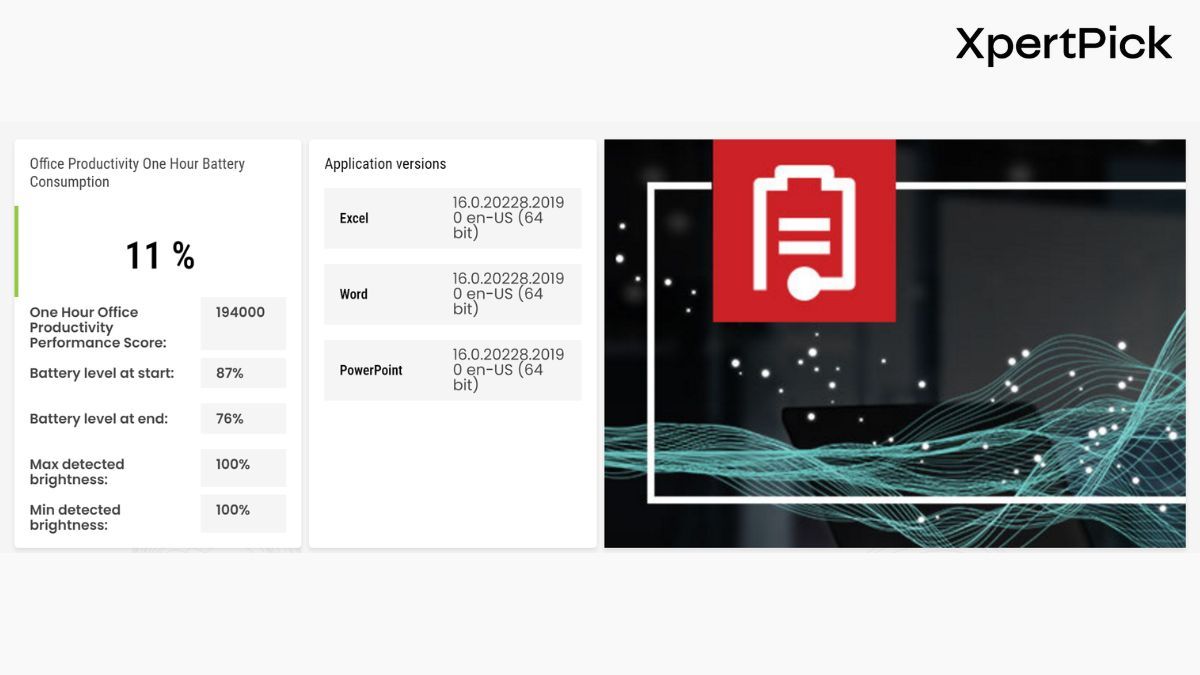
The HP OmniBook 5 remains the endurance leader in absolute terms, lasting 13 hours and 53 minutes from its 59 Wh battery. However, at ₹1,45,999, it costs considerably more than the XPS 13. The Dell XPS 14 also offers strong endurance at 12.5 hours from its 69 Wh battery, although its ₹2,57,890 price places it in a very different category. Meanwhile, the Samsung Galaxy Book6 Pro lasted 7 hours and 49 minutes despite having the largest 76 Wh battery in this group, making the XPS 13’s efficiency particularly notable.

Laptop Model Price (INR) Battery Capacity Battery Life
HP Omnibook 5 ₹1,45,999 59 Wh 13 hours 53 minutes (833 mins)
Dell XPS 14 ₹2,57,890 69 Wh 12 hours 29 minutes (749 mins)
Samsung Galaxy Book6 Pro ₹2,24,990 76 Wh 7 hours 49 minutes (469 mins)
Dell XPS 13 ₹79,990 52 Wh 9 hours 5 minutes (545 mins)
Acer Aspire 5 ₹76,990 54 Wh 3 hours 54 minutes (234 mins)

8GB or 16GB RAM: Which Dell XPS 13 (2026) Variant to Buy?

In my experience, you can get by with 8GB of RAM on Windows 11, but that’s exactly it. You can only get by. While testing the Dell XPS 13, opening multiple tabs slowed the laptop down quite a bit. Switching between them takes a noticeable amount of time, almost two to three seconds, if you have a variety of windows and apps open alongside.

As long as you stick to single, focused tasks, photo editing, writing, or a bit of 1080p video editing, 8GB works out fine. But the moment you try to do several things at once, like rendering a video in the background while watching something else and taking notes, you’ll run into lag.

The good news is that the gap between the 8GB and 16GB variants, at least at the time of writing, is just Rs 8,000. On a well-built laptop meant to last years, that’s money well spent on longevity.

Dell XPS 13 Review Verdict
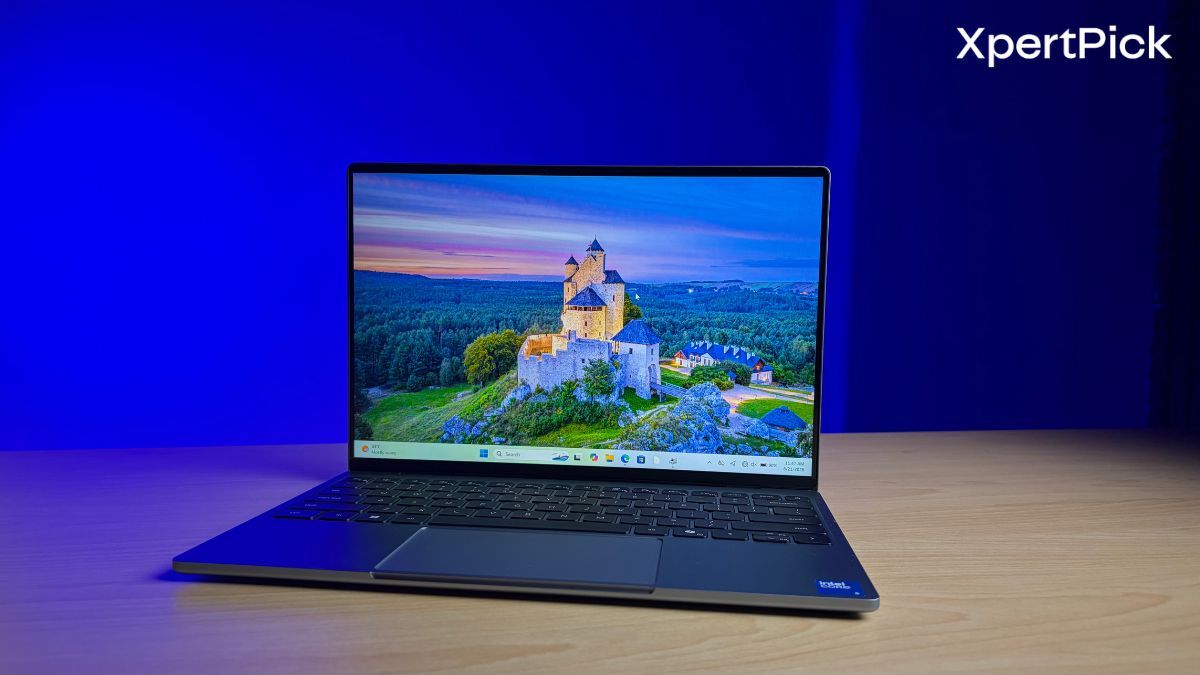
The Dell XPS 13 2026 is the rare laptop that feels like it was priced before the component crunch and launched after it. At Rs 79,999, you’re getting a 13mm aluminium chassis that weighs 1kg, a 2.5K 120Hz touchscreen with 98% DCI-P3 coverage and no PWM flicker, and just over nine hours of real battery life from a modest 52Wh cell. Any one of those would be notable at this price in August 2026. Together, they’re close to unreasonable.

What makes it work is that Dell picked the right chip for the job. The Core 5 320 isn’t going to win a multi-core argument, the Core Ultra 5 125H in the Rs 76,990 Acer Aspire 5 edges past it, and the graphics performance is genuinely weak, at roughly half the Aspire’s Geekbench GPU score. But it draws 22W sustained, holds 98.7% frame rate stability in the 3DMark stress loop where the XPS 14 collapses to 77%, and turns that efficiency into more than twice the Aspire’s battery runtime.

The compromises are real and worth naming. Two USB-C ports and no 3.5mm jack means a dongle is not optional, it’s part of the purchase. There’s no discrete graphics and no pretending otherwise, so anything beyond light photo work or the occasional older title is out. And the 8GB base configuration is the one genuine misstep. Soldered memory plus Windows 11 is not a combination that ages gracefully. Spend the extra Rs 8,000 on the 16GB variant at around Rs 87,866. Treat that as the actual price of this laptop.

So, if you want a machine for writing, browsing, meetings and travel, and you want it to feel expensive while doing so, there’s nothing else near this price that comes close right now.

Configured with 16GB of RAM, the XPS 13 is the easiest laptop recommendation under Rs 1 lakh I’ve made this year.

Pros

  • Premium 13mm aluminium chassis that weighs just 1kg, lighter than both the MacBook Neo and MacBook Air.
  • Excellent 2.5K 120Hz touchscreen with 500 nits, 98% DCI-P3 coverage and no PWM flicker.
  • Just over nine hours of real-world battery life from a modest 52Wh cell.
  • Exceptionally efficient Core 5 320 chip that holds 98.7% frame rate stability under sustained load.
  • Comfortable chiclet keyboard and a reliable traditional clickpad.
  • Genuinely premium package for under Rs 1 lakh in a year of inflated laptop prices.

Cons

  • Only two USB Type-C ports, so a dongle is effectively part of the purchase.
  • No 3.5mm audio jack for wired headphones.
  • Weak integrated graphics, scoring roughly half of the older Core Ultra 5 125H.
  • Multi-core performance trails cheaper rivals like the Acer Aspire 5.
  • 8GB base variant struggles with heavy multitasking, and the memory is soldered.
No posts to display