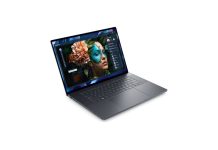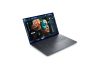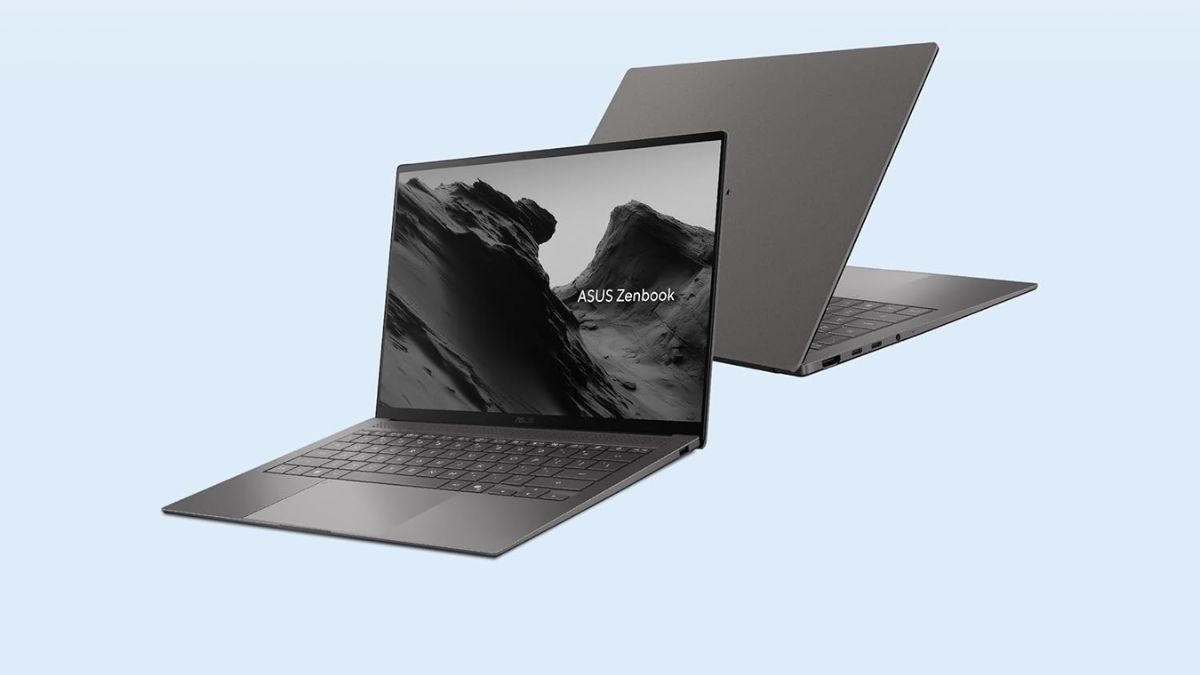
At ₹2.49 lakh, the ASUS Zenbook S14 (UX5406AA) walks into a space where expectations quietly shift. This is no longer about just being thin or premium. It’s about whether a familiar design, a refined material choice, and a new-generation chip can come together to feel meaningfully different in daily use.
On the surface, it looks like ASUS hasn’t changed much this year. But spend a little time with it, and you start to notice where the story might actually be unfolding.
Design, Build Quality And I/O Ports: Familiar Chassis, Smarter Battery Upgrade
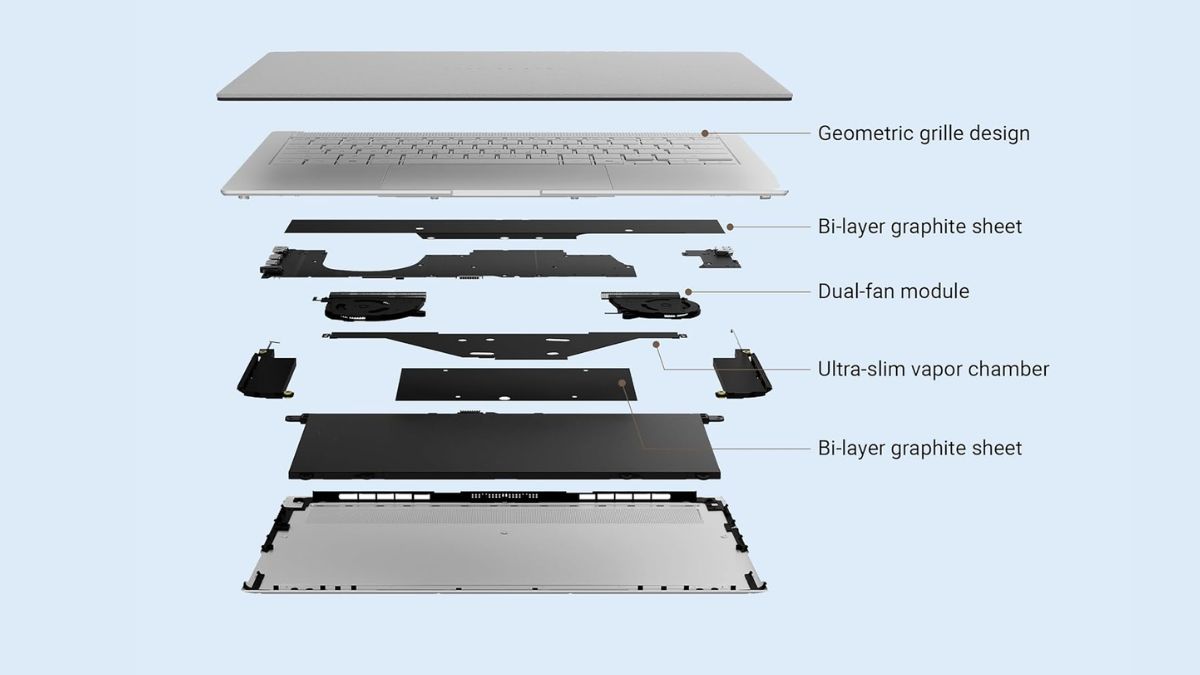
If you’ve used the previous Zenbook S14, this will feel instantly familiar. ASUS has reused the same chassis for 2026, with identical dimensions and weight, and honestly, that works in its favour. The earlier UX5406SA already nailed the 14-inch ultraportable form factor, so there wasn’t much to fix.
What still stands out is Ceraluminium. It’s ASUS’s ceramic-infused take on aluminum, and it feels different the moment you touch it. Matte, slightly textured, and far less prone to fingerprints than typical metal finishes. Even after a few days, it holds up clean. The two finishes, Antrim Gray and Scandinavian White, lean subtle and premium without trying too hard.
Build quality is exactly where it should be for this class. The CNC-milled unibody feels rigid, there’s no flex in the keyboard deck, and the hinge holds firm without wobble. MIL-STD-810H certification is here as well, more for reassurance than anything you’ll actively notice.
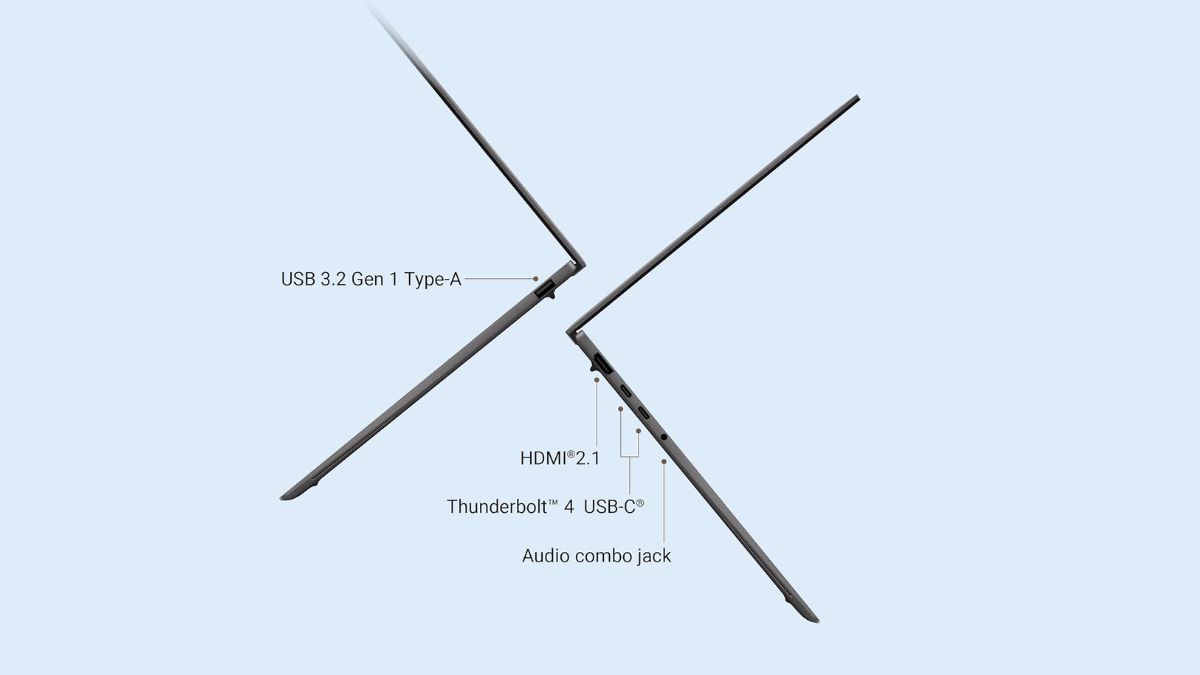
Ports remain unchanged, which is a good thing. Two Thunderbolt 4 Type-C ports, HDMI 2.1, USB-A, and a 3.5 mm jack mean you’re rarely reaching for a dongle.
The only real upgrade is the battery. ASUS has squeezed in a larger 77 Wh cell without adding weight, alongside a slightly faster 68 W charger.
So while this isn’t a redesign, it doesn’t need to be. The Zenbook S14 still feels more refined than most laptops in this category, and this update simply builds on that.
The Zenbook S14 (UX5406AA) packs a 77Wh battery, which has to balance a power-hungry OLED panel with the Intel Core Ultra 9 386H and 32GB LPDDR5X memory. On paper, that’s not a light load.
In the UL Procyon Office Productivity test, the laptop dropped from 91% to 82% in one hour, translating to roughly 9% drain per hour. That puts estimated real-world endurance at around 11 hours for typical office workloads like documents, spreadsheets, and presentations.
However, final battery life figures still need to be tested to establish a conclusive result.
Keyboard And Touchpad: Usable For Daily Work, But Not Class-Leading
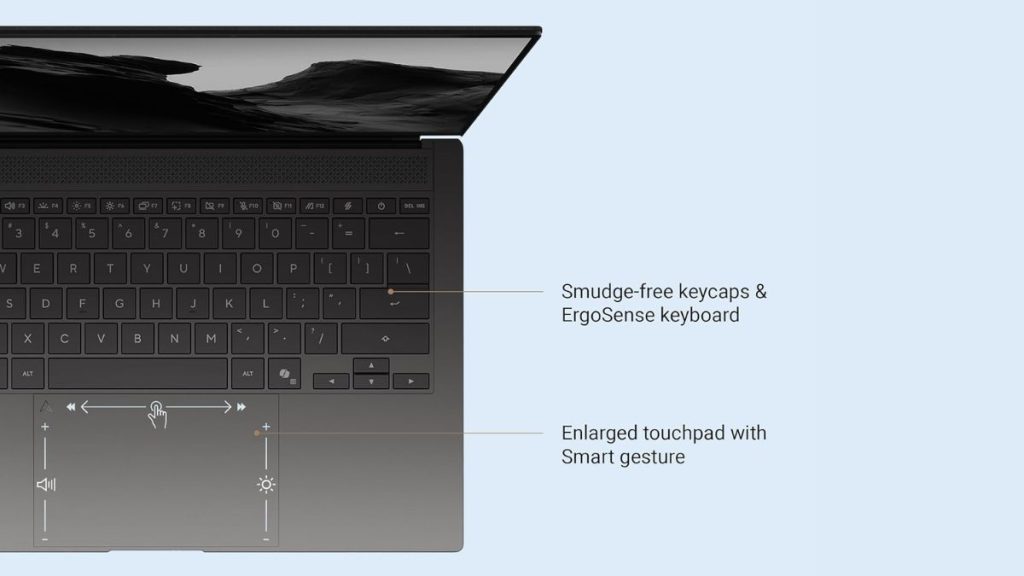
The keyboard doesn’t seem ideal for heavy typing. The 1.1 mm key travel is typical for this thin category, but it feels shallow compared to the 1.4 mm on the older Zenbook 14. It’s accurate, just not suited for long sessions, lacking the depth you’d expect from a MacBook Air or ThinkPad.
The 19.5 mm key pitch is standard, and the slight key dish isn’t noticeable in daily use.
The touchpad is more mixed. At 127 × 79 mm, it’s large and comfortable, and the PVD coating holds up well. But ASUS is still using a diving-board mechanism, which feels dated at this point. Clicks near the top require more force than those at the bottom, and it’s something you adapt to rather than enjoy.
Smart Gestures are genuinely useful once learned. Edge swipes for volume and brightness work well, and the upper-corner gesture for Control Center is a clever addition. But they aren’t intuitive, and most users will likely ignore them after a while.
Overall, the input hardware is competent but not class-leading. It works fine day to day, but it’s not a standout feature. If keyboard feel or trackpad quality is a priority, options like the MacBook Air M4, Surface Laptop 7, or ThinkPad X1 Carbon still do it better.
Performance And Benchmarks: Strong CPU Scores, But The Non-Arc GPU Holds It Back
The Asus ZenBook S14 is powered by Intel Core Ultra 9 386H and features the Intel graphics iGPU. So within the Panther Lake lineup, this is the chip lineup which doesn’t have the newer and powerful Arc graphics.
In terms of CPU performance in Geekbench, the Intel Core Ultra 9 386H comes within range of the Core Ultra X7 358H, scoring 2905 and 16,659 in single- and multi-core tests, compared to 2890 and 17,108.
| Processor | Geekbench Single-Core | Geekbench Multi-Core |
|---|---|---|
| Intel Core Ultra 9 386H | 2905 | 16,659 |
| Intel Core Ultra X7 358H | 2890 | 17,108 |
When it comes to GPU performance, the gap is substantial. The Intel Arc B390 in the Core Ultra X7 delivers a score of 56,308, which is almost double the 23,232 achieved by the Intel Graphics iGPU in the Core Ultra 9.
| Processor | GPU | Score |
|---|---|---|
| Intel Core Ultra X7 358H | Intel Arc B390 | 56,308 |
| Intel Core Ultra 9 386H | Intel Graphics (iGPU) | 23,232 |
Lastly, in the Cinebench R23 rendering test, the Intel Core Ultra 9 386H scored 2107 in single-core and 14,735 in multi-core, while the Core Ultra X7 358H scored 2016 and 15,517 in the same test. Thus, the 386H wins in single-core by a small margin, but it loses in multi-core performance compared to the 358H.
| Processor | Cinebench R23 Single-Core | Cinebench R23 Multi-Core |
|---|---|---|
| Intel Core Ultra 9 386H | 2107 | 14,735 |
| Intel Core Ultra X7 358H | 2016 | 15,517 |
Initial Verdict: A Refined Ultraportable With Strong CPU Performance, But Clear Trade-Offs
The Zenbook S14 (UX5406AA) is a refined ultraportable that builds on an already strong foundation. Its Ceraluminium design still feels premium, the build is solid, and the port selection remains practical. Battery life looks promising for an OLED laptop, though not class-leading. The keyboard and touchpad are serviceable but fall short of the best in this segment.
Performance is strong on the CPU side, but the lack of Arc graphics limits GPU-heavy workloads. Overall, it suits users prioritising design, portability, and everyday productivity, but those needing better input quality or graphics performance may want to look elsewhere. A detailed, in-depth review is still pending, so it’s worth waiting for the final verdict.