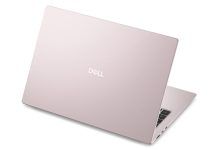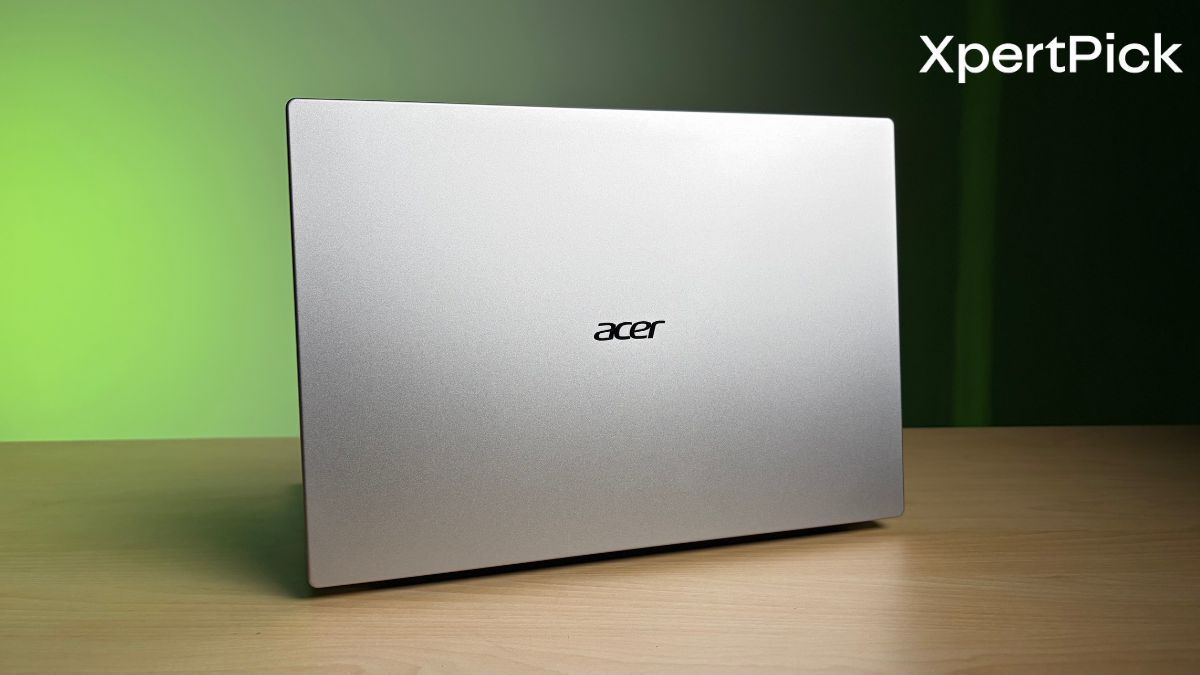
The Acer Aspire 5 belongs to what I like to call the “vanilla laptop” category. These are your run-of-the-mill, budget-oriented workhorses that simply exist to get the job done. They can be used interchangeably for office work, home use, school, and pretty much any everyday task.
The Acer Aspire 5 I tested comes with an Intel Core Ultra 5 125H processor, 16GB of RAM, and a 512GB SSD. It also features a 14-inch display, a form factor that suits the kind of workload this laptop is designed for. At the time of writing, the laptop is available online for Rs 76,999.
So, what exactly do you get with this laptop? Does it live up to being a reliable default choice for a wide range of users and workloads? And most importantly, is it worth the price? Here’s my answer after two weeks of testing.
Acer Aspire 5 Specifications
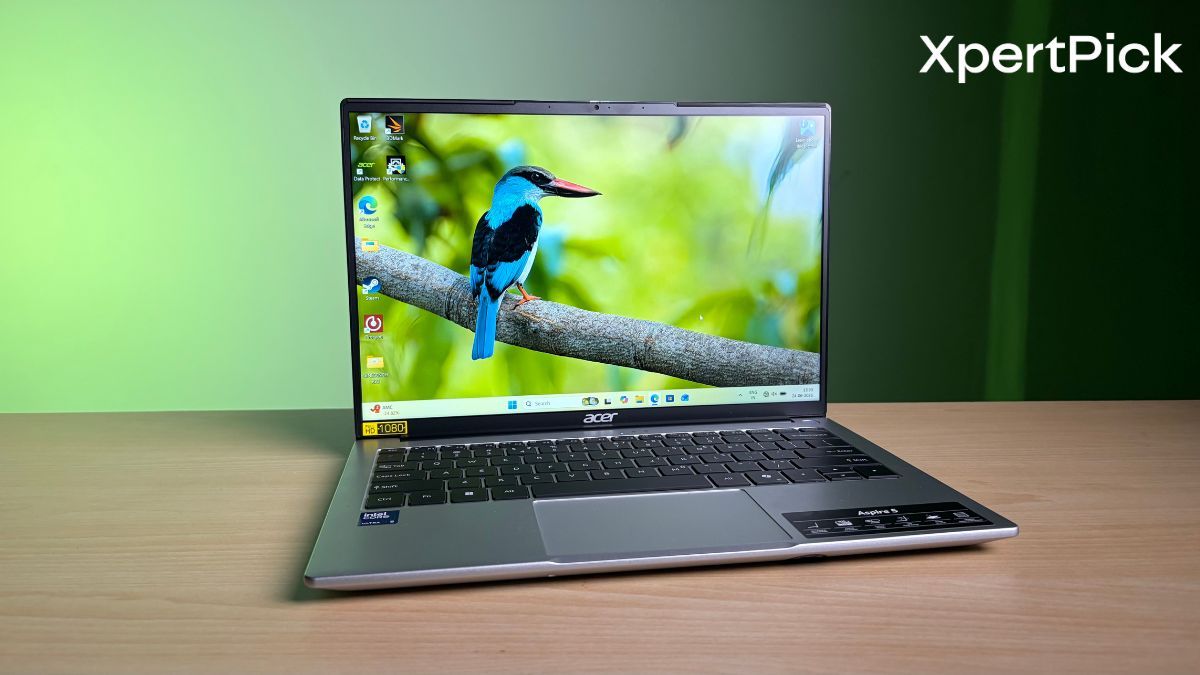
- Processor: Intel Core Ultra 5 125H (14 cores, up to 4.5GHz) with Intel AI capabilities
- Graphics: Integrated Intel Graphics
- Display: 14-inch WUXGA IPS display (1920 x 1200), 16:10 aspect ratio, Acer ComfyView anti-glare technology, wide 170-degree viewing angles
- Memory: 16GB LPDDR5 RAM
- Storage: 512GB PCIe Gen4 NVMe SSD (expandable up to 1TB)
- Battery: 54Wh battery
- Dimensions and Weight: 17.5mm thick, weighs 1.2kg (2.64lbs)
- Connectivity: Wi-Fi 6 and Bluetooth support
- Ports: 2x USB Type-C (including charging and full-function support), 3x USB 3.2 Gen 1 Type-A, 1x HDMI, Kensington lock slot
- Audio: Dual stereo speakers with built-in array microphones and AI noise cancellation
- Camera: 1080p Full HD webcam with privacy shutter and support for HD audio/video recording
Acer Aspire 5 Design, Build Quality, Keyboard and I/O: Thoughtful Ergonomics With Minor Trade-Offs
Just as I described earlier, the Acer Aspire 5’s design is clever, simple, but a little unrefined. For starters, the laptop features a wide lip along the deck, making it easy to grab and lift the lid. However, the moment you try to open it, you’ll quickly realise that it requires two hands: one to hold the base steady and the other to lift the lid.
That said, I can’t really complain about the stiff hinge because it turns into an advantage when you’re typing aggressively, especially with the laptop resting on your lap. The display remains firmly in place, with minimal wobble even during intense typing sessions.
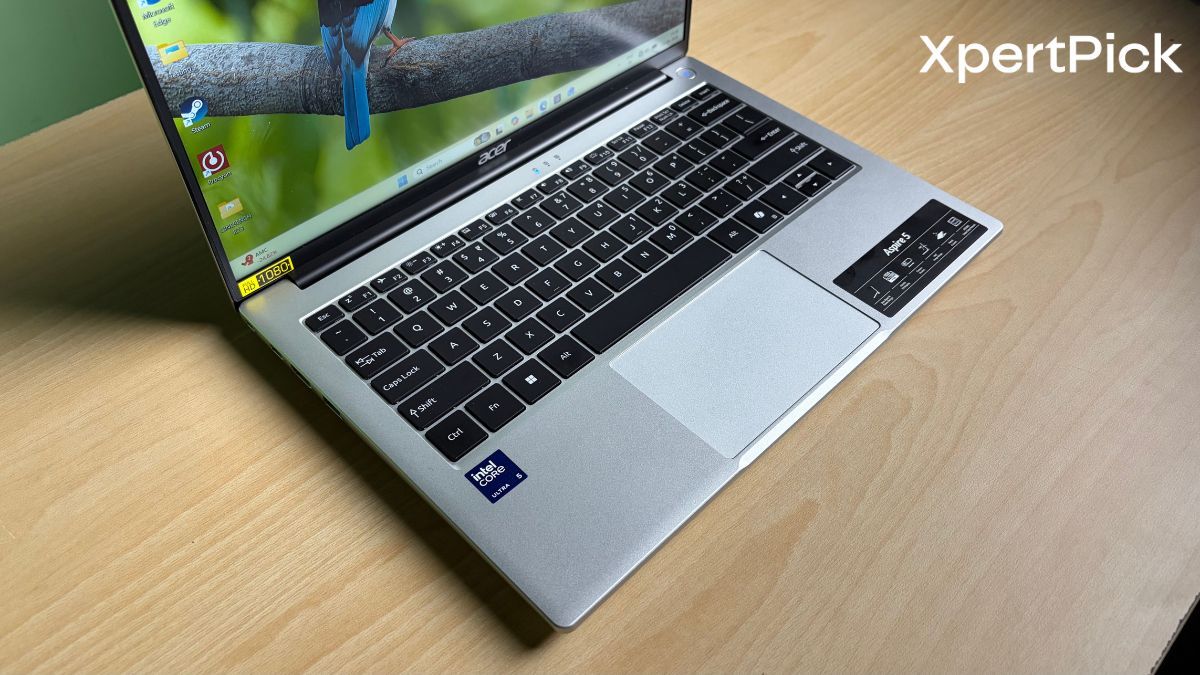
The edges around the deck area are also nicely rounded off, so your wrists will thank you during long work sessions. Speaking of work, while I couldn’t find an official figure, based on my time using the laptop, I estimate the key travel to be around 1.3mm, which is good enough for comfortable day-to-day typing. The keyboard also omits a numpad, which is actually a good thing, as it keeps the typing position more ergonomic and centred. As a result, you can type comfortably for extended periods without feeling fatigued.
Moreover, I really liked the touchpad on the Acer Aspire 5. It stands out from the touchpads found on most laptops for two main reasons. First, it feels exceptionally well-tuned, offering precise tracking and satisfyingly short click travel. Second, it has a textured surface.
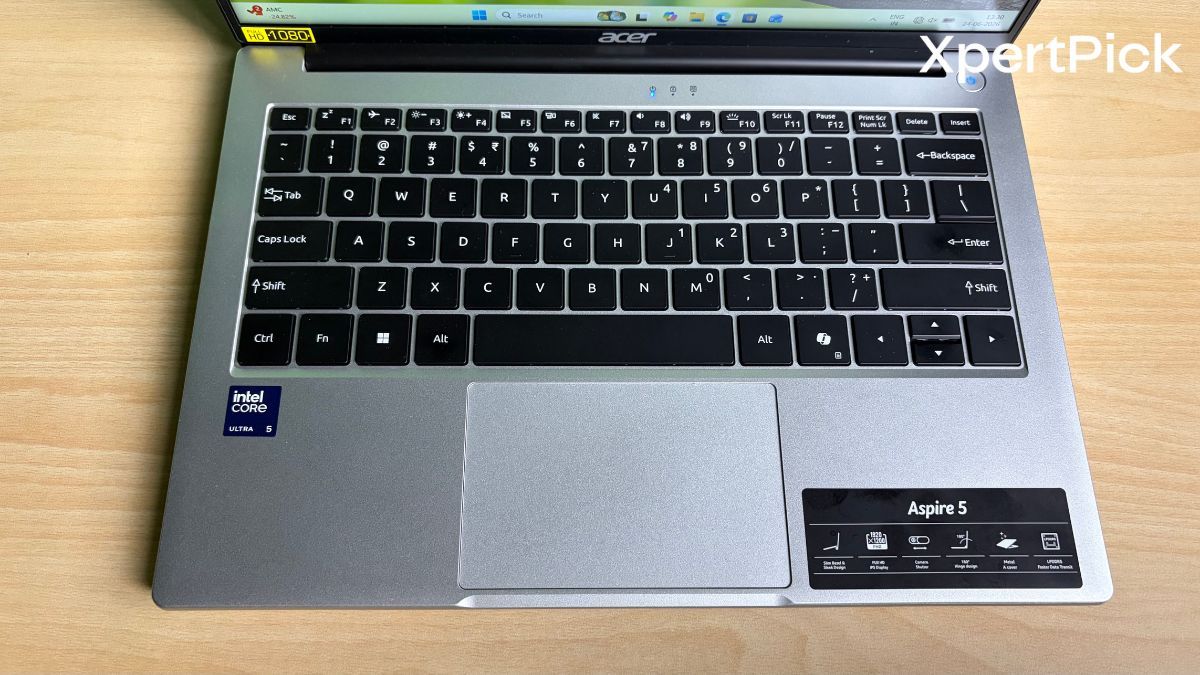
Now, textured touchpads are usually a matter of personal preference, as some users find them uncomfortable or odd to use. However, Acer has done a great job here. The texture feels similar to a smooth yet slightly rough stone, which, at least for me, made the touchpad a delight to use. And thankfully, the device has a decently strong chassis with minimal flex, which further aids in making the typing experience better.
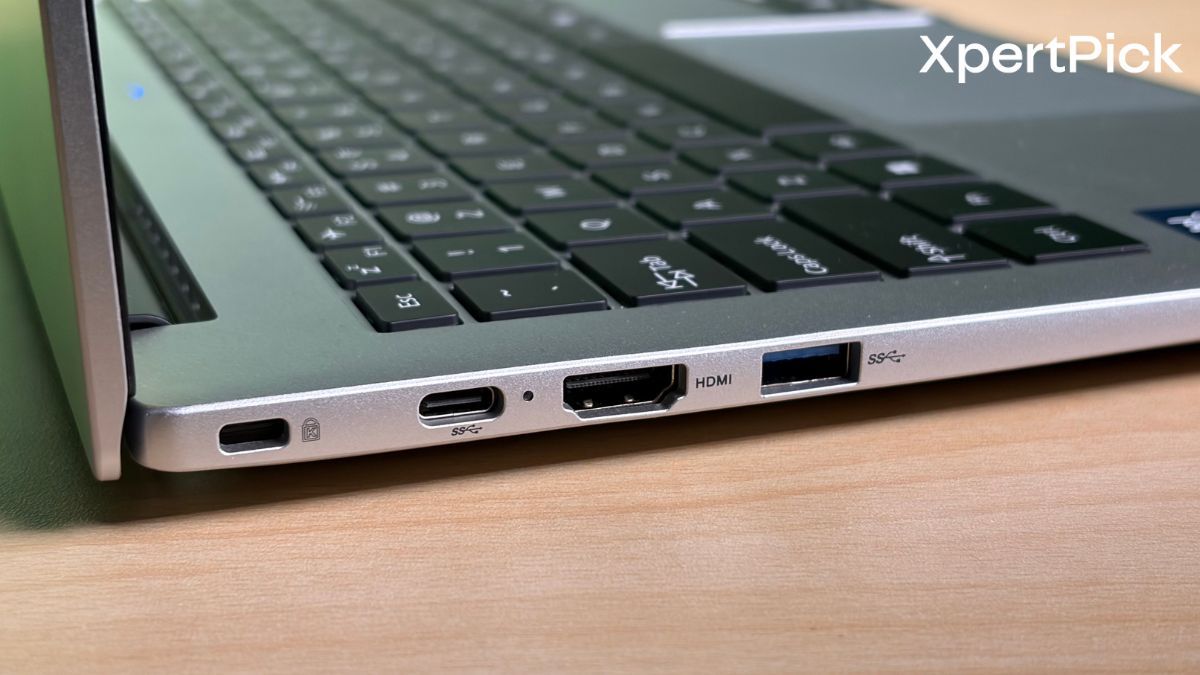 In terms of I/O, the Acer Aspire 5 includes three USB Type-A ports, a USB Type-C port with charging and display output support, and an HDMI 2.0 port, significantly reducing the need for dongles. However, while the Type-C port is versatile, it is limited to 5Gbps transfer speeds and lacks Thunderbolt support, which may disappoint users working with high-speed external storage or advanced docking setups.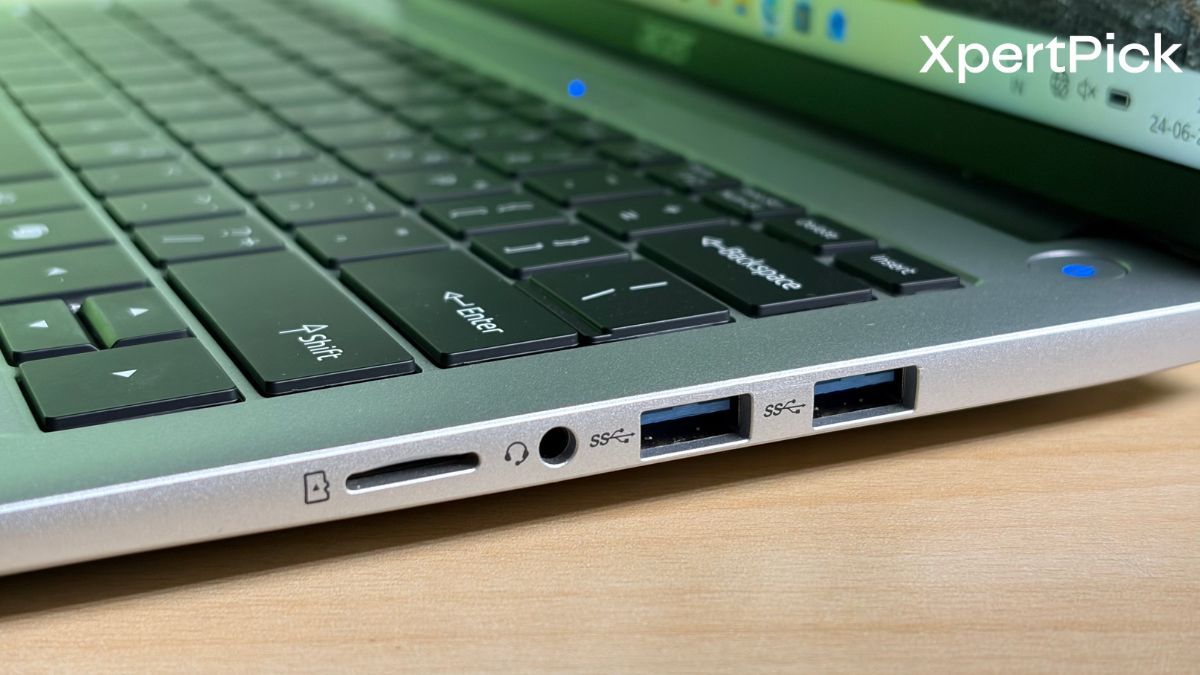
Moreover, since the laptop ships with a USB Type-C charger, the lone Type-C port remains occupied while charging, meaning you’ll either have to unplug the charger or rely on a dongle if you need an additional USB Type-C connection.
Acer Aspire 5 Display and Audio: A Great Screen Paired With Average Speakers
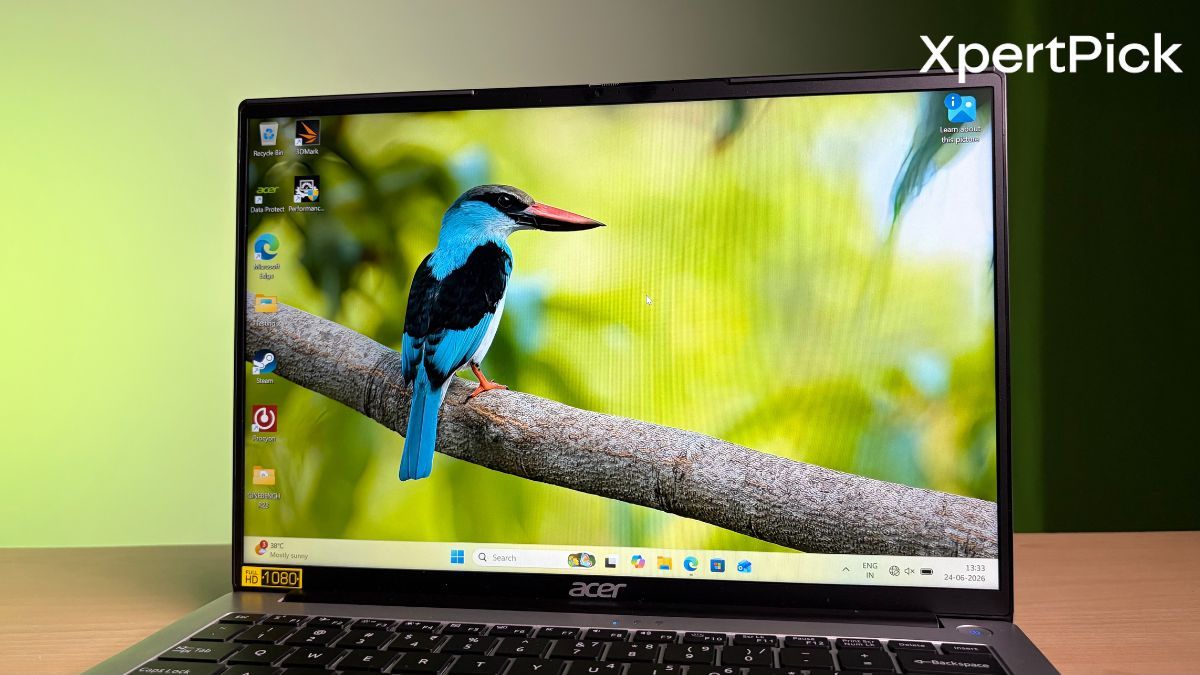
The Acer Aspire 5 features a 14-inch WUXGA (1920 x 1200) IPS panel with a 16:10 aspect ratio, offering more vertical space than traditional 16:9 screens. This makes everyday tasks such as web browsing, working on spreadsheets, coding, and writing documents much more comfortable.
The display is also impressive in terms of colour reproduction. With 100% sRGB and 92% NTSC coverage, colours look vibrant and accurate, making the laptop suitable for casual photo editing, content creation, and media consumption. The laptop also features an IPS panel, which ensures good viewing angles with minimal colour shift when viewed from the side.
In terms of brightness, the laptop achieved 309 nits of SDR brightness in our tests. Combined with its excellent anti-glare coating, which effectively reduces reflections from ambient light, the display is well-suited for indoor use.
The Aspire 5 features dual built-in speakers designed to deliver enhanced sound quality. In practice, however, the speakers are fairly average and are best suited for basic tasks.
The downward-firing speakers produce adequate sound for video calls, online meetings and casual YouTube viewing, but they struggle in most other scenarios. Maximum volume is relatively low, and dialogue can be difficult to hear clearly in noisy environments. Since the speakers are positioned underneath the chassis, audio can also become muffled when using the laptop on a bed, sofa or on your lap.
Sound quality is another weak point. The speakers lack bass and overall depth, making music and films sound flat and tinny. While they are perfectly serviceable for everyday communication, users who regularly watch films or listen to music will be better off using a pair of headphones or external speakers.
Overall, the Aspire 5’s speakers are functional but far from impressive, and remain one of the laptop’s weaker aspects.
Acer Aspire 5 Performance: Solid CPU Performance and Efficient Thermals
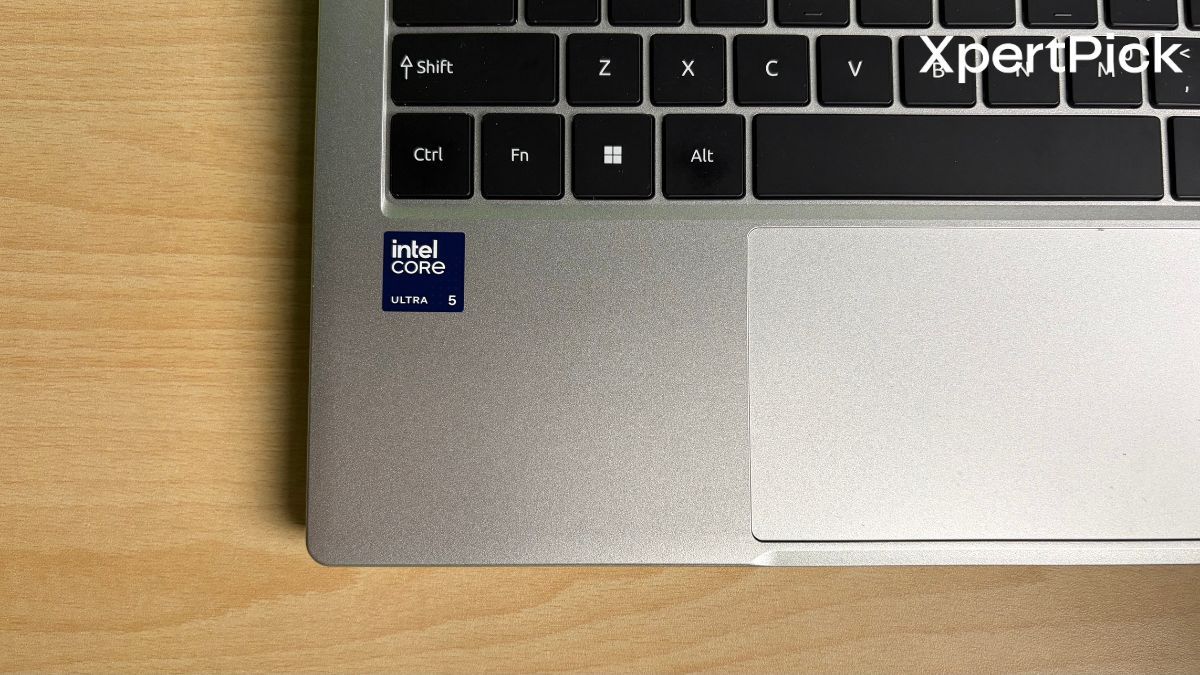
The Acer Aspire 5 comes equipped with an Intel Core Ultra 5 125H processor. It is a 14-core chip comprising four Performance cores, eight Efficiency cores, and two Low Power Efficiency cores.
In terms of benchmark performance, the Acer Aspire 5 scored 1,698 in the single-core test and 7,759 in the multi-core test. While the Intel Core Ultra 5 125H trails the newer Intel Core Ultra 7 355 found in the HP OmniBook 5 in single-core performance, the gap in multi-core workloads is surprisingly small. The HP OmniBook 5 scored 1,962 in the single-core test and 7,896 in the multi-core test, indicating that the older chip still holds up remarkably well in sustained productivity tasks.
| Laptop | Processor | Single-Core Score | Multi-Core Score |
|---|---|---|---|
| Acer Aspire 5 | Intel Core Ultra 5 125H | 1,698 | 7,759 |
| HP OmniBook 5 | Intel Core Ultra 7 355 | 1,962 | 7,896 |
The performance gap between the two chips widens quite a bit in Geekbench 6. The Core Ultra 5 125H scores 2,267 in the single-core test and 8,262 in the multi-core test, while the Core Ultra 7 355 achieves 2,763 and 11,346, respectively. However, this difference is largely due to the behaviour of the HP OmniBook 5, the device in which I tested the Core Ultra 7 355. The chip tends to throttle power consumption after a short burst of performance, and since Geekbench 6 is a relatively short benchmark compared to Cinebench, the disparity between the two processors appears more pronounced in this test.
| Laptop | Processor | Geekbench 6 Single-Core | Geekbench 6 Multi-Core |
|---|---|---|---|
| Acer Aspire 5 | Intel Core Ultra 5 125H | 2,267 | 8,262 |
| HP OmniBook 5 | Intel Core Ultra 7 355 | 2,763 | 11,346 |
All of this means that the laptop is more than capable of handling everyday productivity tasks, as well as light content creation workloads such as 1080p video editing and web graphic design. However, without strong DCI-P3 colour gamut coverage, the laptop is not designed for professional-grade colour correction or other colour-critical work.
| Laptop | Processor | 3DMark Wild Life Extreme Score |
|---|---|---|
| Acer Aspire 5 | Intel Core Ultra 5 125H | 3,950 |
| HP OmniBook 5 | Intel Core Ultra 7 355 | 5,721 |
In terms of GPU performance, the Acer Aspire 5 scores around 3,950 in the 3DMark Wild Life Extreme Stress Test, which is quite respectable for a productivity-focused laptop. For comparison, the latest Intel Core Ultra 7 355 scores around 5,721 in the same test.
Lastly, in terms of efficiency, the chip consumes around 30W at peak and reaches temperatures of up to 83 degrees Celsius. The laptop is able to maintain these temperatures effectively, as evidenced by its 96.2% frame stability score in the 3DMark Wild Life Extreme Stress Test. For context, a stability score of 97% is required to officially pass the test, a result typically associated with gaming laptops.
Acer Aspire 5 Life: Decent, but Brightness Takes a Toll

In the UL Procyon Office Productivity benchmark, which simulates everyday workloads in Microsoft Word, Excel and PowerPoint, the Acer Aspire 5 delivered average battery life. During the test, the laptop consumed 32% of its battery in 1 hour and 15 minutes, dropping from 100% to 68%. This translates to an estimated runtime of around 3 hours and 54 minutes on a full charge.
At first glance, this result appears disappointing for a laptop equipped with a 54Wh battery. However, there is an important caveat: the display brightness was set to 100% throughout the entire test. Running a screen at maximum brightness significantly increases power consumption, especially during light productivity tasks where the processor itself draws relatively little power.
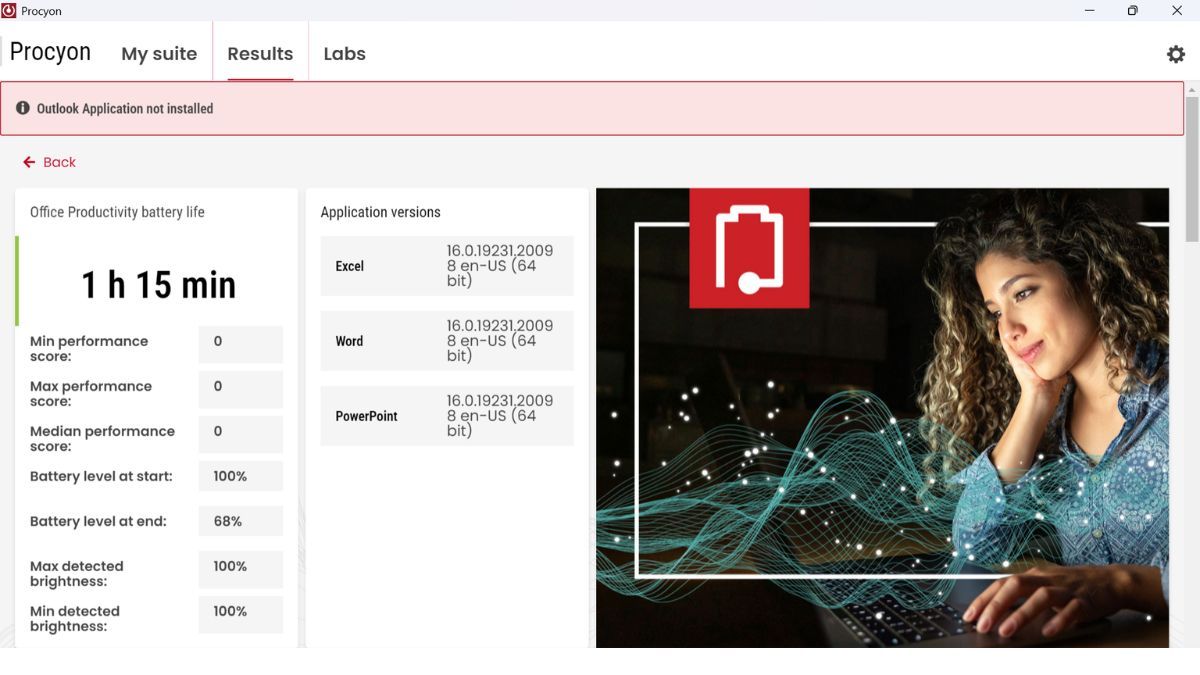
As a result, the Aspire 5 consumed an average of roughly 13.8W during the benchmark, leading to the rapid battery drain. In real-world usage, most users are unlikely to keep the display at maximum brightness all the time. Reducing brightness to a more practical 40% to 50% for indoor use should noticeably improve battery life, potentially pushing the laptop closer to the 7 to 8-hour mark typical for this category.
Overall, users who regularly work at maximum brightness may need to carry the charger, while those using more moderate brightness levels should find the battery life adequate for a typical workday.
Verdict: A Dependable Everyday Laptop
Priced at Rs 76,999, the Acer Aspire 5 is a no-nonsense productivity laptop that gets the fundamentals right. Its biggest strengths are the excellent 16:10 display with 100% sRGB coverage, strong performance from the Intel Core Ultra 5 125H, and a comfortable keyboard and touchpad. The sturdy build and effective cooling system further add to the overall experience.
However, there are a few compromises. The single USB Type-C port doubles as the charging port and lacks Thunderbolt support, while the speakers sound flat and lack volume. Battery life is also merely average, especially at higher brightness levels.
Overall, the Acer Aspire 5 is an easy recommendation for students, office users and casual creators looking for a reliable everyday laptop. Unless you need professional-grade colour accuracy or advanced connectivity features, the Aspire 5 offers excellent value for money.