The premium Windows laptop market has become increasingly difficult to understand.
Over the past year, prices have climbed sharply, while meaningful improvements have become harder to spot. Laptops that once represented the pinnacle of Windows engineering at around ₹1.5 lakh now routinely cost well over ₹2 lakh, forcing buyers to ask an uncomfortable question: where exactly is all that extra money going?
The ASUS ExpertBook Ultra attempts to answer that question.
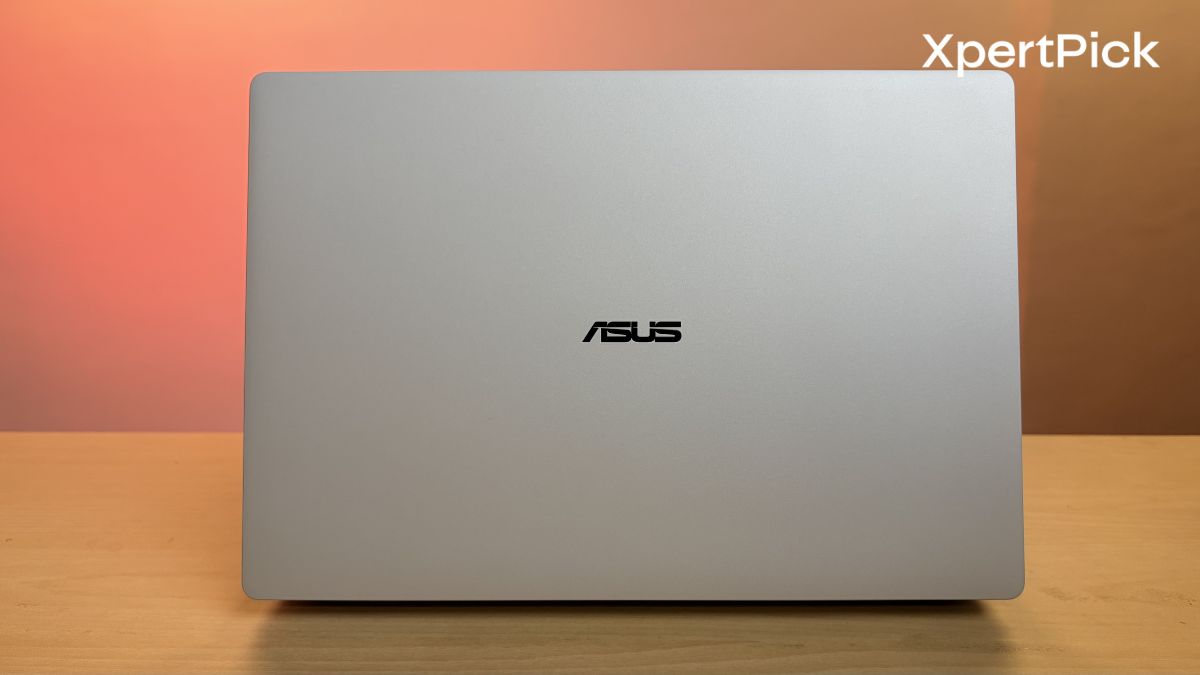
Priced at ₹2.39 lakh, it is one of the most expensive thin-and-light Windows laptops currently available. Yet unlike many premium ultrabooks that rely on flashy specifications or AI buzzwords to justify their price tags, the ExpertBook Ultra focuses on something far less glamorous i.e. refinement.
After spending a week testing the ASUS ExpertBook Ultra, I came away impressed by just how much engineering has gone into this machine. The bigger question, however, is whether that engineering is worth ₹2.39 lakh.
Let’s find out.
ASUS ExpertBook Ultra Specifications
-
Processor: Intel Core Ultra X7 358H (16 cores, up to 4.8 GHz) with 50 TOPS NPU
-
Graphics: Integrated Intel Arc B390 Graphics
-
Display: 14.0-inch Tandem OLED Touchscreen (2880 x 1800, 120Hz)
-
Memory: 32 GB LPDDR5X RAM
-
Storage: 1 TB NVMe PCIe 4.0 SSD
-
Battery: 70 Wh capacity with 90W Type-C fast charging
-
Dimensions: 10.9 mm thickness and weighs 0.99 kg (2.18 lbs)
-
Connectivity: Wi-Fi 7 and Bluetooth 6.0 support
-
Ports: 2x Thunderbolt 4, 2x USB 3.2 Gen 2 Type-A, 1x HDMI 2.1, 3.5mm audio jack
-
Audio: 6-speaker system tuned with Dolby Atmos
-
Camera: 1080p FHD IR webcam with privacy shutter and AI upscaling
ASUS ExpertBook Ultra Build Quality, Design, Keyboard and I/O
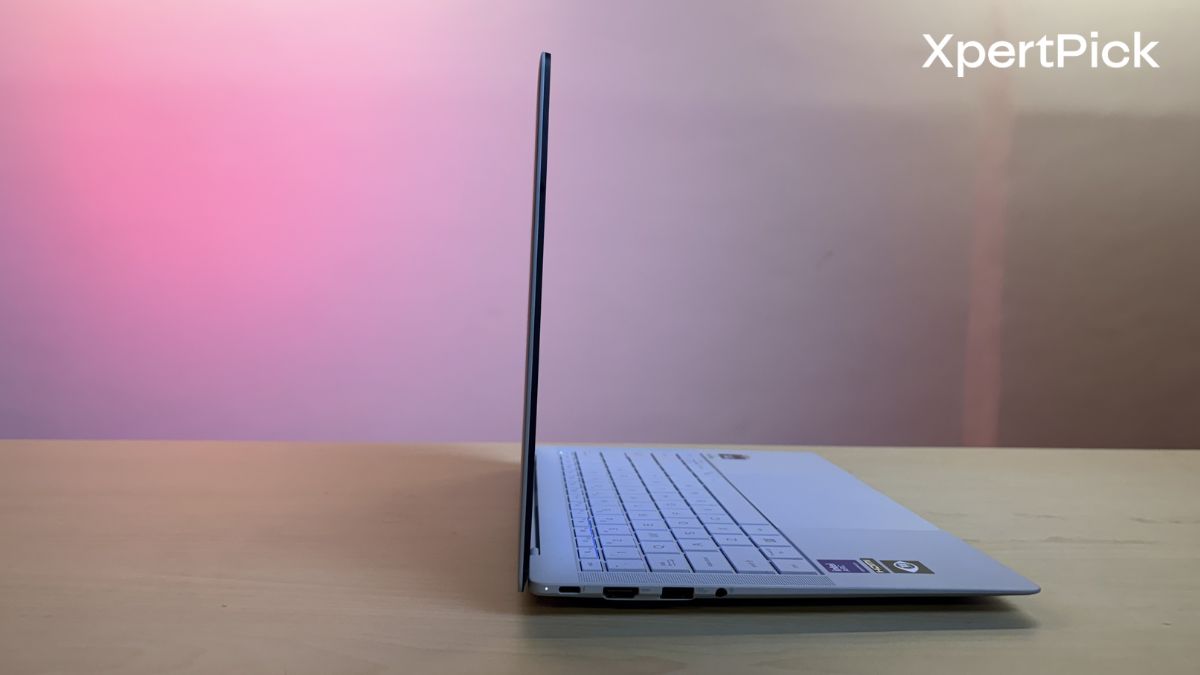
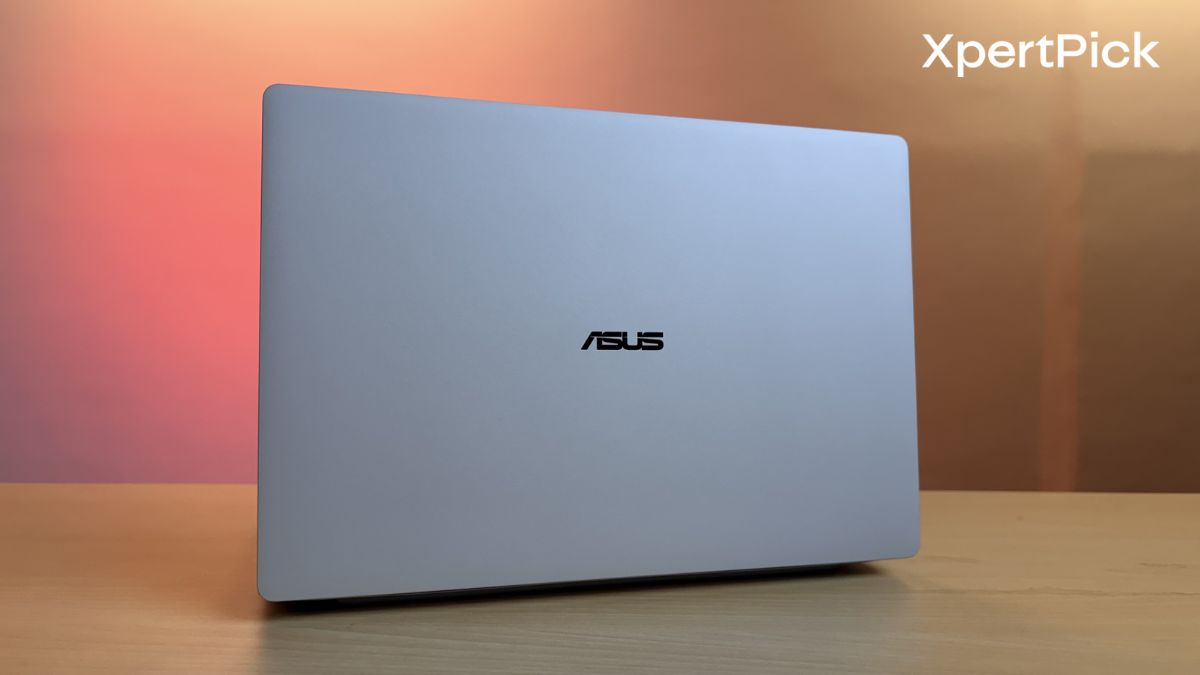
So ASUS says that the ExpertBook Ultra is made out of an aerospace-grade magnesium-aluminum alloy, specifically AZ31B, which is shaped using precision CNC machining. In simple terms, it simply means that the laptop is designed to be lightweight, durable, and strong. And I can tell you that it actually is.
Despite weighing in at just 0.99kg, the ExpertBook Ultra’s chassis feels quite rigid and free of flex. It doesn’t matter if you lift the laptop from any side, try to press down on it hard while typing, or deliberately apply pressure to it, the laptop’s panels stay in place.
That’s not where ASUS’ engineering feats end because they have also managed to integrate a touch panel in the display while keeping the overall profile of the entire display lid very thin.
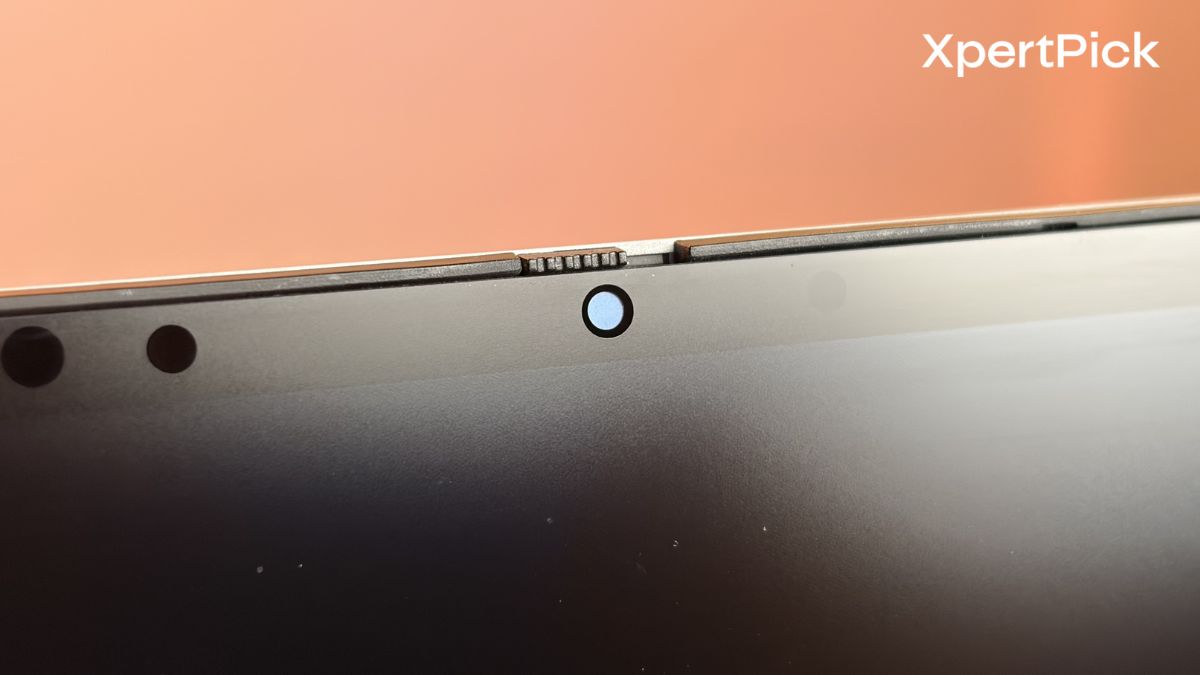
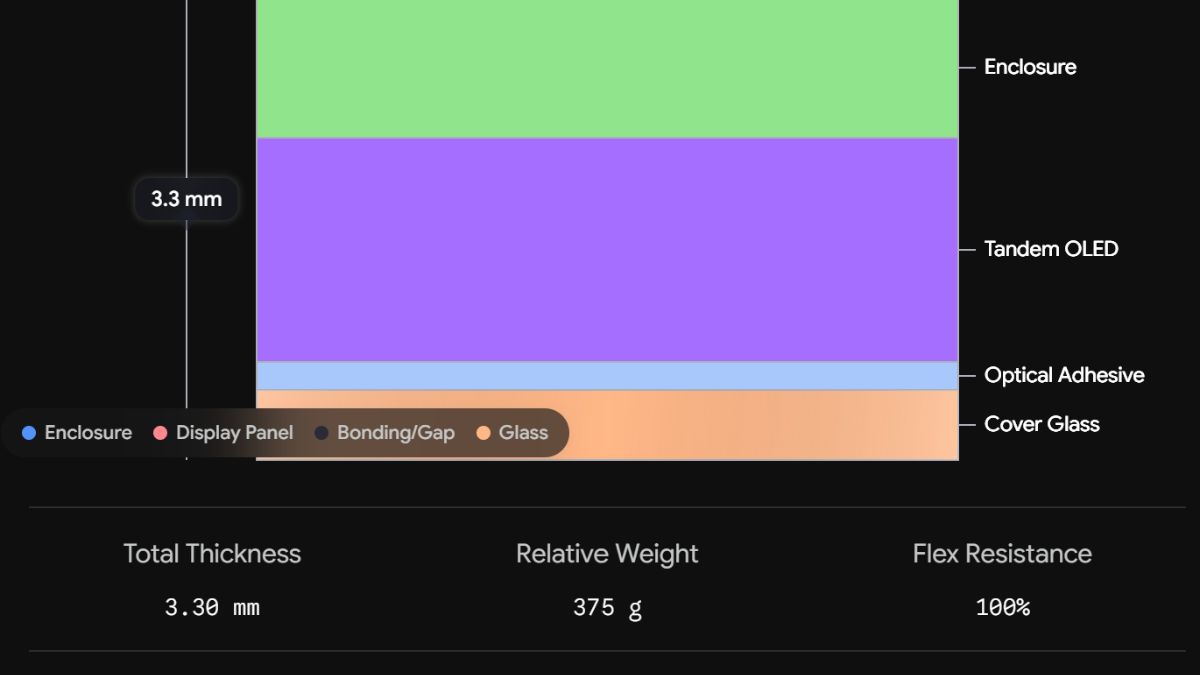
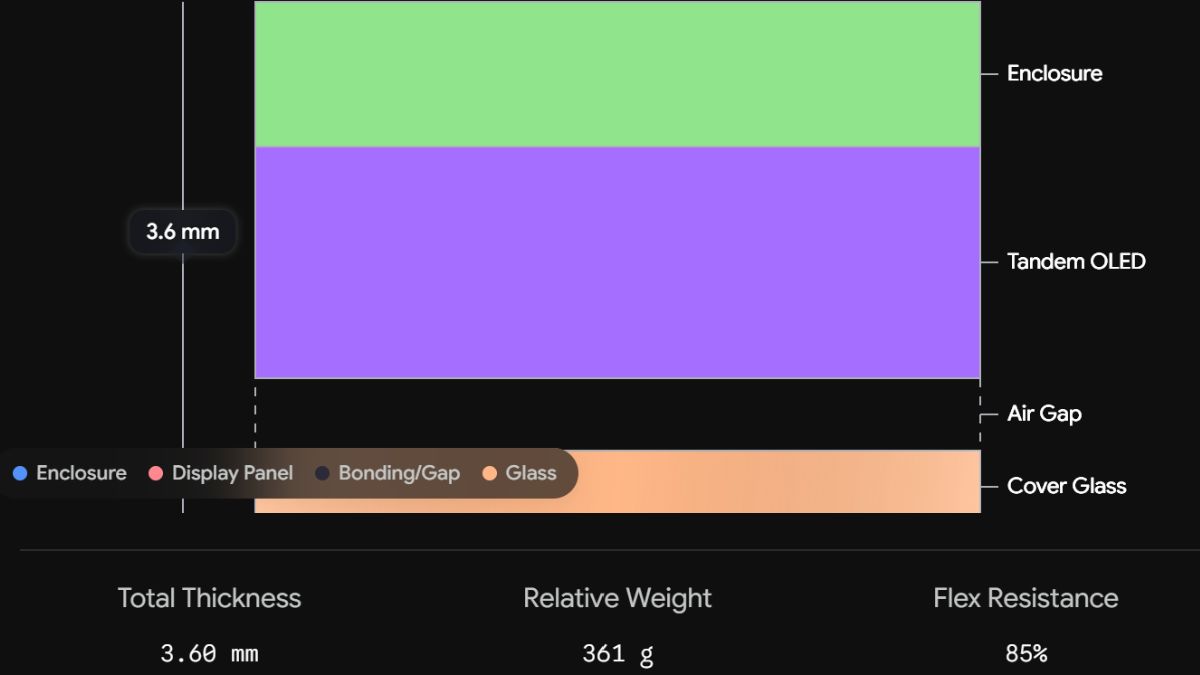
Basically, ASUS is using a magnesium alloy enclosure and sandwiching the tandem OLED, optical adhesive, and cover glass inside it using an integration method called Direct Optical Bonding, which provides a thinner profile while offering stronger resistance to flex.
Here’s a basic representation of how slim the profile becomes when using Direct Optical Bonding compared to standard air-gap bonding.
As for the keyboard, ASUS has kept it fairly simple by using the industry-standard backlit chiclet keyboard. But where it exceeds expectations is in terms of key travel, which is 1.5mm. This is quite deep for an ultra-thin laptop, as most sub-11mm-thick laptops settle for 1.0mm or 1.2mm.
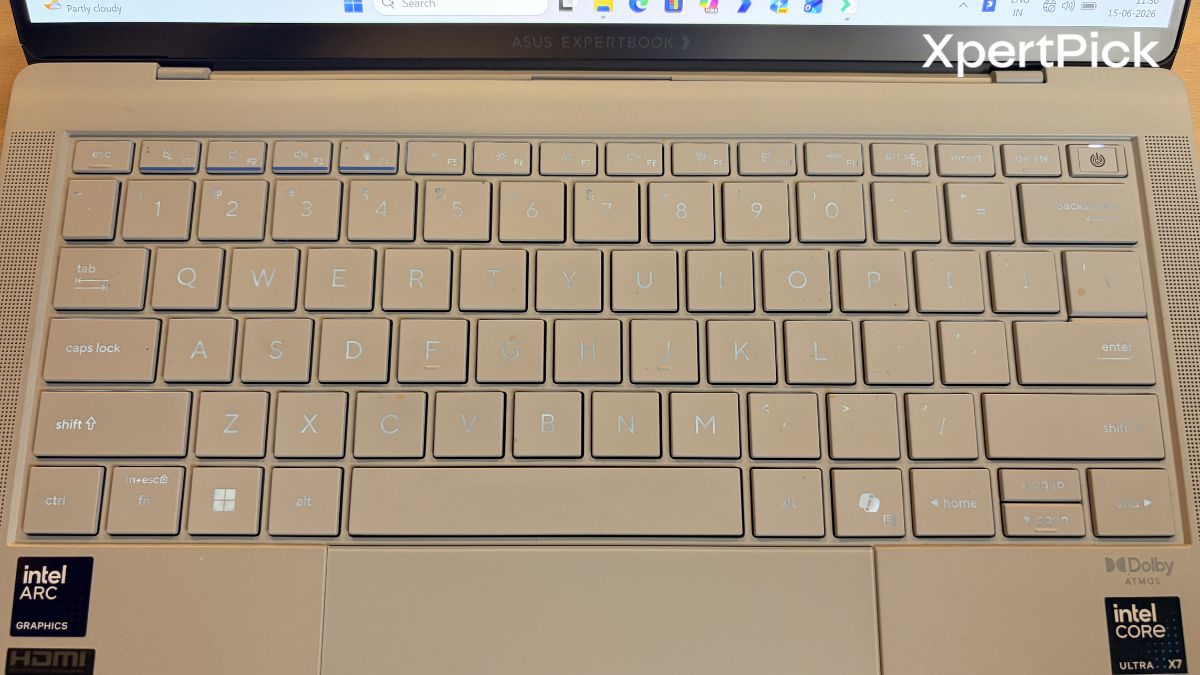
But ASUS has gone one step ahead to offer deeper key travel in such a thin chassis. And the result is evident. During my typing sessions, my fingers never felt tired, as the keyboard’s spring action was also pretty fantastic. It also features a slight “dish” shape on the keys to better match your fingertips.
In terms of the touchpad, I am glad to say that ASUS has also decided to jump on the bandwagon of adding a haptic touchpad to its laptops and has moved away from the traditional mechanical diving-board mechanism.
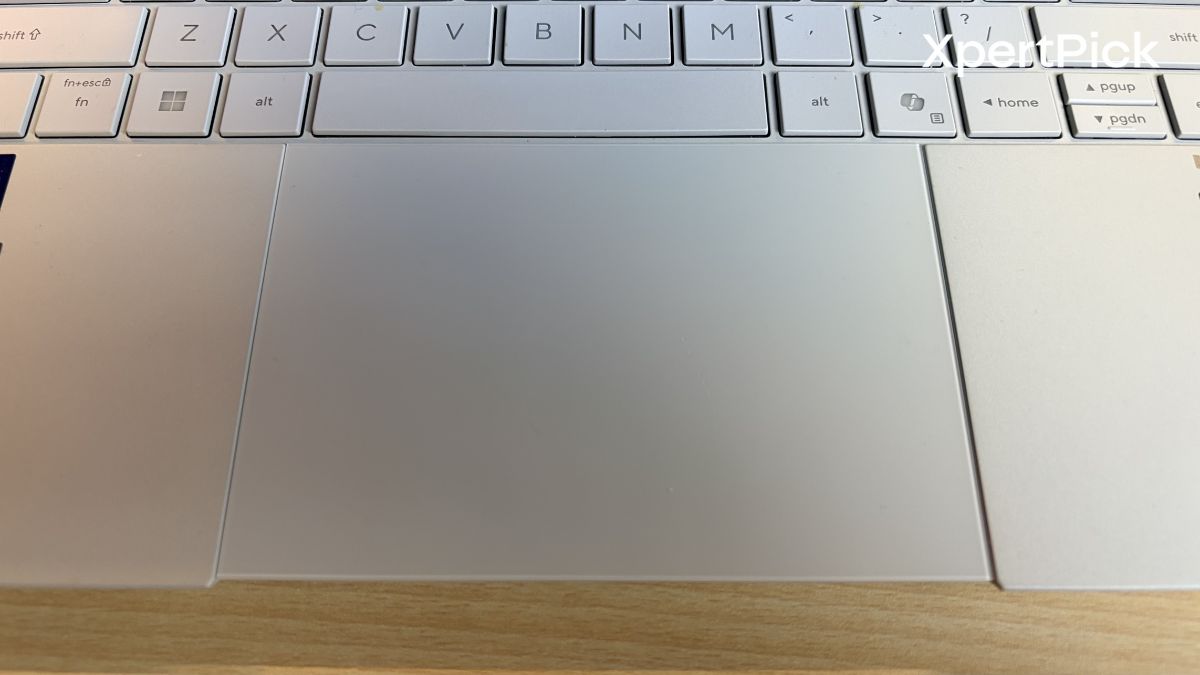
It’s surprising that ASUS chose to include a haptic touchpad here, since the similarly priced ASUS Zenbook S14 uses the older-style mechanism, despite both laptops costing almost the same. Regardless, the touchpad is very accurate, and the haptic clicks are also very satisfying.
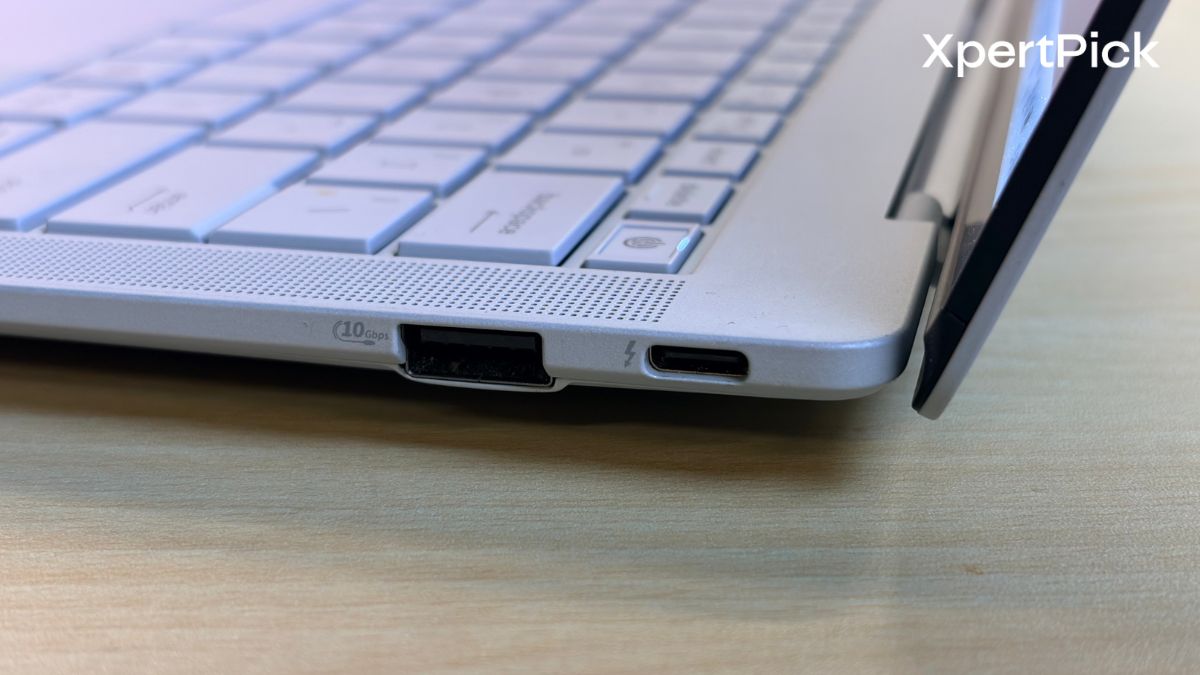
One area where the ExpertBook Ultra stands out is connectivity. While most sub-11mm, sub-1kg laptops have embraced the “dongle life” by limiting users to a couple of USB-C ports, ASUS has managed to include two full-size USB-A ports, HDMI, and Thunderbolt 4 ports on both sides.
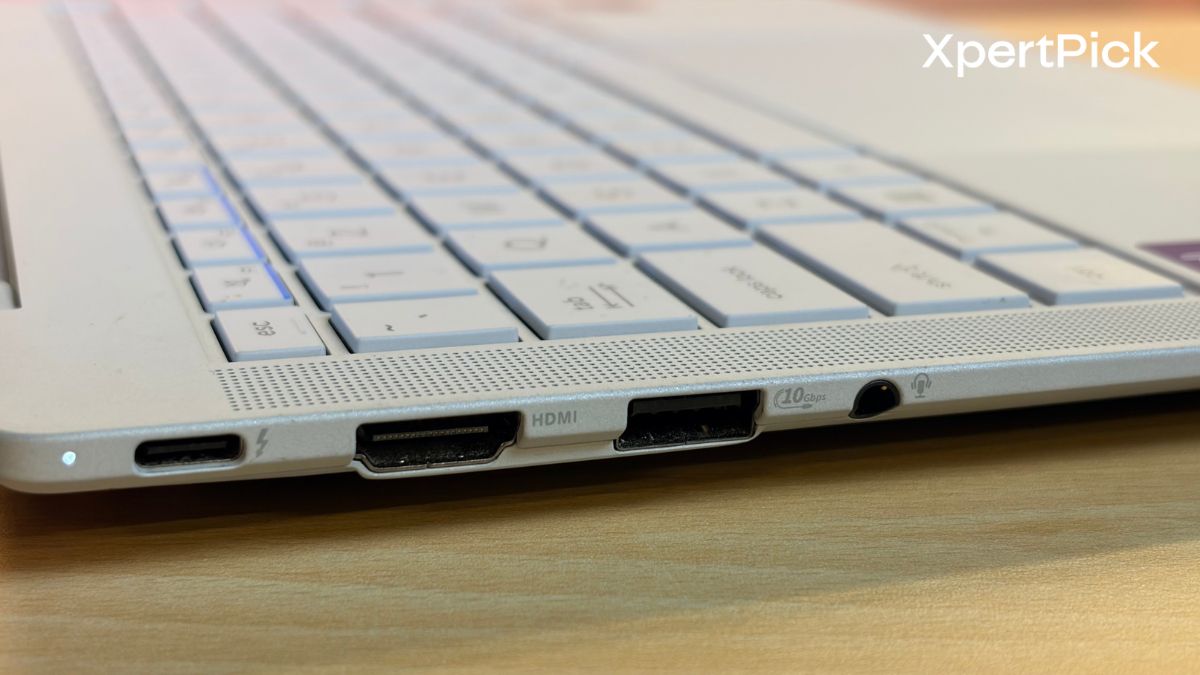
The practical benefits are obvious. These ports mostly eliminate the need for adapters, while the Thunderbolt 4 ports on both sides let you charge the laptop from whichever side is most convenient.
ASUS ExpertBook Ultra Display And Speakers
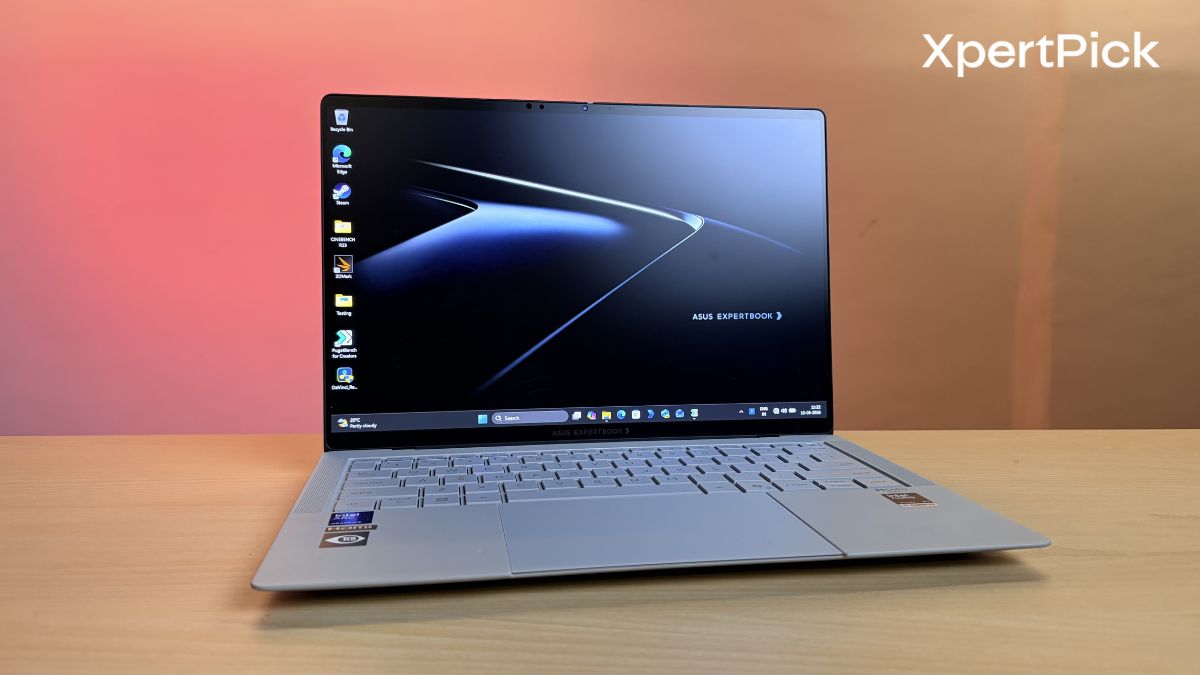
ASUS has gone all out with the display. The 14-inch 3K tandem OLED panel combines excellent image quality with practical usability. By stacking two OLED layers, it can reach up to 1,400 nits in HDR content while consuming less power than a conventional OLED panel.
The standout feature, however, is the matte finish. Protected by Gorilla Glass Victus, the micro-etched coating significantly reduces reflections, making the display far easier to use outdoors or under harsh office lighting. Combined with its 120Hz refresh rate, 100% DCI-P3 colour coverage, and professional-grade colour calibration, this is a display that is equally suited to content creation, media consumption as well as gaming.
Audio is another area where the ExpertBook Ultra impresses. Even my daily driver, the Samsung Galaxy Book6 Pro 16-inch, only has a quad-speaker setup despite having a big chassis. Despite its slim chassis, ASUS has managed to fit a six-speaker Dolby Atmos system featuring dedicated tweeters and dual-magnetic woofers. The result is a rich, clear sound signature with surprisingly good bass for a laptop of this size.
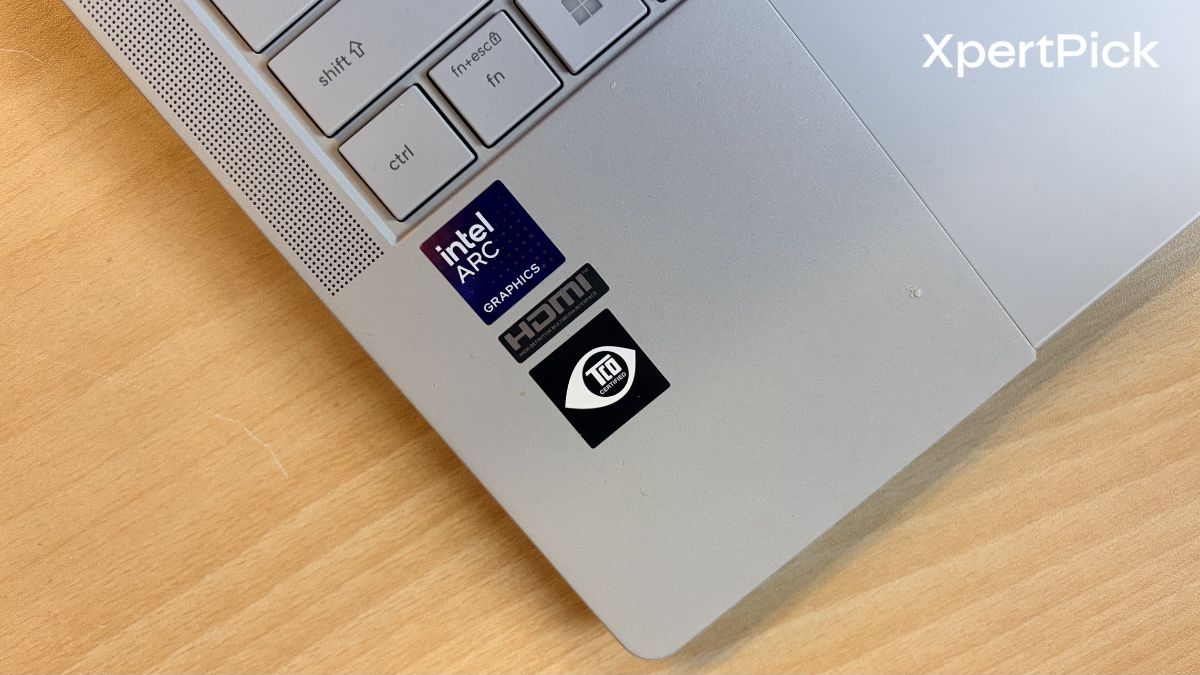
Whether you’re on a conference call or watching a film, the laptop offers good vocals and distortion-free speaker performance even at higher volumes. The multi-speaker layout also creates a noticeably wider stereo soundstage, giving the laptop a more immersive audio experience.
ASUS ExpertBook Ultra Benchmark and Performance
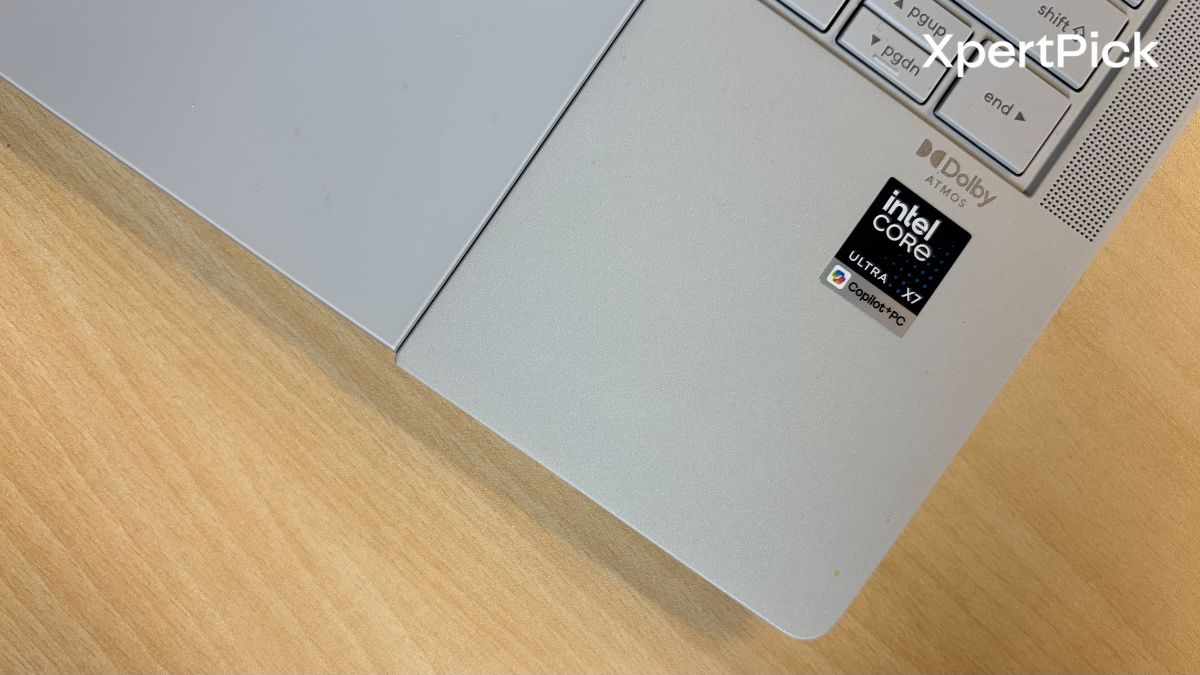
Performance is another area where the ASUS ExpertBook Ultra not only shines but also manages to punch above its weight. In CPU benchmarks, it performs in line with other laptops powered by Intel’s Core Ultra 7 358H processor. For instance, in Geekbench 6, it scored 2,819 in the single-core test and 16,567 in the multi-core test.
It sits slightly behind the Samsung Galaxy Book 6 Pro 16, which uses the same processor and scored 2,890 and 17,108 in the single-core and multi-core tests, respectively. Meanwhile, the ASUS Zenbook S14, powered by the Intel Core Ultra 9 386H, scored 2,905 and 16,659, while the Dell XPS 14 posted scores of 2,704 and 16,895 in the same Geekbench 6 benchmark.
| Laptop | Processor | Geekbench 6 Single-Core | Geekbench 6 Multi-Core |
|---|---|---|---|
| ASUS ExpertBook Ultra | Intel Core Ultra X7 358H | 2,819 | 16,567 |
| Samsung Galaxy Book6 Pro 16 | Intel Core Ultra X7 358H | 2,890 | 17,108 |
| ASUS Zenbook S14 | Intel Core Ultra 9 386H | 2,905 | 16,659 |
| Dell XPS 14 | Intel Core Ultra X7 358H | 2,704 | 16,895 |
Next up is the Cinebench R23 rendering test, where the ASUS ExpertBook Ultra scored 2,067 in the single-core test and 15,365 in the multi-core test. This places it second in single-core performance, behind the ASUS Zenbook S14’s score of 2,107, while the Dell XPS 14 scored 2,076, and the Samsung Galaxy Book6 Pro scored 2,016.
In the multi-core test, the Samsung Galaxy Book6 Pro took the lead with a score of 15,517, followed closely by the ASUS ExpertBook Ultra at 15,365. The ASUS Zenbook S14 came in third with 14,735, while the Dell XPS 14 trailed behind at 12,772.
| Laptop | Cinebench R23 Single-Core | Cinebench R23 Multi-Core |
|---|---|---|
| ASUS Zenbook S14 | 2,107 | 14,735 |
| Dell XPS 14 | 2,076 | 12,772 |
| ASUS ExpertBook Ultra | 2,067 | 15,365 |
| Samsung Galaxy Book6 Pro 16 | 2,016 | 15,517 |
Meaning, despite its small and ultra-slim chassis, the ASUS ExpertBook Ultra scores just as well as the Samsung Galaxy Book6 Pro 16-inch, which naturally has more headroom for heat dissipation owing to its larger chassis size.
Before diving into power consumption, it’s worth taking a look at thermal performance. In the 3DMark Wild Life Extreme Stress Test, the ASUS ExpertBook Ultra achieved a frame rate stability score of 94% and a total score of 12,418 points. For reference, a stability score of 97% or higher is generally required to pass the test.
The result is particularly impressive when compared to its rivals. The much larger Samsung Galaxy Book6 Pro 16-inch recorded a frame rate stability of around 90% with 11,536 points, while the Dell XPS 14 lagged behind with a stability score of just 77% and 11,302 points. The ASUS Zenbook S14 came closest with a stability score of 96.1%, although it managed only 4,089 points overall.
| Laptop | 3DMark Wild Life Extreme Score | Frame Rate Stability |
|---|---|---|
| ASUS ExpertBook Ultra | 12,418 | 94.0% |
| Samsung Galaxy Book6 Pro 16 | 11,536 | 90.0% |
| Dell XPS 14 | 11,302 | 77.0% |
| ASUS Zenbook S14 | 4,089 | 96.1% |
However, there’s a catch. The ZenBook S14 does not use the Intel Arc B390 iGPU found in the other laptops here. Instead, it relies on the less powerful Intel Graphics solution. As a result, its thermal stability figures are not exactly an apples-to-apples comparison. Even then, it did not score significantly better than the ASUS ExpertBook Ultra, which arguably had the more difficult task of cooling substantially more powerful hardware.
Which is why what really surprised me is that the Intel Core Ultra X7 358H, powering both the Samsung Galaxy Book 6 Pro 16-inch and the ASUS ExpertBook Ultra, consumes close to 45W in the Galaxy Book but only 30W in the ExpertBook Ultra, despite delivering almost identical performance.
What this means is that post 30W of power consumption, the performance gains for the Intel Core Ultra X7 358H start to taper off.
ASUS ExpertBook Ultra Battery Life
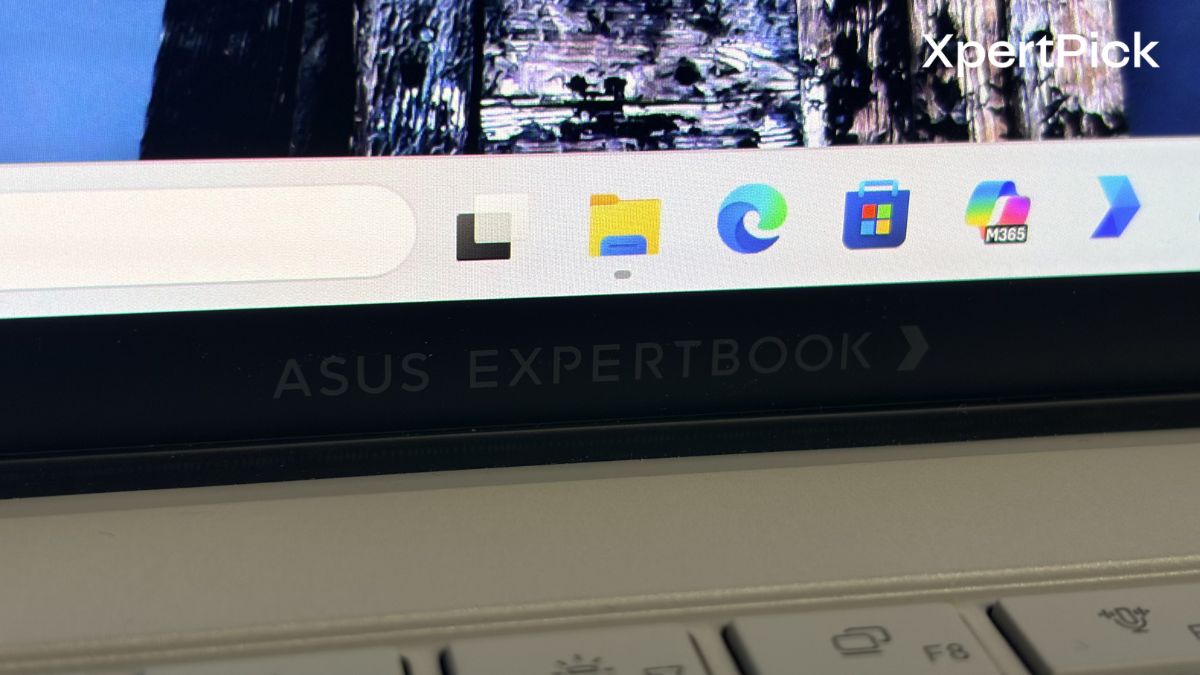
The ASUS ExpertBook Ultra features a 70Wh battery and delivers impressive endurance in our testing. In the overnight video playback test, it lasted around 16 hours of screen-on time, while in mixed-use scenarios, it ran for approximately 12 hours and 32 minutes before finally shutting down. That’s comfortably ahead of the Samsung Galaxy Book 6 Pro 16-inch, which managed just 10 hours and 45 minutes of screen-on time.
The advantage likely comes down to a combination of factors. For starters, the ExpertBook Ultra’s smaller display places a lighter demand on the battery. The processor’s power profile also appears to play a role. While the Intel Core Ultra X7 358H in the ExpertBook Ultra seems to be limited to around 30W under sustained workloads, the same chip can draw up to 45W in the Galaxy Book’s sustained-performance mode. That lower power consumption helps the ASUS extract significantly more runtime from its battery without giving up much performance.
ASUS ExpertBook Ultra Verdict
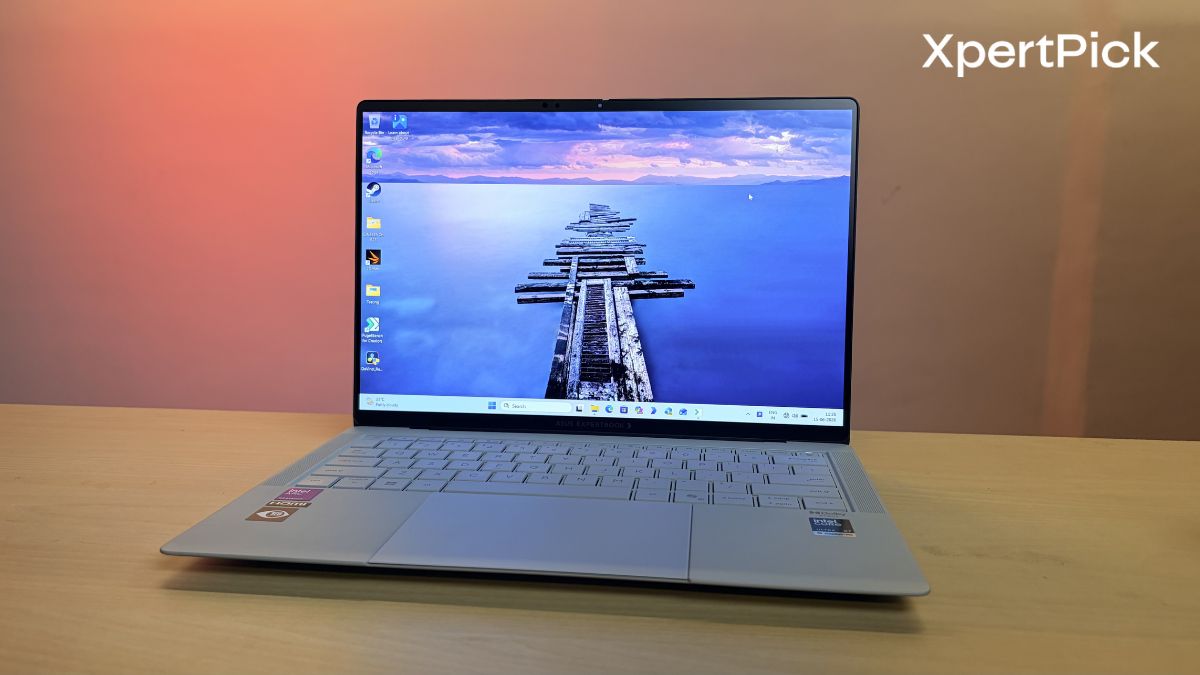
The ASUS ExpertBook Ultra is one of those laptops that feels caught between two realities. On one hand, ₹2.39 lakh is an enormous amount of money for a Windows laptop, especially at a time when even premium ultrabooks are struggling to justify their rapidly increasing prices. On the other hand, once you look beyond the sticker shock, ASUS has built an impressively complete package.
The biggest achievement here is not the performance, the display, or even the battery life. It’s the balance. At under 1kg and just 10.9mm thick, the ExpertBook Ultra manages to offer a level of practicality that many competing ultrabooks have sacrificed. You get a fantastic tandem OLED display, excellent speakers, a genuinely comfortable keyboard, a haptic touchpad, class-leading battery life, and a surprisingly generous selection of ports without needing to carry a dongle everywhere.
Performance is equally impressive. Despite operating at a lower sustained power limit than the Samsung Galaxy Book6 Pro 16-inch, the ExpertBook Ultra delivers nearly identical results across most workloads. That efficiency translates directly into better battery life and cooler operation, making it one of the most optimized implementations of Intel’s Core Ultra X7 358H that I’ve tested so far.
The problem, however, is value. A year ago, ₹2.39 lakh would have bought you one of the most powerful Windows laptops on the market. Today, it gets you a highly refined ultrabook. That’s not ASUS’s fault, but it does make the ExpertBook Ultra a difficult recommendation for mainstream buyers.
For those willing to pay a premium, the ASUS ExpertBook Ultra delivers. Whether that level of refinement is worth ₹2.39 lakh is ultimately a question only your wallet can answer.
Pros
-
Build: Ultra-lightweight (0.99 kg) yet incredibly rigid thanks to its aerospace-grade magnesium-aluminum chassis.
-
Display: Features a bright, power-efficient Tandem OLED matte display that significantly reduces glare.
-
Input: Offers an exceptionally comfortable 1.5mm key travel and an accurate haptic touchpad.
-
Ports: Includes a versatile I/O selection with full-size USB-A, HDMI, and dual Thunderbolt 4 ports.
-
Battery: Delivers class-leading battery life (up to 16 hours) due to excellent 30W power optimization.
Cons
-
-
Price: Expensive for a Windows laptop at ₹2.39 lakh
-
I/O: A full size SD card slot is missing
-