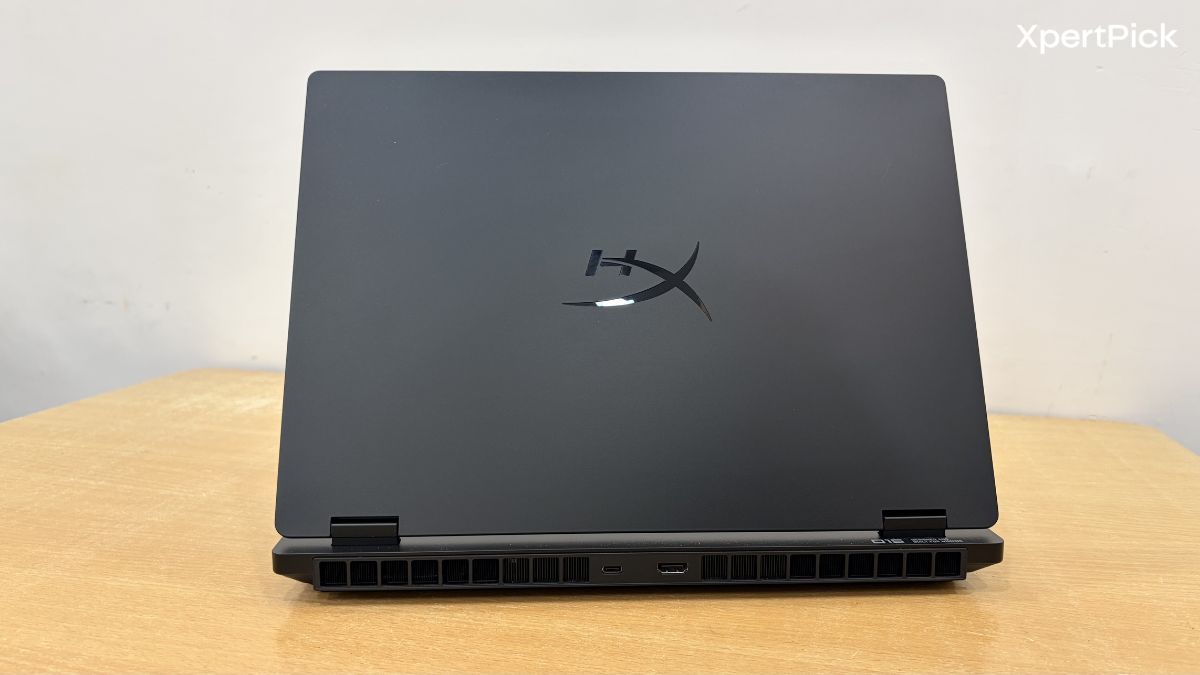
After HP rebranded the HP Omen 15 as the HyperX Omen 15, I was initially expecting little more than a logo change, a few updated decals, and some minor branding tweaks. But I was pleasantly surprised to find that this is not merely a name change. Over the years, HP has been one of the few OEMs to consistently experiment with fresh laptop designs, especially in the gaming segment.
One of the major turning points came with the HP Omen Transcend 14, which helped usher in the era of lightweight gaming laptops. Now, after folding its gaming laptop lineup under the HyperX branding, a name already well established in gaming accessories, HP’s first rebranded HyperX Omen 15 has finally landed on my table.
And after testing it for over a week, I am pleasantly surprised. To get straight to the point, this laptop has improved massively in some key areas. As for the downsides, they need a bit more context. So, here’s the full answer.
HyperX Omen 15 Specifications
Processor: Intel Core i7-14650HX, 14th Gen Intel Core i7 processor with 16 cores, 24 threads, up to 5.2GHz Turbo Boost, and 30MB L3 cache
Graphics: NVIDIA GeForce RTX 5050 Laptop GPU with 8GB GDDR7 dedicated VRAM and 115W TGP
Display: 15.3-inch 2.5K IPS display (2560 x 1600, up to 180Hz, 3ms response time, 500 nits, anti-glare, Low Blue Light, 100% sRGB)
Memory: 24GB DDR5-5600 RAM
Storage: 1TB PCIe Gen4 NVMe M.2 SSD with dual M.2 SSD expansion slots
Battery: 4-cell 70Wh Li-ion polymer battery with fast charging support, around 50% charge in 30 minutes
Dimensions: 34.3 x 25.3 x 2.25 cm and weighs 2.42kg
Connectivity: Realtek Wi-Fi 6, Bluetooth 5.4, and integrated Gigabit Ethernet LAN
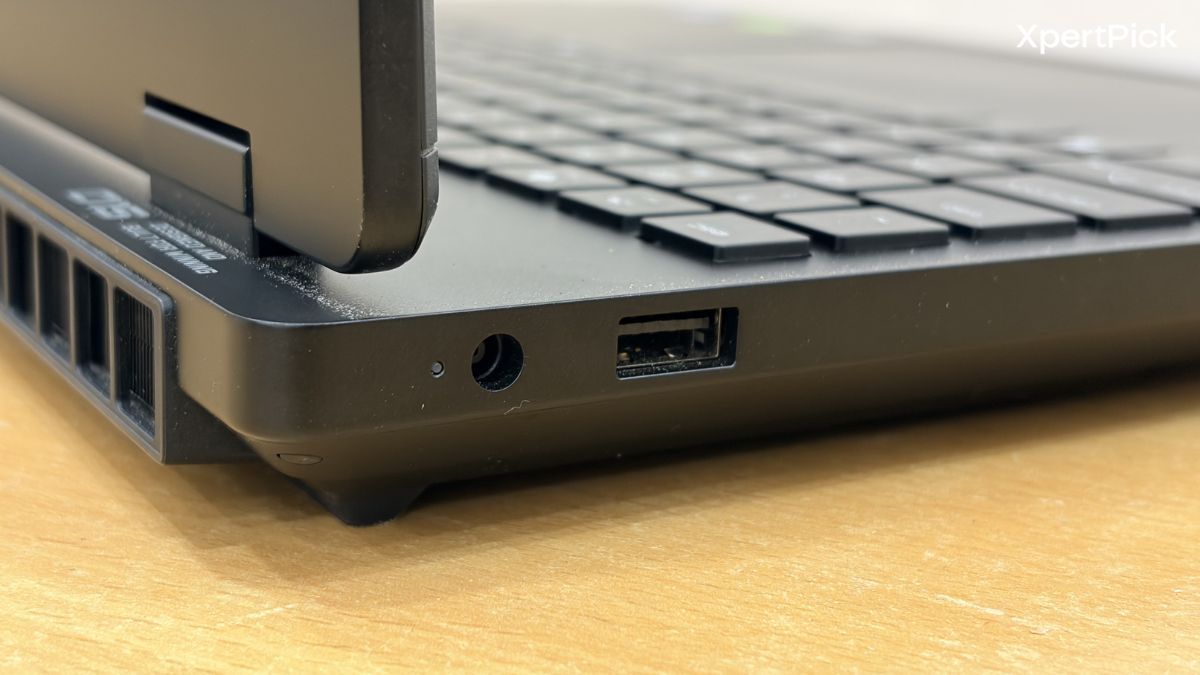
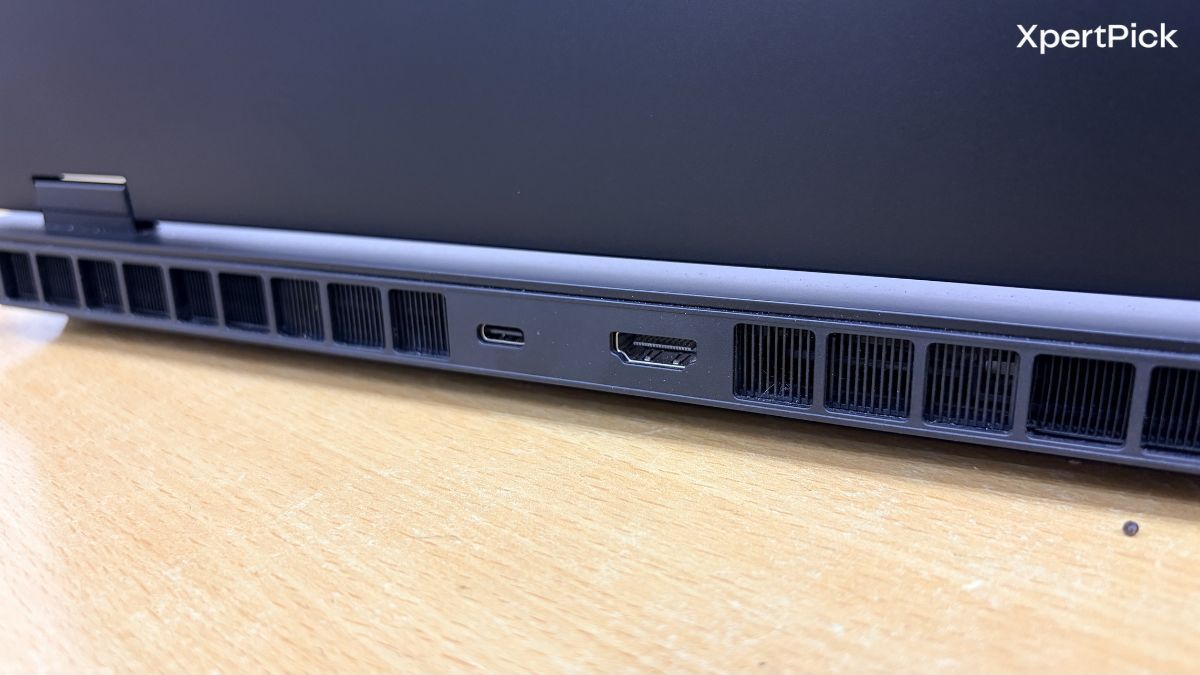
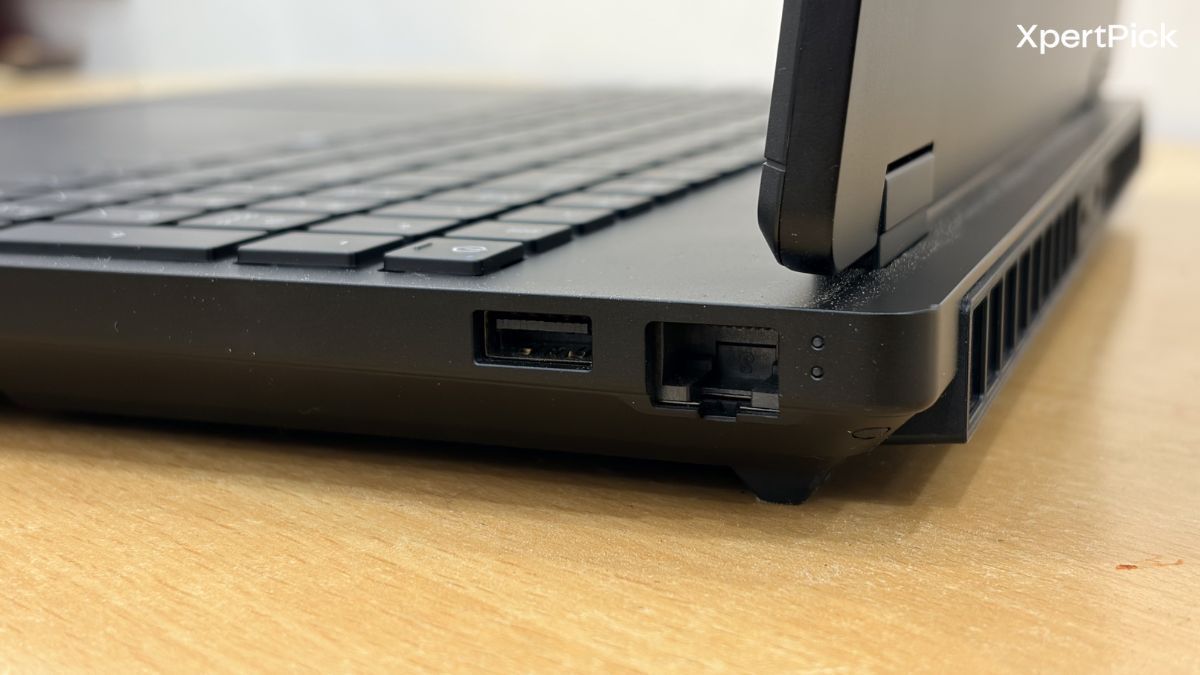
Ports: 2x USB Type-A 10Gbps, 1x USB Type-C 10Gbps with USB Power Delivery 3.1, DisplayPort 1.4 and HP Sleep and Charge, 1x HDMI 2.1, 1x RJ-45 Ethernet, 1x headphone/microphone combo jack, and 1x AC smart pin
Audio: Dual speakers with DTS:X Ultra, HP Audio Boost, and HyperX tuning
Camera: 1080p FHD webcam with HDR auto switch, temporal noise reduction, and integrated dual-array digital microphones
Keyboard: Full-size 4-zone RGB backlit keyboard with numeric keypad and 26-key rollover anti-ghosting support
Power Adapter: 230W AC power adapter
Operating System: Windows 11 Home
HyperX Omen 15 Design And Build: New Chassis, Fixed Hinge, But A Few Old-School Choices Remain
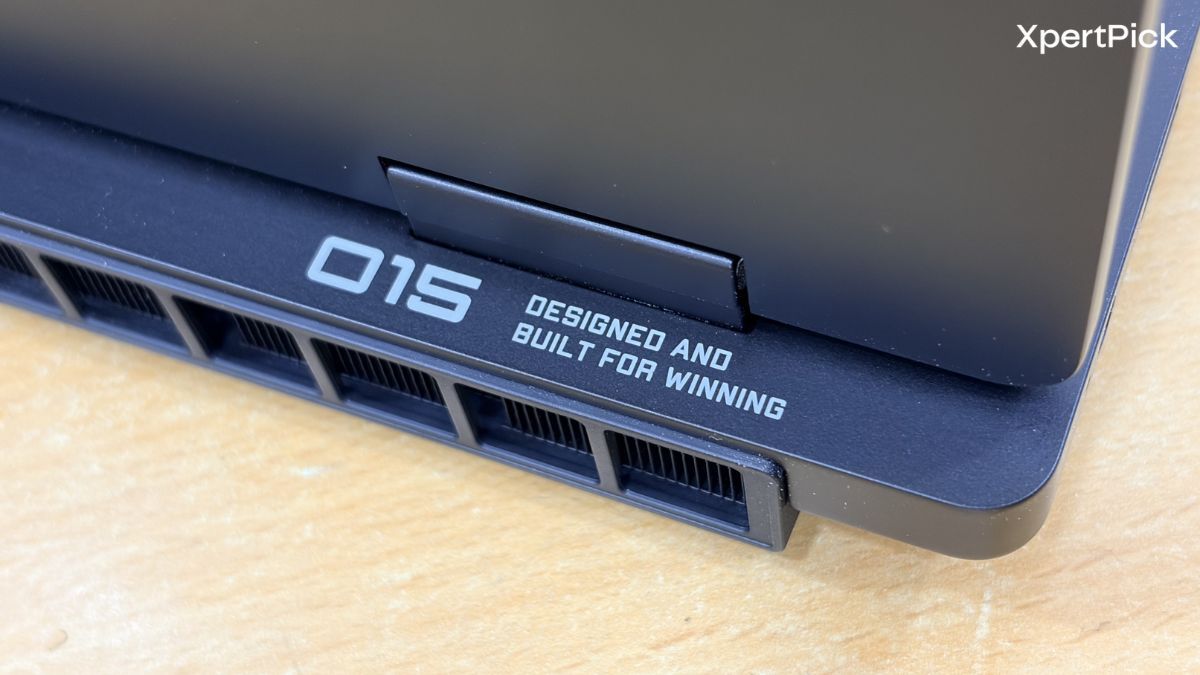
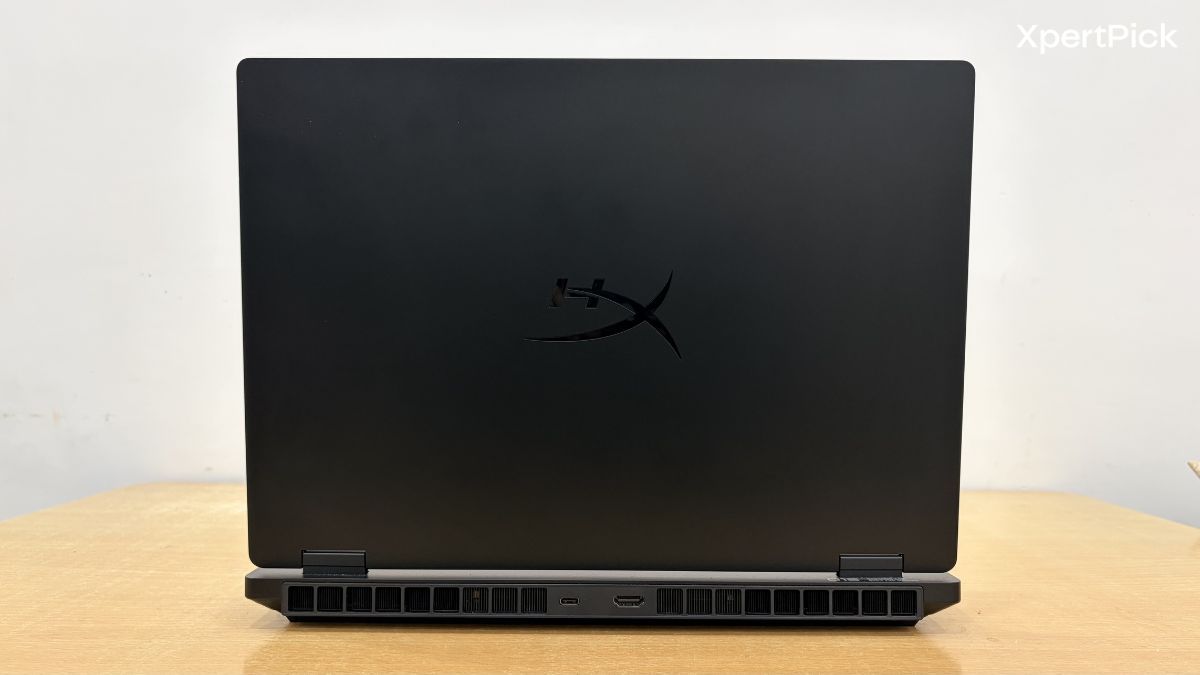
First and foremost, HP, or rather HyperX, appears to have fixed the dreaded display hinge issue. The 15-inch chassis is also completely new. Since this laptop uses a 16:10 display, it has a slightly squarish look compared to older 15-inch gaming laptops.
The new IPS LCD panel measures around 15.3 inches, but the overall footprint feels larger than that number suggests. That is mainly because the top and bottom bezels are still quite thick, and the rear section of the laptop deck protrudes slightly beyond the display.
Now, in terms of dimensions, the HyperX Omen 15 measures 34.3 cm in width, 25.3 cm in depth, and 2.25 cm in thickness. In inches, that translates to 13.5 x 9.96 x 0.89 inches. So, while it is technically a 15.3-inch gaming laptop, the overall footprint is still looks fairly compact.
In terms of weight, the HyperX Omen 15 comes in at around 2.42 kg. That makes it slightly heavier than the HP Victus series, which usually weighed around 2.29 kg, but about 0.02 kg lighter than the HP Omen 16, which weighed around 2.44 kg.
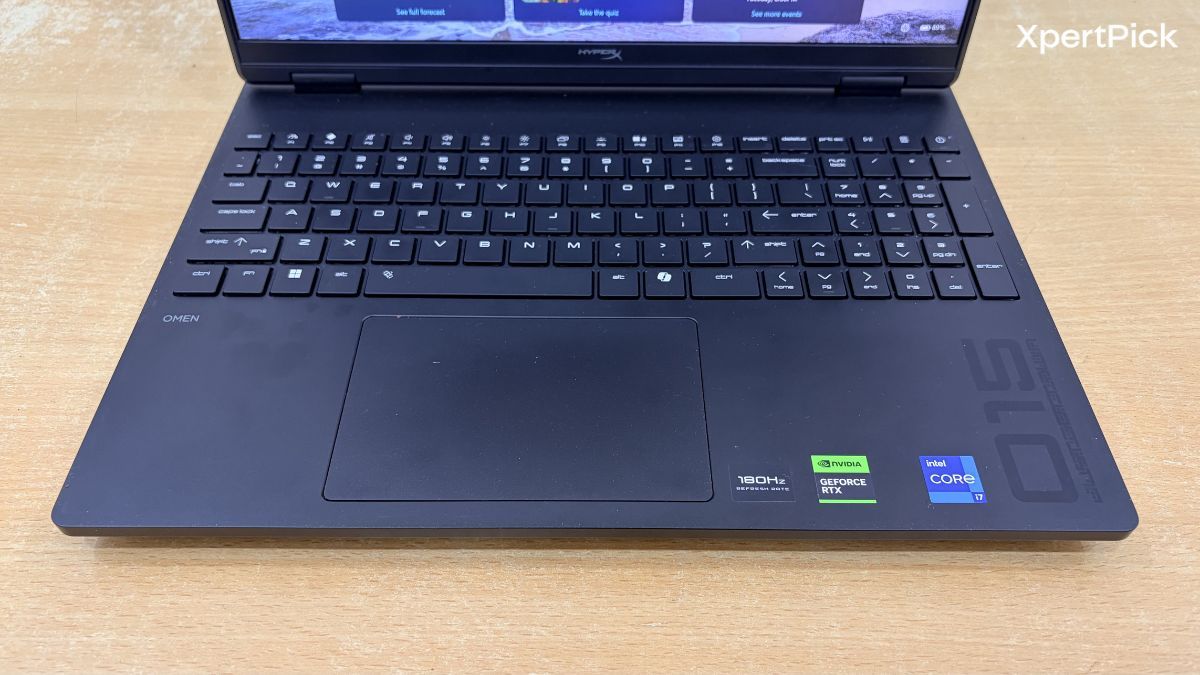
Needless to say, the laptop’s weight does not fully reflect its proportions. The HyperX Omen 15 looks fairly compact, apart from its thickness. In a way, it reminds me of the chunky laptops of yesteryear, the kind that included almost every port imaginable, from Ethernet and HDMI to VGA and even PS/2, almost everything but the kitchen sink.
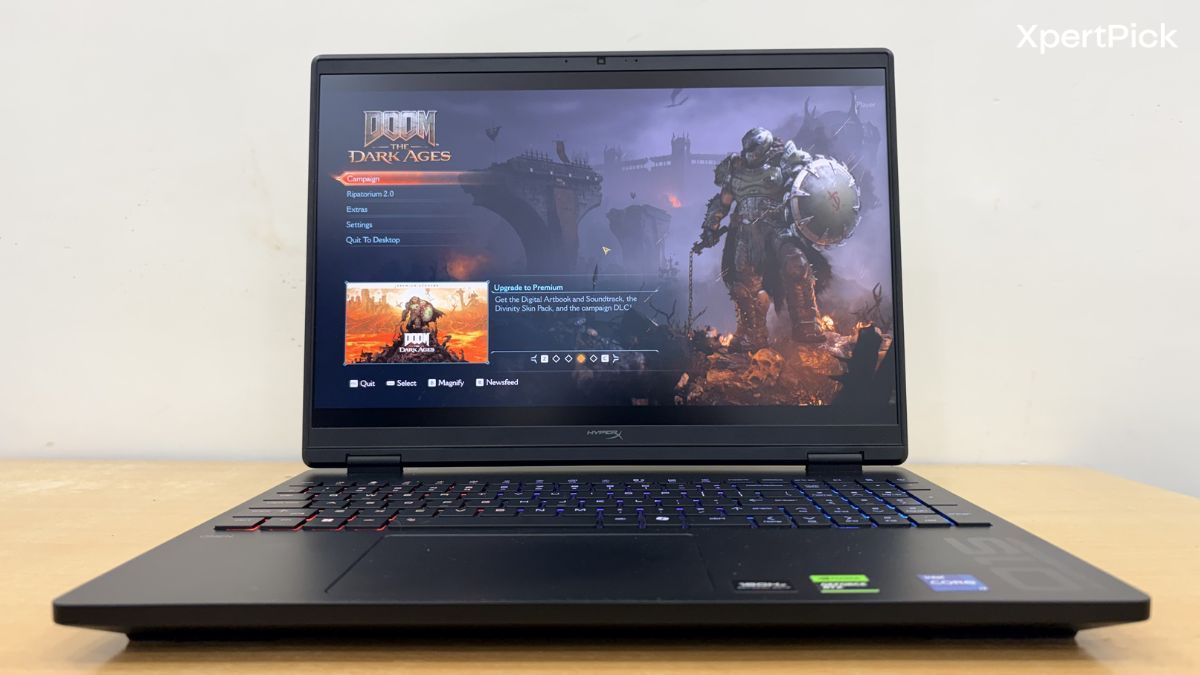
The build is mostly polycarbonate, and there is noticeable but controlled flex on the top lid and around the keyboard deck. Speaking of the keyboard, I do not quite understand why HP has decided to use a full-sized layout on the HyperX Omen 15.
I was recently using the Samsung Galaxy Book6 Pro as my daily driver, which has a more compact keyboard layout. The keyboard is centred, and I can easily say that the typing experience felt so much better that I did not even mind the relatively low key travel.
For the next iteration, I think HP should consider removing the numpad and switching to a more compact, centred keyboard layout. This would make typing more comfortable, keep the edges of your palms away from the touchpad, and reduce accidental touches, something I experienced during my usage.
And while they are at it, HP could also increase the size of the touchpad and make it haptic. The Galaxy Book6 Pro I am using has a haptic touchpad, and in fact, the entire Galaxy Book6 series, including the cheapest Galaxy Book models, now offers one as standard. So, I do not see why a laptop like the HyperX Omen 15 should miss out on it.
The vents are placed towards the back and underside of the laptop. Hot air is expelled from the rear, while cool air is drawn in from underneath.
HyperX Omen 15 Display And Speakers: The Screen Impresses More Than The Audio
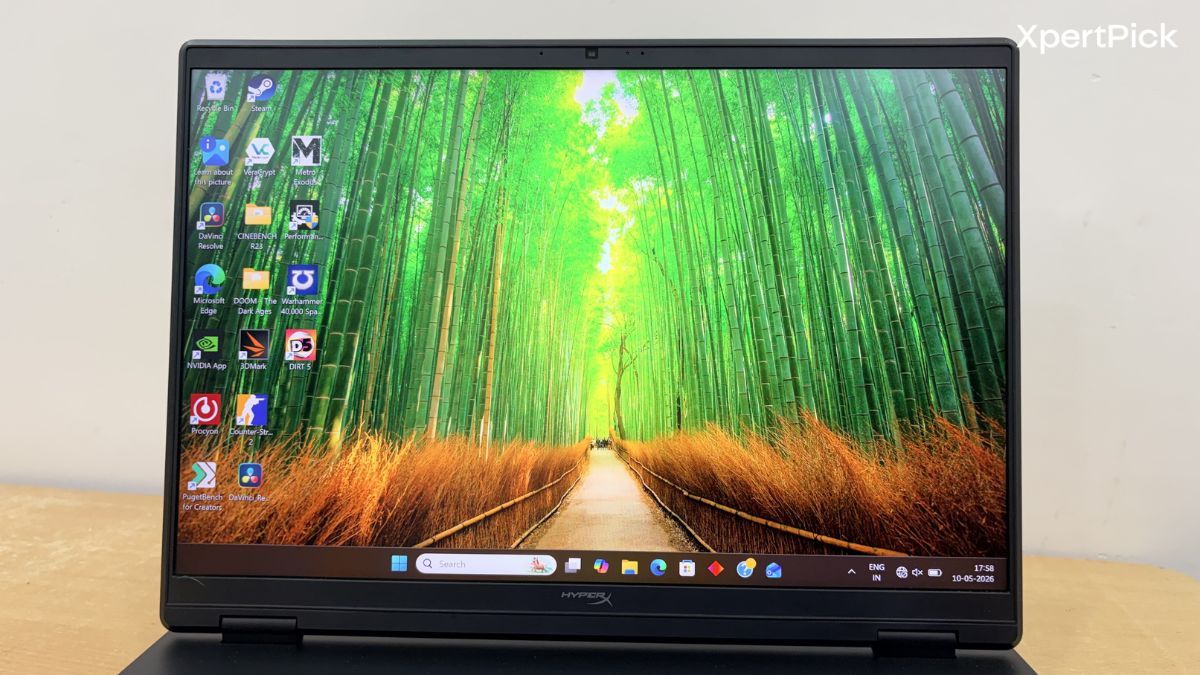
I love the display on this laptop. The HyperX OMEN 15 gets a fairly impressive panel for a gaming machine. It features a 15.3-inch 2.5K IPS display with a 180Hz refresh rate, 3ms response time, 500 nits of brightness, an anti-glare coating, and 100% sRGB colour coverage.
What these numbers do not fully tell you is how crisp and bright the display actually looks in person. I have recently become quite used to OLED displays, since I use one on a daily basis, but even then, the IPS LCD panel on the HyperX OMEN 15 looked fantastic. The viewing angles are also extremely good. It does not matter how far off-centre you sit, the colours do not shift noticeably, and the screen remains almost as visible as it would be when viewed directly from the front.
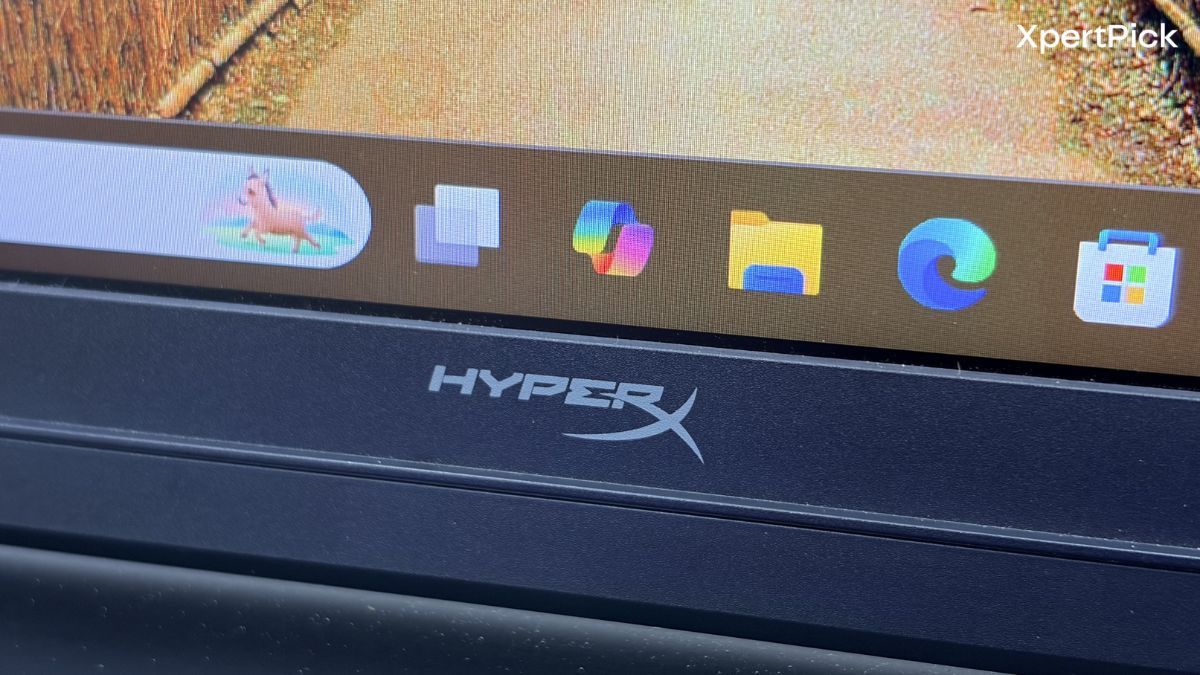
On top of that, the anti-glare coating is one of the best I have seen, apart from the ones on my Galaxy Book6 Pro and the MacBook Pro series. As I mentioned in the design section, the display does have fairly thick top and bottom bezels. I do not really know why that is the case, especially when the panel itself is otherwise this good.
The speaker setup, meanwhile, is more conventional, with dual speakers backed by DTS:X Ultra and HP Audio Boost. However, despite the certifications and labels, I found the audio lacking and very similar to what you get on most gaming laptops. Objectively speaking, the audio quality is just average.
HyperX Omen 15 Performance: Excellent Thermals, Stable Power, and Strong RTX 5050 Gains
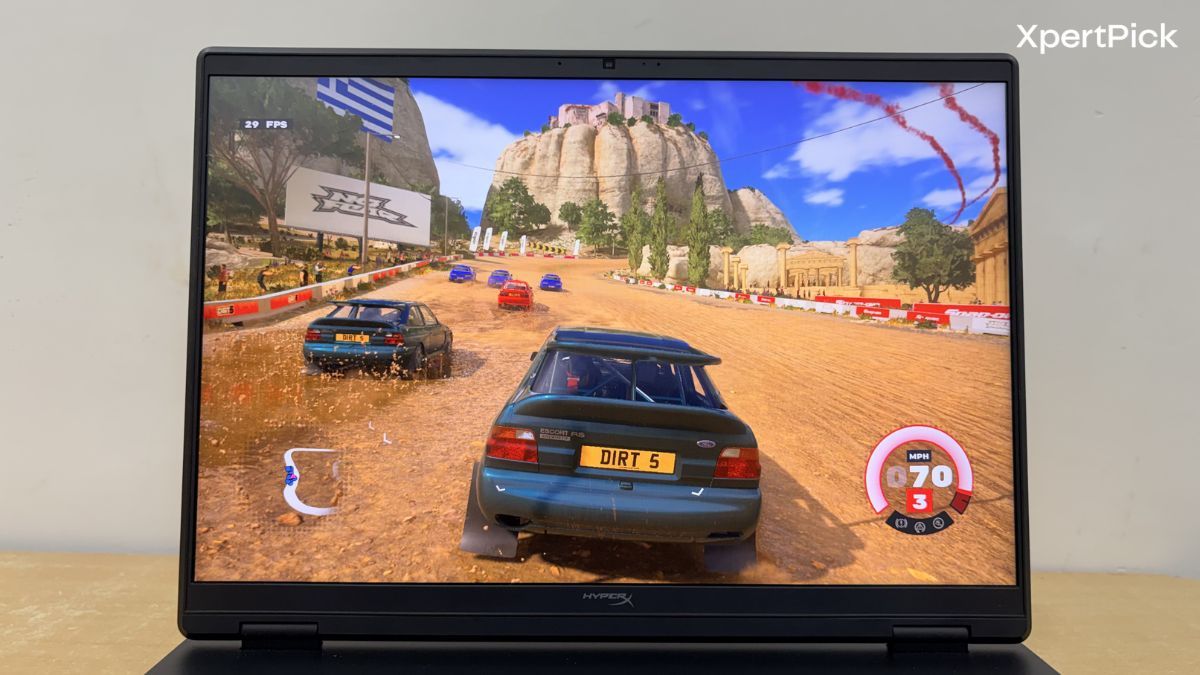
In terms of specs, the laptop comes with an Intel Core i7-14650HX processor, which can boost up to 5.2GHz and features 16 cores, 24 threads, and 30MB of L3 cache. For graphics, it gets the NVIDIA GeForce RTX 5050 Laptop GPU with 8GB of dedicated GDDR7 VRAM and a 115W TGP.
In terms of performance, what we see is a bit of a mixed bag. Firstly, the laptop is absolutely impressive when it comes to thermal performance. During the 3DMark Wild Life Gaming stress test, the CPU temperature remained around 61.99°C, while the GPU temperature stayed around 68°C.
Moreover, throughout the entire run, the GPU worked at almost full load, hovering around 99%. This indicates that the CPU is not bottlenecking the GPU in any meaningful way, and that this is a well-matched CPU and GPU pairing.
Moreover, the frame rate stability was around 99.2%, which is higher than the 97% passing threshold required for this test.
Moreover, the frame rate stability was around 99.2%, which is higher than the 97% passing threshold required for this test.
Meanwhile, during the CPU-specific stress test, temperatures remained around 72°C, while the Intel Core i7-14650HX drew between 75W and 90W of power.
The temperature figures are very good. In fact, it comes close to one of the best thermal-performing laptops I have tested, the Gigabyte G6.
In short, both the CPU and GPU are thermally efficient. So now the question remains: how well do they perform? Well, the Nvidia GeForce RTX 5050 is faster than the Nvidia GeForce RTX 3060 and RTX 4050, while being roughly equivalent in performance to the AMD Radeon RX 6700M.
| GPU |
3DMark Time Spy Score |
| NVIDIA GeForce RTX 5050 Laptop GPU |
10,199 |
| AMD Radeon RX 6700M |
9,012 |
| NVIDIA GeForce RTX 4050 Laptop GPU |
8,220 |
| NVIDIA GeForce RTX 3060 Laptop GPU |
8,209 |
In synthetic workloads like 3DMark Time Spy, the RTX 5050 scored 10,199, while the RTX 4050 scored 8,220, the RTX 3060 scored 8,209, and the Radeon RX 6700M scored 9,012.
| GPU |
Shadow of the Tomb Raider FPS |
Settings |
| NVIDIA GeForce RTX 5050 Laptop GPU |
141 FPS |
1200p, High, DLSS Off |
| NVIDIA GeForce RTX 4050 Laptop GPU |
110 FPS |
1200p, High, DLSS Off |
| NVIDIA GeForce RTX 3060 Laptop GPU |
100 FPS |
1200p, High, DLSS Off |
When it comes to gaming, the NVIDIA GeForce RTX 5050 represents a clear advantage if you are coming from an RTX 4050 or an RTX 3060. In Shadow of the Tomb Raider, at 1200p and High settings without any DLSS, the RTX 5050 scores 141 FPS, while the RTX 4050 scores 110 FPS and the RTX 3060 scores 100 FPS.
| Game |
Graphics Settings |
RTX 5050 FPS |
| Cyberpunk 2077 |
High |
101 FPS |
| Borderlands |
High |
102 FPS |
| Doom: The Dark Ages |
High |
63.29 FPS |
Meanwhile, in standalone gaming tests, the RTX 5050 performs quite well too. It delivered 101 FPS in Cyberpunk 2077 at High settings, 102 FPS in Borderlands, and 63.29 FPS in Doom: The Dark Ages.
Verdict: Great Gaming Laptop but Only as an Overall Package
The whole equation comes down to one simple question: how much GPU power are you getting for the price? Whether the GPU is thermally efficient or not comes later. The first consideration is the best graphics card you can get for around Rs 1.49 lakh, which is the price of the HyperX OMEN 15.
For around Rs 1.39 lakh, you can get the new Alienware Aurora 16, which comes with an RTX 5060. At a similar price, you can also pick up a Lenovo LOQ with an RTX 5060.
So, purely in terms of GPU power versus the money you are spending, the other laptops I mentioned do make more sense. However, both of those laptops are 2025 models, and the Lenovo LOQ 2025, in particular, is barely changed from its 2024 version.
Also, they come with an 1200p FHD+ display, instead of the sharper 1600p QHD+ panel on the HyperX OMEN 15, which is also brighter and more colour-accurate. The HyperX OMEN 15 also runs significantly cooler than the other laptops I mentioned, thanks to its brand-new chassis and upgraded cooling components.
So, as a package, the HyperX OMEN 15 is definitely worth its Rs 1.49 lakh price tag. However, if your priority is sheer GPU power, some other options clearly offer more performance for the money.
Pros
- Excellent thermal performance with stable CPU and GPU temperatures
- RTX 5050 delivers a clear jump over RTX 4050 and RTX 3060 laptops
- Sharp and bright 15.3-inch 2.5K IPS display with 180Hz refresh rate
- Impressive anti-glare coating and strong viewing angles
- New chassis feels improved, with the hinge issue seemingly fixed
Cons
- Some RTX 5060 laptops offer better raw GPU value at a similar or lower price
- Speakers are average despite the DTS:X Ultra and HyperX tuning labels
- Full-size keyboard layout feels awkward on this chassis
- Touchpad could have been larger with haptic feedback